How to Archive Old Profiles Without Losing Data
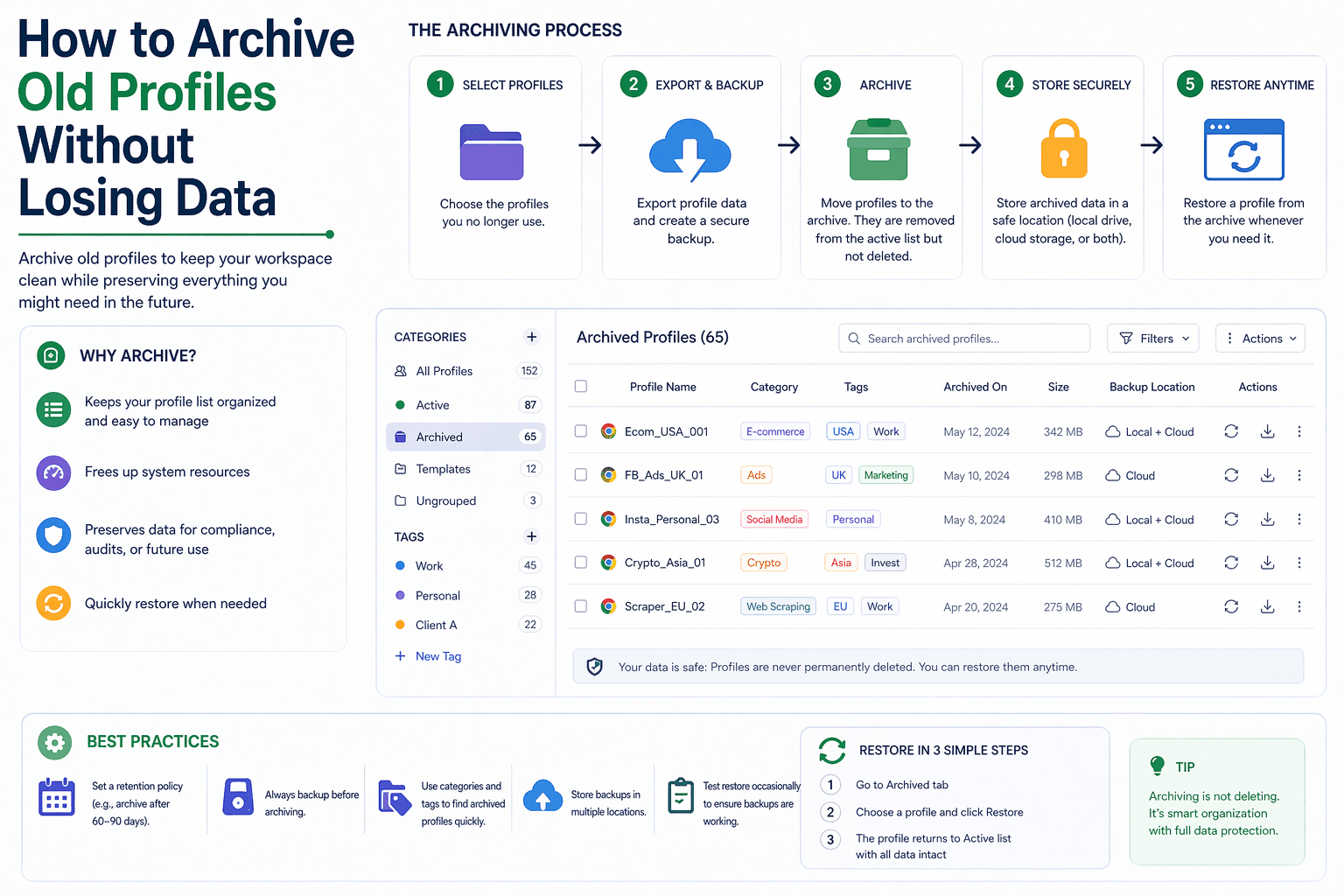
By the end of this tutorial, you will understand how to archive old or inactive browser profiles in a way that keeps your system clean while preserving all important data for future use. As automation scales, profiles naturally accumulate, and without a proper archiving strategy, your environment becomes cluttered, harder to manage, and more prone to errors.
To follow along, you only need a basic understanding of how browser profiles are used in automation, such as storing sessions, cookies, and account states. The focus here is not on code, but on designing a safe and structured archiving process.
This setup typically takes about an hour to define and implement, but it prevents data loss and keeps your system organized long term. If you later manage large numbers of profiles across workflows, Appilot can help handle execution while your archiving system ensures inactive profiles are stored safely.
You will build a system that identifies old profiles, archives them securely, and allows easy recovery when needed.
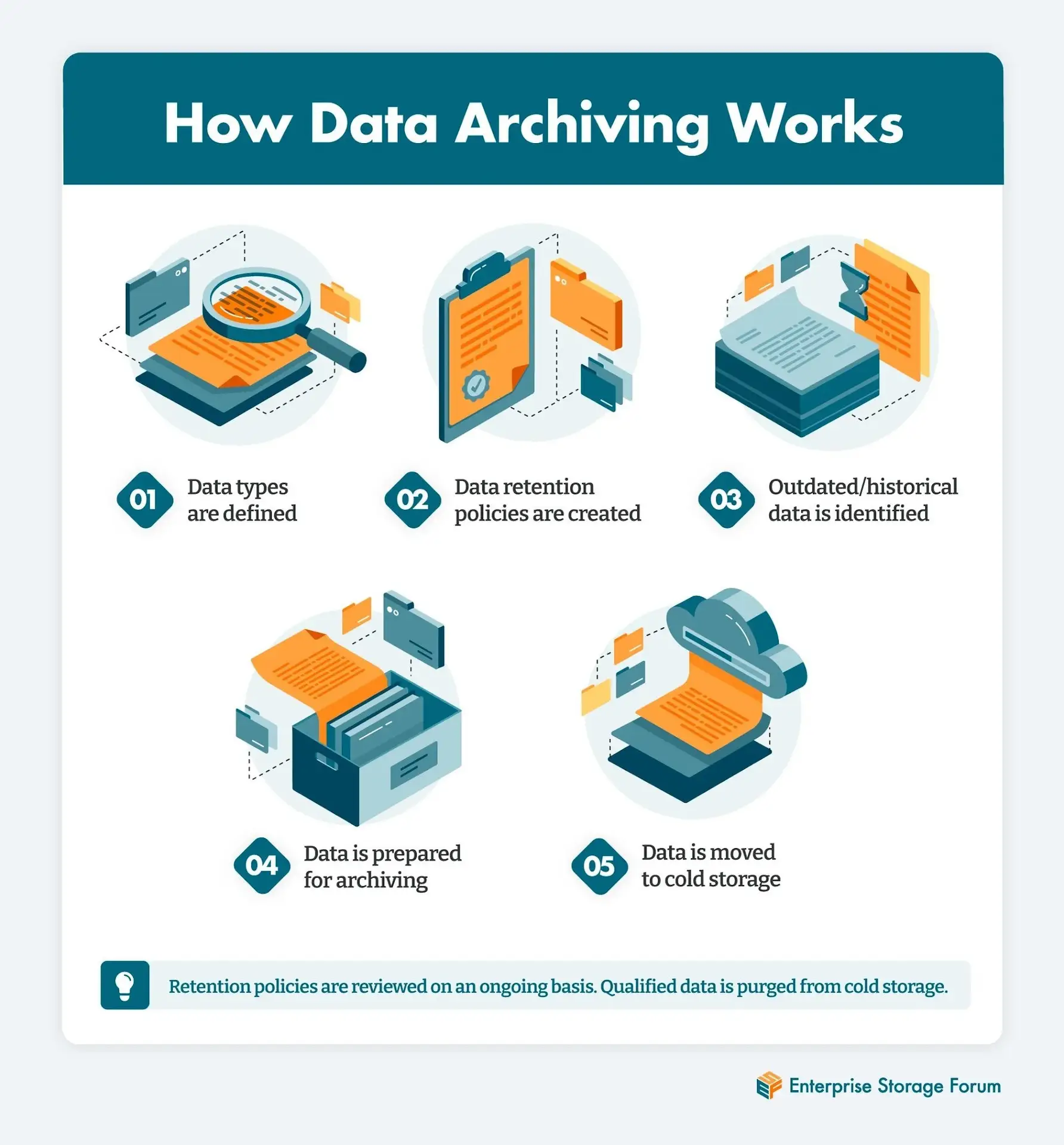
What This Tutorial Builds — And Why This Approach
This tutorial builds a profile archiving system that moves inactive profiles out of your active environment while preserving all their data. Instead of deleting profiles or leaving them mixed with active ones, the system separates them into a structured archive that can be accessed later if needed.
This approach is important because profiles often contain valuable data such as login sessions, cookies, and historical usage. Deleting profiles risks losing this data, while keeping everything active creates clutter and inefficiency. Archiving provides a balance by preserving data without impacting current workflows.
At a small scale, archiving can be handled manually. At a larger scale, where hundreds of profiles are involved, Appilot becomes useful for managing workflows while your archive system keeps inactive profiles organized.
How the System Works — Architecture Overview
At a high level, the system identifies profiles that are no longer actively used, moves them into a separate archive storage, and maintains a record of their metadata. Archived profiles are not deleted but stored in a way that allows them to be restored when needed.
This structure separates active and inactive profiles, making the system cleaner and easier to manage. It also ensures that archived data remains intact and accessible.
Part 1 — Identifying Profiles to Archive
Step 1 — Define Archiving Criteria
The first step is deciding when a profile should be archived. Common criteria include inactivity for a certain period, completion of a specific task, or manual selection based on workflow needs.
Clear criteria ensure that archiving is consistent and not based on guesswork.
Step 2 — Track Profile Usage
To apply archiving rules effectively, you need to track when profiles were last used. This helps identify which profiles are no longer needed in active workflows.
Tracking usage also prevents accidental archiving of important profiles.
Part 2 — Preparing Profiles for Archiving
Step 3 — Preserve All Data
Before archiving, ensure that all relevant data is intact. This includes session data, cookies, local storage, and any files associated with the profile.
The goal is to archive profiles exactly as they are, without losing any information.
Step 4 — Store Metadata Separately
Metadata such as profile name, tags, category, and last usage date should be stored alongside the archived profile. This makes it easier to search and restore profiles later.
Separating metadata from the profile itself improves organization.
Part 3 — Moving Profiles to Archive Storage
Step 5 — Create a Dedicated Archive Location
Archived profiles should be stored in a separate location from active profiles. This could be a different folder, storage system, or database.
Keeping archives separate prevents confusion and ensures that active workflows are not affected.
Step 6 — Maintain a Clear Structure
Archived profiles should follow a structured format, such as grouping by date or category. This makes it easier to locate specific profiles when needed.
A clean structure ensures that the archive remains usable over time.
Part 4 — Accessing and Restoring Archived Profiles
Step 7 — Enable Easy Retrieval
Archived profiles should not be difficult to access. The system should allow you to search for profiles based on metadata and retrieve them quickly.
Ease of retrieval ensures that archiving does not create new barriers.
Step 8 — Restore Profiles When Needed
When a profile needs to be reused, it should be moved back into the active environment with all its data intact. This allows workflows to resume without starting from scratch.
Restoration should be as simple as archiving.
Part 5 — Managing the Archive Over Time
Step 9 — Avoid Overcrowding the Archive
As more profiles are archived, the archive itself can become large and difficult to manage. Periodically reviewing archived profiles helps maintain organization.
Some profiles may eventually be safe to delete after long periods of inactivity.
Step 10 — Keep the Archive Searchable
A good archive system allows you to find profiles quickly. Using metadata, tags, and structured storage ensures that archived profiles remain easy to locate.
Searchability is key to long-term usability.
Part 6 — Real-World Considerations
Step 11 — Protect Archived Data
Archived profiles may contain sensitive information, so they should be stored securely. Access controls and proper storage practices help protect this data.
Step 12 — Document the Archiving Process
Having a clear process for archiving and restoring profiles ensures consistency and reduces errors.
Step 13 — Integrate with Workflow Management
Archiving should be part of your overall workflow management strategy. Profiles should move through stages such as active, inactive, and archived in a predictable way.
Step 14 — Scaling with Appilot
At this stage, your archiving system works locally and keeps profiles organized. As the number of profiles grows, managing lifecycle stages becomes more complex.
This is where Appilot becomes useful because it helps manage workflows across many profiles while your archiving system ensures inactive profiles are stored safely.
FAQ
Q1: What is profile archiving?
It is the process of moving inactive profiles to a separate storage while preserving their data.
Q2: Why not delete old profiles?
Because they may contain valuable data that could be needed later.
Q3: How do I decide when to archive a profile?
Based on inactivity, completed tasks, or predefined criteria.
Q4: Can archived profiles be reused?
Yes, they can be restored to the active environment when needed.
Q5: Do I need Appilot for archiving?
No, you can manage archives locally. Appilot becomes useful when managing workflows at scale.
Conclusion
Archiving old profiles without losing data is essential for maintaining a clean and efficient automation environment. By separating inactive profiles from active ones, you reduce clutter while preserving valuable information.
Start by defining clear archiving criteria, create a structured archive system, and ensure easy retrieval and restoration. Once this process is in place, managing large numbers of profiles becomes far more organized and scalable.