How to Automate Amazon Order Processing Across Stores

Managing Amazon orders across multiple stores sounds manageable when the volume is low. Then growth happens. One store starts getting more daily orders, another is running promotions, a third has different fulfillment rules, and suddenly your team is switching tabs all day just to keep up. Orders have to be checked, statuses reviewed, records updated, exceptions flagged, and operational steps repeated over and over. The more stores you add, the more fragmented the workflow becomes.
The real issue is not just workload. It is operational inconsistency. One store may be processed on time while another gets delayed because someone forgot to switch dashboards. One order may be marked correctly while another slips through because the team is working from different sheets, different logins, and different routines. When order processing is handled manually across multiple stores, small inefficiencies pile up fast and create a serious drag on the business.
That is why more sellers, agencies, and ecommerce operators want to automate Amazon order processing across stores. Instead of relying on staff to repeat the same routine across every account, automation can centralize the flow, standardize repeated actions, and reduce the amount of manual monitoring required. With the right setup, your team can handle more volume, maintain better consistency, and spend less time jumping between repetitive order tasks.
For this guide, I will use Appilot as the workflow automation layer because it fits this use case naturally. This is not about forcing a product mention where it does not belong. It belongs here because the challenge is operational browser workflow management across multiple store contexts, and that is exactly where an automation layer becomes useful. The same principles can be adapted to related setups, but the practical objective remains the same: reduce repeated manual work without sacrificing visibility or control.
In this guide, you will learn why Amazon order processing automation matters, how to set up a multi-store workflow, what tools and structure you need, what safety practices matter most, and what kind of time savings and operational improvements you can realistically expect.
Why Amazon Order Processing Automation Matters in 2025
Multi-store Amazon operations are far more common now than they were a few years ago. Sellers manage separate stores for different brands, regions, client accounts, or product categories. Agencies support multiple seller environments at once. Aggregators often deal with larger operational stacks where consistency matters more than any one individual task. In all of these cases, order processing becomes one of the first areas where operational friction shows up.
The problem is that order processing is repetitive but important. That is exactly the kind of work people underestimate until it starts consuming entire days. A team member checks store one, reviews incoming orders, updates statuses, verifies fulfillment progress, switches to store two, repeats the same sequence, then moves to store three, and keeps going until the day is gone. None of this work is especially strategic, but it is too important to neglect.
If each store requires even thirty to forty minutes of order-checking and routine processing activity per day, then five stores can quickly absorb several hours of labor before the team has even reached higher-value work like customer experience improvements, listing optimization, promotions, or growth planning. As order volume grows, those hours multiply.
Automation matters because it transforms order processing from a store-by-store manual habit into a structured operational system. Instead of relying on human attention to repeat the same checks and actions across every account, the workflow can move through stores methodically, log results consistently, surface exceptions clearly, and reduce the chance of missed orders or uneven execution.
The Manual Approach vs. the Automated Approach
The manual approach to Amazon order processing across stores is straightforward but inefficient. Staff sign in to each store one by one, review incoming order queues, process routine statuses, update tracking notes or internal records, and move to the next store. This often happens alongside spreadsheets, Slack messages, browser bookmarks, separate login profiles, and a lot of context switching. Even when the team is experienced, the process remains tiring because it is repetitive and fragmented.
The automated approach reduces that fragmentation. The system can launch the right store profiles, navigate the order workflow in a consistent way, process routine tasks according to defined rules, and create a central record of what happened in each store session. Human operators still handle exceptions, special cases, and decision-heavy tasks, but the routine layer becomes more manageable.
This is the real difference. Manual processing depends on staff memory, focus, and availability. Automated processing depends on workflow design, profile structure, and operational oversight. One scales by adding more people. The other scales by improving the system.
For teams managing multiple stores, that shift creates immediate value. It reduces context switching, lowers the chance of missed routine actions, and creates a more predictable operating model. Instead of asking whether the team has enough time to visit every store dashboard manually, you build a process that makes those checks structured and repeatable.
What You Need to Get Started
Before you automate Amazon order processing across stores, you need a clean operational setup. The first requirement is access to each store and a clear understanding of which order-processing steps are repetitive enough to automate safely. The second requirement is profile organization. Each store should have its own structured browser context so sessions remain separated and stable.
The third requirement is an automation layer that can execute repeated browser workflows across those profiles without creating a fragile patchwork of scripts and manual triggers. This is where Appilot becomes useful in a practical sense. It gives you a way to organize and execute repeated browser actions across multiple store environments without turning a business operations problem into a full development project.
You also need a clear workflow map. Order processing means different things depending on the business. For some teams, it is mainly checking new orders and updating internal tracking. For others, it includes reviewing shipping state, confirming certain routine actions, tagging exceptions, updating spreadsheets, or triggering downstream processes in fulfillment systems. The workflow must be defined before it can be automated well.
Data discipline matters here too. Store names, login profiles, order queues, fulfillment categories, and exception rules should all be clear. Automation works best when the process is already understood. It should not be used to hide a messy operation. It should be used to improve a clean one.
Step-by-Step: Setting Up Amazon Order Processing Automation Across Stores
The first step is organizing store access properly. If you manage multiple Amazon stores, do not treat them like a loose collection of tabs and saved passwords. Each store should have a dedicated browser profile or clearly separated session environment. This keeps workflows clean and reduces the risk of switching into the wrong account during a processing session.
Once those store environments are ready, connect them to the workflow system. In this example, Appilot is the automation layer coordinating the repeated browser actions. That makes sense for a use-case like this because the real challenge is not technical theory. It is operational repetition across multiple account contexts.
The next step is identifying exactly what part of order processing should be automated. This is important because not every order-related activity belongs in a routine workflow. Focus first on repeatable actions such as opening the order dashboard, checking specific queues, reviewing defined status conditions, updating standardized internal records, flagging exceptions, and moving through stores in a predictable sequence. Keep judgment-heavy decisions outside the first version of the workflow.
Now create your workflow logic. In a multi-store setup, the sequence usually begins by launching store profile one, opening the order management section, reviewing new or pending orders, applying the defined routine actions, logging the result, and then moving to store two. The same sequence continues across all assigned stores. The goal is consistency. Every store should go through the same logic, with differences only where the business rules truly require them.
A clean workflow should include a central status record. For example, each store session should write back whether the order queue was processed normally, whether there were pending exceptions, whether fulfillment issues were detected, or whether the automation had to stop for review. This is what gives operators real visibility. Without logging, automation becomes hard to trust at scale.
Testing must be gradual. Start with one or two stores only. Run the workflow under observation and review what actually happens. Did the system enter the correct profile? Did it navigate to the right dashboard? Did the order list display as expected? Were the routine processing actions applied correctly? Did the logging capture the session accurately? These details matter because multi-store workflows are only valuable when they are dependable.
After the first successful test, expand to a few more stores. At this stage, refine timing and decision logic. Add sensible pauses, stronger page confirmation checks, and clearer exception rules. For example, the workflow should stop and flag any order condition that falls outside the routine template rather than trying to push ahead blindly. Good operational automation is cautious. It should reduce manual work without reducing control.
As the workflow matures, you can batch stores more intelligently. Some teams may want region-based grouping. Others may separate stores by client, fulfillment model, or order volume. The point is that once the logic works, scaling becomes an operational design question rather than a manual labor question.
A strong implementation usually follows this structure. First, the team defines which order-processing actions are safe to standardize. Second, browser profiles are set up for each store. Third, the workflow system launches those profiles in sequence. Fourth, the order queue is reviewed and routine actions are applied. Fifth, each store session is logged. Sixth, any exceptions are surfaced clearly for human review.
That is how multi-store order processing stops being a scattered daily routine and becomes a repeatable system. The value is not in flashy automation for its own sake. The value is in reducing the burden of repetitive operational work 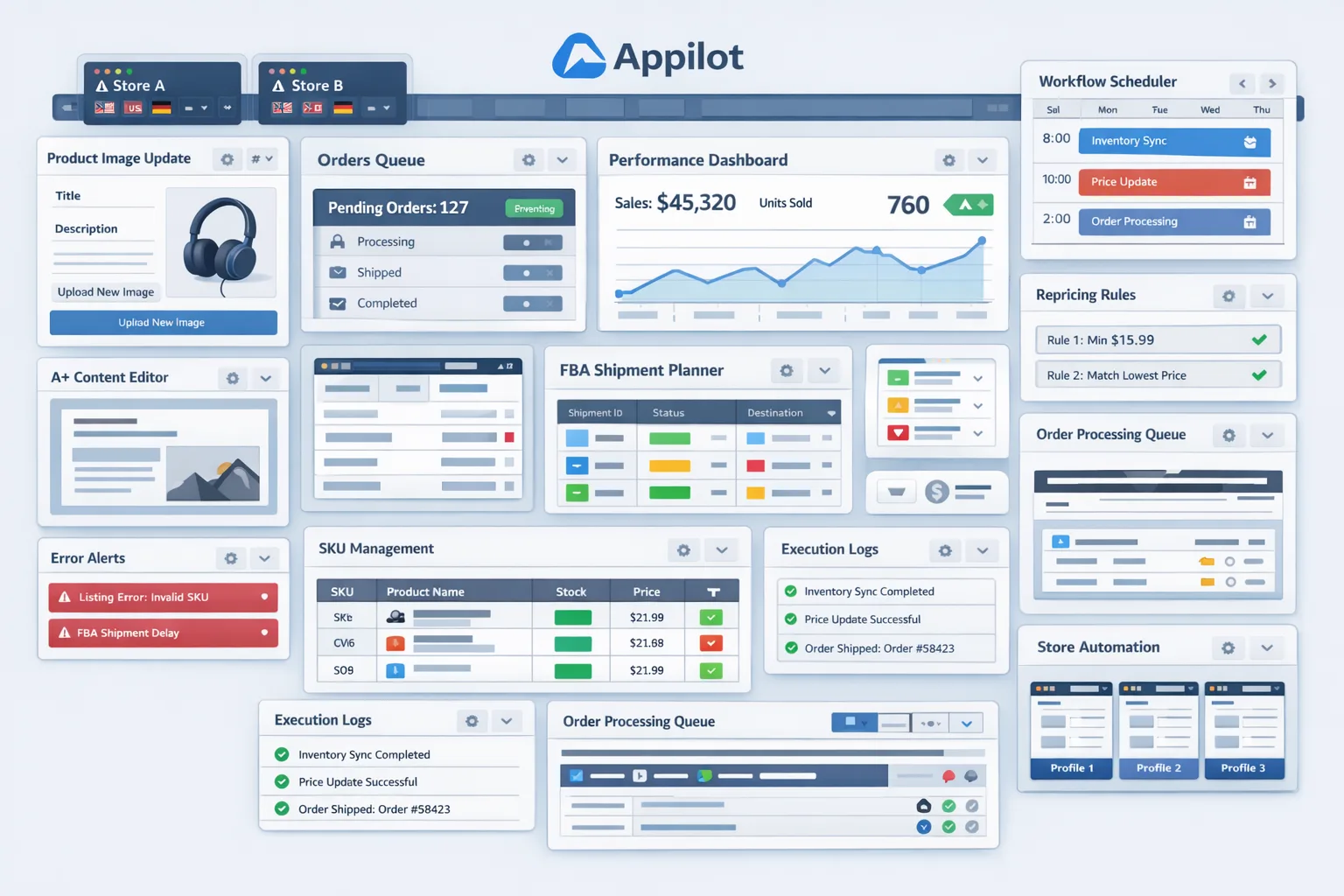
Safety and Best Practices for Amazon Order Processing Automation
The first rule is to automate routine order-processing actions, not complex decision-making. Your workflow should handle repeatable steps consistently, while unusual cases stay with human operators. This keeps the system useful without making it reckless.
The second rule is to separate store environments properly. Multi-store operations become fragile when teams rely on loose browser habits instead of structured profiles. Clean separation reduces mistakes and makes automation more dependable.
The third rule is to build strong stop conditions. If the workflow encounters a missing page element, an unexpected order state, or a store session problem, it should stop and surface the issue instead of improvising its way through the task. Reliable automation is disciplined, not aggressive.
The fourth rule is to keep logging central and visible. You should always know which stores were processed, what actions were completed, and where exceptions were found. Logging is not optional in multi-store operations. It is what makes the automation manageable.
The fifth rule is to scale gradually. Start with a narrow workflow, validate it, then expand. Trying to automate everything across all stores immediately is the fastest way to lose confidence in the system.
Real Results: What to Expect
In the first week, expect more setup work than time savings. You will be organizing store profiles, defining routine actions, testing navigation paths, and making sure the logging structure actually supports your operation. This is the foundation stage.
By the second and third weeks, the system starts producing visible gains. Store-to-store switching becomes less chaotic, routine checks become more consistent, and the daily order-processing burden begins to shrink. Your team should spend less time on repetitive dashboard work and more time on exceptions, fulfillment coordination, and customer-impacting tasks.
By the second month, the bigger win is operational stability. It becomes easier to trust that routine order checks are happening systematically across every store. That matters a lot when order volume increases or when multiple team members share responsibility for the same store group.
The realistic outcome is not that order operations become completely hands-free. The realistic outcome is that the repetitive layer becomes lighter, more consistent, and easier to supervise.
Common Problems and Solutions
One common problem is that different stores behave slightly differently, which can break a rigid workflow. This usually happens when permissions, layouts, or order conditions are not fully standardized. The solution is to segment workflows by store type and avoid forcing one exact process onto every account if the environments differ.
Another common issue is incomplete logging. Teams may automate the navigation and actions but forget to build a reliable record of what actually happened. That leads to uncertainty later. The fix is to make session logging a required part of the workflow from the beginning.
A third issue is trying to automate judgment-heavy exceptions too early. This often creates confusion because the workflow does not have enough context to make the right call. The solution is to automate routine actions first and leave exceptions for human review until the process is mature enough for more advanced logic.
The last major issue is over-scaling before the system is stable. Multi-store operations create enough variation that early success in two stores does not guarantee immediate success in twenty. A staged rollout prevents that mistake.
Choosing the Right Tools for Amazon Order Processing Automation Across Stores
The right tools depend on how many stores you manage and how structured your operation already is. Small teams with one or two stores might still manage manually for a while. Larger teams with several stores, different brands, or client accounts need better operational leverage.
For this use case, a profile-based browser system combined with a workflow automation layer is usually the best route. Appilot fits well here because it helps coordinate repeated browser tasks across multiple environments without forcing the team to build and maintain a deeply custom solution. That makes it especially useful for agencies, aggregators, and growing sellers who need practical execution rather than a large technical build.
This is also one of the strongest points for related internal resources in your publishing workflow. Browser integration guides, multi-account automation posts, and ecommerce workflow articles all connect naturally here because the reader is already thinking operationally rather than just conceptually.
Scaling Beyond a Few Stores
At two or three stores, manual oversight is still easy. At five to ten stores, the pain becomes obvious. At larger scale, order processing becomes a systems problem rather than a staffing problem. You need better grouping, stronger logging, cleaner exception handling, and a workflow that can support routine consistency without relying on human memory.
As scale increases, the most important upgrade is usually not speed. It is visibility. You need to know what happened across all stores without opening each one manually just to confirm the basics. That is where good automation becomes valuable. It gives operators a way to supervise operations rather than personally execute every repetitive step.
The businesses that scale this well are usually not the ones with the fanciest scripts. They are the ones with the clearest processes, clean profile structure, defined exception rules, and disciplined monitoring.
Frequently Asked Questions
Q1: Can Amazon order processing across stores really be automated?
Yes, the routine browser-based layer can be automated in a practical way. The safest approach is to automate repeated operational steps while keeping unusual cases and decisions with human operators.
Q2: What part of order processing should I automate first?
Start with repetitive checks and routine actions. Do not begin with complicated exception handling. Standardize the predictable layer first, then expand carefully if needed.
Q3: Why is profile separation important?
Because multi-store workflows become risky when sessions are mixed casually. Structured browser profiles keep store environments stable and make the workflow much easier to manage.
Q4: Is Appilot required for this?
No, but it is a natural fit for this use case because the challenge is repeated browser workflow execution across multiple stores. It helps operational teams avoid turning the problem into a heavy custom build.
Q5: How much time can this save?
That depends on store count and order volume, but teams managing several stores often save significant daily time once routine checks and repetitive actions stop requiring manual store-by-store handling.
Q6: What is the biggest mistake teams make?
Trying to automate too much too soon. The best results come from starting with routine steps, building good logging, and expanding only after the workflow proves stable.
Conclusion
If you want to automate Amazon order processing across stores, the biggest opportunity is not just saving time. It is creating consistency in a part of the business that becomes messy very quickly as store count and order volume increase. Manual order handling across multiple stores leads to fragmentation, context switching, and uneven execution. Automation turns that into a structured workflow.
The best approach is to begin with routine actions, organize store environments cleanly, use a workflow layer like Appilot where it naturally helps, and build logging and exception handling into the system from the beginning. That way, your team does not lose visibility as the work becomes more automated.
When done well, multi-store order processing automation reduces repetitive operational burden, improves consistency across accounts, and frees your team to focus on the work that actually drives growth rather than the routine work that only keeps the operation moving.