How to Automate Amazon Product Image Update
Amazon catalog teams, marketplace managers, and ecommerce agencies spend an enormous amount of time updating product images manually. You log into Seller Central, open listing after listing, upload revised main images, swap secondary gallery shots, wait for processing, double-check if changes actually went live, and then repeat the same routine across dozens or hundreds of SKUs. The worst part is not just the repetition. It is the constant risk of inconsistent image sets, delayed updates during promotions, and human error when managing a large catalog.
As your product range grows, the problem compounds quickly. Updating images for ten SKUs is manageable. Updating them for hundreds of products across multiple brands, seasonal campaigns, regional catalogs, or client accounts becomes operationally painful. You are then stuck choosing between slow manual work, hiring more staff for repetitive listing maintenance, or tolerating outdated product imagery that hurts conversion rates.
There is a better option. With browser automation, you can automate Amazon product image update workflows in a more structured, repeatable, and scalable way. Instead of manually clicking through the same Seller Central steps every day, you can use automation to open the right profiles, navigate to the correct listings, upload updated assets, and follow a controlled workflow with monitoring and safeguards in place. For this guide, I will use Appilot as the workflow automation layer because it fits naturally into high-volume browser-based operations, but the same logic can be adapted to similar automation setups as well.
In this guide, you will learn how to automate Amazon product image update processes, how to structure the workflow safely, what tools you need, how to test before scaling, and what realistic results to expect once the system is running properly. Setup time is roughly 45 to 90 minutes for a basic workflow, the difficulty level is intermediate, and the return on time saved becomes noticeable very quickly for any catalog team handling repeated image refreshes.
Why Amazon Product Image Update Automation Matters in 2025
Amazon listing quality directly affects click-through rate, customer trust, and conversion performance. Product images are not static assets anymore. Sellers regularly refresh them for seasonal campaigns, compliance updates, packaging changes, A/B testing, premium branding improvements, infographic optimization, and marketplace-specific requirements. When these updates are handled manually, the process becomes a bottleneck.
For a small catalog, the time cost is annoying. For a larger operation, it becomes expensive. Imagine managing 200 SKUs where each product needs one image swap, metadata verification, and a post-upload check. Even if each listing takes only four minutes to update properly, that is more than 13 hours of repetitive work for a single batch. Repeat that every month or during every campaign cycle, and the labor cost becomes obvious.
The bigger issue is consistency. Manual processes create variation. One listing may get the correct gallery sequence while another may keep an outdated lifestyle image. One operator may forget to confirm the upload, another may use the wrong asset version, and someone else may skip the quality check entirely. Automation helps reduce that operational inconsistency by turning the task into a workflow instead of a manual routine.
This is why ecommerce operators who scale seriously start looking at automation. The goal is not to remove human oversight completely. The goal is to eliminate repetitive clicks, reduce avoidable mistakes, and free your team to focus on higher-value work such as creative testing, catalog strategy, offer optimization, and conversion improvement.
The Manual Approach vs. the Automated Approach
The manual approach to Amazon product image updates usually depends on spreadsheets, file folders, internal messaging, and someone clicking through Seller Central one listing at a time. It works at a very small scale, but it breaks once the catalog grows or the update frequency increases. Every campaign introduces more repetition, more opportunities for mistakes, and more dependence on staff availability.
The automated approach changes the operating model. Instead of treating each image update as an isolated task, you create a repeatable system. Profiles are organized in advance, assets are mapped to the relevant SKUs, actions are scheduled or triggered in batches, and the process follows the same logic every time. Human operators still review output and exceptions, but the actual routine work becomes much lighter.
In practical terms, a manual process that takes several hours per batch can often be reduced to a setup-and-monitor workflow. Rather than spending the entire day inside Seller Central, your team prepares the asset list, launches the workflow, checks results, and only intervenes when there is an exception. That difference is what makes automation valuable. It is not only about speed. It is about repeatability, control, and scale.
A mid-sized ecommerce team managing 300 products may easily spend 20 or more hours each month on image maintenance when everything is done by hand. With a structured automation workflow, that burden can drop significantly, often to a small fraction of the original time, especially when updates are routine and the product data is already organized.
What You Need to Get Started
To automate Amazon product image update tasks, you need three core pieces. First, you need access to the Amazon Seller Central accounts or profiles where the listings are managed. Second, you need a browser setup that supports safe profile handling, especially if you work across multiple accounts, brands, or client environments. Third, you need an automation layer that can control the workflow from profile launch to image upload and confirmation.
This is where Appilot fits in naturally. It should not be positioned as the entire story, but it is very relevant here because it gives you a way to run structured browser workflows across profiles without turning the whole operation into a custom engineering project. If you prefer a different stack, the same workflow can be adapted, but Appilot is a practical option for teams that want fast operational deployment rather than building everything from scratch.
You should also have a clean image asset structure before you start. That means your files should already be named properly, matched with the correct SKUs or ASINs, and organized in a way the workflow can reference. Automation does not fix catalog chaos. It works best when the input is already standardized.
From a cost perspective, the setup is usually much cheaper than the labor it replaces. If your team spends even ten to fifteen hours per month on repetitive listing image updates, the automation investment can justify itself quickly. The main technical requirement is not coding expertise. It is operational discipline. You need clean assets, clear naming conventions, and a controlled rollout process.
Step-by-Step: Setting Up Amazon Product Image Update Automation
The first step is choosing your browser profile setup. Amazon is sensitive to account behavior, session patterns, and login consistency. If you manage multiple seller environments, marketplaces, or client accounts, you do not want everything running from one generic browser session. A proper profile-based setup helps you keep sessions separate and organized, which is especially important if multiple operators or brands are involved.
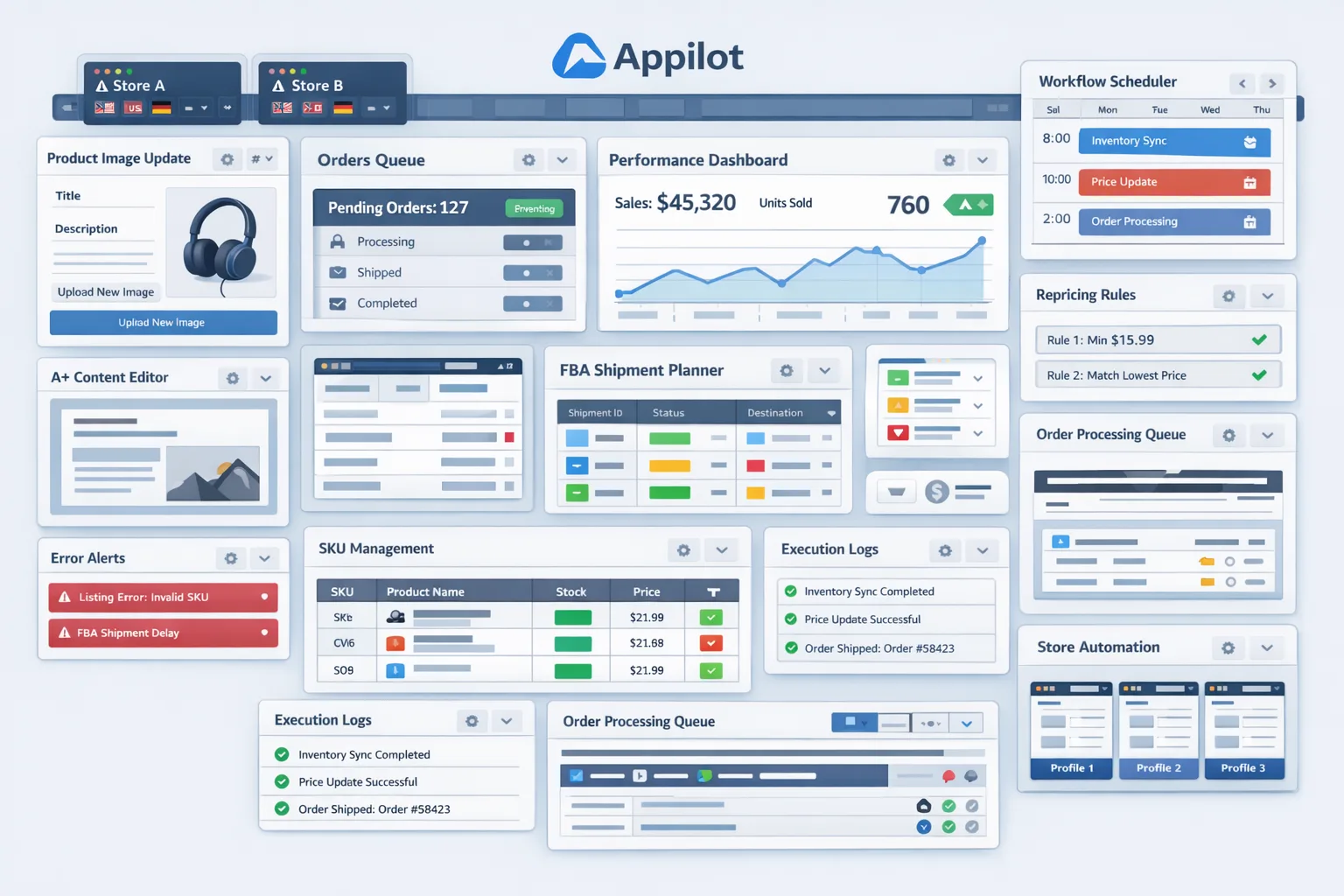
Once your browser environment is ready, connect it to your automation layer. In a practical setup, Appilot acts as the control center for launching profiles, executing the workflow, and handling repeated actions in a structured order. The purpose here is not to blindly upload files at maximum speed. The purpose is to create a repeatable sequence that mirrors legitimate human interaction while saving time on repetitive work.
Your workflow should begin with a clear input source. In most cases, this will be a spreadsheet or internal database that maps each SKU or ASIN to the image assets that need to be updated. The workflow then opens the correct profile, logs into Seller Central if needed, navigates to the relevant listing edit section, uploads the required images, waits for the upload and validation process, saves the changes, and records the result.
The safest way to begin is with a narrow workflow. Do not start with your full catalog. Start with a controlled batch of five to ten listings. Use a single marketplace or a single client account. Monitor every step and document what happens. Check whether the right images were uploaded, whether the sequence remained correct, whether Seller Central produced any warnings, and whether the listing update reflected properly after processing.
After this, add safeguards. Build delays between actions. Avoid hyper-consistent timing. Do not run everything in an unnaturally compressed burst. Structure the workflow so it stops when it encounters validation errors, asset mismatch issues, or unexpected listing states. Good automation should not bulldoze through problems. It should escalate exceptions for review.
A well-structured workflow usually follows this logic. First, the operator prepares the approved image batch and validates naming conventions. Second, the automation opens the assigned seller profile. Third, it navigates to the exact product edit page using the relevant SKU or ASIN mapping. Fourth, it uploads the designated main and secondary images in the intended order. Fifth, it saves the change and waits for confirmation. Sixth, it logs the outcome in a status sheet or dashboard so the operator can review what succeeded, failed, or requires manual follow-up.
The real value appears when you repeat this process at scale. Once the workflow is tested and stable, you can process much larger batches without increasing manual effort in the same proportion. Your team shifts from doing repetitive work to supervising a system. That is the leverage automation creates.
Safety and Best Practices for Amazon Product Image Update Automation
Amazon automation should be handled carefully. The first rule is to respect platform behavior and avoid aggressive execution patterns. Even if the task itself is legitimate, a poorly designed workflow can create risk by moving too fast, refreshing excessively, or repeating identical action intervals across many listings.
The second rule is to keep the workflow operationally realistic. Add variable pauses between listing actions. Stagger batch timing. Avoid processing a massive set of listings in one continuous session if you have never tested that volume before. The point is not to behave randomly for the sake of randomness. It is to avoid machine-like rigidity.
The third rule is to keep your image assets clean and validated before upload. Many automation failures are not caused by the platform. They are caused by missing files, incorrect image dimensions, inconsistent naming, or wrong SKU-to-asset mapping. Good preparation prevents a large percentage of avoidable failures.
The fourth rule is to monitor account health and workflow output daily when you first deploy. Automation is not a set-and-forget system. It should reduce effort, not eliminate supervision. Review logs, verify that updates appear correctly, and pause the workflow immediately if the account shows unexpected friction, verification prompts, or repeated upload issues.
The fifth rule is to scale gradually. Test with a few listings, then a larger batch, then a broader catalog segment. Gradual deployment gives you time to detect edge cases before they affect your full operation.
Real Results: What to Expect
In the first week, your main result will be workflow validation rather than pure time savings. You will spend time organizing assets, confirming listing paths, and making sure the automation behaves correctly. That is normal. The goal of this phase is reliability.
By weeks two to four, the system starts paying off. Routine image update batches that once consumed hours can often be handled through a combination of preparation, execution, and review in a much more efficient way. Instead of one team member spending half a day clicking through listings, they may spend a much shorter period launching the workflow and verifying outcomes.
From the second month onward, the impact is usually operational rather than dramatic in a flashy sense. Your catalog maintenance becomes easier to schedule, campaign rollouts become smoother, and your team has more bandwidth for strategic work. That matters a lot in ecommerce, where listing quality directly influences performance and delayed execution often costs more than people realize.
What you should not expect is a magic button that fixes a messy catalog overnight. Automation works best when the process itself is already defined. If your image pipeline is disorganized, solve that first. Once the foundation is clean, automation becomes extremely valuable.
Common Problems and Solutions
One common problem is that the wrong image gets uploaded to the wrong listing. This usually happens because the source asset naming convention is weak or because the SKU mapping file was not reviewed carefully. The fix is to standardize naming, validate the mapping before execution, and run small batch tests before any wider rollout.
Another issue is failed uploads or stuck processing. In many cases, this is caused by unsupported image dimensions, temporary platform lag, or a workflow that clicks ahead before the upload is actually complete. The solution is to validate image specs beforehand and add stronger confirmation steps inside the workflow rather than relying on fixed timing alone.
A third issue is session friction, especially when multiple seller environments are involved. If profiles are not isolated properly or logins are inconsistent, the workflow becomes unstable. The solution is to keep a disciplined browser profile structure and avoid mixing environments casually.
The last common problem is over-automation too early. Teams sometimes try to automate the full catalog in one go without a testing phase. That is where most preventable risk comes from. The solution is simple. Roll out gradually, document behavior, and treat the first phase as controlled deployment rather than full production scale.
Choosing the Right Tools for Amazon Product Image Update Automation
The right tool stack depends on your operating model. If you only update a few listings occasionally, manual work may still be acceptable. If you manage many SKUs, seasonal image refreshes, or multiple seller environments, you need a system that supports repeatable browser workflows with profile control and structured execution.
For most operational teams, the best setup is one that combines profile-based browser management with a workflow layer that does not require heavy custom development. That is where Appilot becomes a practical fit. It is relevant because it helps turn browser actions into a manageable automation workflow rather than leaving your team to stitch together unreliable scripts and disconnected tools.
If you are building a larger ecommerce automation stack, this blog should connect naturally with your browser integration content and your broader ecommerce automation pages. Internal links should be placed here to point readers toward setup guides, browser integration walkthroughs, and your Appilot plans page. That keeps the blog educational while still moving the reader deeper into the funnel.
Scaling Beyond a Small Catalog
At ten to twenty-five listings per batch, manual review is still easy. You can watch most runs closely and inspect every result. At fifty to one hundred listings, dashboard visibility becomes more important because you need faster exception handling and better logging.
Beyond that point, the process starts looking like infrastructure rather than a one-off workflow. You need tighter asset governance, clearer scheduling, stronger reporting, and a consistent update policy across the catalog. The benefit, however, becomes even greater. The larger the catalog, the more painful manual image maintenance becomes, and the more valuable a stable automation workflow is.
At scale, success depends less on clever scripts and more on operational discipline. Teams that scale cleanly keep their assets organized, review exceptions consistently, and update workflows when Amazon interface changes occur.
Frequently Asked Questions
Q1: Is it possible to automate Amazon product image update tasks safely?
Yes, but it has to be done carefully. The safest approach is to automate legitimate internal workflows, keep execution realistic, test gradually, and maintain human oversight. Poorly designed automation creates risk, while disciplined automation reduces repetitive manual work.
Q2: Do I need coding skills to set this up?
Not necessarily. A no-code or low-code workflow approach can handle a lot of this, especially when paired with a browser automation platform like Appilot. What matters more is having clean operational inputs and a controlled testing process.
Q3: How much time can this save?
That depends on catalog size and update frequency, but even moderate-volume sellers can save many hours per month. The more repetitive your image refresh work is, the stronger the return.
Q4: Can this work for agencies managing multiple Amazon accounts?
Yes. In fact, agencies are one of the strongest use cases because profile separation, repeatability, and batch execution matter much more when client environments are involved.
Q5: What is the biggest mistake people make?
Trying to automate a messy process. If your assets are disorganized, naming conventions are inconsistent, or SKU mapping is unreliable, automation will magnify those problems instead of solving them.
Q6: Where should Appilot be introduced in a blog like this?
In a use-case blog, it works best as a natural problem-solution fit rather than a hard sales pitch. Mention it as the workflow layer that helps execute the process, keep the rest of the article focused on solving the operational problem, and then point readers toward setup resources and trial pages afterward.
Conclusion
If you want to automate Amazon product image update work, the real opportunity is not just speed. It is consistency, control, and the ability to scale listing maintenance without scaling repetitive labor at the same pace. Instead of treating image refreshes as endless manual tasks, you can turn them into a structured workflow that your team prepares, launches, reviews, and improves over time.
The setup takes some initial planning, especially around profile organization, asset mapping, and workflow testing. But once that foundation is in place, the payoff is substantial. Your catalog updates become more predictable, your campaign rollouts become smoother, and your team spends less time on repetitive operational clicks.
The best path forward is simple. Start with a small batch, validate the workflow carefully, use Appilot where it naturally helps as the browser automation layer, and then scale gradually. That is how you move from tedious manual catalog maintenance to a more efficient and repeatable ecommerce operation.