How to Automate ClonBrowser Profiles Using Appilot
Managing multiple browser profiles manually can become difficult very quickly.
At first, opening a few browser profiles one by one does not seem like a problem. But once you are working with dozens of accounts, different proxies, multiple workflows, and separate browser environments, the process becomes slow and difficult to manage.
This is where ClonBrowser becomes useful.
ClonBrowser allows you to create isolated browser profiles with their own cookies, browser fingerprints, sessions, proxies, and browser settings.
Each profile behaves like its own device.
This makes it easier to separate accounts and reduce the risk of cookies, sessions, and account activity becoming linked together.
But once you are managing larger numbers of browser profiles, manual work becomes inefficient.
That is where Appilot can help.
By combining ClonBrowser with Appilot, you can automate browser launches, organize profile groups, schedule workflows, assign proxies, and manage large numbers of browser profiles more efficiently.
Why Automating ClonBrowser Profiles Matters
The main purpose of ClonBrowser is profile separation.
Each browser profile can have its own fingerprint, cookies, language, timezone, extensions, and proxy settings.
This helps create unique browser environments.
However, creating browser profiles is only part of the process.
You also need to launch them, keep them organized, assign them to the correct workflows, and decide when they should run.
For example, you may have browser profiles for Shopify stores, Facebook ads, TikTok accounts, supplier dashboards, Gmail logins, and scraping operations.
Managing all of those profiles manually every day can take a significant amount of time.
Automation helps reduce that workload.
Instead of opening every profile manually, Appilot can launch browser groups automatically and assign them to different schedules.
How Appilot Works with ClonBrowser Profiles
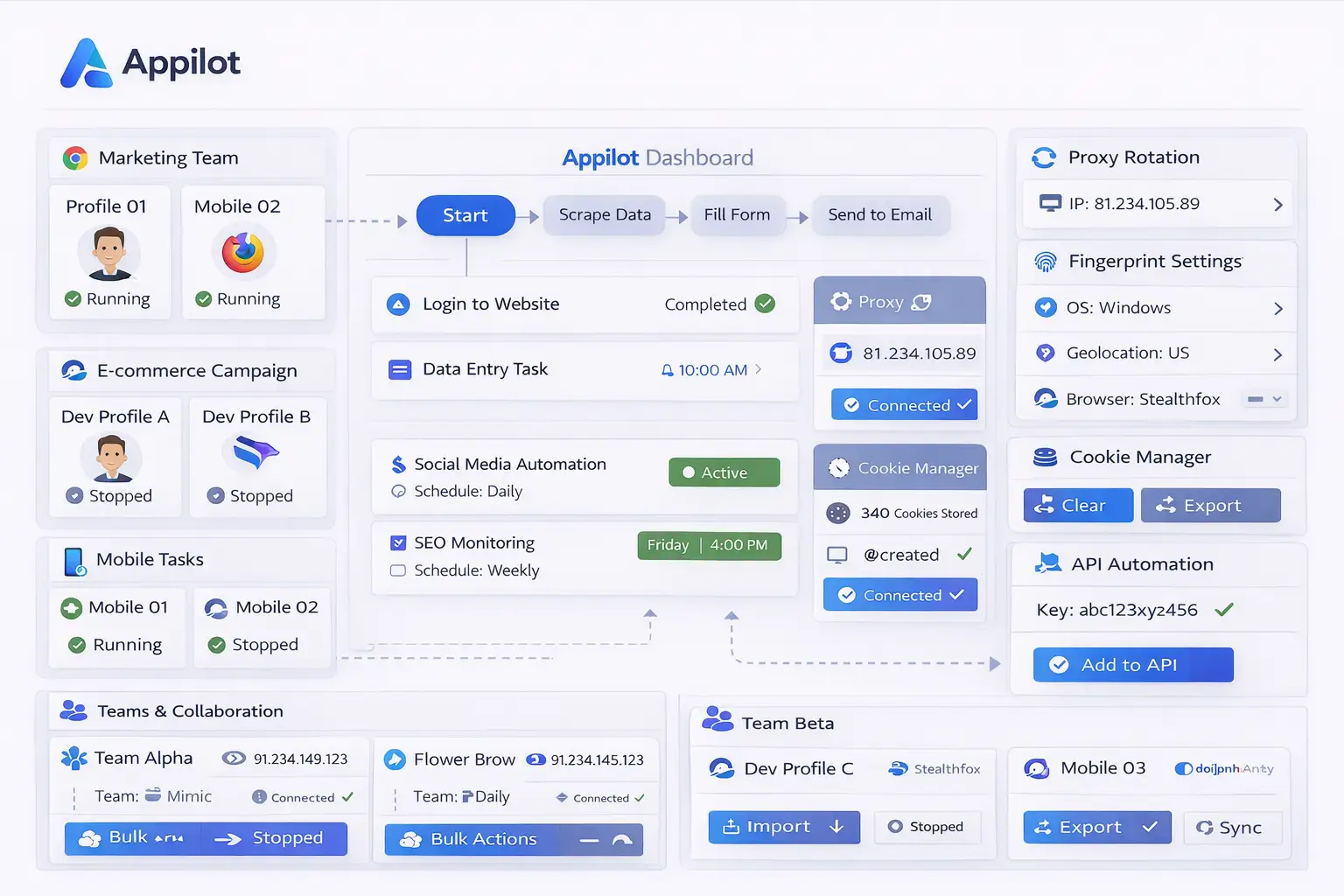
Appilot helps organize browser profiles into groups.
For example, you could create one group for social media accounts, another for e-commerce stores, another for scraping operations, and another for research profiles.
Once those groups are created, Appilot can automate when they launch.
For example, Facebook profiles can launch in the morning for campaign checks while Shopify store profiles launch later in the day for order management.
Scraping profiles may run overnight while support-related profiles stay active during working hours.
This makes browser management much more organized.
Instead of dealing with one large list of browser profiles, you can separate everything into categories.
Appilot can also help stagger browser launches.
Instead of opening ten profiles at exactly the same time, it can spread them across several minutes.
This creates more natural browser activity.
Setting Up ClonBrowser Profile Groups
The first step is organizing browser profiles into clear groups.
You should avoid storing every browser profile inside one large list.
Instead, create browser groups based on account type or workflow.
For example, one group may contain Shopify stores while another group contains Amazon accounts.
You may also have separate groups for Facebook ad accounts, TikTok profiles, supplier dashboards, research tasks, or scraping operations.
Using profile groups makes browser management easier because it becomes much simpler to know which profiles belong to which workflow.
You should also use clear profile names.
Instead of generic names like “Profile 1” or “Store A,” use names that describe the purpose of the profile.
This reduces mistakes and helps team members find the correct browser profile faster.
Automating Browser Launches and Schedules
Once profile groups are organized, Appilot can automate how those profiles are used.
For example, you can create workflows where browser profiles launch automatically every morning, afternoon, or evening.
Social media profiles may launch before the workday starts while supplier portals launch later in the afternoon.
Support profiles may remain active during business hours while scraping profiles run overnight.
You can also create different schedules for different teams.
For example, one team may work during United States business hours while another team works in Europe.
Appilot can separate those schedules automatically.
You can also add delays between browser launches.
Instead of opening every profile at exactly 9:00 AM, you can stagger them across a longer period.
This creates more natural activity patterns.
Best Practices for ClonBrowser Automation
The most important rule is to keep browser environments separated.
Different account types should not all use the same browser profile.
For example, a Shopify profile should not also be used for Facebook ads, Gmail, and supplier dashboards.
You should also keep proxies aligned with browser settings.
If a profile uses a United States proxy, it should also use a United States timezone and language.
It is also important to keep separate proxy pools for different account types.
Social media accounts, e-commerce stores, research tasks, and scraping operations often need different proxy strategies.
You should also keep profile naming consistent.
Clear naming conventions make browser management much easier.
Finally, you should test workflows before scaling them.
Run a small group of browser profiles first before applying the workflow to dozens of profiles.
Common Problems Teams Face
One common issue is profile overlap.
If multiple workflows are mixed inside the same browser profile, cookies and sessions can become confusing.
Another issue is poor proxy configuration.
If the proxy country does not match the browser settings, accounts may trigger verification requests.
Some teams also create too many browser profiles without organizing them.
That can make it difficult to know which profiles belong to which workflow.
Another common issue is launching too many browser profiles at the same time.
That can create unusual activity patterns.
Staggered launches and randomized delays can help reduce this problem.
Frequently Asked Questions
Q1: Why should I automate ClonBrowser profiles?
Automation saves time by reducing the need to manually launch, organize, and manage browser profiles every day.
Q2: Can Appilot automate profile launches?
Yes. Appilot can automate when browser profiles launch and how they are grouped.
Q3: Should I separate browser profiles by account type?
Yes. Different account types should have separate browser environments.
Q4: Why are staggered browser launches important?
Staggered launches make browser activity look more natural and reduce obvious automation patterns.
Q5: What is the biggest mistake with browser profile automation?
One of the biggest mistakes is using the same browser profile for too many different tasks.
Conclusion
ClonBrowser helps separate browser environments so that accounts, cookies, sessions, and browser activity do not overlap.
Once browser operations grow, managing those profiles manually becomes difficult.
By combining ClonBrowser with Appilot, you can automate browser launches, organize profile groups, assign schedules, and create more efficient workflows.
This makes browser management easier, safer, and much easier to scale.