How to Automate Competitor Website Change Detection

Keeping up with competitor websites manually sounds manageable until the number of pages, brands, and product categories starts growing. One week you remember to check a few pricing pages. The next week you forget to review a landing page update, a messaging change, or a new product collection until long after it went live. Over time, competitor monitoring becomes one of those tasks that everyone agrees is important, but nobody handles consistently enough to make it useful.
The real problem is not just missing one website update. It is the pattern of slow reaction that builds around it. A competitor changes homepage messaging, launches a new pricing structure, updates product descriptions, swaps their offer strategy, or adds a new category, and your team only notices days later because no one was actively checking. That delay can affect pricing decisions, campaign planning, content strategy, product positioning, and broader market awareness.
That is why more businesses want to automate competitor website change detection. Instead of manually checking competitor pages one by one, automation turns website monitoring into a structured workflow. With the right setup, businesses can track important pages, detect meaningful changes, log those updates over time, and respond faster when competitors shift strategy.
For this guide, I will use Appilot as the workflow automation layer because it fits naturally into repeated browser-based monitoring tasks like this one. That does not mean competitive strategy should be left entirely to automation. It should not. The smart approach is to keep monitoring priorities, review logic, and business interpretation human-led while using automation to handle the repetitive browser-side execution. That is where the biggest efficiency gain appears.
In this guide, you will learn why competitor website change detection automation matters, what you need before getting started, how to structure the workflow step by step, what safety practices matter most, and what realistic outcomes you can expect once the process is stable.
Why Competitor Website Change Detection Matters in 2026
Competitor websites reveal a lot more than just surface-level design updates. They often reflect changing strategy. A homepage headline change can signal new positioning. A pricing page change can signal a different monetization approach. A product page update can reveal a new offer, a new audience focus, or a fresh attempt at differentiation. If you only notice these changes casually, you lose the advantage of reacting while they are still fresh.
For a small market with only a few close competitors, manual checks may still feel manageable. But once you are tracking multiple brands, multiple page types, and ongoing product or campaign updates, manual review becomes repetitive and unreliable. Some pages will be checked often, others almost never, and the result is patchy intelligence rather than a real monitoring system.
The real cost is not just wasted time. It is missed insight. One competitor may quietly roll out a major offer update while your team is still operating on last month’s assumptions. Another may launch a new landing page structure or content angle that affects how you should think about your own positioning. If these changes go unnoticed, the business loses some of its ability to move with the market.
Automation matters because it creates structure. Instead of asking whether someone remembered to check key competitor pages this week, the business can define which pages matter, what kinds of changes should be tracked, and how often those pages should be reviewed.
The Manual Approach vs. the Automated Approach
The manual approach to competitor website monitoring usually depends on habit. Someone visits a few important pages, notices if anything looks different, maybe takes notes, and then repeats the process when they remember. This works when monitoring needs are very light, but it becomes weak as soon as the number of tracked pages increases.
The biggest weakness of the manual approach is that it depends on attention and memory. If the team is busy with marketing, product, operations, or client work, competitor review usually slips. That means changes are noticed late, inconsistently, or not at all.
The automated approach changes that structure. Instead of relying on casual checks, the business defines the monitoring rules in advance. That may include tracking homepage copy changes, pricing page updates, product page edits, category additions, banner swaps, offer changes, blog content shifts, or navigation changes. The workflow then helps collect and organize those page updates consistently.
This does not remove human control. The business still decides which competitors matter and which changes deserve action. Automation simply removes the repetitive admin work required to check, compare, and log those updates regularly.
What You Need to Get Started
Before you automate competitor website change detection, you need a clear monitoring strategy. Decide which competitors matter most and which parts of their websites are actually worth tracking. Not every page deserves equal attention. In many cases, the most valuable pages are homepages, pricing pages, product pages, landing pages, collections, feature pages, and offer-focused sections.
The second requirement is a page priority list. You need to know which URLs should be checked and how important each one is. Some businesses may want daily monitoring for pricing pages and weekly checks for broader content sections. Others may want different review frequencies for homepages versus product catalogs. The clearer this structure is, the better the automation becomes.
The third requirement is change logic. Not every website update matters equally. You should decide what kinds of changes are worth surfacing. That may include headline edits, new sections, pricing changes, CTA changes, product status shifts, image swaps, navigation changes, or entirely new pages. Good automation becomes much more useful when it filters for changes that actually matter to the business.
The fourth requirement is a stable browser environment. If you monitor competitors across multiple regions or multiple site versions, each environment should be structured clearly so the workflow always checks the correct pages in the correct context.
This is where Appilot becomes useful in a practical way. It helps transform repeated browser-side website monitoring into a more manageable workflow without forcing the business into a large custom build for what is essentially recurring competitive review.
Finally, you need a logging system. Website changes should remain visible so the team can review which competitor pages changed, when they changed, and which updates deserve deeper analysis.
Step-by-Step: Setting Up Competitor Website Change Detection Automation
The first step is deciding which competitors should be monitored. Do not try to track every possible competitor at once. Start with the ones that most directly affect your market, pricing, audience, or category. A tighter list creates better signal and makes the workflow easier to validate.
The second step is deciding which pages should be monitored. In most cases, you should not begin with the entire website. Start with high-value pages such as homepages, pricing pages, product pages, feature pages, top collections, or campaign landing pages. These are usually the pages where meaningful market changes appear first.
The third step is deciding what kinds of changes matter. One workflow may prioritize text changes in hero sections and offer blocks. Another may focus on product availability, category expansion, or pricing updates. A third may track major design shifts or CTA changes. This matters because weak change logic creates too much noise, while strong change logic makes the workflow much more useful.
The fourth step is defining review frequency. Some pages change often and deserve daily or near-daily monitoring. Others can be checked weekly. The right frequency depends on how fast the market moves and how important the page is to your competitive view.
Now organize the browser environment. If you monitor only a few sites in one market, a stable browser setup may be enough. If you monitor multiple regions, language versions, or localized storefronts, each should have its own browser profile so the workflow always operates in the correct environment.
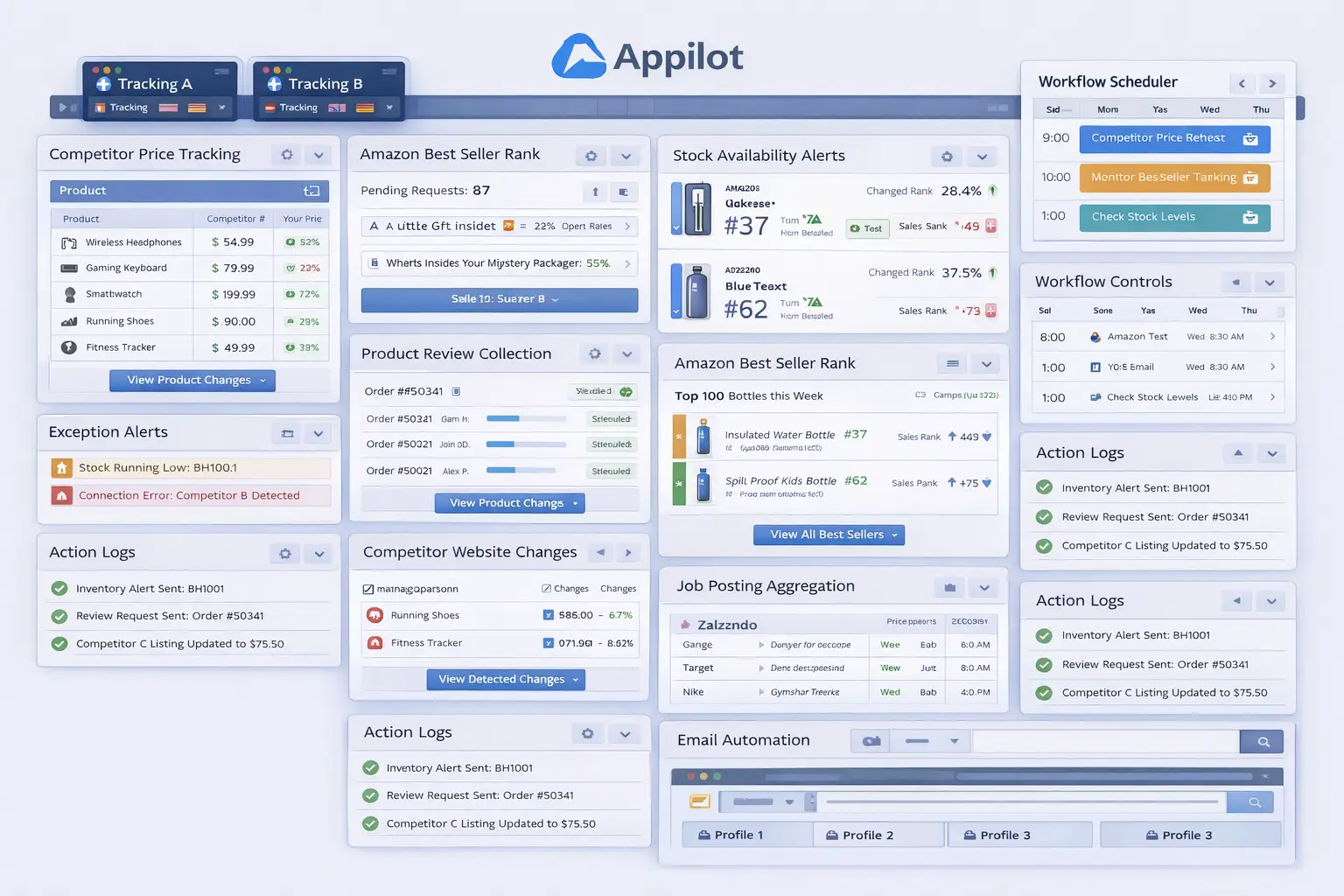
Next, connect that environment to your workflow system. In this example, Appilot acts as the operational layer that helps execute repeated browser-side page monitoring tasks once your tracking rules are already defined. That makes sense because the challenge is not understanding that competitor website changes matter. The challenge is consistently checking the right pages, spotting meaningful differences, and logging them without turning the process into repetitive manual work.
Now define the workflow sequence clearly. A typical setup begins by opening the correct browser profile, visiting the approved competitor pages, comparing the current state of those pages against the previous saved version or review point, identifying meaningful changes, logging the result, and then highlighting the updates that deserve attention. That logging step matters because it helps the team build a usable history of competitor movement instead of relying on memory.
The safest rollout begins with a small page set. Start with one competitor and a few priority URLs first. Review whether the correct changes were detected, whether unimportant noise was filtered out properly, whether page comparisons make sense, and whether the action log recorded everything accurately.
After the first batch works, refine the rules. You may discover that some page types generate too much noise, or that certain sections of the page matter far more than others. That is normal. Good website change detection automation becomes stronger as the business learns which page patterns actually produce useful insight.
Once the workflow proves stable, expand gradually. Add more pages, more competitors, and more change categories if needed. Some businesses may automate only homepage and pricing page tracking at first, while others may expand into broader product and content monitoring once the rules prove reliable.
A practical implementation usually works like this. First, the business defines which competitors and pages matter most. Second, change rules and review frequency are mapped clearly. Third, the workflow launches the correct browser environment. Fourth, the system checks and compares the approved competitor pages. Fifth, the results are logged. Sixth, the team reviews exceptions and refines the process over time.
That is how competitor website monitoring stops being casual manual checking and becomes a structured competitive intelligence workflow.
Safety and Best Practices for Website Change Detection Automation
The first rule is to keep competitive analysis human-led. Automation should collect and organize website changes, but the business should decide what the changes actually mean and how to respond.
The second rule is to avoid monitoring too many pages too early. Start with the highest-value competitor pages first. Broad monitoring without prioritization usually creates too much noise.
The third rule is to separate meaningful changes from cosmetic ones. Not every image swap or small page movement deserves action. Strong workflows focus on updates that affect positioning, pricing, offers, products, or strategic messaging.
The fourth rule is to log every meaningful change. This makes it easier to review patterns over time and helps the team avoid relying on memory when competitor behavior shifts.
The fifth rule is to start small. Test the workflow on one competitor or one page group first, then expand only when the process proves reliable.
Real Results: What to Expect
During the first week, expect more setup and validation than dramatic insight. You will spend time defining competitor page lists, checking monitoring frequency, and making sure the workflow only surfaces the right kinds of changes.
By the second and third weeks, the operational benefit becomes clearer. Competitor pages that once depended on occasional manual checking begin moving through a more structured review process. The team spends less time browsing for updates and more time reviewing only the important changes.
By the second month, the biggest win is usually consistency. Key pages are reviewed more reliably, competitor shifts become easier to spot, and the business feels more informed because website monitoring no longer depends on random manual attention.
The realistic result is not that every competitor change will create immediate strategic action. The realistic result is a more disciplined and scalable monitoring process that reduces repetitive admin work and improves market visibility over time.
Common Problems and Solutions
One common problem is tracking too many low-value pages. This usually creates noise and makes important updates harder to spot. The fix is to begin with high-value page types and expand carefully.
Another issue is weak change rules. If the workflow treats every tiny page update as equally important, the output becomes noisy. The solution is to define which changes matter most before scaling the process.
A third issue is inconsistent page scope. Some businesses monitor only product pages while missing pricing or homepage changes that matter more strategically. The fix is to balance page coverage around business priorities rather than convenience.
The last major issue is weak logging. Without clear records, it becomes hard to know what changed and whether competitor behavior is shifting in meaningful ways. The fix is to make logging part of the core workflow.
Choosing the Right Tools for Competitor Website Change Detection
The right setup depends on how many competitors matter, how often their sites change, and how broad your monitoring needs are. A very small business tracking only one or two competitors may still handle some review manually for a while. A growing business with multiple competitors, multiple product categories, or fast-moving markets benefits much more from a workflow that combines clear monitoring rules with repeatable browser-side execution.
For this use case, a stable browser environment combined with a workflow layer is often the most practical option. Appilot fits naturally because it helps transform repeated website monitoring tasks into a manageable process without forcing the business into a large custom build.
This is also a natural place in your final publishing version to connect related resources such as competitor price scraping, product availability monitoring, browser integration guides, and broader ecommerce intelligence content, because businesses tracking website changes often need stronger competitive monitoring across the board.
Scaling Beyond Basic Competitor Monitoring
At a small scale, teams can still review a few competitor pages manually without too much difficulty. As the market view expands, website monitoring becomes a systems problem. The challenge is no longer whether one important page can be checked correctly. The challenge becomes whether many competitor pages can stay visible without creating a constant manual burden.
That is where automation becomes especially valuable. It creates a repeatable competitive intelligence layer. Instead of waiting for someone to notice that a pricing page changed or a homepage message shifted, the business can operate with a more dependable monitoring process.
The businesses that benefit most are usually the ones already losing insight because competitor updates are being noticed late or not at all. For them, automation is not just a convenience. It is part of keeping strategic awareness more organized as competition grows.
Frequently Asked Questions
Q1: Can competitor website change detection really be automated?
Yes. If you define clear competitor lists, page priorities, and change rules, much of the repetitive monitoring process can be automated in a practical way.
Q2: What should I automate first?
Start with one competitor and a few high-value pages, such as homepage, pricing, or product pages. A narrow rollout is easier to validate than trying to automate broad market monitoring immediately.
Q3: Why is Appilot relevant for this use case?
Because this is a repeated browser workflow problem after the monitoring rules are already defined. Appilot fits naturally as the operational layer that helps apply those checks consistently.
Q4: Do I still need manual review?
Yes. Website change detection automation reduces repetitive work, but the team should still review competitor strategy, messaging shifts, and business impact regularly.
Q5: What is the biggest requirement for success?
Clear monitoring rules. Strong page prioritization and meaningful change logic matter much more than just turning automation on.
Q6: How much time can this save?
That depends on the number of competitors and monitored pages, but growing businesses usually save significant time once website monitoring stops depending on repeated manual browsing.
Conclusion
If you want to automate competitor website change detection, the biggest opportunity is not just saving time. It is creating consistency in how your business tracks market movement. Manual competitor review leads to missed updates, uneven awareness, and too much dependence on repetitive admin work. A structured workflow replaces that with a more reliable system.
The best path is to define which competitors and pages matter most, build clear monitoring rules and review thresholds, start with a narrow rollout, and use a workflow layer like Appilot where it naturally helps with repeated browser execution. Then test the results carefully, review competitor changes regularly, and expand only when the workflow proves stable.
When done properly, website change detection automation does not reduce control over your competitive strategy. It strengthens control by making it easier to see the right changes at the right time as the market evolves.