How to Automate Dolphin Anty Extensions Management with Appilot

Browser extensions are an important part of many browser workflows.
Some teams use extensions for password management, ad blocking, scraping, SEO tools, cookie handling, affiliate tracking, or social media management.
Others rely on extensions for automation tasks, browser testing, translation, account management, or productivity.
When only a few browser profiles are involved, managing extensions manually is relatively simple.
You install the extension, configure the settings, and move on.
But once you are working with dozens or hundreds of Dolphin Anty browser profiles, extension management becomes much more difficult.
You may need the same extension installed across multiple profiles. You may need different extensions for different teams. You may also need to update, remove, or replace extensions over time.
That is where Appilot becomes useful.
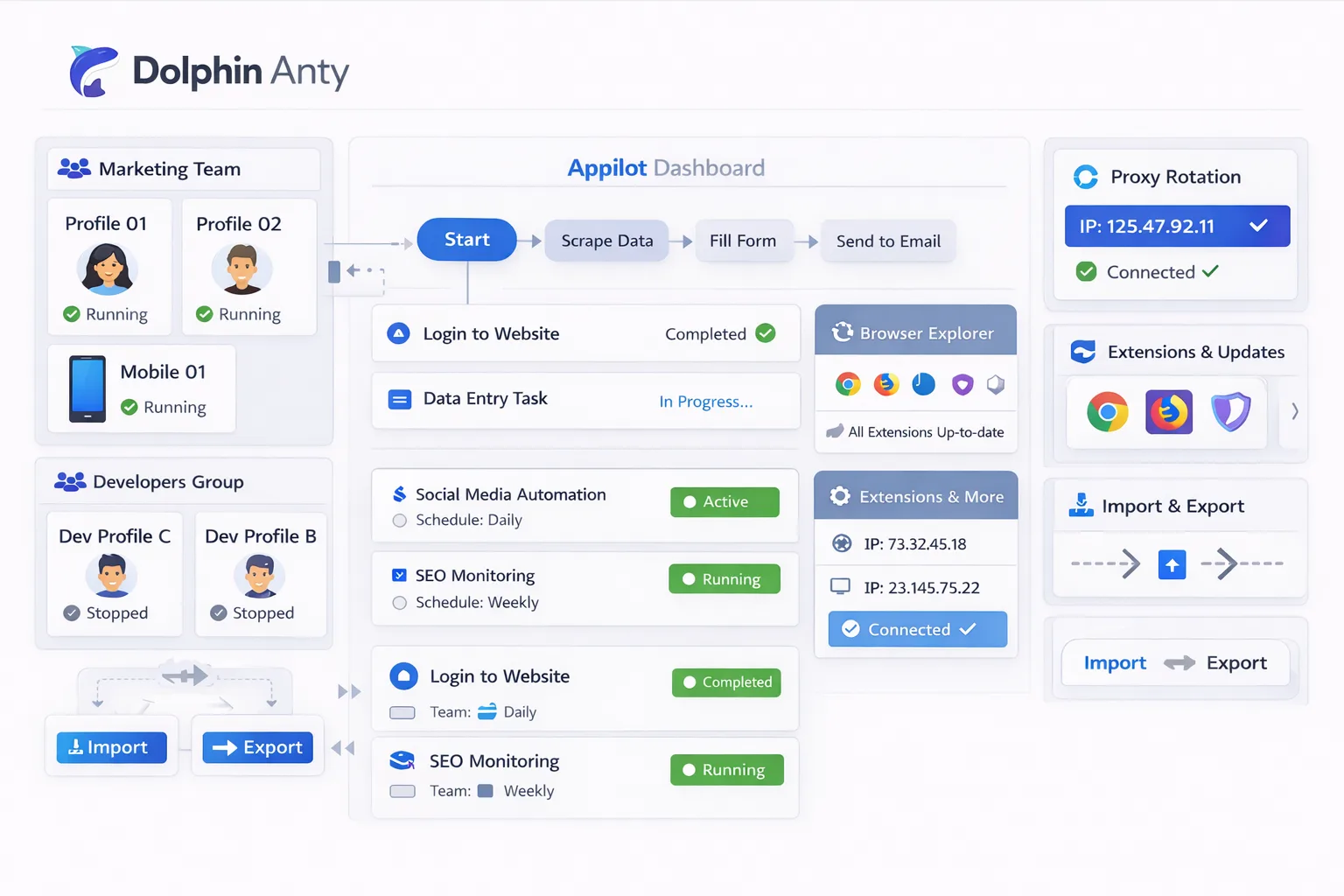
By combining Dolphin Anty browser profiles with Appilot automation, you can organize extension groups, assign extensions to profile categories, automate updates, and keep browser environments more consistent.
Why Extension Management Matters in Dolphin Anty
Browser extensions can affect how a browser profile behaves.
For example, a profile with an ad blocker, password manager, and proxy extension will behave differently from a profile with scraping tools and SEO extensions.
Extensions also affect browser fingerprints.
The list of installed extensions can make browser profiles look different from one another.
That can be useful because it creates more variation across browser environments.
However, it can also become a problem if too many profiles use identical extension combinations.
For example, if every browser profile has the exact same extension list in the exact same order, the environments may start to look too similar.
That is why extension management matters.
You need to decide which extensions should be used for different workflows and how they should be distributed across browser profiles.
Common Types of Extensions Used in Dolphin Anty
Password manager extensions are very common.
Many teams use tools like password vaults so that browser profiles can log into accounts more easily.
Proxy management extensions are also common.
These extensions allow teams to update or control proxy settings inside browser profiles.
SEO and scraping extensions are often used for research workflows.
These may include tools for keyword tracking, competitor analysis, page inspection, or export functions.
Social media teams may use browser extensions for content scheduling, hashtag research, analytics, or platform-specific management tools.
Ad account teams may use extensions for ad library research, landing page previews, and tracking.
The right extension setup depends on the workflow.
How Appilot Helps Manage Extensions
Appilot helps organize browser profiles based on the extensions they need.
Instead of manually installing the same extensions across every browser profile, you can build profile groups that already include the correct extension combinations.
For example, you could create one profile group for social media management, another for scraping, another for e-commerce, and another for research.
Each group can have its own browser extension setup.
This makes browser environments more organized.
Instead of every profile having the same extension list, different teams can use the extensions that actually fit their workflow.
Appilot can also help automate extension updates.
If a new version of an extension is needed, you can update browser profile groups more easily instead of making manual changes to every profile.
Setting Up Extension Groups
The first step is deciding which extensions belong to which browser profiles.
You should avoid using the exact same extension combination across every profile.
Instead, create extension groups based on profile purpose.
For example, social media browser profiles may need hashtag research tools, analytics extensions, and password managers.
E-commerce profiles may need order tracking tools, price monitoring extensions, and supplier management tools.
Scraping profiles may need data export tools, SEO extensions, and browser inspection tools.
Research teams may use translation extensions, screenshot tools, and keyword analysis extensions.
Keeping extension groups organized makes it easier to scale browser operations.
Automating Extension Updates with Appilot
Extensions often need updates.
A browser extension may release a new version, change its permissions, or add new functionality.
If you are managing dozens of browser profiles, updating extensions manually can take a lot of time.
Appilot can help make this easier by organizing profiles into groups.
For example, if every scraping profile uses the same export extension, you can update that extension across the entire group.
The same approach can be used for social media profiles, e-commerce profiles, or research workflows.
This saves time and helps keep browser environments more consistent.
You can also use Appilot to schedule extension-related workflows.
For example, browser profiles may be checked for outdated extensions once a week.
Best Practices for Browser Extensions
The most important rule is to avoid installing unnecessary extensions.
The more extensions you add, the more complicated the browser environment becomes.
Too many extensions can also slow down browser performance.
It is also important to keep browser profiles varied.
If every profile has the exact same extension list, the environments may start to look repetitive.
You should also keep extensions relevant to the workflow.
A social media browser profile does not need the same extensions as a scraping profile.
You should also test extension updates before rolling them out to large groups of browser profiles.
Some extension updates can change browser behavior or create compatibility issues.
Testing first helps avoid workflow problems.
Common Problems with Extension Management
One common issue is installing too many extensions.
This can slow down the browser and make the environment look unusual.
Another issue is extension overlap.
For example, two different extensions may perform similar tasks and create conflicts.
Outdated extensions can also cause problems.
If an extension stops working or becomes incompatible with the browser version, workflows may fail.
Teams also sometimes forget to separate extension groups.
If every browser profile uses the same extensions, it can reduce browser diversity.
That is why extension organization matters.
Frequently Asked Questions
Q1: Why are browser extensions important in Dolphin Anty?
Extensions help browser profiles perform different tasks such as password management, proxy control, scraping, analytics, and research.
Q2: Can Appilot help organize browser extensions?
Yes. Appilot can help organize browser profiles into groups based on the extensions they need.
Q3: Should every browser profile use the same extensions?
No. It is better to vary extension combinations based on the workflow and profile purpose.
Q4: Can Appilot help manage extension updates?
Yes. Appilot can make it easier to update browser extension groups without changing every profile manually.
Q5: What is the biggest mistake with browser extension management?
One of the biggest mistakes is installing too many extensions or using the exact same extension list across every browser profile.
Conclusion
Browser extensions are an important part of many Dolphin Anty workflows because they affect how browser profiles behave and what tasks they can perform.
Once browser operations grow, managing extensions manually becomes difficult.
By combining Dolphin Anty extension management with Appilot automation, you can organize browser profiles, separate extension groups, automate updates, and keep browser environments more consistent.
This makes browser management easier, faster, and much more scalable.