How to Automate eBay Listing Creation from Spreadsheets

Creating eBay listings manually is one of those tasks that looks easy until you have to do it at scale. A few listings are not a problem. But once you are uploading dozens, hundreds, or even thousands of products, the process becomes repetitive, slow, and full of opportunities for mistakes. Titles get pasted into the wrong fields, item specifics are missed, images are attached incorrectly, prices are copied from the wrong row, and one bad upload can create hours of cleanup.
The bigger your inventory gets, the worse the problem becomes. Sellers with a growing catalog, agencies managing multiple stores, and resellers working with large product feeds all run into the same bottleneck. Spreadsheet data may already contain everything needed for listing creation, but someone still has to move that information into eBay, format it properly, check every field, submit the listing, and then repeat the same process again and again. At that point, manual work stops being a process and starts becoming a drag on growth.
That is why more sellers want to automate eBay listing creation from spreadsheets. Instead of treating spreadsheet data as a reference that someone has to copy manually, automation turns it into an operational input. With the right setup, your spreadsheet becomes the source of truth and the browser workflow handles the repeated listing creation process in a structured way.
For this guide, I will use Appilot as the workflow automation layer because it fits naturally into this kind of repeated browser-based ecommerce task. That does not mean the strategy depends entirely on one tool. It means the practical problem here is repeated operational execution, and that is exactly where a workflow layer becomes useful. The goal is not to eliminate oversight. The goal is to reduce repetitive listing work while improving consistency and scale.
In this guide, you will learn why spreadsheet-driven eBay listing automation matters, what you need before getting started, how to structure the workflow step by step, what safety practices matter most, and what kind of results you can realistically expect once the process is working properly.
Why eBay Listing Creation Automation Matters in 2025
eBay listing operations are still heavily dependent on structured product data. That is actually a strength if you know how to use it properly. Many sellers already maintain titles, descriptions, item specifics, prices, quantities, SKUs, shipping logic, and image URLs in spreadsheets. The data exists. The inefficiency comes from the gap between having the data and turning that data into live listings.
For a small catalog, manual listing creation may still feel acceptable. But the moment volume increases, the labor cost becomes obvious. Even if a seller only spends three to five minutes creating one listing manually, that means a batch of 200 products can absorb an entire working day or more. And that does not include correction work when fields are entered incorrectly or certain listing requirements are missed.
The real issue is not just the time spent entering data. It is the inconsistency that comes with repeated manual work. One operator may fill item specifics carefully while another may skip a few fields. One batch may follow a consistent title format while another ends up with mixed styles because the uploads were rushed. Some listings may include the correct shipping template while others may use the wrong policy. These problems reduce operational quality and make it harder to scale cleanly.
Automation matters because it changes the role of the team. Instead of manually typing and copying listing data into eBay, the team prepares and validates the spreadsheet, then lets the workflow handle the repeated browser-side execution. That reduces repetitive labor and creates a more predictable listing operation.
The Manual Approach vs. the Automated Approach
The manual approach to eBay listing creation is highly dependent on attention and patience. Someone opens eBay, starts a new listing, copies over the title, inserts the description, selects the category, fills item specifics, uploads or links images, enters price and quantity, confirms shipping settings, and publishes the listing. Then they repeat the same process for the next row of spreadsheet data.
This works when the listing volume is small. It fails when the workload grows. As more listings need to be created, the number of repetitive clicks increases, the chance of data-entry mistakes rises, and the team spends more time doing mechanical work than running the business. What should be a structured catalog-building process turns into operational fatigue.
The automated approach keeps the spreadsheet as the starting point but changes how the data is used. Instead of asking a person to manually push every row into eBay, the workflow reads from the sheet, follows the listing creation sequence consistently, and applies the input data in a repeatable way. The human role shifts from repetitive entry to validation, exception handling, and quality control.
This is the real advantage. Manual listing creation scales by adding labor. Automated listing creation scales by improving process design. The better your spreadsheet structure and workflow logic are, the easier it becomes to create more listings without increasing manual effort at the same rate.
What You Need to Get Started
Before you automate eBay listing creation from spreadsheets, you need a clean spreadsheet structure. This is the most important requirement. If your sheet is inconsistent, missing fields, or poorly organized, the workflow will struggle or produce bad listings. Automation works best when your listing data is standardized.
At minimum, the sheet should have the fields your workflow depends on. That usually includes title, description, category, price, quantity, condition, images, item specifics, SKU, and any policy or template information needed to publish the listing properly. Some businesses also include store-level settings, listing format, variation data, or optional notes for special cases.
You also need a stable browser setup for the store or stores involved. If you manage more than one eBay account, profile separation matters. Each account should have its own clean browser context so the automation never risks listing products in the wrong store environment.
The third requirement is an automation layer that can take spreadsheet inputs and execute repeated browser actions consistently. This is where Appilot becomes relevant in a practical way. It helps turn the repeated listing workflow into a more manageable system without forcing the business to build everything as a custom engineering project.
Finally, you need a quality-control process before publish. Spreadsheet-driven listing automation is powerful, but only if the data is verified first. The cleaner your data preparation, the better the listing outcome.
Step-by-Step: Setting Up eBay Listing Creation Automation from Spreadsheets
The first step is designing the spreadsheet properly. Do not treat the spreadsheet as a loose collection of product notes. Treat it as a structured listing input system. Every row should represent one listing, and every important listing field should have its own consistent column. Titles should follow a uniform format. Descriptions should be finalized. Prices should be approved. Image references should already point to the correct assets. Item specifics should be mapped cleanly so the workflow knows exactly what belongs where.
The second step is identifying which listing fields should be required and which can remain optional. This matters because not every product type needs the same level of detail. Some sellers may want a lightweight workflow for simple products, while others need deeper logic for categories that rely heavily on specifics and images. The safest way to begin is by focusing on a standardized listing type first, such as a defined product category with predictable field requirements.
The third step is organizing the browser environment. If you work with more than one eBay account, each account should have its own dedicated browser profile. This helps keep sessions stable and reduces the chance of publishing listings in the wrong store. Even for a single-account seller, a structured browser setup improves operational consistency.
Now connect that environment to your workflow system. In this example, Appilot is the execution layer that handles the repeated browser-side listing process. That makes sense here because the problem is not theoretical. The problem is repetitive operational work that happens row by row, listing by listing.
Next, define the listing workflow clearly. A typical sequence begins by opening the correct eBay account profile, starting a new listing, pulling the next row from the spreadsheet, inserting the title, selecting the category, filling required specifics, entering the description, attaching images, applying price and quantity, selecting store policies or shipping settings, reviewing the listing, and then either saving as draft or publishing it based on your preferred level of control.
The safest rollout uses draft mode first. Instead of publishing listings immediately, have the workflow create drafts from the spreadsheet input so your team can review the output before going live. This helps you validate title formatting, category fit, description cleanliness, image order, and field mapping without risking poor-quality live listings. Once the workflow proves stable, you can decide whether full publish mode makes sense for your operation.
Testing should begin with a small batch. Start with five to ten spreadsheet rows only. Review every output carefully. Did the workflow use the correct title. Did the item specifics land in the right places. Were the correct images attached. Was the price accurate. Did any optional field create confusion in the listing flow. These are the kinds of details that determine whether the workflow is ready for scale.
After the first test batch, refine the sheet structure and workflow logic. You may discover that some fields need clearer formatting or that certain categories require their own version of the workflow. That is normal. Spreadsheet-driven automation becomes strong through iteration. The first goal is not maximum speed. The first goal is stable, clean listing output.
Once the test phase works, scale gradually. Increase the number of rows, then add more product groups, then support more stores if needed. Some sellers may also choose to maintain separate spreadsheet tabs or separate files by category, store, or listing format. That often makes the workflow easier to manage because the logic stays tighter and more predictable.
A practical implementation usually works like this. First, the team prepares and validates the spreadsheet. Second, the automation launches the correct eBay profile. Third, the workflow reads one product row at a time. Fourth, it creates a listing draft or live listing based on the sheet’s data. Fifth, the result is logged so the team knows which rows succeeded, failed, or require review. Sixth, exceptions are handled manually before the next batch is run.
That is how spreadsheet-driven listing creation stops being repetitive copy-paste work and becomes a structured listing pipeline.
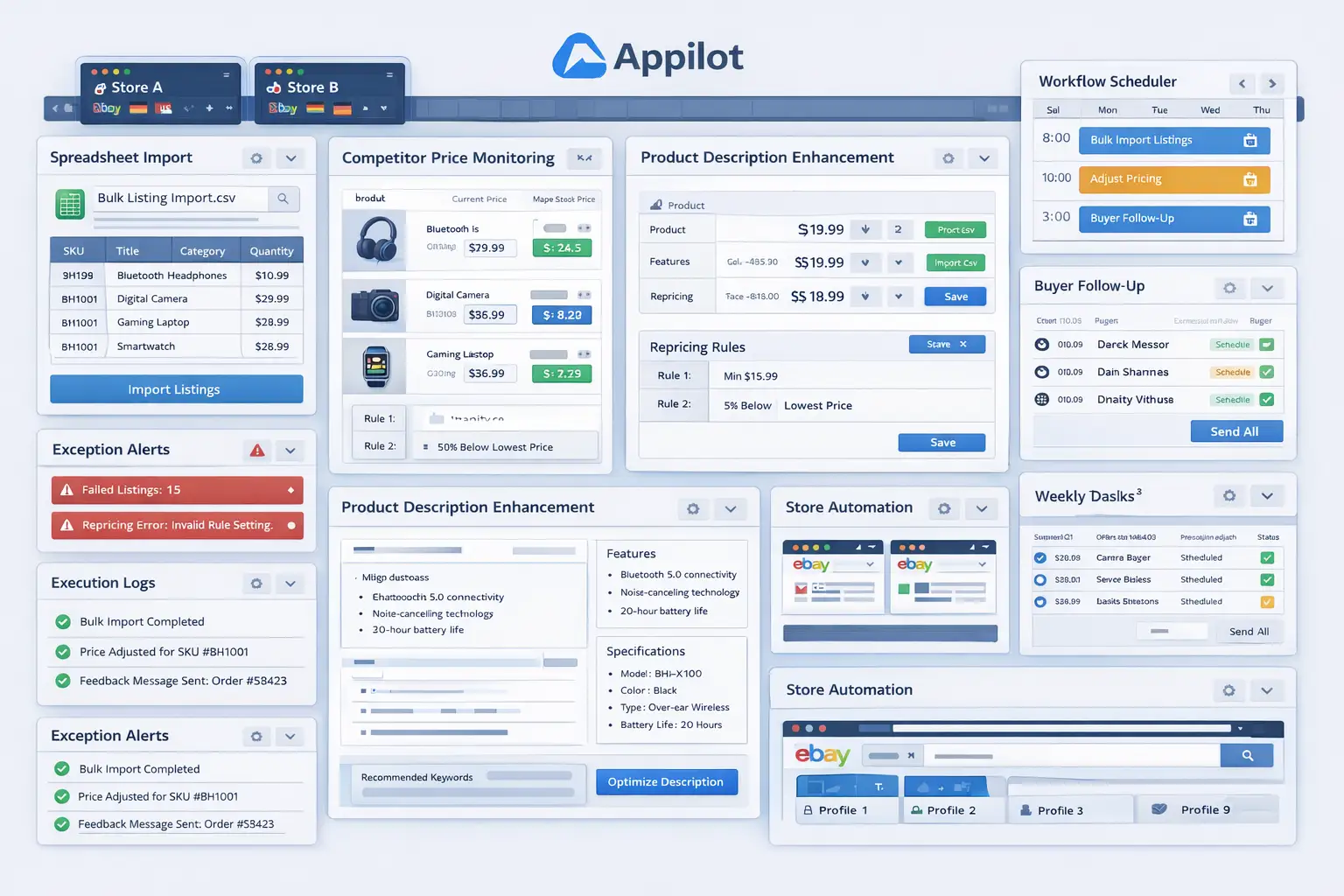
Safety and Best Practices for eBay Listing Creation Automation
The first rule is to standardize your spreadsheet before you automate anything. A messy spreadsheet creates messy listings. Clean column structure, consistent naming, and validated product data matter more than automation speed.
The second rule is to use drafts first. Publishing directly from the beginning may feel faster, but early-stage workflows should prove listing quality before they prove volume. Draft mode gives you that safety layer.
The third rule is to separate store environments properly. If you manage multiple eBay accounts, profile structure is essential. Listing automation should never risk mixing products between stores.
The fourth rule is to build validation into the process. If a title is missing, an image column is empty, or a required field does not meet your minimum standard, the workflow should stop and flag the row rather than creating a weak listing automatically.
The fifth rule is to scale gradually. One successful test batch does not mean every category or store is ready for full automation. Expand only after the results remain consistent across repeated runs.
Real Results: What to Expect
During the first week, expect setup work and testing rather than instant scale. You will likely spend time refining the spreadsheet structure, checking which columns map cleanly to which listing fields, and validating draft quality. This phase is about building trust in the workflow.
By the second and third weeks, the operational benefit becomes clearer. Listing batches that previously took hours of manual copy-paste work begin to feel much lighter. The team spends more time reviewing and less time entering data. That alone can create a major productivity shift.
By the second month, the strongest benefit is usually consistency. Listings are being generated from a structured input source, which means formatting becomes easier to standardize, fields become easier to control, and batch uploads become easier to plan. For resellers, agencies, and larger stores, that consistency often matters just as much as the raw time savings.
The realistic outcome is not a completely hands-free listing business. The realistic outcome is a cleaner, faster, and more scalable listing creation process that reduces repetitive labor and lowers the chance of manual error.
Common Problems and Solutions
One common problem is poor spreadsheet formatting. This usually causes titles, specifics, or descriptions to map incorrectly. The fix is to simplify the sheet, standardize columns, and remove unnecessary variation before running the workflow.
Another issue is category mismatch. Certain eBay categories may require different item specifics or slightly different listing behavior. The solution is to group products by similar listing structure and use separate workflow versions where necessary.
A third issue is weak image handling. If image URLs, filenames, or asset references are inconsistent, the workflow may attach the wrong images or fail on certain rows. The fix is to create a disciplined image structure before the automation begins.
The final major issue is trying to scale too early. Sellers often test on a few products successfully and then push a much broader batch without adjusting for category differences. A staged rollout prevents that problem.
Choosing the Right Tools for eBay Listing Creation Automation
The right setup depends on listing volume and catalog complexity. A small seller with occasional uploads may only need a lightweight workflow. A larger seller, dropshipper, reseller, or agency managing continuous product uploads will benefit much more from a spreadsheet-driven process supported by structured browser automation.
For this use case, a browser profile system combined with a workflow layer is often the most practical setup. Appilot fits naturally because it helps convert repeated spreadsheet-to-browser listing actions into a manageable operational process without forcing the business into a large custom software project.
This is also a natural point in your final publishing workflow to connect related internal resources, such as browser integration guides, multi-account store automation posts, and other catalog management content, because readers interested in listing automation usually have adjacent operational pain points as well.
Scaling Beyond Basic Listing Uploads
At a small scale, the team can still review every draft individually and make corrections manually without much pain. As listing volume grows, listing creation becomes a systems problem. The challenge is no longer whether you can create one good listing. The challenge is whether you can create hundreds of good listings with consistent formatting and reliable data input.
That is where spreadsheet-driven automation becomes extremely valuable. It creates a repeatable pipeline for catalog uploads and makes listing operations less dependent on repetitive human attention. As the business grows, this becomes one of the clearest ways to improve catalog throughput without simply adding more staff to do copy-paste work.
The businesses that benefit most are usually the ones that already keep product data in a reasonably structured format. They do not need to reinvent the process. They need a better way to execute it.
Frequently Asked Questions
Q1: Can eBay listing creation really be automated from spreadsheets?
Yes. If your spreadsheet is structured properly, it can serve as the input source for a browser-based workflow that creates listings consistently and at scale.
Q2: Should I publish listings automatically right away?
No. The safest approach is to begin with draft creation so your team can review listing quality before turning on direct publishing.
Q3: Why is Appilot relevant for this use case?
Because this is a repeated browser workflow problem. Appilot fits naturally as the operational layer that helps execute the listing creation process row by row from spreadsheet input.
Q4: What is the biggest requirement for success?
A clean spreadsheet structure. Without disciplined data, the automation will either fail or create low-quality listings.
Q5: Can this work across multiple eBay stores?
Yes, but only if store profiles are separated properly and the workflow is structured clearly for each environment.
Q6: How much time can this save?
That depends on listing volume, but sellers handling frequent batch uploads usually save significant time once repetitive manual entry is replaced with a structured spreadsheet-driven workflow.
Conclusion
If you want to automate eBay listing creation from spreadsheets, the biggest opportunity is not just speed. It is consistency. Manual listing work creates bottlenecks, repetitive effort, and too much room for avoidable errors. A spreadsheet-driven workflow turns listing creation into a more organized operational process.
The best path is to start with a clean spreadsheet structure, focus on one listing type or category first, use drafts before full publish, organize store profiles properly, and use a workflow layer like Appilot where it naturally helps with repeated execution. Once the process proves reliable, you can scale it gradually and turn spreadsheet data into a real listing pipeline.
When done properly, this kind of automation does not just help you create more listings. It helps you build a cleaner, more scalable ecommerce operation around the catalog data you already have.