How to Automate Octo Browser Fingerprint Customization via Appilot
Octo Browser profiles rely heavily on fingerprint configuration to create separate browser identities across different accounts and workflows. A browser fingerprint includes details such as operating system, browser version, screen resolution, language, timezone, fonts, hardware configuration, WebGL data, canvas behavior, and many other signals that define how a browser appears to websites.
When managing a small number of profiles, fingerprint customization is relatively easy to control manually. However, once you start handling dozens or hundreds of profiles across multiple workflows, managing these settings becomes increasingly complex and time-consuming.
This is where Appilot becomes useful.
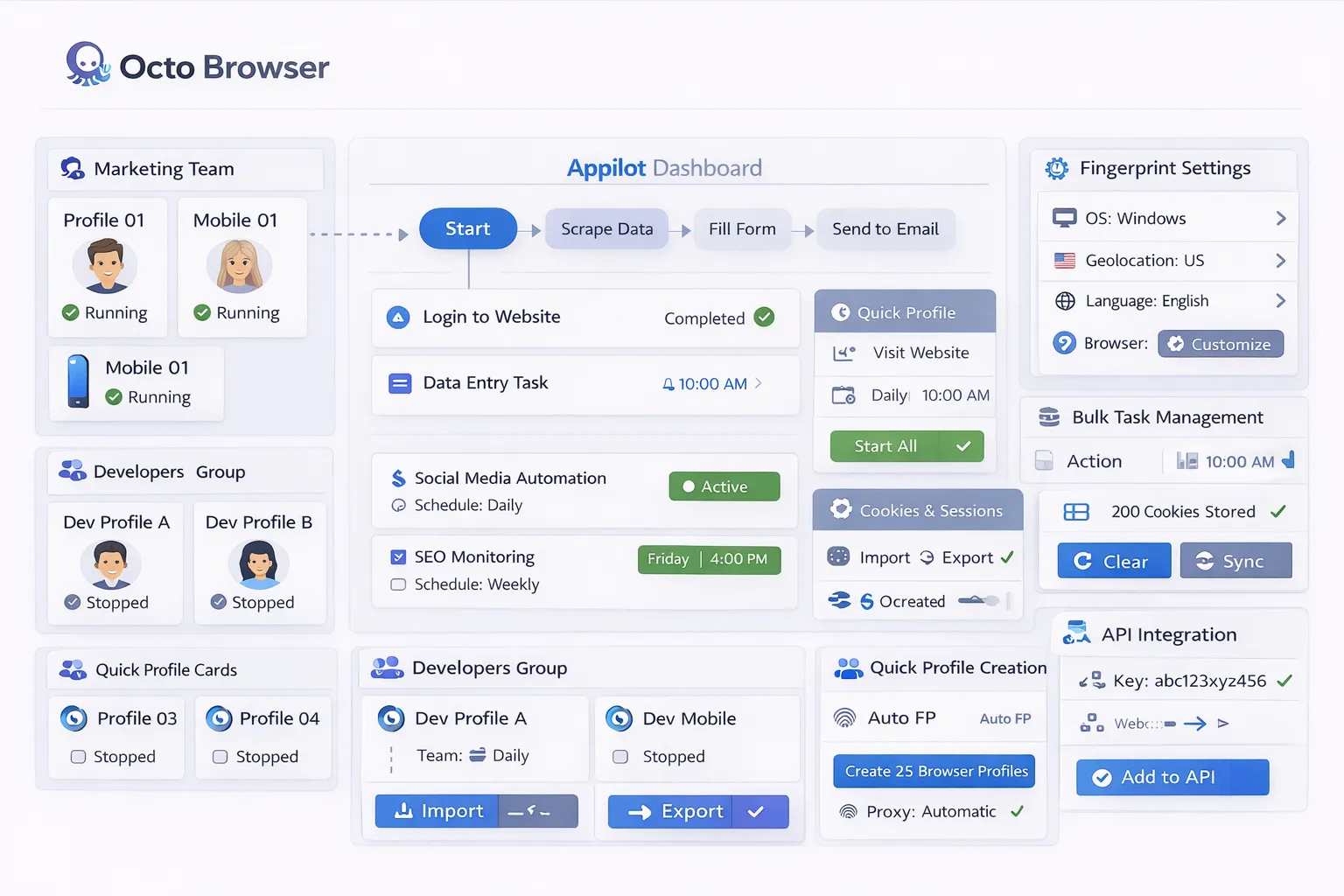
Appilot helps automate Octo Browser fingerprint customization by allowing you to organize profiles into structured groups, assign consistent fingerprint logic, apply workflows, and manage browser activity from a centralized dashboard.
Why Fingerprint Automation Is Important
Fingerprint consistency and uniqueness play a critical role in maintaining stable browser identities. When multiple profiles share identical fingerprint configurations, they can become linked, increasing the chances of detection and account issues. At the same time, constantly changing fingerprint settings for the same account can create instability and trigger verification checks. Automating fingerprint customization allows you to maintain a balance between uniqueness and consistency across large-scale browser environments, ensuring each profile behaves like a realistic and independent user while still being manageable at scale.
How Appilot Works with Octo Browser Fingerprints
Appilot acts as a coordination layer above Octo Browser, allowing you to structure how fingerprint configurations are applied across different profile groups. After creating or importing profiles in Octo Browser with their respective fingerprint settings, Appilot enables you to group these profiles based on device type, operating system, region, workflow type, or account category. Instead of manually adjusting fingerprint settings profile by profile, you can define structured workflows and apply them across entire groups, ensuring that desktop profiles, mobile profiles, or region-specific profiles maintain consistent and logical configurations while still remaining unique from each other.
Common Fingerprint Customization Workflows
Different workflows require different fingerprint strategies, and automation helps manage these variations efficiently. Social media accounts typically require stable fingerprints that remain consistent over long periods, while scraping workflows may allow more flexibility depending on the task. Mobile-based workflows may require Android device fingerprints with appropriate screen sizes and browser versions, while e-commerce or region-specific workflows may require matching timezone, language, and IP configurations. By structuring these variations into defined workflow groups, Appilot allows you to apply the correct fingerprint logic across multiple profiles without manually configuring each one.
Benefits of Automating Fingerprint Customization
Automating fingerprint customization provides a significant improvement in organization, scalability, and reliability. Instead of tracking fingerprint settings manually, you can group profiles based on shared characteristics and apply consistent configurations across them. This reduces the chances of errors such as mismatched settings, duplicate fingerprints, or unrealistic device combinations. It also saves time, as workflows can be reused and applied across new profiles without rebuilding configurations from scratch. As your automation setup grows, this structured approach makes it easier to scale while maintaining control over browser behavior.
Best Practices for Fingerprint Management
Maintaining realistic and consistent fingerprint configurations is essential for long-term stability. Profiles should use logical combinations of settings, such as matching operating system, browser version, timezone, and language with the assigned proxy location. Stable accounts should avoid frequent fingerprint changes, while new profiles should be tested carefully before scaling. Clear naming conventions and grouping strategies also help maintain control over large numbers of profiles, making it easier to understand how each fingerprint configuration is applied across workflows.
Common Mistakes to Avoid
One of the most common mistakes is using identical fingerprint configurations across too many profiles, which increases overlap and detection risk. Another issue is constantly changing fingerprint settings for the same account, which creates instability and can trigger additional verification checks. Some setups also combine unrealistic configurations, such as mismatched device types and operating systems, which can make browser behavior appear unnatural. Poor organization is another major problem, as unstructured profile management makes it difficult to track which fingerprints are being used and where.
Frequently Asked Questions
Q1: Why is fingerprint customization important in Octo Browser?
Fingerprint customization helps create unique browser identities for each profile, reducing overlap and improving account stability.
Q2: Can Appilot automate fingerprint management for multiple profiles?
Yes. Appilot allows you to group profiles and apply structured fingerprint logic across multiple browser profiles from one dashboard.
Q3: Should fingerprint settings remain stable for long-term accounts?
Yes. Stable fingerprint settings help maintain consistent browser behavior and reduce verification issues.
Q4: Can different workflows use different fingerprint types?
Yes. Different workflows can use different fingerprint configurations based on device type, region, or task requirements.
Q5: What is the biggest mistake in fingerprint customization?
The biggest mistake is using identical or unrealistic fingerprint configurations across multiple profiles, which increases detection risks.
Conclusion
Octo Browser fingerprint customization is essential for creating stable and independent browser identities, but managing these configurations manually becomes increasingly difficult as the number of profiles grows.
Appilot helps simplify this process by allowing you to organize fingerprint configurations into structured workflows, apply them across profile groups, and manage everything from a centralized dashboard.
The best approach is to maintain realistic configurations, avoid unnecessary changes, and scale gradually as your automation setup becomes more advanced.