How to Automate Shopify Product Imports from Suppliers

Importing supplier products into Shopify sounds straightforward until you try to do it consistently at scale. At first, it may feel like a simple catalog task. A supplier sends a spreadsheet, product feed, or shared folder, and someone on your team moves the data into Shopify. But once the supplier count grows, product updates become more frequent, and your catalog expands, the process turns into repetitive operational work that is easy to get wrong.
The real issue is not just the time required. It is the inconsistency that appears when supplier data is handled manually. One batch may be imported cleanly while another arrives with missing descriptions, incorrect prices, broken images, or duplicate variants. A team member may forget to update stock fields, map a category incorrectly, or publish products before the data has been reviewed properly. When you repeat this across many suppliers and many products, catalog quality starts to suffer.
That is why more ecommerce operators want to automate Shopify product imports from suppliers. Instead of treating supplier files as something that has to be processed manually every time, automation turns product import into a structured workflow. With the right setup, supplier data can be standardized, mapped to your Shopify structure, reviewed in a controlled way, and then imported or updated more efficiently across the store.
For this guide, I will use Appilot as the workflow automation layer because it fits naturally into repeated browser-based ecommerce tasks like this one. That does not mean product import logic should be left entirely to automation. It should not. The smart approach is to keep data standards, field mapping, and publish controls human-led while using automation to handle the repetitive browser-side operational work. That is where the real efficiency gain appears.
In this guide, you will learn why Shopify supplier import automation matters, what you need before getting started, how to structure the workflow step by step, what safety practices matter most, and what realistic outcomes you can expect once the system is stable.
Why Shopify Supplier Import Automation Matters in 2025
Supplier-driven commerce depends heavily on data flow. Whether you are dropshipping, managing wholesale catalogs, running a multi-vendor store, or sourcing from manufacturers, the quality of your product operations often depends on how well you handle supplier data. Many stores do not struggle because they lack products. They struggle because they do not have a clean system for bringing supplier products into Shopify consistently.
For a small store with one or two suppliers, manual imports may still be manageable. But once the business grows, each supplier introduces its own product format, naming style, price structure, image method, and inventory logic. That means every batch becomes a mini data project. One supplier sends spreadsheets. Another sends shared drives. Another updates a feed weekly. If each of these is handled manually, the team ends up spending time on repetitive import work instead of store growth, merchandising, product selection, or marketing.
The real cost is not only labor. It is catalog inconsistency. One supplier’s products may be imported with clean tags and polished titles while another supplier’s products go live with weak formatting and incomplete fields. Some collections may be organized properly while others look messy because the source data was handled differently. Over time, that weakens the store’s overall quality and makes product operations harder to scale.
Automation matters because it creates structure. Instead of asking whether someone has time to process the next supplier batch manually, the business can build a repeatable workflow for cleaning, mapping, reviewing, and importing supplier data into Shopify. That improves both efficiency and consistency.
The Manual Approach vs. the Automated Approach
The manual approach to Shopify product imports usually depends on spreadsheets, copy-paste work, CSV cleanup, and a lot of visual checking. Someone takes supplier data, edits columns, removes unnecessary fields, renames product titles, adjusts prices, fixes images, and then uploads the products into Shopify. If something goes wrong, they correct it later in the admin.
This works when catalog volume is low. It becomes painful when the number of products, suppliers, or update cycles increases. Every new import batch becomes another round of repetitive work. The more often this happens, the more likely it is that shortcuts are taken and quality drops.
The automated approach keeps supplier data as the starting point but changes how it is processed. Instead of manually reshaping the same kinds of files every time, the business defines the mapping logic once and uses a workflow to apply that logic more consistently. That means supplier data can be transformed into a cleaner format, passed through a review layer, and then pushed into Shopify using a structured process.
This is the real advantage. Manual imports scale through labor. Automated imports scale through process design. The stronger your field mapping, validation rules, and import logic are, the easier it becomes to add more products without adding the same amount of repetitive work.
What You Need to Get Started
Before you automate Shopify product imports from suppliers, you need a clear product data standard. This is the foundation of the workflow. Decide what a product should look like before it enters your store. That includes title format, description structure, image handling, pricing logic, category mapping, variant structure, tags, vendor labeling, and publishing status.
The second requirement is a reliable supplier input source. This may be a spreadsheet, CSV file, shared folder, feed export, or a structured table where supplier products are collected. The important thing is not which format the supplier uses. The important thing is that your business has a consistent way to receive and stage that supplier data.
The third requirement is a mapping layer. Supplier data rarely fits Shopify perfectly out of the box. Fields need to be transformed, renamed, combined, or cleaned so the final product matches your store’s structure. This is where many businesses lose time manually.
The fourth requirement is a browser workflow setup that can handle the repeated Shopify-side product import or update process. This is where Appilot becomes useful in a practical way. It helps transform repeated browser-based product administration tasks into a more manageable workflow without requiring the business to build a large custom internal system just to handle catalog operations.
Finally, you need a review system. Supplier imports should not go live blindly. A staging or draft process is usually the safest way to begin.
Step-by-Step: Setting Up Shopify Product Import Automation from Suppliers
The first step is to define your import standard. Do not start by automating raw supplier files immediately. Start by deciding what the final Shopify product should look like. This includes which fields are required, which ones are optional, how images should be handled, how pricing should be adjusted, how variants should be represented, and whether products should enter the store as draft or active.
The second step is supplier input normalization. Different suppliers will structure product data differently, so your workflow should convert those different source formats into one consistent internal format. That might mean creating a standardized spreadsheet template or staging table where titles, descriptions, prices, SKUs, inventory values, image links, categories, and tags all follow your store’s internal logic rather than the supplier’s original layout.
The third step is field mapping. This is where supplier columns are matched to Shopify product fields. For example, one supplier may have a field called “item title” while another uses “product name.” One may separate size and color cleanly while another mixes them into a single cell. The better your mapping logic is, the cleaner your product imports will be.
The fourth step is data cleanup rules. This is often where the biggest improvement happens. Raw supplier descriptions may need formatting cleanup. Titles may need standardization. Prices may need markup logic applied. Image links may need validation. Tags and collections may need to be assigned based on category rules. These are exactly the kinds of repetitive transformations that should be systematized instead of handled manually every time.
Now organize the Shopify browser environment. If you run more than one store, each should have its own dedicated browser profile. Even if you run one store, a stable admin environment helps keep the workflow more dependable. Product import automation should always work in the correct store context and follow the same operational path.
Next, connect that environment to your workflow system. In this example, Appilot is the automation layer handling the repeated browser-side import or update actions inside Shopify. That makes sense because the challenge is not understanding product data in theory. The challenge is applying that cleaned and mapped data consistently across many products without turning the process into daily repetitive admin work.
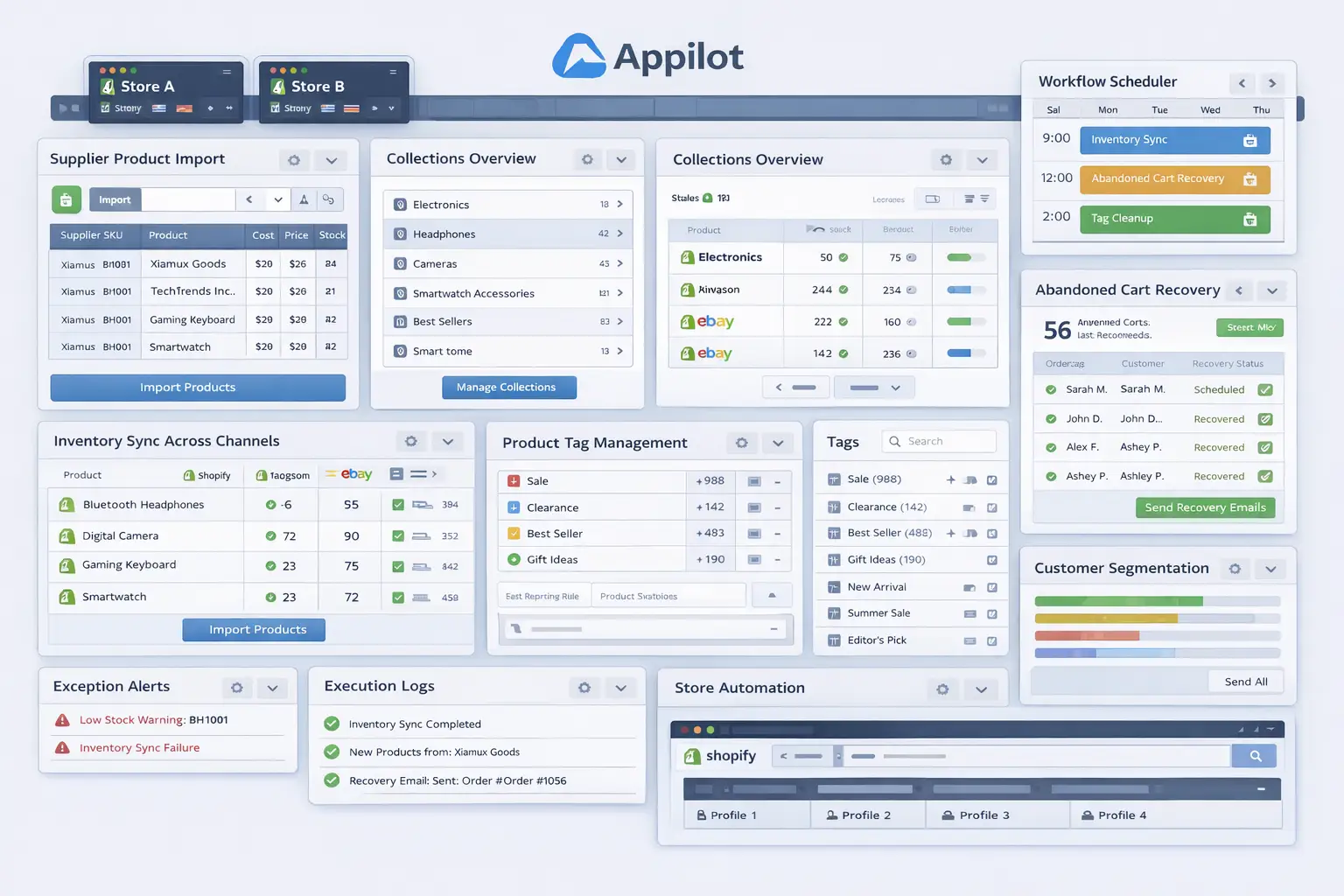
The workflow sequence should be clear and controlled. A typical setup begins by opening the correct Shopify admin profile, referencing the prepared import sheet or structured product source, processing one product or batch at a time, entering or uploading the approved fields, validating image handling, saving the product as draft or active based on your rule set, and then writing the result into an import log. That final logging step matters because the team needs to know which supplier rows succeeded, which failed, and which need manual review.
The safest rollout begins in draft mode. That means the workflow imports or updates products without publishing them immediately. This allows your team to review title quality, image placement, variant structure, pricing, product type assignments, and collection behavior before the products go live. Once the system proves stable, you can decide whether some supplier flows are safe enough for more direct automation.
Testing should start with a very small batch. Use one supplier and a limited number of products first. Review every product carefully. Did the mapping work. Were titles clean. Did the pricing logic apply correctly. Were images attached properly. Did variants appear in the right structure. Did the products land in the correct status. These are the questions that determine whether the workflow is ready to scale.
After the first test batch, refine the logic. You may discover that some supplier categories need their own mapping rules, or that certain fields should not be imported automatically at all. That is normal. Good import automation usually grows by category, supplier, or product type rather than through one giant universal workflow from day one.
Once the workflow proves stable, expand gradually. Add more products from the same supplier, then add more suppliers, then create separate import pathways for different product types if needed. That is how supplier import automation becomes durable.
A practical implementation usually looks like this. First, supplier data is staged into a standardized internal format. Second, cleanup and mapping rules are applied. Third, the workflow launches the correct Shopify admin profile. Fourth, products are imported or updated using the cleaned data. Fifth, the results are logged. Sixth, the team reviews exceptions and approves or publishes products after validation.
That is how supplier product imports stop being repetitive admin work and become a structured catalog pipeline.
Safety and Best Practices for Supplier Import Automation
The first rule is to define your product standard before automating anything. If you do not know what a good Shopify product should look like, the workflow will simply move low-quality supplier data into your store faster.
The second rule is to normalize supplier inputs. Do not let every supplier file enter the workflow in its raw format. Standardizing incoming data is one of the strongest ways to improve import quality and reduce errors.
The third rule is to use draft mode first. Early-stage imports should not go live automatically until the workflow has proved that product quality is stable and field mapping is dependable.
The fourth rule is to validate pricing and images carefully. These are two of the easiest areas for supplier imports to go wrong, and they directly affect both store presentation and margin control.
The fifth rule is to scale gradually. Start with one supplier and one product type, then expand only when the process has shown that it can handle those inputs consistently.
Real Results: What to Expect
During the first week, expect more setup and validation than dramatic speed gains. You will spend time standardizing supplier files, refining mapping logic, and checking imported products inside Shopify. This stage is about trust, not volume.
By the second and third weeks, the operational benefit becomes much clearer. Product batches that previously required heavy manual cleanup and admin work begin moving through a more predictable workflow. The team spends less time copying and correcting and more time reviewing and improving.
By the second month, the biggest win is usually consistency. Supplier products start following the same product structure, pricing logic, and draft-review process. For stores working with multiple suppliers, that consistency often matters as much as the labor savings themselves.
The realistic result is not a completely hands-free supplier catalog operation. The realistic result is a cleaner, more scalable, and more controlled import process that reduces repetitive work and lowers the chance of catalog errors.
Common Problems and Solutions
One common problem is poor supplier data quality. If the source file has missing fields, broken image links, or unclear variant data, the workflow will struggle. The fix is to stage and validate supplier data before import rather than trusting raw input automatically.
Another issue is trying to use one field-mapping logic across very different suppliers. This usually causes category mistakes, formatting problems, or poor product structure. The solution is to create supplier-specific or product-type-specific mapping rules where needed.
A third issue is publishing too early. Sellers often automate imports successfully in a small test and then allow direct publishing before fully validating quality. The safer solution is to keep draft mode in place until the process proves stable over repeated runs.
The last major issue is weak logging. Without a clear import log, it becomes hard to tell which supplier rows were processed correctly and which ones need attention. The fix is to make logging part of the workflow from the beginning.
Choosing the Right Tools for Shopify Supplier Import Automation
The right setup depends on catalog size, supplier count, and how structured your data already is. A very small store with occasional imports may still handle some tasks manually for a while. A growing store, wholesale business, or multi-supplier operation benefits much more from a workflow that combines standardized product staging with repeatable browser execution.
For this use case, a structured admin environment combined with a workflow layer is often the most practical path. Appilot fits naturally because it helps transform repeated Shopify admin tasks into a more manageable operational process without forcing the business into a large technical build.
This is also a natural place in your final publishing version to connect related content such as browser integration guides, inventory automation posts, and catalog management resources, because sellers dealing with supplier imports usually face adjacent operational bottlenecks as well.
Scaling Beyond Basic Supplier Imports
At a small scale, a team can still review every imported product individually without much stress. As the catalog grows, product imports become a systems problem. The challenge is no longer whether one supplier file can be processed correctly. The challenge becomes whether many supplier inputs can be handled consistently without turning the operation into nonstop manual cleanup.
That is where automation becomes especially valuable. It creates a repeatable import pipeline. Instead of waiting for someone to manually process every supplier batch, the business can move products through a structured system with staging, cleanup, mapping, review, and final import.
The stores that benefit most are usually the ones already receiving regular supplier data but lacking a clean operational path between raw supplier files and polished Shopify products. For them, automation creates a very practical bridge between supply and catalog quality.
Frequently Asked Questions
Q1: Can Shopify product imports from suppliers really be automated?
Yes. If supplier data is normalized properly and the import workflow is structured carefully, much of the repetitive import process can be automated in a practical way.
Q2: What should I automate first?
Start with one supplier and one product type. A narrow rollout is easier to validate than trying to automate your full supplier network immediately.
Q3: Why is Appilot relevant for this use case?
Because this is a repeated browser workflow problem after the product data rules are already defined. Appilot fits naturally as the operational layer that helps execute those repeated Shopify-side import actions.
Q4: Should imported products go live immediately?
Usually no, at least not in the beginning. Draft mode is the safer option until the workflow proves that titles, pricing, images, and variants are all being handled correctly.
Q5: What is the biggest requirement for success?
A strong product data standard. Clean mapping and disciplined staging matter more than raw automation speed.
Q6: How much time can this save?
That depends on supplier volume and product complexity, but stores handling regular batch imports usually save substantial time once repetitive cleanup and admin work stop being manual.
Conclusion
If you want to automate Shopify product imports from suppliers, the biggest opportunity is not just speed. It is consistency. Manual supplier imports create repetitive work, uneven catalog quality, and too much room for avoidable errors. A structured workflow replaces that with a cleaner product pipeline.
The best path is to define your store’s product standard first, normalize supplier inputs, build field-mapping and cleanup rules carefully, keep imported products in draft mode at the beginning, and use a workflow layer like Appilot where it naturally helps with repeated browser execution. Then start with a small supplier batch, validate the results closely, and expand only when the process proves stable.
When done properly, supplier import automation does not reduce control over your catalog. It improves control by making it easier to apply your store standards across more products without turning the team’s time into nonstop manual product administration.