How to Automatically Switch to Backup Strategies When Primary Methods Fail
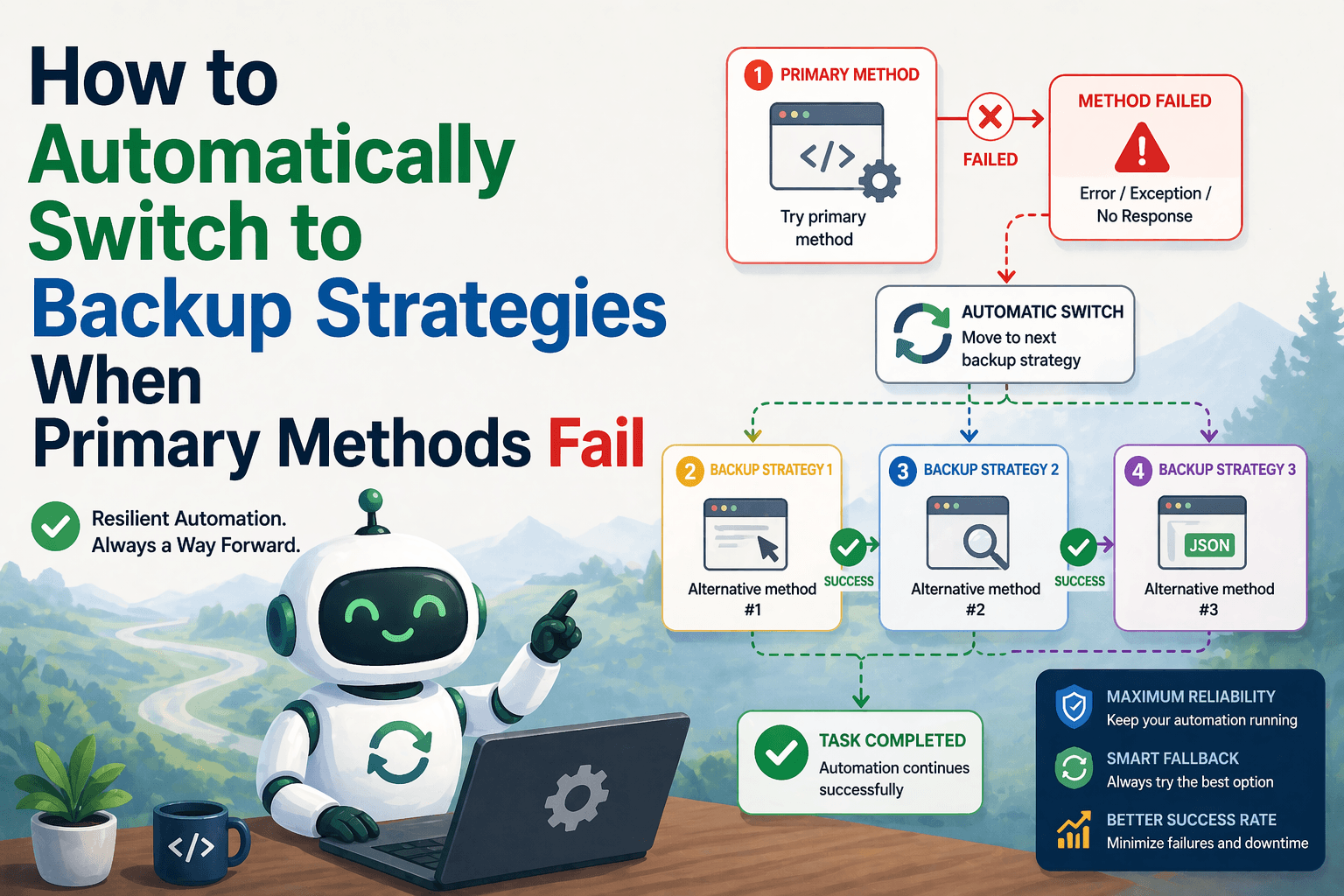
By the end of this tutorial, you will understand how to design automation workflows that do not depend on a single method to succeed, but instead switch intelligently to backup strategies when the primary approach fails. This is a critical step in building reliable systems because real-world automation rarely works perfectly on the first attempt every time.
To follow along, you only need a basic understanding of automation workflows, whether they involve browser actions, data extraction, or task execution. The focus here is not on writing complex code, but on structuring your workflow so it can adapt dynamically when something goes wrong.
This setup usually takes a bit more planning than basic automation, but once implemented, it dramatically improves reliability and reduces manual intervention. If you later run multiple workflows across different environments, Appilot can help manage execution while your backup logic continues to function independently.
You will build a system that detects failure in a primary method, evaluates alternatives, and switches to a backup strategy automatically without stopping the entire workflow.
What This Tutorial Builds — And Why This Approach
This tutorial builds a multi-path automation workflow where each critical step has at least one backup option. Instead of assuming the primary method will always work, the workflow treats it as the preferred path but not the only path.
This approach is important because many failures are not total failures. A specific selector may break while another still works, a page may fail while an alternate endpoint is available, or a direct action may fail while a workaround exists. If your automation does not include backup strategies, it will stop even when a valid alternative is available.
A system with backup strategies becomes more resilient because it can continue operating under imperfect conditions. At a small scale, this can be implemented locally. At a larger scale, Appilot becomes useful because it helps monitor how often backups are triggered and manage workflows across multiple environments.
How the System Works — Architecture Overview
At a high level, the workflow attempts a primary method first. After execution, it checks whether the result is valid. If the result meets the expected conditions, the workflow continues normally. If the result fails or is incomplete, the system activates a backup strategy and attempts an alternative method.
This structure separates execution from decision-making. Execution performs the task, while decision logic evaluates success and determines whether to switch strategies. This makes the system easier to maintain and extend.
Part 1 — Understanding When to Use Backup Strategies
Step 1 — Identify Critical Points in the Workflow
Not every step needs a backup strategy. Focus on critical points where failure would stop the workflow or produce unusable results. These are the steps where having an alternative path adds the most value.
For example, data extraction, navigation, and authentication steps are often good candidates for backup strategies.
Step 2 — Recognize Common Failure Scenarios
Failures can occur due to missing elements, slow-loading pages, network issues, or changes in website structure. Understanding these scenarios helps you design backup strategies that address real problems instead of hypothetical ones.
Part 2 — Designing Backup Strategies
Step 3 — Define Primary and Secondary Methods
Each critical step should have a clearly defined primary method and at least one secondary method. The primary method is the preferred approach, while the secondary method is a fallback that can achieve the same goal in a different way.
The secondary method does not need to be perfect. It just needs to be reliable enough to produce a usable result.
Step 4 — Ensure Backup Methods Are Truly Independent
A common mistake is creating backup strategies that depend on the same assumptions as the primary method. If both methods rely on the same selector or data source, they are likely to fail together.
True backup strategies use different paths, such as alternative selectors, different pages, or separate data sources.
Part 3 — Detecting Failure and Switching Strategies
Step 5 — Validate Results After Each Attempt
After executing the primary method, the workflow should verify whether the result is valid. This could involve checking for non-empty data, confirming that an element exists, or ensuring that an action completed successfully.
Without validation, the workflow may continue with incorrect data instead of switching to a backup.
Step 6 — Trigger Backup Logic Immediately
When validation fails, the system should switch to the backup strategy without delay. Waiting too long or retrying unnecessarily can waste time and resources.
This immediate switch ensures that the workflow remains efficient while still being resilient.
Part 4 — Building the Switching Workflow
Step 7 — Structure the Decision Flow
A typical switching workflow follows a simple pattern. Attempt the primary method, validate the result, and if it fails, execute the backup method. After the backup method runs, validate its result as well before continuing.
This structure keeps the logic clear and prevents confusion between different execution paths.
Step 8 — Limit the Number of Backup Attempts
While backup strategies improve reliability, they should still be controlled. Attempting too many fallback paths can make the workflow slow and complex.
A good approach is to define one or two strong backup options rather than many weak ones.
Part 5 — Real-World Considerations
Step 9 — Combine with Retry Logic
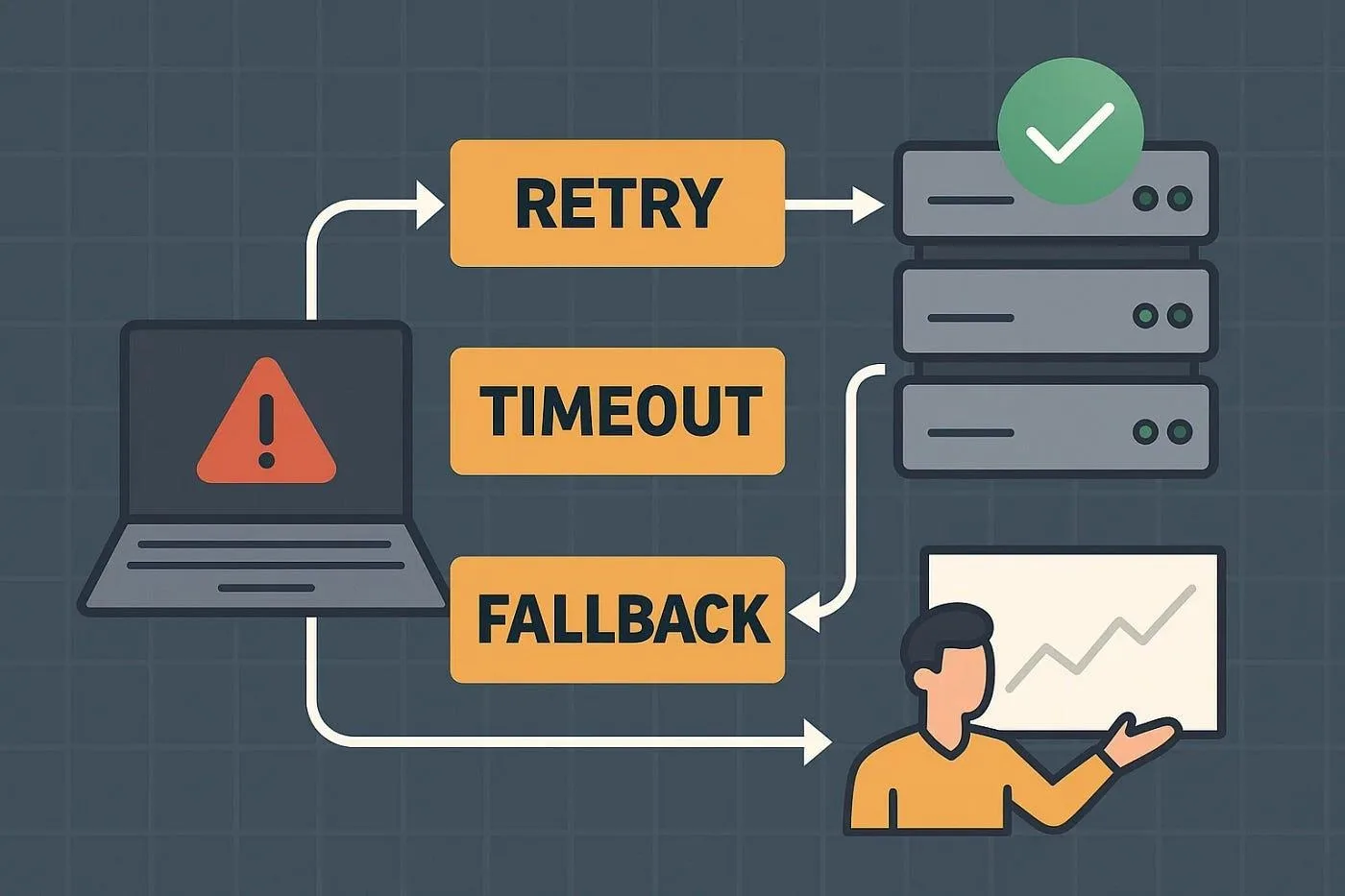
Backup strategies work well when combined with retry logic. A temporary failure may be resolved by retrying the primary method, while a persistent failure may require switching to a backup.
This combination creates a more flexible and effective system.
Step 10 — Monitor Backup Usage
Tracking how often backup strategies are triggered provides valuable insights. Frequent use of backups may indicate that the primary method needs improvement or that the underlying system has changed.
Monitoring helps you refine the workflow over time.
Step 11 — Avoid Silent Failures
When switching strategies, it is important to log which method was used. This ensures transparency and makes debugging easier if results are unexpected.
Step 12 — Scaling with Appilot
At this stage, the workflow can switch to backup strategies locally and maintain reliability. As workflows scale, monitoring and managing these transitions becomes more complex.
This is where Appilot becomes useful because it helps track execution paths, monitor failures, and manage workflows across multiple environments without changing the core switching logic.
FAQ
Q1: What are backup strategies in automation?
Backup strategies are alternative methods that are used when the primary method fails.
Q2: Why are backup strategies important?
They allow workflows to continue operating even when the preferred method is unavailable.
Q3: How many backup strategies should I use?
Usually one or two strong alternatives are enough for most workflows.
Q4: Can backup strategies replace retry logic?
No, they work best when combined with retry logic to handle both temporary and persistent failures.
Q5: Do I need Appilot for this workflow?
No, you can implement it locally. Appilot becomes useful when managing multiple workflows at scale.
Conclusion
Automatically switching to backup strategies is a powerful way to make automation workflows more resilient. Instead of relying on a single path, the system adapts to failures and continues operating under changing conditions.
Start by identifying critical steps, define reliable backup methods, and build clear validation and switching logic. Once this structure is in place, your automation becomes far more dependable and easier to maintain over time.