How to Build Automated Data Pipelines from Browser to Database
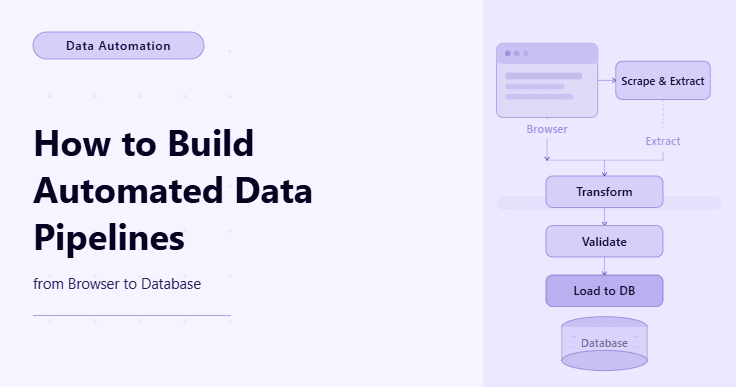
By the end of this tutorial, you will have a complete workflow that extracts data from a browser, processes it into a structured format, and stores it directly into a database without manual intervention. This is a powerful pattern because it turns simple scraping into a continuous data pipeline that can feed analytics, dashboards, or downstream automation systems.
To follow along, you need Python 3.9 or higher, basic familiarity with browser automation tools like Playwright, and a general understanding of how databases store data. You do not need deep database expertise, because the focus here is on connecting the steps into a clean pipeline rather than writing complex queries.
This setup usually takes one to two hours for a basic version. Once built, it becomes a reusable system that can run on demand or on a schedule. If you later need to run pipelines across multiple sources or environments, Appilot can help as the execution layer while your pipeline logic remains the same.
You will build a workflow that extracts data from a webpage, cleans and structures it, and saves it into a database automatically.
What This Tutorial Builds — And Why This Approach
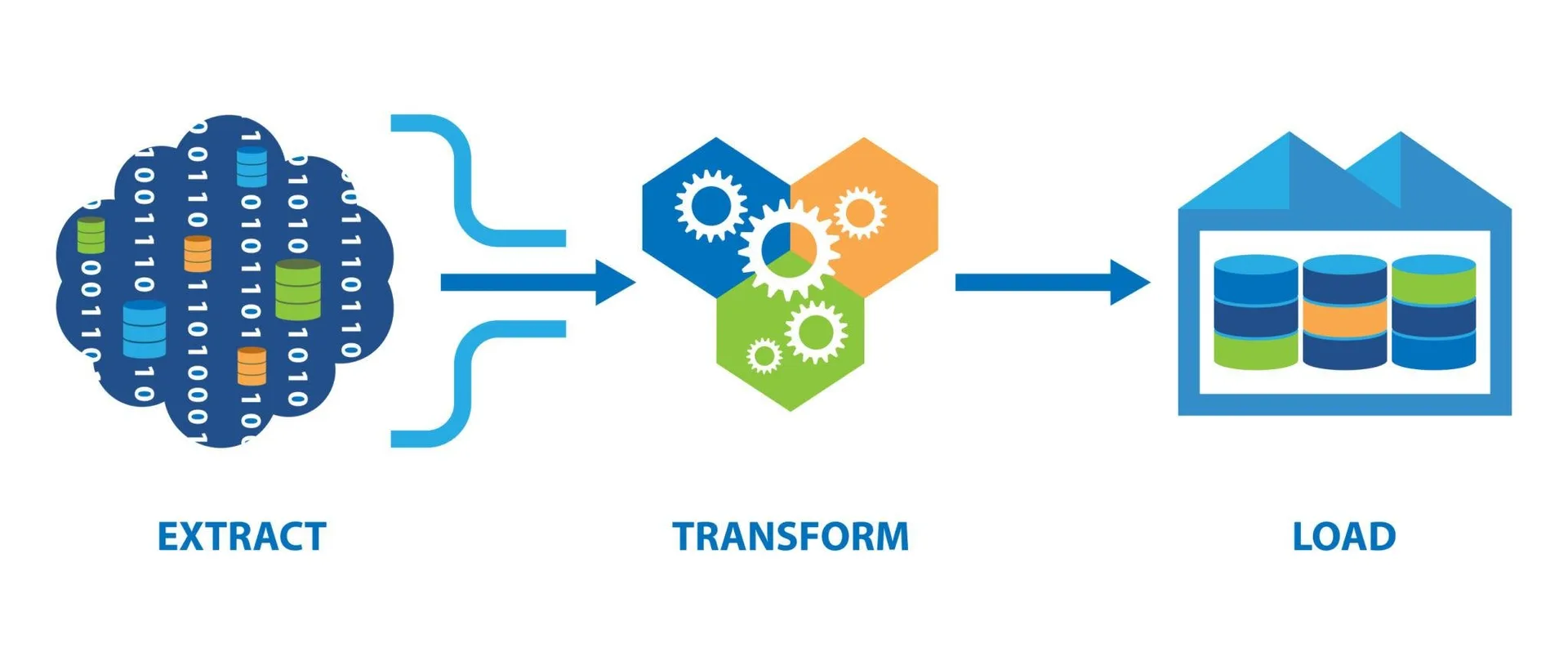
This tutorial builds a simple end-to-end data pipeline that connects three key stages: extraction from a browser, transformation into a clean format, and loading into a database. This pattern is often called an ETL pipeline, but here we keep it practical and focused on browser-based data.
The reason this approach is valuable is that most automation stops at extraction, leaving data in files that require manual handling. A pipeline removes that gap by pushing data directly into a system where it can be queried, analyzed, or used by other applications.
At a small scale, this pipeline can run locally. At a larger scale, where multiple pipelines run across sources or schedules, Appilot becomes useful because it helps manage execution and monitoring while keeping the pipeline logic unchanged.
How the System Works — Architecture Overview
At a high level, the pipeline starts by opening a webpage and extracting data using browser automation. The extracted data is then cleaned and formatted into a structured format such as a list of records. Finally, the structured data is inserted into a database where it can be stored and accessed later.
This structure separates responsibilities clearly. The browser handles extraction, a transformation layer cleans the data, and the database layer stores it. This separation makes the system easier to maintain and extend.
Part 1 — Environment Setup
Step 1 — Install Dependencies
You need tools for both browser automation and database interaction. Playwright handles the browser side, while a simple database library handles storage.
pip install playwright sqlite3

playwright install chromium
After installation, verify that Playwright is working correctly.
playwright --versionStep 2 — Create a Project Structure
A simple structure helps keep the pipeline organized.
mkdir browser-to-db-pipeline && cd browser-to-db-pipeline

mkdir data logs

touch main.py
This is enough for a basic pipeline.
Part 2 — Extracting Data from the Browser
Step 3 — Open the Page and Wait for Data
Dynamic pages often require waiting for content to load before extraction.
await page.goto("https://example.com/data")

await page.wait_for_selector(".data-row")
This ensures the data is available before extraction begins.
Step 4 — Extract Data from the Page
Once the content is ready, extract the data into a simple structure.
rows = await page.locator(".data-row").all_inner_texts()At this stage, the data is still raw and may need cleaning.
Part 3 — Transforming the Data
Step 5 — Clean and Structure the Data
Transform the raw data into a consistent format before storing it.
cleaned = [row.strip() for row in rows if row.strip()]

structured = [{"value": item} for item in cleaned]
This ensures the data is usable and consistent.
Step 6 — Prepare for Database Insertion
Databases require structured records with defined fields. Even a simple structure works as long as it is consistent.
records = [(item["value"],) for item in structured]This prepares the data for insertion.
Part 4 — Loading Data into a Database
Step 7 — Create a Simple Database
For simplicity, use SQLite, which does not require a separate server.
import sqlite3


conn = sqlite3.connect("data/data.db")

cursor = conn.cursor()


cursor.execute("CREATE TABLE IF NOT EXISTS records (value TEXT)")
This creates a table to store the data.
Step 8 — Insert Data into the Database
Insert the structured data into the database.
cursor.executemany("INSERT INTO records (value) VALUES (?)", records)

conn.commit()

conn.close()
Now the data is stored and can be queried later.
Part 5 — Putting the Pipeline Together
Step 9 — Combine All Steps
The pipeline now connects extraction, transformation, and loading into one flow.
async def run_pipeline(page):

    await page.goto("https://example.com/data")

    await page.wait_for_selector(".data-row")


    rows = await page.locator(".data-row").all_inner_texts()

    cleaned = [row.strip() for row in rows if row.strip()]


    records = [(item,) for item in cleaned]


    import sqlite3

    conn = sqlite3.connect("data/data.db")

    cursor = conn.cursor()

    cursor.execute("CREATE TABLE IF NOT EXISTS records (value TEXT)")

    cursor.executemany("INSERT INTO records (value) VALUES (?)", records)

    conn.commit()

    conn.close()
This function represents a complete pipeline in a simple form.
Part 6 — Real-World Considerations
Step 10 — Avoid Duplicate Data
If the pipeline runs multiple times, it may insert duplicate records. To prevent this, you can add unique constraints or check existing data before inserting.
Step 11 — Handle Errors Gracefully
Failures can occur during extraction or database insertion. Proper error handling ensures the pipeline does not stop completely when one step fails.
Step 12 — Schedule and Scale the Pipeline
As pipelines grow, they often need to run on schedules or across multiple sources. Managing this manually becomes difficult over time.
Step 13 — Scaling with Appilot
At this stage, the pipeline works locally and can move data from browser to database automatically. As the number of pipelines or data sources increases, managing execution becomes the bigger challenge.
This is where Appilot becomes useful because it helps run, monitor, and scale these pipelines without requiring changes to the core logic.
FAQ
Q1: What is a browser-to-database pipeline?
It is a workflow that extracts data from a webpage and stores it directly into a database.
Q2: Why not just save data to a file?
Files are useful, but databases allow querying, filtering, and integration with other systems.
Q3: Can I use other databases instead of SQLite?
Yes, the same pattern works with MySQL, PostgreSQL, or other databases.
Q4: What if the data changes frequently?
You can run the pipeline on a schedule to keep the database updated.
Q5: Do I need Appilot for this workflow?
No, you can run it locally. Appilot becomes useful when managing multiple pipelines at scale.
Conclusion
Building an automated data pipeline from browser to database turns simple scraping into a complete system that collects, processes, and stores data efficiently. The key is connecting each step clearly so that data flows smoothly from extraction to storage.
Start with a simple pipeline, confirm each stage works correctly, and then expand it as needed. Once the structure is stable, scaling becomes much easier because the core pattern remains the same.