How to Build Holiday and Weekend-Aware Automation Schedules
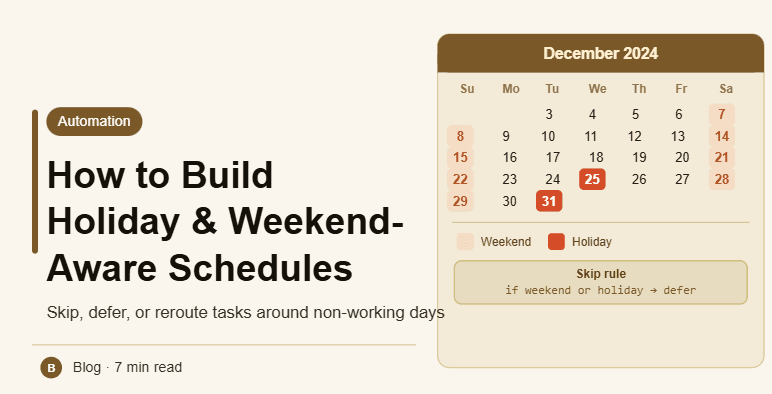
By the end of this tutorial, you will understand how to design automation schedules that automatically adjust based on weekends and holidays. Many workflows fail because they run at times when activity is low or inappropriate, such as public holidays or non-working days. A holiday-aware system ensures that tasks execute only when they make sense. To follow along, you only need a basic understanding of scheduling systems. The focus here is on building intelligent timing logic rather than writing code. This setup typically takes less than an hour to plan, but it significantly improves workflow realism and efficiency. If you manage multiple workflows, Appilot can help orchestrate execution while your scheduling system ensures accurate timing based on real-world calendars. You will build a system that adapts to holidays, skips inactive periods, and maintains consistency.
Why Weekend and Holiday Awareness Matters
Running tasks on weekends or holidays can lead to poor results because activity levels are often different. A system that ignores these factors may execute tasks at ineffective times, reducing overall performance.
Identifying Non-Working Days
The first step is defining which days should be treated as inactive. This typically includes weekends and public holidays, but may vary depending on region and workflow requirements.
Using Holiday Data Sources
Reliable scheduling requires access to accurate holiday data. This can come from APIs, calendars, or predefined datasets. Keeping this data updated ensures that schedules remain correct over time.
Skipping or Rescheduling Tasks
When a task falls on a non-working day, the system should either skip it or move it to the next valid day. This prevents wasted execution and maintains workflow efficiency.
Handling Regional Differences
Different countries observe different holidays and weekends. A global system must account for these variations to ensure accurate scheduling across regions.
Combining Weekend and Holiday Logic
A complete system integrates both weekend and holiday rules into a single scheduling layer. This ensures that all non-working periods are handled consistently.
Maintaining Consistent Execution Patterns
Even with adjustments, schedules should remain predictable. Tasks should follow a consistent pattern within active periods to avoid irregular behavior.
Testing Schedule Behavior
Before deployment, test how the system behaves around weekends and holidays. This ensures that tasks are correctly skipped or rescheduled.
Monitoring and Updating Holiday Data
Holiday calendars can change over time. Regular updates ensure that your scheduling system remains accurate and reliable.
Integrating Calendar Awareness into Workflows
Holiday and weekend logic should be part of your core scheduling system rather than an add-on. This ensures that all tasks follow consistent timing rules.
Scaling Smart Scheduling with Appilot
At this stage, your scheduling system handles weekends and holidays effectively. As workflows grow across regions, managing these rules manually becomes complex. This is where Appilot becomes useful because it helps orchestrate execution while your system ensures accurate and adaptive scheduling.
FAQ
Q1: Why skip weekends and holidays?
Because activity levels are often lower, making execution less effective.
Q2: How do I get holiday data?
From APIs, public calendars, or predefined datasets.
Q3: What if a task falls on a holiday?
It can be skipped or rescheduled to the next valid day.
Q3: Do all regions have the same holidays?
No, each region has its own calendar.
Q4: Do I need Appilot for this setup?
No, you can manage it locally. Appilot becomes useful when scaling workflows.
Conclusion
Building holiday and weekend-aware automation schedules ensures that tasks run at the most appropriate times. By identifying non-working days, integrating holiday data, and adjusting execution, you can create a system that aligns with real-world activity patterns. Start by defining your calendar rules, test your setup, and refine it over time. Once this system is in place, your workflows become more efficient and reliable.