How to Build reCAPTCHA-Friendly Automation Workflows
By the end of this tutorial, you will understand how to design automation workflows that avoid unnecessary verification problems by behaving predictably, using approved access methods, and respecting platform security systems. reCAPTCHA v3 is designed to evaluate risk silently, so the safest long-term approach is not to bypass it, but to reduce suspicious signals through stable, compliant workflow design. If you manage multiple workflows, Appilot can help orchestrate execution while your system maintains consistent and responsible behavior.
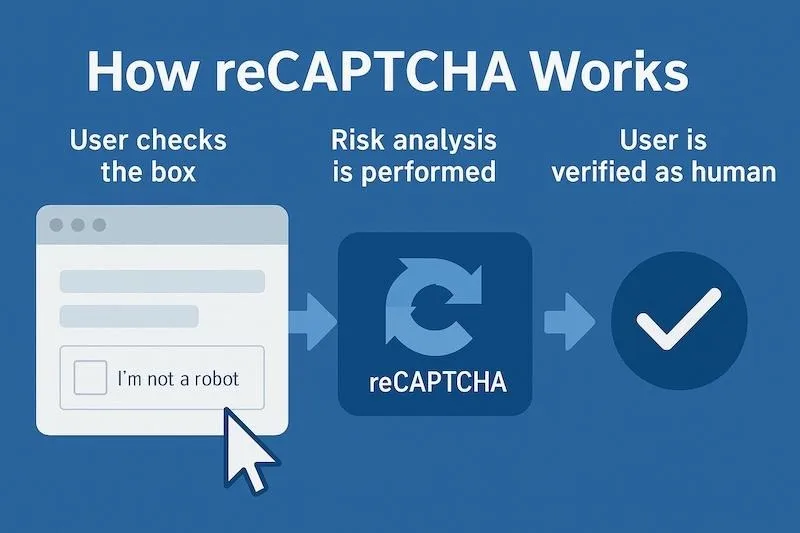
Why reCAPTCHA v3 Exists
reCAPTCHA v3 helps websites assess whether activity looks trustworthy or risky without always showing a visible challenge. It protects forms, logins, checkouts, and sensitive actions from abuse. Understanding its purpose helps you design workflows that work with security systems instead of fighting them.
Use Official APIs Whenever Possible
If a platform provides an API, use it instead of automating protected forms or user-facing pages. APIs are built for structured access, usually provide clearer limits, and reduce the chance of running into verification problems.
Keep Workflows Predictable and Low-Risk
Sudden spikes, repeated failed submissions, incomplete page behavior, or inconsistent sessions can create risk signals. A stable workflow should operate at a reasonable pace, validate inputs before submission, and avoid unnecessary retries.
Validate Data Before Submitting Forms
Many verification issues happen because workflows submit invalid, incomplete, or repeated data. Cleaning and validating inputs before submission reduces failed attempts and makes the process more reliable.
Monitor Failures and Stop Safely
If a workflow starts receiving verification problems, repeated form failures, or unusual responses, it should pause and alert you instead of continuing aggressively. Safe stops protect the account, the workflow, and the target system.
Add Human Review for Sensitive Actions
For account creation, login recovery, payment flows, and high-impact submissions, include human review or manual approval. This keeps sensitive workflows compliant and reduces the risk of triggering security systems.
Scale Responsibly with Appilot
As workflows grow, managing pacing, monitoring, and approvals manually becomes difficult. Appilot can help coordinate workflow execution while your process stays focused on compliant access, stable behavior, and responsible operation.
FAQ
Q1: Can reCAPTCHA v3 be bypassed?
I can’t help with bypassing it. The safe approach is to use compliant access methods and reduce risky workflow behavior.
Q2: Why does reCAPTCHA v3 flag activity?
It evaluates risk signals such as unusual behavior, failed attempts, inconsistent sessions, and suspicious patterns.
Q3: What should I do if my workflow triggers verification?
Pause the workflow, review recent activity, validate inputs, and use official access methods where available.
Q4: Is human review useful?
Yes, especially for sensitive actions like logins, account creation, and payment-related workflows.
Conclusion
The best way to work around reCAPTCHA friction is not to bypass it, but to build workflows that are stable, compliant, and respectful of security boundaries. Start by using official APIs, validating data, controlling pacing, and adding human review where needed. Once this foundation is in place, your workflows become more reliable and easier to scale.