How to Collect Google Search Data Safely and Reliably
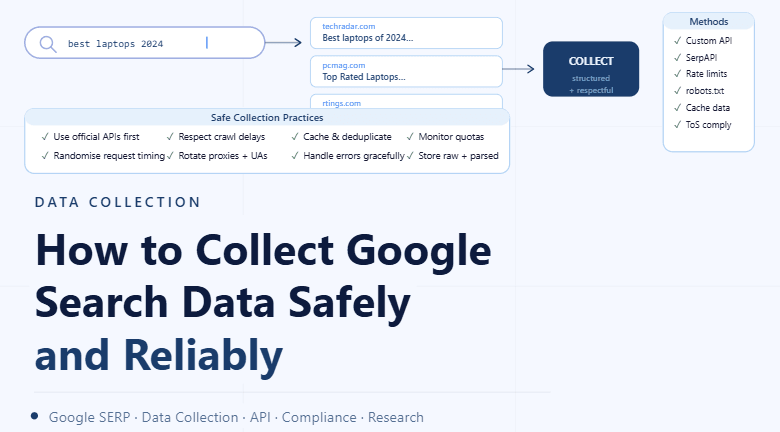
By the end of this tutorial, you will understand how to collect Google search-related data without relying on risky scraping methods that can break, violate terms, or trigger access interruptions. Instead of trying to scrape Google directly, the safer approach is to use official APIs, approved data providers, or structured search data tools that are designed for this purpose. This setup is more reliable, easier to maintain, and much better suited for long-term workflows. If you manage recurring data collection tasks, Appilot can help orchestrate execution while your system stays compliant and stable.
Why Direct Google Scraping Is Risky
Google uses strong protections to prevent automated scraping because uncontrolled scraping can create load, violate terms, and produce unreliable results. Even if a scraper works briefly, it may fail later due to captchas, layout changes, rate limits, or blocked access. A reliable system should avoid depending on fragile behavior.
Use Official APIs Instead
The safest option is to use official tools such as Google Custom Search JSON API, Google Search Console API, or Google Ads API depending on your use case. These tools provide structured data access in a way that is more stable and easier to integrate into workflows.
Choose the Right Data Source
If you need keyword rankings, use a search data provider or SEO platform. If you need your own site’s performance data, use Google Search Console. If you need ad-related search insights, use Google Ads tools. Choosing the right source prevents unnecessary complexity and avoids unreliable scraping paths.
Build a Stable Data Collection Workflow
A good workflow should collect data on a schedule, store results in a structured format, and track changes over time. Instead of pulling too much data at once, define exactly what you need, collect it consistently, and keep logs so failures are easy to diagnose.
Monitor Usage and Limits
APIs often have quotas and usage limits, so your workflow should monitor request volume and handle limit responses gracefully. This makes the system predictable and prevents sudden failures.
Format the Data for Reporting
Once collected, search data should be cleaned and organized into useful fields such as query, URL, position, clicks, impressions, date, and source. A clean report is more valuable than raw output because it can be used directly for SEO decisions or workflow triggers.
Scale Safely with Appilot
As your reporting needs grow, managing schedules, retries, and monitoring manually becomes harder. Appilot can help run these workflows consistently while your data collection remains based on compliant sources and structured execution.
FAQ
Q1: Can I scrape Google directly?
Direct scraping is risky and may violate terms or trigger blocking, so official APIs or approved providers are safer.
Q2: What should I use instead?
Use Google Search Console API, Google Custom Search JSON API, Google Ads API, or trusted SEO data providers.
Q3: Is API data more reliable?
Yes, because it is structured, documented, and designed for automated access.
Q4: Do I need Appilot for this workflow?
No, but Appilot helps when scheduling and monitoring recurring workflows at scale.
Conclusion
The safest way to collect Google search data is not to bypass blocking, but to use official and reliable data access methods. Start by choosing the correct API or provider, define your reporting needs, and build a workflow that collects, cleans, and stores data consistently. This gives you a system that is stable, compliant, and easier to scale.