How to Configure Human-Like Mouse Movements in Automation
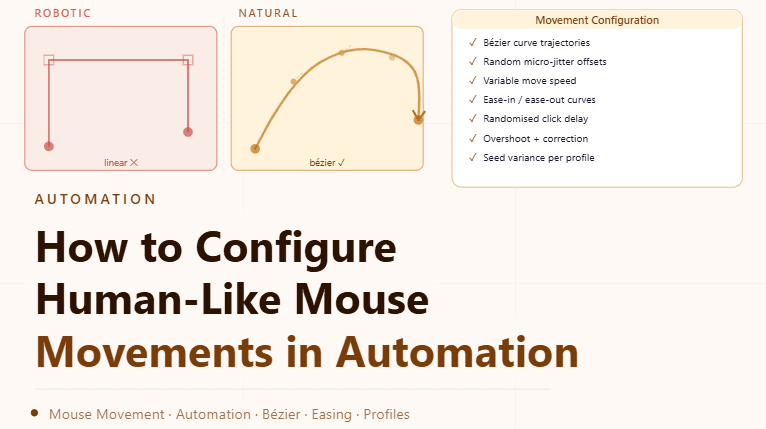
By the end of this tutorial, you will understand how to design mouse movement behavior that feels natural instead of rigid and mechanical. In automation systems, perfectly straight lines, instant clicks, and identical timing patterns can create unrealistic interaction flows that reduce stability and predictability. To follow along, you only need a basic understanding of how automation interacts with web elements. The focus here is on building realistic behavior patterns rather than writing code. This setup typically takes less than an hour to structure properly, but it significantly improves how interactions behave over time. If you manage multiple workflows, Appilot can help orchestrate execution while your interaction system ensures smooth and consistent behavior. You will build a system that introduces natural movement patterns, controlled timing, and realistic variation across interactions.
Why Natural Mouse Movement Matters
Automated interactions often default to direct and perfectly efficient movements, which do not reflect how real users interact with interfaces. Natural movement introduces slight inefficiencies and variation that make interactions smoother and more consistent over time. This improves the overall quality of automation behavior.
Understanding How Real Mouse Movement Works
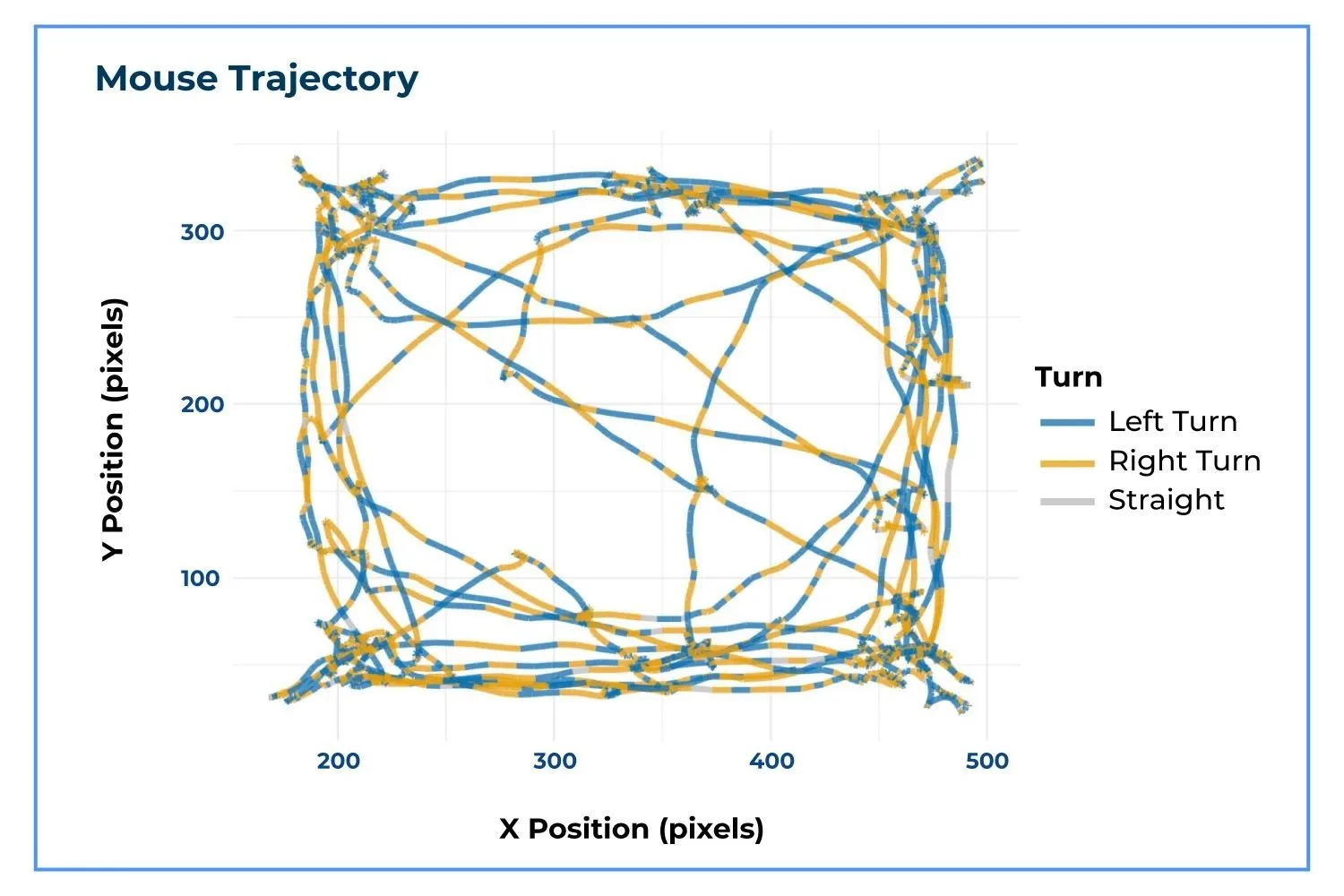
Human mouse movement is not linear or perfectly timed. It involves curves, slight adjustments, and varying speeds depending on the distance and target. Replicating these characteristics helps create more natural interaction flows.
Using Curved Instead of Straight Paths
Straight-line movement from one point to another appears mechanical. Introducing slight curves and deviations creates a more natural path. This variation makes movement appear smoother and less predictable.
Varying Movement Speed Dynamically
Real users do not move the mouse at a constant speed. Movements often start slower, accelerate, and then slow down near the target. Adding this variation improves realism and makes interactions feel more natural.
Adding Small Random Deviations
Even when aiming for a target, small adjustments occur during movement. Introducing minor deviations in the path helps simulate this behavior and prevents perfectly uniform interactions.
Introducing Delays Before and After Actions
Immediate actions without delay can appear unnatural. Adding small pauses before movement, during hovering, and after clicks helps create a more realistic flow of interaction.
Avoiding Repetitive Movement Patterns
Repeating the same movement pattern across interactions creates predictability. Varying paths, speeds, and timing ensures that each interaction is slightly different while still remaining consistent.
Aligning Movement with Element Positioning
Mouse movement should reflect the layout of the interface. Longer distances should result in longer movement times, while shorter distances should be quicker. This alignment maintains logical consistency.
Testing Interaction Behavior
After configuring movement patterns, it is important to observe how interactions behave in real scenarios. Testing ensures that movements feel natural and do not interfere with task execution.
Monitoring and Refining Over Time
Interaction behavior may need adjustments as workflows evolve. Monitoring helps identify patterns that may become too consistent or unnatural, allowing for continuous refinement.
Integrating Movement Patterns into Automation Systems
Mouse behavior should be part of your overall automation design rather than an isolated feature. Integrating it ensures that all interactions follow the same realistic principles.
Scaling Interaction Control with Appilot
At this stage, your movement configuration works locally and improves interaction realism. As the number of workflows increases, maintaining consistent behavior manually becomes more complex. This is where Appilot becomes useful because it helps orchestrate workflows while your configuration ensures that all interactions remain smooth and natural.
FAQ
Q1: What are human-like mouse movements?
They are movement patterns that mimic natural user behavior instead of rigid automation.
Q2: Why avoid straight-line movement?
Because it appears mechanical and lacks natural variation.
Q3: How can I make movements more realistic?
By adding curves, varying speed, and introducing small delays.
Q4: Should every movement be different?
Yes, slight variation helps prevent repetitive patterns.
Q5: Do I need Appilot for this setup?
No, you can configure it locally. Appilot becomes useful when scaling workflows.
Conclusion
Configuring human-like mouse movements is an important step in improving the realism and consistency of automation systems. By introducing curves, varying speed, and avoiding repetitive patterns, you can create smoother and more natural interactions. Start by defining basic movement rules, test behavior, and refine over time. Once this system is in place, your automation becomes more stable and predictable.