How to Configure Proxy Geolocation Targeting by Country
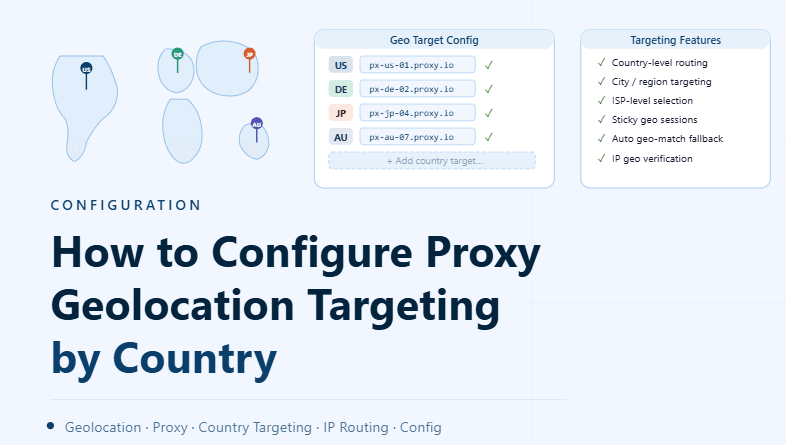
By the end of this tutorial, you will understand how to configure proxies so that your traffic appears to originate from specific countries. Geolocation targeting is important when workflows depend on regional behavior, localized content, or country-specific access conditions.
To follow along, you only need a basic understanding of proxies and how they route traffic. The focus here is on designing a clean geolocation strategy rather than writing code.
This setup typically takes less than an hour to structure properly, but it greatly improves control and consistency. If you manage multiple workflows, Appilot can help orchestrate execution while your proxy setup ensures accurate geographic targeting.
You will build a system that assigns proxies by country, maintains consistency, and avoids common configuration issues.
Why Geolocation Targeting Matters
Different regions can produce different responses, content, or behaviors. Without proper targeting, your workflows may not behave as expected because they are operating from the wrong location.
Geolocation targeting ensures that your system interacts with platforms as if it were operating from the intended region.
Understanding How Proxy Location Works
Each proxy endpoint is associated with a specific geographic location. When traffic is routed through that proxy, it appears to originate from that location.
Selecting the correct proxy determines the perceived location of your profile or application.
Choosing the Right Countries for Your Use Case
Not all workflows require the same geographic targeting. Some may need a single country for consistency, while others may require multiple regions.
Choosing the right countries depends on the goals of your system and how location affects behavior.
Assigning Proxies Based on Country
A structured system should map profiles or tasks to proxies from specific countries. This ensures that each workflow operates within the intended geographic context.
Clear mapping prevents confusion and maintains consistency.
Maintaining Consistent Location Per Profile
Once a profile is assigned a country, it should maintain that location consistently. Frequent changes in location can create instability and unpredictable behavior.
Consistency helps maintain reliable operation.
Organizing Proxies by Region
Grouping proxies by country or region makes management easier. This allows you to quickly assign proxies based on geographic requirements.
Organized pools simplify large-scale setups.
Avoiding Mixed Location Signals
Using multiple locations for a single profile without a clear structure can create inconsistent signals. This can lead to unreliable behavior in workflows.
Keeping location signals consistent prevents these issues.
Monitoring Location Accuracy
Sometimes proxy locations may not match their expected country due to network inconsistencies. Verifying location ensures that your setup is working as intended.
Regular checks help maintain accuracy.
Adjusting Targeting Based on Results
If workflows do not behave as expected, adjusting the target location may improve results. Different regions can produce different outcomes.
Flexibility allows you to optimize your system over time.
Integrating Geolocation into Workflow Systems
Geolocation targeting should be part of your overall workflow design. Tasks should automatically use proxies from the correct region without manual selection.
Integration ensures consistency across all operations.
Scaling Geolocation Management with Appilot
At this stage, your geolocation system works locally and provides accurate regional targeting. As the number of profiles and workflows increases, managing locations manually becomes more complex.
This is where Appilot becomes useful because it helps orchestrate workflows while your proxy system ensures consistent geographic behavior.
FAQ
Q1: What is proxy geolocation targeting?
It is the process of routing traffic through proxies located in specific countries.
Q2: Why is location important?
Because different regions can produce different behavior and results.
Q3: Can I change proxy location frequently?
It is possible, but frequent changes can create instability.
Q4: How do I verify proxy location?
By checking the reported location through network tools or services.
Q5: Do I need Appilot for geolocation setup?
No, you can configure it locally. Appilot becomes useful when scaling workflows.
Conclusion
Configuring proxy geolocation targeting by country allows you to control where your traffic appears to originate. By assigning proxies carefully, maintaining consistency, and monitoring accuracy, you can create a reliable and effective system.
Start by selecting the right regions, organize proxies into structured pools, and integrate geolocation into your workflows. Once this system is in place, your automation becomes more precise and predictable.