How to Configure Residential Proxies for Maximum Anonymity
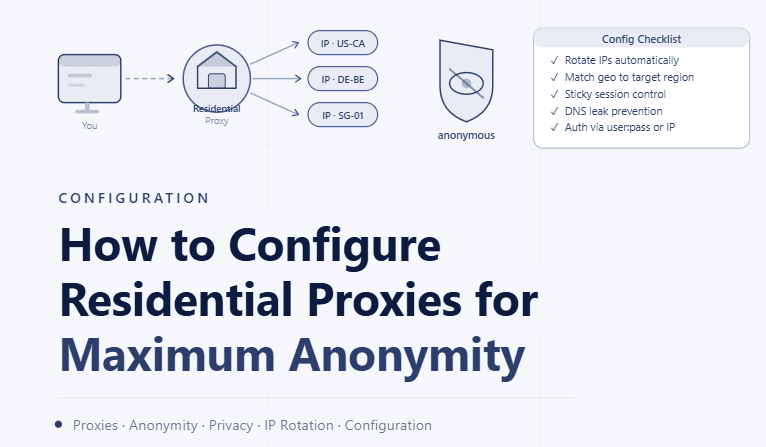
By the end of this tutorial, you will understand how to set up residential proxies in a way that keeps your traffic consistent, private, and aligned with realistic usage patterns. Poor proxy configuration is one of the most common reasons systems become unstable or behave unpredictably.
To follow along, you only need a basic understanding of what proxies do and how browser profiles connect to the internet. The focus here is on building a clean and reliable configuration strategy rather than diving into complex technical setups.
This setup typically takes less than an hour to structure properly, but it has a major impact on performance and reliability. If you manage multiple profiles or workflows, Appilot can help orchestrate execution while your proxy setup keeps environments stable and consistent.
You will build a system that assigns proxies correctly, maintains consistency, and avoids common configuration mistakes.
Why Proper Proxy Configuration Matters
When proxies are configured incorrectly, traffic can appear inconsistent or unreliable. This leads to unstable connections, failed requests, or unexpected behavior in workflows.
A well-configured setup ensures that each profile operates in a stable network environment with consistent characteristics. This improves both reliability and predictability.
Understanding Residential Proxies in Practice
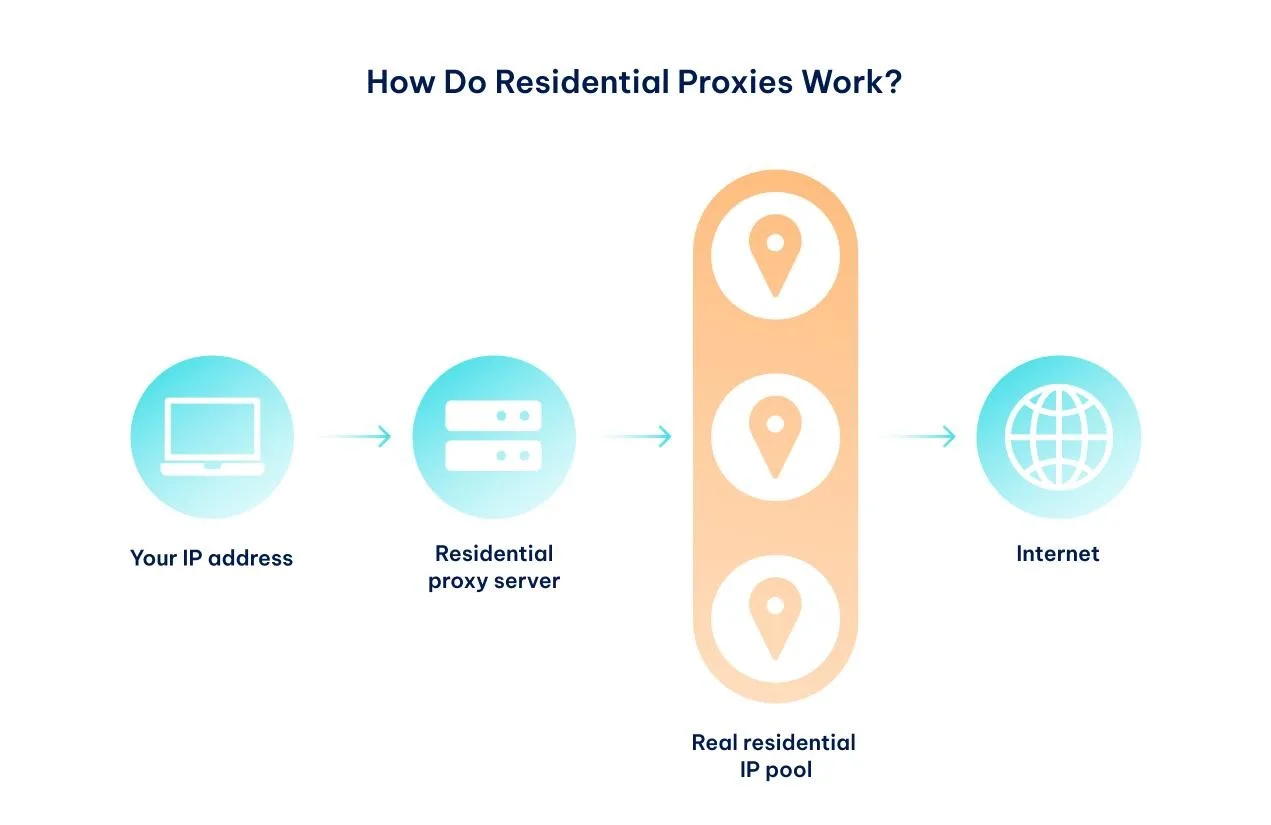
Residential proxies route traffic through real user devices and networks rather than data centers. This creates more natural network behavior compared to other proxy types.
Because of this, they are often used when consistency and realism in network conditions are important. However, their effectiveness depends heavily on how they are configured.
Assigning One Proxy per Profile
A key principle is keeping each profile tied to a single proxy endpoint for consistent sessions. When a profile frequently switches between different network identities, it can create instability and unpredictable behavior.
Maintaining a stable connection per profile ensures smoother operation and fewer disruptions.
Avoiding Frequent IP Changes
Changing IP addresses too often can lead to inconsistent sessions and interruptions. While rotation may be useful in some cases, excessive switching can reduce stability.
A balanced approach ensures that IP changes happen only when necessary rather than constantly.
Matching Network Behavior Across Profiles
Profiles should not all share identical network characteristics. Distributing different proxy endpoints across profiles creates a more balanced environment.
This helps prevent clustering of similar network behavior across multiple profiles.
Managing Proxy Pools Effectively
When working with many profiles, proxies should be organized into pools that can be assigned systematically. This prevents overuse of certain endpoints while others remain unused.
A structured pool ensures even distribution and better resource utilization.
Monitoring Proxy Performance
Not all proxies perform equally. Some may have higher latency, slower speeds, or occasional instability. Monitoring performance helps identify which proxies are reliable and which need replacement.
Consistent monitoring improves overall system quality.
Handling Connection Failures Gracefully
Even well-configured proxies can occasionally fail. Having a strategy to handle these situations, such as retrying or switching endpoints carefully, ensures that workflows continue without disruption.
Graceful handling prevents small issues from becoming major problems.
Integrating Proxies with Profile Management
Proxy configuration should be tightly integrated with how profiles are managed. Each profile should clearly know which proxy it is using, and this relationship should remain consistent.
This integration reduces confusion and simplifies troubleshooting.
Maintaining Long-Term Stability
The goal of proxy configuration is not just short-term functionality but long-term stability. Consistent setup, monitoring, and controlled adjustments help maintain reliable performance over time.
Stability ensures that workflows remain predictable as they scale.
Scaling Proxy Management with Appilot
At this stage, your proxy configuration works locally and provides stable connections for your profiles. As the number of profiles and workflows increases, managing proxies manually becomes more complex.
This is where Appilot becomes useful because it helps orchestrate workflows across profiles while your proxy system ensures consistent network behavior.
FAQ
Q1: What are residential proxies?
They are proxies that route traffic through real residential networks instead of data centers.
Q2: Why assign one proxy per profile?
To maintain consistent network behavior and avoid instability.
Q3: Should proxies rotate frequently?
Not always. Frequent changes can reduce stability, so rotation should be controlled.
Q4: How do I know if a proxy is working well?
By monitoring performance such as speed, reliability, and consistency.
Q5: Do I need Appilot for proxy setup?
No, you can configure proxies locally. Appilot becomes useful when managing workflows at scale.
Conclusion
Configuring residential proxies correctly is essential for building stable and reliable systems. By maintaining consistent assignments, monitoring performance, and avoiding unnecessary changes, you can create an environment that behaves predictably and efficiently.
Start by assigning proxies carefully, organize them into structured pools, and refine your setup over time. Once this system is in place, your workflows become more stable and easier to manage.