How to Configure SOCKS5 Proxies for Specific Applications
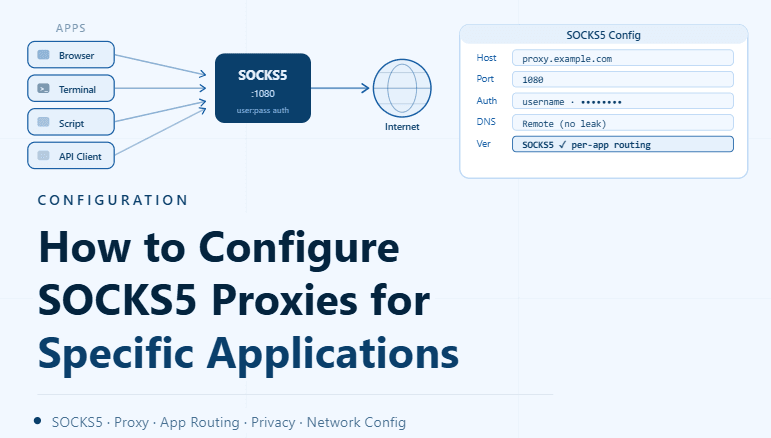
By the end of this tutorial, you will understand how to route only selected applications through SOCKS5 proxies instead of applying a proxy globally across your system. This allows you to control which tools use proxy connections while keeping everything else running normally.
To follow along, you only need a basic understanding of proxies and how applications connect to the internet. The focus here is on designing a clean and controlled setup rather than writing code.
This setup typically takes less than an hour to configure, but it significantly improves flexibility and stability. If you manage multiple workflows, Appilot can help orchestrate execution while your proxy setup ensures that each application behaves correctly.
You will build a system that assigns SOCKS5 proxies to specific applications, maintains separation, and avoids conflicts with other tools.
Why Use Application-Specific Proxy Configuration
Applying a proxy to your entire system can create unnecessary complexity. Some applications may not require a proxy and may even perform worse when forced through one.
Configuring proxies at the application level allows you to control traffic precisely. This ensures that only the necessary applications use the proxy while others remain unaffected.
Understanding How SOCKS5 Works in Applications
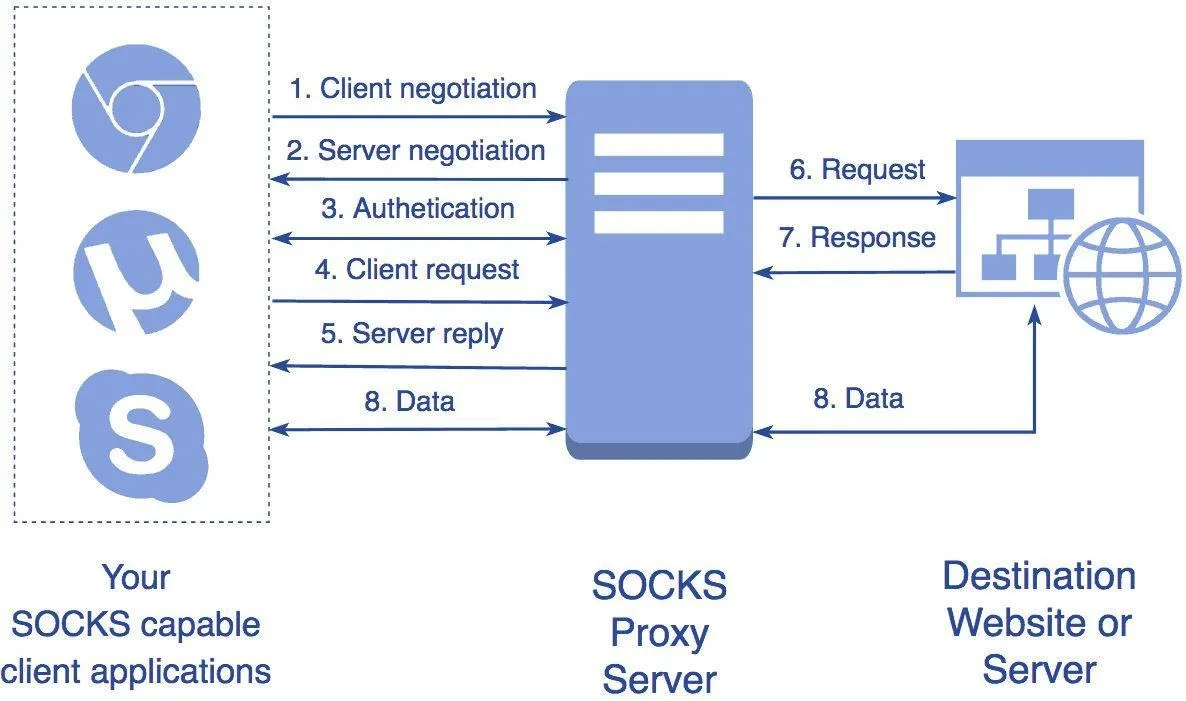
SOCKS5 proxies operate at a lower level than standard HTTP proxies, allowing them to handle a wider range of traffic types. This makes them suitable for various applications that require flexible network routing.
Applications that support SOCKS5 can be configured to send their traffic through a specified proxy endpoint.
Identifying Which Applications Need Proxies
Not all applications benefit from using proxies. It is important to identify which tools require proxy routing based on their function and network behavior.
Focusing on specific applications keeps the system efficient and avoids unnecessary overhead.
Configuring Proxy Settings Within Applications
Many applications provide built-in settings for proxy configuration. These settings allow you to define the proxy type, address, and authentication details.
Using native configuration options ensures that the application handles proxy routing correctly.
Keeping Proxy Usage Isolated
Each application should operate independently when using a proxy. This prevents interference between tools and ensures that changes in one application do not affect others.
Isolation improves both stability and clarity.
Avoiding Global System Changes
Changing system-wide proxy settings can affect all applications, including those that do not need a proxy. This can lead to unexpected behavior or performance issues.
Application-level configuration avoids these problems by limiting the scope of proxy usage.
Managing Multiple Proxies Across Applications
When working with several applications, different proxies can be assigned to each one. This allows for better distribution and prevents overloading a single proxy.
Managing proxies in this way keeps the system balanced.
Monitoring Application Performance
After configuring proxies, it is important to observe how each application performs. Some may benefit from proxy routing, while others may require adjustments.
Monitoring ensures that the configuration delivers the expected results.
Handling Connection Issues
If an application fails to connect through a proxy, the issue may be related to incorrect settings or proxy performance. Having a fallback approach helps maintain functionality.
Troubleshooting ensures that problems are resolved quickly.
Integrating Proxy Configuration with Workflow Systems
Proxy settings should align with how your workflows operate. Applications that are part of automated processes should have consistent and reliable proxy configurations.
Integration ensures smooth operation across tasks.
Scaling Application-Level Proxy Management with Appilot
At this stage, your SOCKS5 configuration works locally and allows selective routing. As the number of applications and workflows increases, managing configurations manually becomes more complex.
This is where Appilot becomes useful because it helps orchestrate workflows while your proxy setup ensures that each application uses the correct network path.
FAQ
Q1: What is a SOCKS5 proxy?
It is a flexible proxy protocol that can handle various types of network traffic.
Q2: Why configure proxies per application?
To control which applications use proxies and avoid unnecessary system-wide changes.
Q3: Can all applications use SOCKS5 proxies?
Only those that support proxy configuration settings.
Q4: What happens if the proxy fails?
The application may lose connection, so fallback strategies are important.
Q5: Do I need Appilot for this setup?
No, you can configure it locally. Appilot becomes useful when scaling workflows.
Conclusion
Configuring SOCKS5 proxies for specific applications gives you precise control over how traffic is routed. By targeting only the applications that need proxies, you can improve performance, maintain stability, and avoid unnecessary complexity.
Start by identifying which applications require proxies, configure them individually, and monitor their performance. Once this system is in place, your network setup becomes more efficient and easier to manage.