How to Create One-Time vs Recurring Task Schedules
By the end of this tutorial, you will understand how to design both one-time and recurring schedules so your automation system can handle short-term tasks as well as long-term workflows. Some tasks only need to run once, while others must repeat on a regular basis, and managing both correctly is essential for a well-structured system. To follow along, you only need a basic understanding of scheduling concepts. The focus here is on designing flexible timing logic rather than writing code. This setup typically takes less than an hour to structure, but it significantly improves workflow control. If you manage multiple workflows, Appilot can help orchestrate execution while your system ensures accurate and consistent scheduling. You will build a system that supports both single-run tasks and repeating patterns without conflicts.
Understanding One-Time Schedules
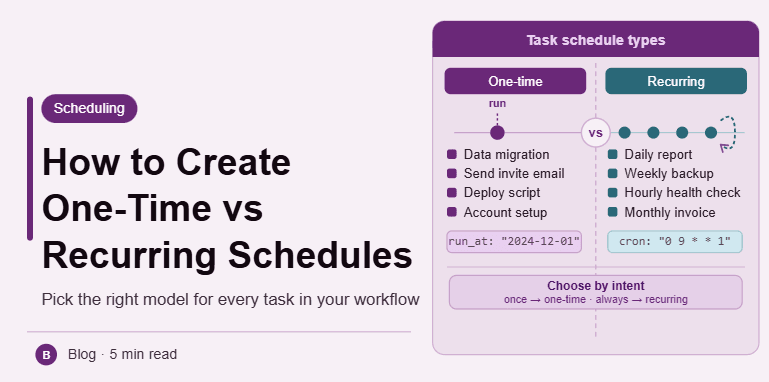
One-time schedules are used for tasks that need to run only once at a specific time. These are typically used for events, launches, or specific actions that do not need repetition. Once executed, the task is completed and removed from the schedule.
Understanding Recurring Schedules
Recurring schedules are used for tasks that repeat over time, such as daily, weekly, or monthly actions. These schedules ensure that important processes continue automatically without manual intervention.
Choosing the Right Schedule Type
The choice between one-time and recurring depends on the purpose of the task. If the task is tied to a specific event, use a one-time schedule. If it needs to happen regularly, use a recurring schedule.
Defining Clear Execution Rules
Each schedule should have clear rules, including when it starts, how often it runs, and when it stops if applicable. This ensures predictable behavior and avoids confusion.
Managing Recurrence Patterns
Recurring schedules can follow different patterns, such as daily intervals, specific weekdays, or monthly cycles. Defining these patterns clearly helps maintain consistency.
Avoiding Conflicts Between Schedules
When multiple schedules exist, conflicts can occur if tasks overlap. Proper spacing and prioritization ensure that both one-time and recurring tasks run smoothly.
Handling Expiration and End Conditions
Recurring tasks may need to stop after a certain period. Defining end conditions prevents unnecessary execution and keeps the system efficient.
Updating Schedules Dynamically
Schedules may need to change over time. A flexible system allows updates without disrupting ongoing workflows.
Monitoring Task Execution
Tracking when tasks run helps ensure that schedules are working correctly. Monitoring allows quick detection of missed or duplicated executions.
Integrating Both Schedule Types into One System
A complete scheduling system should support both one-time and recurring tasks seamlessly. Integrating them ensures that all workflows follow consistent timing logic.
Scaling Scheduling Systems with Appilot
At this stage, your system handles both one-time and recurring schedules effectively. As workflows grow, managing different schedule types manually becomes complex. This is where Appilot becomes useful because it helps orchestrate execution while your system ensures accurate and reliable scheduling.
FAQ
Q1: What is a one-time schedule?
It is a task that runs only once at a specific time.
Q2: What is a recurring schedule?
It is a task that repeats at defined intervals.
Q3: How do I choose between them?
Based on whether the task is a one-time event or a repeating process.
Q4: Can recurring tasks stop automatically?
Yes, if you define an end condition.
Q5: Do I need Appilot for this setup?
No, you can manage it locally. Appilot becomes useful when scaling workflows.
Conclusion
Creating one-time and recurring task schedules allows you to build a flexible and reliable automation system. By defining clear rules, managing patterns, and avoiding conflicts, you can ensure that tasks run exactly when needed. Start by identifying task types, set up appropriate schedules, and refine your system over time. Once this structure is in place, your workflows become more organized and efficient.