How to Extract and Format Data from Dynamic JavaScript-Loaded Content
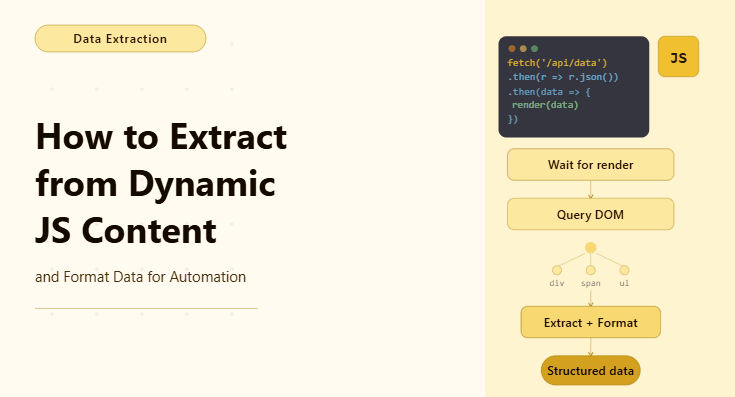
By the end of this tutorial, you will have a workflow that can extract data from websites where content does not exist in the initial page load but appears only after JavaScript executes. This is one of the most common challenges in modern web automation because many dashboards, marketplaces, and applications render data dynamically, which means traditional scraping approaches fail or return empty results.
To follow along, you need Python 3.9 or higher and a basic understanding of browser automation concepts. You do not need deep frontend knowledge, but you should understand that dynamic content is loaded after the page is opened, which is why timing and detection become critical.
This setup typically takes one to two hours to build and test for simple cases. Once it works, it becomes a reusable pattern you can apply to many modern web applications. If you later need to run this across multiple profiles or scheduled workflows, Appilot can help as the execution layer while your extraction logic remains unchanged.
You will build a workflow that waits for JavaScript-rendered content, extracts it reliably, and formats it into clean structured output.
What This Tutorial Builds — And Why This Approach
This tutorial builds a workflow that handles dynamic content by letting the browser fully load and render the page before attempting extraction. Unlike static scraping, where HTML contains all the data immediately, dynamic pages rely on scripts that fetch and display data after the page is opened. If your automation does not account for this, it will often return empty or incomplete results.
The approach here focuses on observing when the content is ready rather than guessing. Instead of scraping immediately, the workflow waits for specific elements to appear, which ensures the data is actually available. This makes the automation more reliable and less dependent on timing hacks.
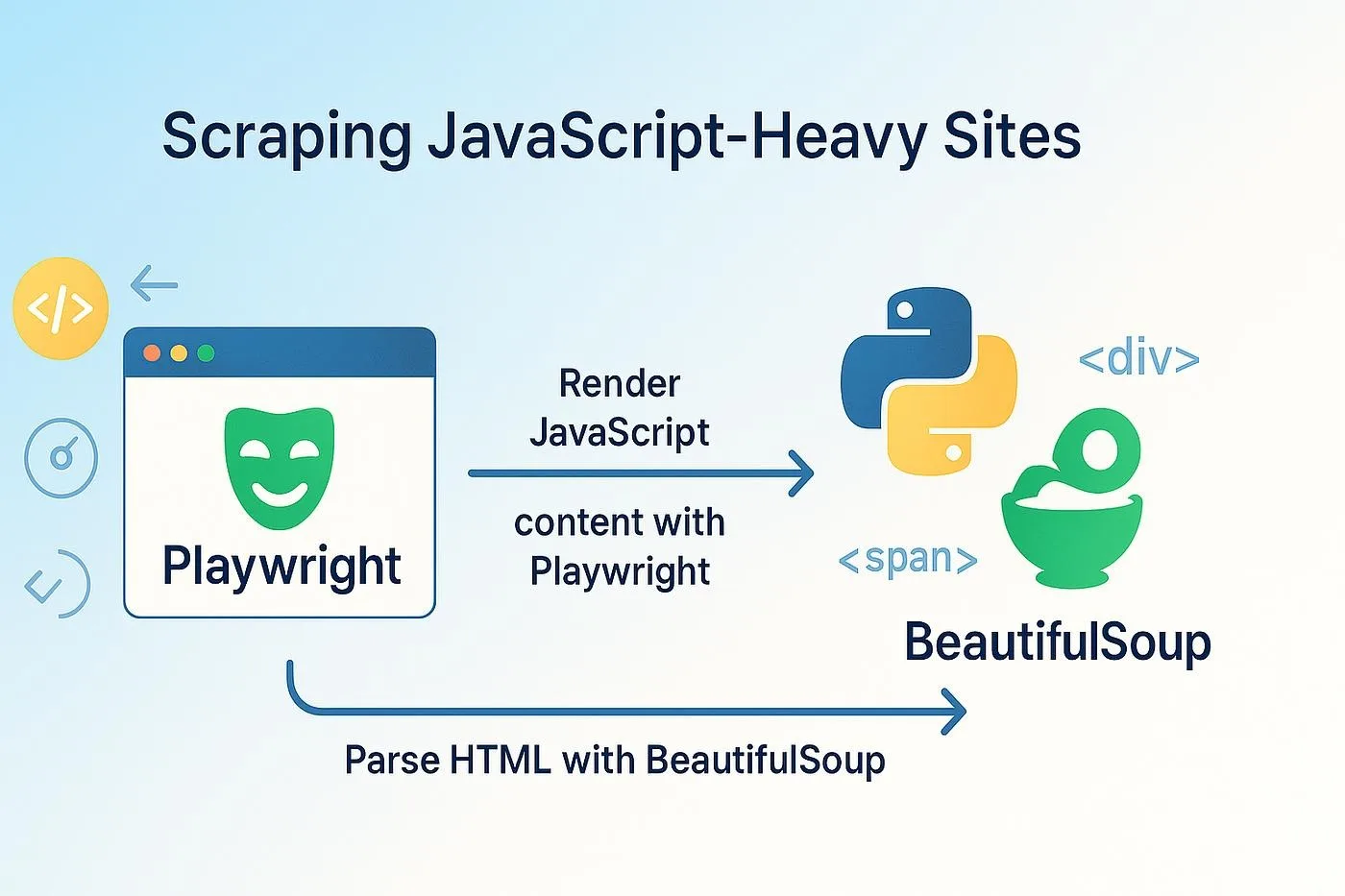
At a small scale, this runs locally using Python and Playwright. At a larger scale, where multiple dynamic pages need to be processed regularly, Appilot can help manage execution and monitoring while the extraction logic remains the same.
How the System Works — Architecture Overview
At a high level, the workflow opens a page in a real browser, waits for JavaScript to load the content, detects the elements that contain the data, extracts the values, and then formats them into a structured form such as a list or table.
This structure works because it separates three responsibilities clearly. One part handles page loading, another part handles detection of ready content, and a third part handles extraction and formatting. Keeping these steps separate makes debugging easier and ensures the workflow remains stable even if the page changes slightly.
Part 1 — Environment Setup
Step 1 — Install Dependencies
To work with dynamic content, you need a browser automation tool that executes JavaScript. Playwright is a strong choice because it behaves like a real browser.
pip install playwright

playwright install chromium
After installation, verify that the environment is ready.
playwright --versionStep 2 — Create a Simple Project Structure
A minimal setup is enough for this workflow.
mkdir dynamic-content-extractor && cd dynamic-content-extractor

mkdir data logs

touch main.py
This keeps the focus on the extraction logic rather than file complexity.
Part 2 — Handling Dynamic Content
Step 3 — Understand Why Static Extraction Fails
When a page loads dynamically, the initial HTML does not contain the final data. Instead, JavaScript runs after the page loads, fetches data from an API, and injects it into the DOM. If your script tries to extract data immediately, it will often find nothing.
The solution is not to scrape faster, but to wait smarter. You need to wait for a signal that indicates the content is ready.
Step 4 — Wait for the Right Element
The most reliable way to handle dynamic content is to wait for a specific element that appears only after the data is loaded. This could be a table, a list item, a card, or any visible data container.
await page.goto("https://example.com/dashboard")

await page.wait_for_selector(".data-row")
This ensures the script only continues once the relevant data is present.
Step 5 — Avoid Blind Delays
A common mistake is using fixed delays like waiting for five seconds before extracting data. This is unreliable because some pages load faster while others take longer. Waiting for specific elements is always more stable than using fixed time delays.
Part 3 — Extracting Dynamic Data
Step 6 — Capture Rendered Content
Once the content is visible, extraction becomes similar to static scraping, except now the data actually exists in the DOM.
items = await page.locator(".data-row").all_inner_texts()This collects the visible text from each row or item that was rendered by JavaScript.
Step 7 — Extract Structured Fields
In many cases, you need more than raw text. You may want to extract specific fields such as titles, prices, or timestamps. Instead of capturing everything at once, you can target individual elements inside each row.
titles = await page.locator(".item-title").all_inner_texts()This creates a cleaner dataset and makes formatting easier.
Part 4 — Formatting the Extracted Data
Step 8 — Clean the Data
Dynamic content often includes extra whitespace, hidden text, or formatting artifacts. Cleaning the data ensures the output is usable.
cleaned = [item.strip() for item in items if item.strip()]This removes unnecessary spaces and empty entries.
Step 9 — Structure the Output
After cleaning, structure the data into a consistent format. This could be a list of records or a table-like structure depending on your use case.
structured = [{"value": item} for item in cleaned]This step is important because structured data is easier to export, analyze, or reuse.
Part 5 — Exporting the Data
Step 10 — Save to a File
Once the data is structured, save it in a format such as CSV or JSON so it can be used outside the script.
import json


with open("data/output.json", "w") as f:

    json.dump(structured, f, indent=2)
This creates a clean output file that reflects the dynamic content accurately.
Part 6 — Real-World Challenges
Step 11 — Handle Lazy Loading
Some pages load content only when you scroll. In these cases, the workflow needs to scroll down gradually and wait for new elements to appear before extracting data.
Step 12 — Handle Changing Selectors
Dynamic applications often update their structure, which can break selectors. To reduce maintenance, use stable selectors such as data attributes or meaningful class names instead of random generated ones.
Step 13 — Combine with Other Logic
Dynamic content extraction is often just one step in a larger workflow. The extracted data can be fed into decision logic, exported to reports, or used to trigger further automation steps.
Step 14 — Scaling with Appilot
At this stage, the workflow works locally and can handle dynamic content reliably. As the number of pages or workflows grows, managing execution manually becomes harder.
This is where Appilot becomes useful because it can manage multiple runs, monitor results, and handle scheduling without requiring changes to your extraction logic.
FAQ
Q1: What is dynamic content in web scraping?
Dynamic content is data that is loaded by JavaScript after the page is opened, rather than being present in the initial HTML.
Q2: Why does my scraper return empty data?
Because the content has not loaded yet. You need to wait for the correct elements before extracting.
Q3: Is waiting better than using delays?
Yes, waiting for specific elements is more reliable than fixed delays.
Q4: Can this work for dashboards and web apps?
Yes, this method is designed specifically for modern applications that rely on JavaScript rendering.
Q5: Do I need Appilot for this workflow?
No, you can run it locally. Appilot becomes useful when scaling execution across multiple workflows.
Conclusion
Extracting data from dynamic JavaScript-loaded content is essential for working with modern websites. The key is not scraping faster, but waiting for the right signals that indicate the data is ready. Once you master that pattern, dynamic pages become just as accessible as static ones.
Start by identifying the correct element to wait for, confirm that the data appears reliably, and then build your extraction and formatting logic around that. Once the workflow is stable, you can scale it confidently without changing the core approach.