How to Fix Browser Profiles Taking 10+ Minutes to Load (And Make Them Instant Again)

You click to open a browser profile expecting it to load in a few seconds, but instead you are left waiting, watching the loading spinner sit there for minutes, sometimes five, sometimes ten, and in extreme cases even longer, while nothing seems to happen and your entire workflow comes to a halt.
At first it feels like a temporary glitch, maybe your system is under load or something is updating in the background, but then it keeps happening again and again, and what used to be a quick action becomes a frustrating delay that disrupts everything you are trying to do.
You try restarting your browser, clearing some space, maybe even rebooting your system, and sometimes it feels slightly better, but the problem always comes back, often worse than before, making it clear that this is not a one-time issue but something deeper in how your setup is structured.
What makes this even more painful is that slow-loading profiles do not just waste time, they break momentum, delay execution, and make scaling almost impossible, because when opening profiles becomes a bottleneck, everything else slows down with it.
You are not the only one dealing with this, and more importantly, this is not just about your computer being slow, because profile loading delays are usually caused by how browser environments are built, stored, and executed rather than raw hardware limitations.
The good news is that once you understand why browser profiles take so long to load, you can fix it in a way that not only restores speed but makes your system far more stable and scalable.
Why Your Browser Profiles Take 10+ Minutes to Load
Most people assume slow profiles are caused by low RAM or CPU limitations, but the real issue is a combination of accumulated data, inefficient profile structures, and system-level bottlenecks.
Profiles Become Heavier Over Time
Every browser profile stores data such as cookies, cache, local storage, extensions, and session history, and as this data grows, the profile becomes heavier and more complex to initialize.
When you launch the profile, the browser has to load all of this data, validate it, and reconstruct the session, which takes longer as the profile grows.
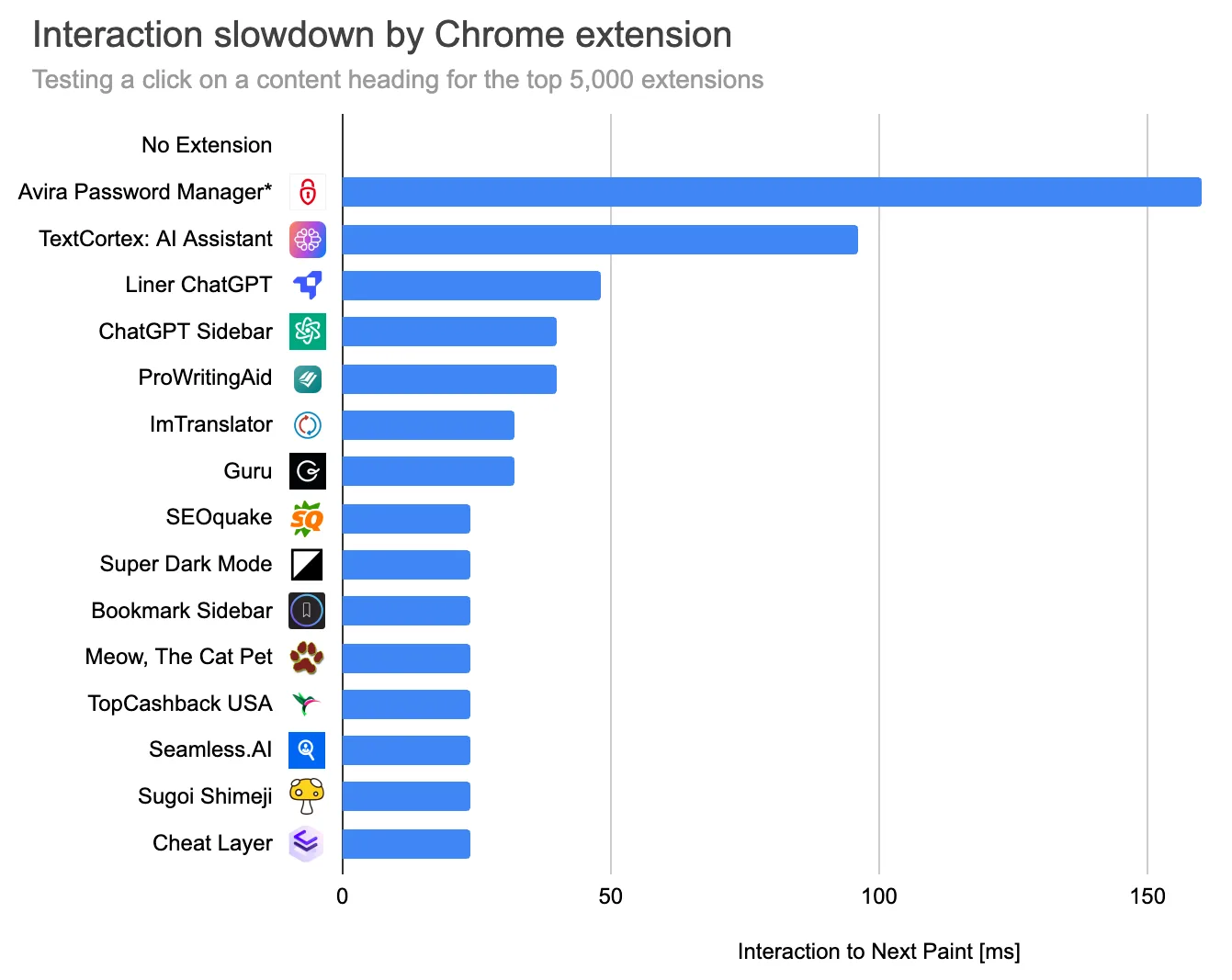
Too Many Extensions and Background Processes
Extensions are often overlooked, but each one adds additional scripts, background tasks, and startup processes that must be initialized when the profile loads.
When multiple extensions are installed, especially across many profiles, the cumulative effect can significantly delay startup time.
Disk I/O Bottlenecks
Profiles are stored on disk, and when multiple profiles are loaded or accessed simultaneously, your storage system becomes a bottleneck, particularly if you are using a slower SSD or a nearly full drive.
This results in delayed read/write operations, which directly impacts how quickly profiles can initialize.
Corrupted or Fragmented Profile Data
Over time, profiles can accumulate corrupted or fragmented data, which forces the browser to spend extra time attempting to load or repair inconsistencies during startup.
This is one of the reasons why profiles that used to load quickly suddenly become extremely slow.
The Hidden Cost of Slow Profile Loading
Waiting ten minutes for a profile to load might seem like a minor inconvenience at first, but when multiplied across multiple profiles and repeated throughout the day, it becomes a significant drain on productivity.
You lose time, break focus, and delay execution, which reduces the number of tasks you can complete and limits your ability to scale.
More importantly, it creates friction in your workflow, making automation less efficient and forcing you to constantly wait instead of operate at full speed.
The Complete Solution: How to Fix Slow Profile Loading Permanently
Fixing slow profile loading requires more than clearing cache or restarting your browser, because those are temporary fixes that do not address the underlying problem.
The first step is to reduce profile weight by removing unnecessary extensions, clearing excessive data, and ensuring that each profile contains only what is essential for its function.
Once profiles are optimized, you need to address how they are stored and accessed, ensuring that your storage system is not creating a bottleneck and that profiles are not competing for disk resources.
However, even with optimization, there is a limit to how efficient browser profiles can be when running at scale, because they are inherently heavy environments designed for individual use rather than mass deployment.
This is where a structural shift becomes necessary, moving away from relying entirely on browser profiles and toward more efficient execution environments.
A practical approach is to offload automation tasks to real devices using a platform like Appilot, where workflows run directly on Android devices instead of loading heavy browser profiles on your system.
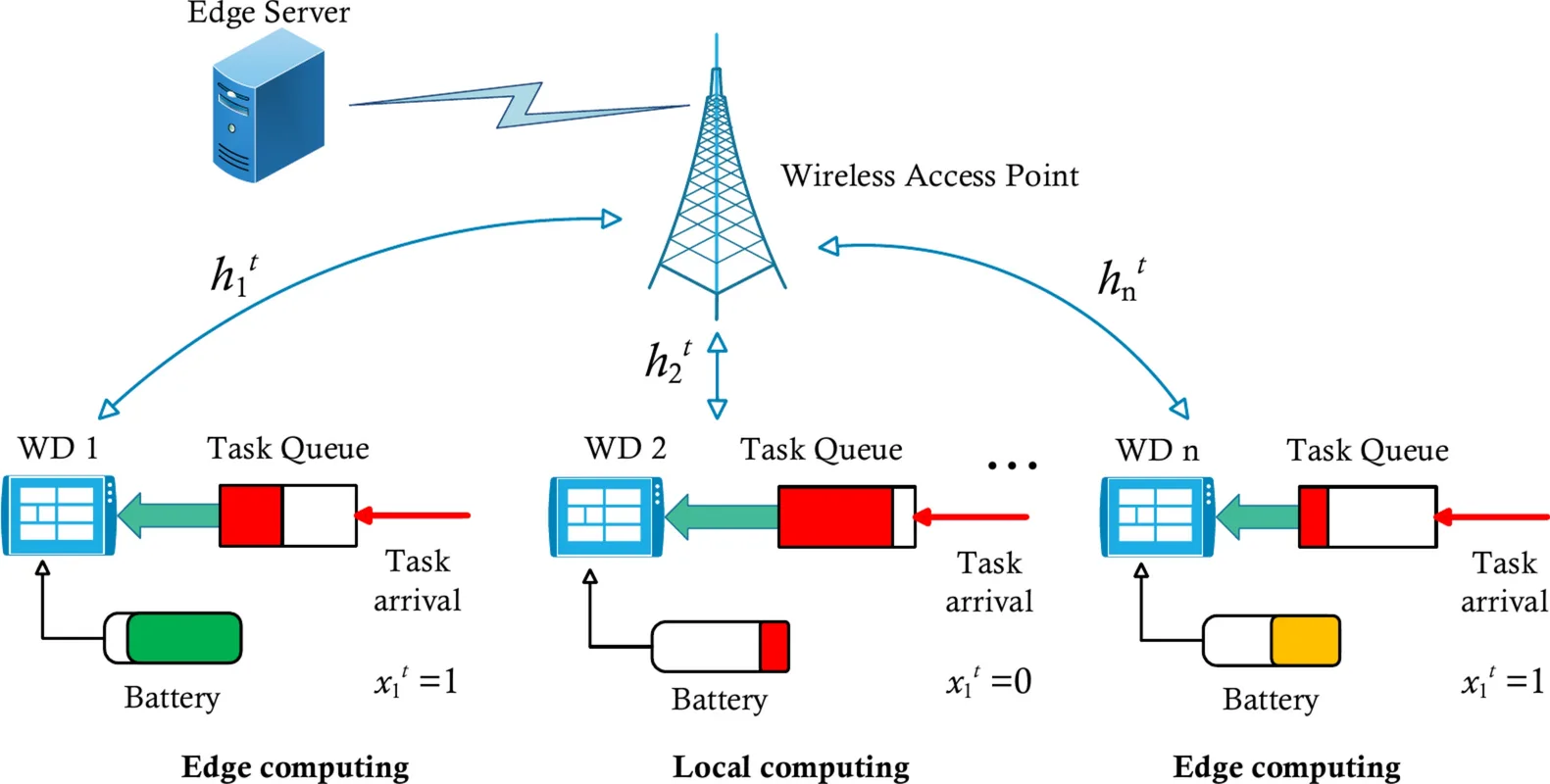
By shifting execution away from browser profiles, you eliminate the need to load complex environments repeatedly, which dramatically reduces startup time and improves overall performance.
Instead of waiting minutes for profiles to load, tasks can begin almost instantly, because they are running in optimized, lightweight environments designed for continuous execution.
How to Prevent Slow Profile Loading From Coming Back
Prevention starts with maintaining clean and efficient profiles, ensuring that unnecessary data does not accumulate and that extensions are kept to a minimum.
Regular monitoring helps you identify when profiles begin to slow down, allowing you to take action before the problem becomes severe.
More importantly, designing your system to rely less on heavy browser environments and more on distributed execution ensures that you do not encounter the same bottlenecks again.
Common Mistakes That Make Profile Loading Worse
One of the most common mistakes is continuously adding extensions without considering their impact on performance, which gradually increases startup time.
Another is ignoring storage limitations, allowing drives to become nearly full, which significantly slows down read/write operations.
There is also a tendency to duplicate profiles without cleaning them, which carries over unnecessary data and compounds the problem.
Real Success Stories: Before and After
A user managing multiple browser profiles found that loading times increased from a few seconds to over ten minutes, making their workflow inefficient and frustrating.
After optimizing profiles and transitioning to a distributed setup using Appilot, they were able to eliminate long loading times and significantly improve execution speed.
Another case involved a team running automation workflows, where slow profile loading limited their productivity, but after restructuring their system, they achieved near-instant startup times and improved scalability.
Frequently Asked Questions
One common question is whether clearing cache can fix slow profiles, and while it can provide temporary improvement, it does not address deeper issues such as profile structure and storage limitations.
Another question is whether faster hardware can solve the problem, and while it can help, it does not eliminate the inherent inefficiencies of browser profiles at scale.
There is also the concern about whether switching to alternative solutions is complex, and while it requires some adjustment, platforms like Appilot simplify the transition significantly.
Conclusion: Make Your Profiles Fast Again
Browser profiles taking ten minutes to load is not just a performance issue, it is a structural problem that requires a different approach to solve effectively.
Once you understand that profiles are not designed for large-scale usage, the solution becomes clear, because instead of trying to optimize an inherently inefficient system, you move toward one that is built for speed and scalability.
If you are dealing with slow profiles right now, the best step forward is not to keep patching the issue, but to rethink how your workflows are executed, because once you do, speed becomes the default rather than the exception.