How to Fix eBay's "Item Not as Described" Claims
Buyers Keep Saying The Product Is Not What They Expected
One of the most frustrating things for eBay sellers is dealing with "Item Not as Described" claims. The product may have been shipped on time, the buyer may have received it, and the listing may have seemed clear from your side, but the buyer still says the item was wrong.
That becomes a serious problem because too many "Item Not as Described" claims can hurt seller performance, reduce account visibility, increase refund costs, and even push the account below standard.
This becomes especially confusing because many claims happen even when the seller does not believe they did anything wrong.
The important thing to understand is that buyers usually file these claims when the product experience does not match what they expected from the listing.
Why Buyers File "Item Not as Described" Claims
Most claims happen because the listing leaves too much room for misunderstanding.
For example, inaccurate titles, poor photos, unclear sizing, missing defects, vague condition notes, wrong product details, or misleading descriptions can all increase claim risk.
The same thing can happen if the item arrives damaged, missing accessories, or in worse condition than expected.
Even if the product is technically correct, buyers may still file a claim if the listing created the wrong expectation.
eBay wants buyers to receive exactly what they believe they ordered.
If the listing feels misleading or incomplete, the risk becomes much higher.
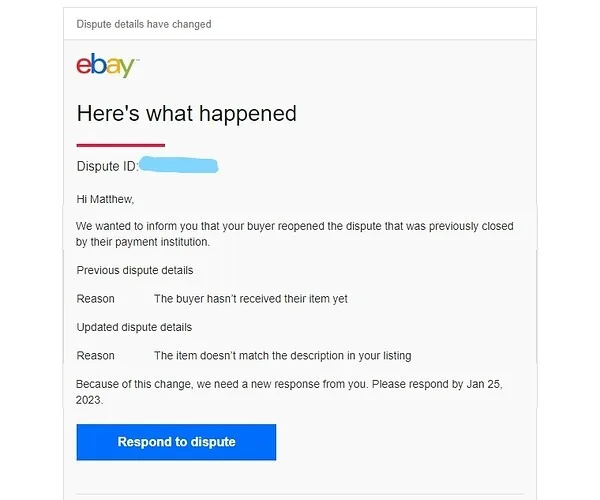
The Biggest Mistake: Blaming The Buyer For Everything
One of the biggest mistakes sellers make is assuming every claim is the buyer's fault.
Some buyers do abuse the system, but many claims happen because the listing was not as clear as it should have been.
For example, a small scratch that feels unimportant to the seller may be a major issue to the buyer if it was not shown in the photos.
The stronger approach is reviewing the listing from the buyer's perspective.
Look at the title, photos, description, condition notes, measurements, accessories, and packaging.
Ask yourself whether someone unfamiliar with the product could misunderstand what they were getting.
Why Photos Cause So Many Problems
Photos are one of the biggest reasons buyers file claims.
If the listing uses blurry images, limited angles, poor lighting, or stock photos instead of real photos, buyers often feel surprised when the product arrives.
This becomes especially important for used products, collectibles, clothing, electronics, and anything with wear or cosmetic defects.
The stronger approach is using more photos and showing imperfections clearly.
If there is damage, wear, missing packaging, or anything unusual, it is better to show it before the sale rather than deal with a dispute afterward.

Why Accurate Titles And Descriptions Matter
A lot of "Item Not as Described" claims happen because the title and description are too vague.
For example, calling a used item "like new" when it has visible wear can create problems.
The same thing happens if the description leaves out missing accessories, wrong sizes, cosmetic damage, or product limitations.
The stronger approach is being more honest and more specific.
Clear descriptions may reduce some sales in the short term, but they usually reduce claims and protect the account in the long term.
Why Better Systems Reduce Claim Problems
"Item Not as Described" claims become much harder to manage when product photos, condition notes, shipping records, customer complaints, and listing drafts are spread across different systems. You may have one place for photos, another for descriptions, another for return requests, and another for customer messages. That makes it difficult to see which listings are creating the most disputes.
This is one of the reasons Appilot becomes useful when e-commerce operations start scaling. Instead of keeping browser workflows, Android automations, product photos, condition notes, listing drafts, return requests, and task history spread across different systems, everything can stay visible from one dashboard. That makes it easier to review listing quality, organize product details, monitor complaint patterns, and reduce "Item Not as Described" claims across multiple eBay accounts.
Conclusion: eBay "Item Not as Described" Claims Usually Happen When Buyer Expectations And Reality Do Not Match
If buyers keep filing "Item Not as Described" claims, the issue is usually not that every customer is trying to scam the account. The problem is often that the listing photos, title, description, or condition notes created different expectations than what the buyer actually received.
Once you improve listing accuracy, show imperfections clearly, strengthen descriptions, and organize product information more carefully, it becomes much easier to reduce disputes and protect your eBay account.