How to Handle Client Data Privacy in Automated Workflows (Without Slowing Down Your System)

Automation makes everything faster, smoother, and more scalable, but the moment client data enters the equation, whether it is emails, account credentials, personal information, or behavioral data, the entire dynamic changes, because now it is not just about efficiency, it is about responsibility.
You are no longer just running workflows, you are handling sensitive information that clients trust you with, and that trust comes with expectations around privacy, security, and compliance, expectations that can quickly become overwhelming when your system spans multiple tools, accounts, and automated processes.
At first, it might feel manageable, especially when you are handling a small number of clients, but as you grow, as data flows increase and workflows become more complex, you start to realize that keeping everything secure is not as straightforward as it seemed.
You begin to wonder where data is stored, who has access to it, how it moves between systems, and whether your setup is actually protecting it or unintentionally exposing it.
You are not alone in this, and more importantly, this is not about choosing between automation and privacy, because you can have both, but only if your system is designed with privacy in mind from the start.
The good news is that once you understand how data flows through your automation and where the risks lie, you can build a system that protects client data without slowing down your operations.
Why Client Data Becomes Risky in Automation
The risk does not come from automation itself, but from how data is handled within automated systems.
- Data Flows Through Multiple Layers
In automated workflows, data often moves across tools, APIs, accounts, and environments, which increases the number of points where it can be exposed.
- Lack of Visibility Into Data Movement
When workflows are complex, it becomes difficult to track where data is going and how it is being used, creating blind spots in your system.
- Inconsistent Handling Practices
Different workflows may handle data differently, leading to inconsistencies that increase risk.
- Overexposure Through Access
When multiple people or systems have access to the same data, the risk of misuse or leakage increases.
The Hidden Cost of Poor Data Privacy
Data privacy issues do not just create compliance risks, they affect trust, and trust is critical when working with clients.
A single incident can damage relationships, disrupt operations, and require significant effort to resolve.
More importantly, it creates hesitation, making it harder to scale because every new workflow introduces potential risk.
The Complete Solution: Build Privacy Into Your Workflows
Handling client data privacy effectively requires designing your workflows so that privacy is not an afterthought but a built-in feature.
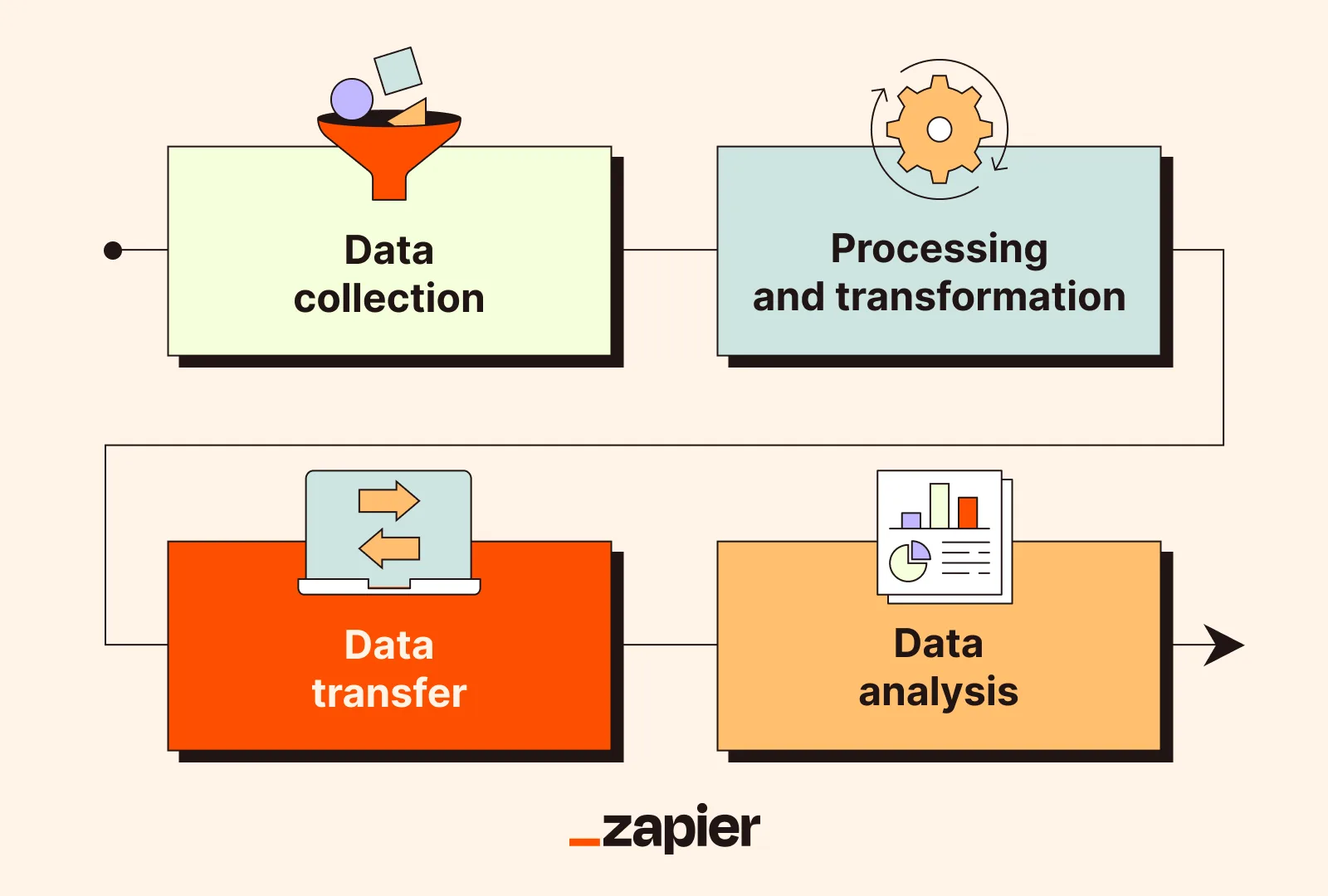
The first step is understanding your data flow, mapping out where data is collected, stored, processed, and transferred, so that you have a clear view of your system.
Once you have visibility, the next step is minimizing data exposure, ensuring that only necessary data is used and that it is not stored or shared unnecessarily.
Access control is equally important, because limiting who can see and interact with data reduces the risk of misuse.
However, the environment in which automation runs also plays a critical role, because shared or inconsistent environments can increase exposure.
This is where using controlled execution environments becomes important, and platforms like Appilot help by running workflows on isolated devices, ensuring that data remains separated across accounts and processes.
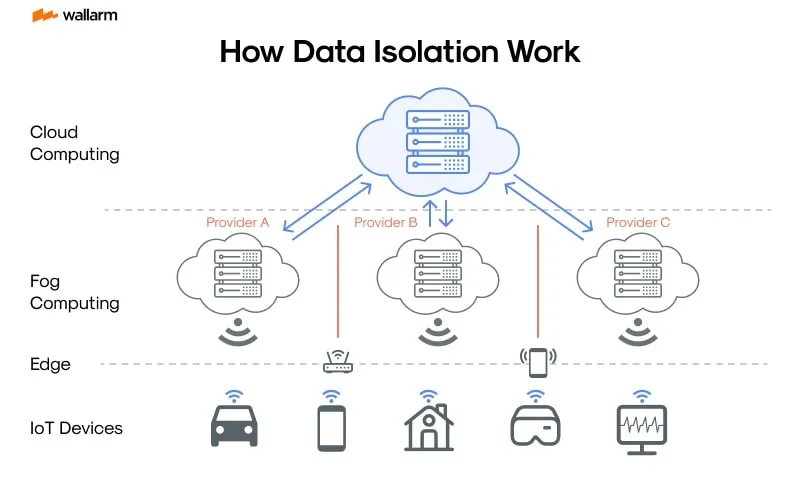
By combining visibility, minimization, access control, and isolation, you create a system where data is protected throughout its lifecycle.
Monitoring also plays a key role, allowing you to detect unusual activity and respond quickly.
How to Prevent Privacy Issues From Emerging
Prevention starts with consistency, ensuring that all workflows follow the same data handling standards.
Regular audits help you identify gaps and ensure that your system remains aligned with privacy requirements.
Automation can help enforce policies, reducing reliance on manual processes.
Common Mistakes That Put Data at Risk
One of the most common mistakes is collecting more data than necessary, which increases exposure without adding value.
Another is storing data in multiple locations without clear tracking, which makes it harder to manage and secure.
There is also a tendency to overlook access control, giving more people or systems access than required.
Real Success Stories: Before and After
A business handling multiple client workflows struggled with tracking and securing data across different systems, creating uncertainty around privacy.
After restructuring their workflows and using Appilot for controlled execution, they were able to improve visibility and reduce risk.
Another example involved a team that faced challenges with inconsistent data handling, but after standardizing their processes, they achieved a more secure and scalable system.
Frequently Asked Questions
One common question is whether automation increases privacy risk, and while it can if not designed properly, it can also improve security by enforcing consistent practices.
Another question is how to ensure compliance, and the answer lies in building structured systems rather than relying on manual checks.
There is also the concern about complexity, and while privacy requires structure, it ultimately simplifies management.
Conclusion: Protect Data Without Slowing Down
Handling client data privacy in automated workflows is not about choosing between speed and security, it is about designing systems that support both.
Once you build visibility, control, and consistency into your workflows, privacy becomes a natural part of your operations rather than a constant concern.
If you are dealing with this challenge right now, the best step forward is not to limit your automation, but to redesign it, because once you do, you can scale with confidence while keeping client data secure.