How to Implement Smart Retry Logic for Failed Browser Tasks
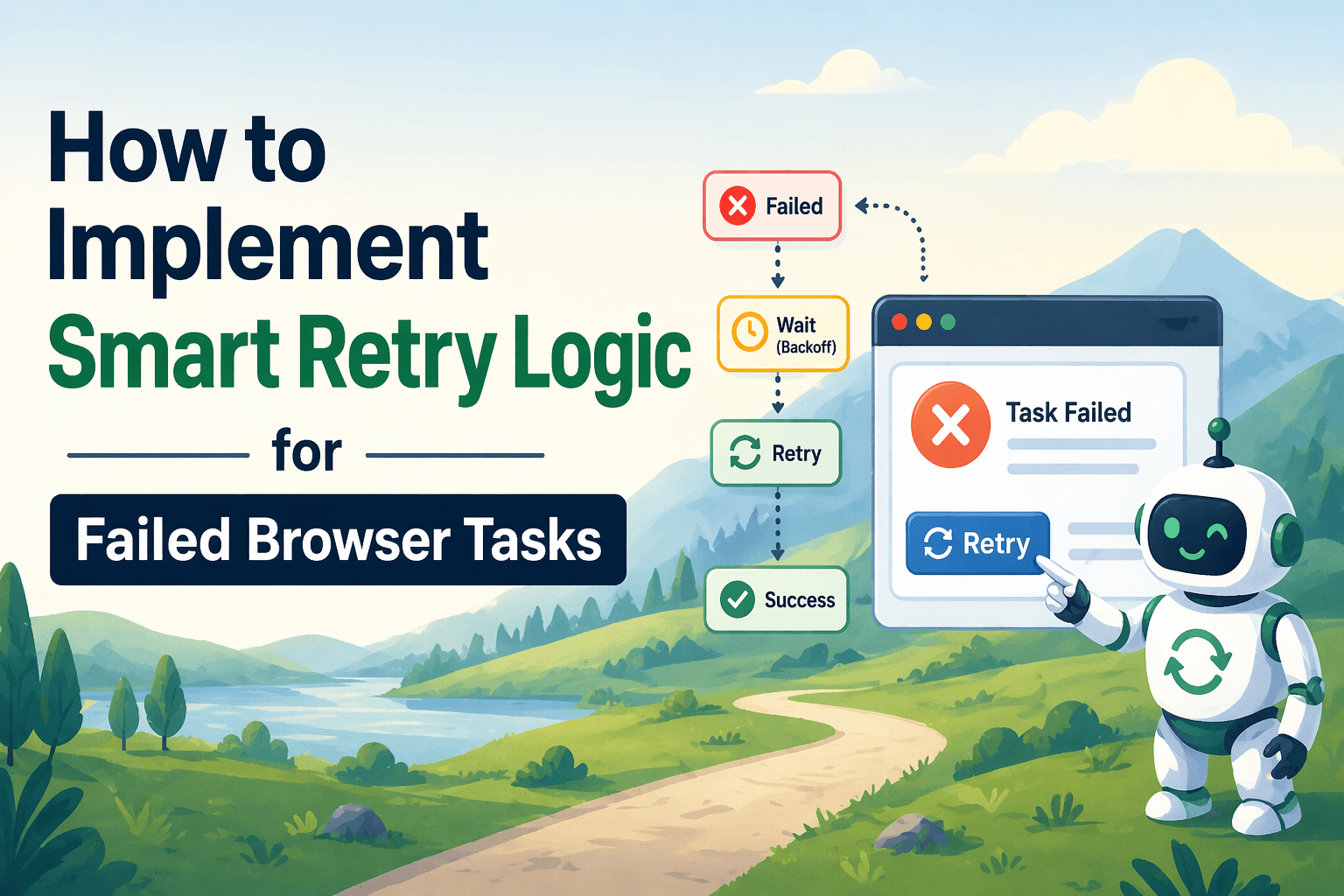
By the end of this tutorial, you will understand how to design browser automation workflows that do not fail immediately when something goes wrong, but instead retry intelligently based on the type of failure. This is a key step in making automation reliable because browser-based workflows often fail due to timing issues, network delays, or temporary page inconsistencies rather than permanent errors.
To follow along, you need a basic understanding of how browser automation works, whether using Playwright or similar tools. You do not need to write complex code, because the focus here is on designing retry behavior that makes sense instead of blindly repeating the same action.
This setup usually takes less than an hour to implement once you understand the structure, but it has a significant impact on stability. If you later run multiple browser workflows across accounts or schedules, Appilot can help manage execution while your retry logic remains unchanged.
You will build a system that detects failed browser actions, decides whether a retry is appropriate, and applies retries in a controlled and intelligent way.
What This Tutorial Builds — And Why This Approach
This tutorial builds a smart retry mechanism that improves browser automation reliability by distinguishing between temporary and permanent failures. Instead of retrying every failure blindly, the system evaluates what went wrong and decides whether retrying is useful.
This approach is important because many browser automation failures are not permanent. A page may take longer to load, an element may not appear immediately, or a request may fail due to a short-lived network issue. In these cases, retrying can resolve the problem. However, if the failure is due to a broken selector or incorrect logic, retrying the same action repeatedly will not help.
A smart retry system increases success rates, reduces unnecessary failures, and prevents wasted time on retries that cannot succeed. At a small scale, this logic can run locally. At a larger scale, Appilot can help monitor retry behavior and manage execution across multiple workflows.
How the System Works — Architecture Overview
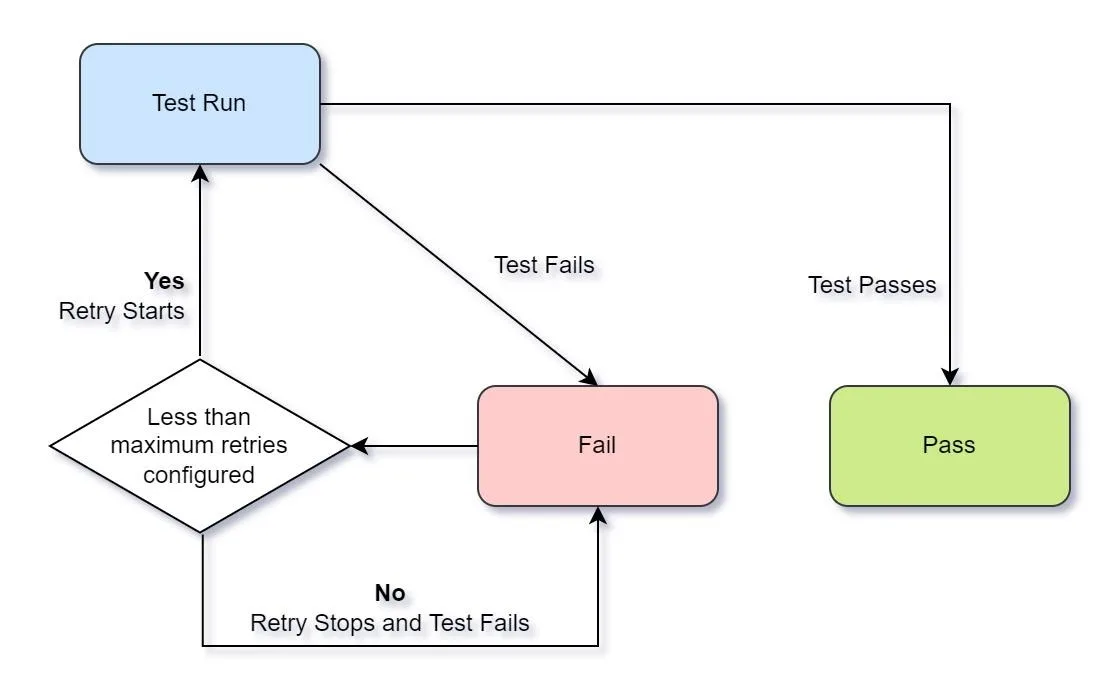
At a high level, the workflow attempts a browser action and checks whether it succeeded. If the action fails, the system analyzes the type of failure and decides whether to retry. If retrying is appropriate, it performs the action again with a delay or adjustment. This process continues until the action succeeds or a retry limit is reached.
This structure separates execution, failure detection, and retry decision-making into distinct steps. This separation makes the system more flexible and easier to improve over time.
Part 1 — Understanding Browser Task Failures
Step 1 — Identify Common Failure Types
Browser automation failures typically fall into a few categories. Some are timing-related, where elements are not yet available. Others are network-related, where requests fail temporarily. Some are interaction-related, where clicks or inputs do not register properly. There are also permanent failures, such as incorrect selectors or removed elements.
Understanding these categories helps determine whether retrying will solve the problem.
Step 2 — Separate Temporary and Permanent Errors
The most important distinction in retry logic is whether an error is temporary or permanent. Temporary errors can often be resolved with a retry, while permanent errors require a change in logic rather than repeated attempts.
A smart retry system focuses only on temporary issues and avoids wasting time on permanent failures.
Part 2 — Designing Smart Retry Logic
Step 3 — Set a Retry Limit
Retries should always be limited to prevent infinite loops. A fixed number of attempts ensures that the workflow eventually stops if the issue cannot be resolved.
A typical approach is to allow a small number of retries, such as two or three attempts, depending on the task.
Step 4 — Add Delays Between Retries
Immediate retries often fail for the same reason as the initial attempt. Adding a short delay between retries gives the system time to recover, whether that means waiting for a page to load or a network request to complete.
Delays should be long enough to allow recovery but short enough to keep the workflow efficient.
Step 5 — Adjust Behavior on Each Retry
Instead of repeating the exact same action, smart retry logic can adjust behavior slightly. For example, it may wait longer for an element, refresh the page, or re-check conditions before retrying.
This makes retries more effective because the system adapts instead of repeating the same failure.
Part 3 — Applying Retry Logic to Browser Tasks
Step 6 — Retry Element Detection
One of the most common browser failures is missing elements. Instead of failing immediately, the workflow should retry detection before giving up.
This ensures that temporary delays in rendering do not cause unnecessary failures.
Step 7 — Retry Page Interactions
Clicks and inputs may fail if the page is not fully ready. Retrying interactions after confirming the page state improves success rates.
This is especially useful for dynamic pages where elements appear asynchronously.
Step 8 — Retry Navigation Steps
Navigation failures, such as pages not loading correctly, can often be resolved by retrying the navigation or refreshing the page.
This helps handle network issues and intermittent page errors.
Part 4 — Building the Retry Workflow
Step 9 — Combine Detection and Retry Decisions
A smart retry workflow continuously evaluates whether an action succeeded and decides whether to retry based on that result. This creates a loop where each attempt is followed by a decision rather than blindly repeating the same step.
This structure ensures that retries are purposeful and limited.
Step 10 — Stop Gracefully When Limits Are Reached
If all retry attempts fail, the workflow should stop gracefully and report the failure instead of continuing indefinitely. This prevents wasted resources and makes debugging easier.
Part 5 — Real-World Considerations
Step 11 — Avoid Over-Retrying
Retrying too many times can slow down the workflow and hide deeper issues. It is better to fail clearly after a few attempts than to continue retrying indefinitely.
Step 12 — Log Retry Attempts
Tracking how often retries occur helps identify patterns in failures. Frequent retries may indicate underlying issues that need to be fixed.
Step 13 — Combine Retry with Other Strategies
Retry logic works best when combined with other techniques such as fallback paths, validation checks, and error handling. Together, these create a more resilient system.
Step 14 — Scaling with Appilot
At this stage, the retry logic works locally and improves reliability significantly. As workflows scale, monitoring retry behavior becomes more important.
This is where Appilot becomes useful because it helps track failures, monitor retry patterns, and manage execution across multiple workflows without changing the retry logic itself.
FAQ
Q1: What is smart retry logic?
It is a system that retries failed tasks based on the type of failure instead of blindly repeating every action.
Q2: Why not retry everything?
Because some failures are permanent and cannot be fixed by retrying, which wastes time and resources.
Q3: How many retries should I use?
A small number, usually two or three attempts, is enough for most cases.
Q4: Can retry logic fix all browser failures?
No, but it can handle most temporary issues and significantly improve reliability.
Q5: Do I need Appilot for this workflow?
No, you can run it locally. Appilot becomes useful when managing multiple workflows at scale.
Conclusion
Smart retry logic is a simple but powerful way to improve browser automation reliability. By distinguishing between temporary and permanent failures, adding controlled retries, and adjusting behavior between attempts, you can significantly reduce unnecessary failures.
Start with basic retry rules, monitor how often they are triggered, and refine them over time. Once the logic is stable, it becomes a key component of any resilient automation workflow.