How to Monitor Account Health Across 50+ Profiles Automatically
By the end of this tutorial, you will understand how to build a system that continuously monitors the health of dozens of browser profiles without manually checking each one. When managing a large number of accounts, issues such as session expiry, bans, errors, or degraded performance can go unnoticed until they start affecting your workflows.
To follow along, you only need a basic understanding of how browser profiles are used in automation. The focus here is on designing a monitoring system that gives you visibility and control, not on writing code.
This setup usually takes about an hour to structure properly, but it becomes essential as you scale. If you manage workflows across many profiles, Appilot can help handle execution while your monitoring system ensures you always know the state of each profile.
You will build a system that tracks profile health, detects issues early, and provides clear signals when something needs attention.
Why Account Health Monitoring Matters at Scale
When working with a few profiles, manual checks may be enough. However, once you scale to dozens or hundreds of profiles, manual monitoring becomes inefficient and unreliable. Issues such as expired sessions, blocked accounts, or broken workflows can accumulate silently and impact results.
A proper monitoring system ensures that you are not reacting to problems after they occur but detecting them early. This improves stability, reduces downtime, and keeps your automation predictable.
What Defines “Account Health” in Automation
Account health is not a single metric but a combination of signals that indicate whether a profile is functioning correctly. These signals may include login status, session validity, successful task execution, response times, and error frequency.
A healthy profile consistently performs its tasks without interruptions, while an unhealthy one shows signs such as repeated failures, missing data, or unexpected behavior.
Building a Centralized Monitoring View
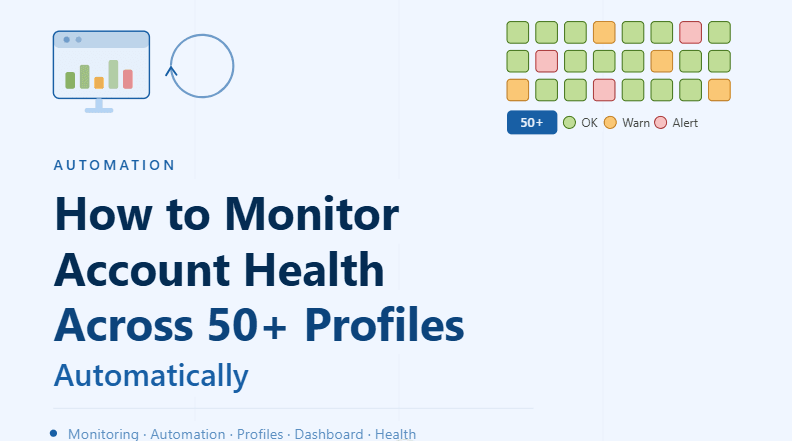
A key part of monitoring multiple profiles is having a centralized view where all profiles can be observed together. Instead of checking each profile individually, the system should display their status in a unified dashboard or structured list.
This view should allow you to quickly identify which profiles are working normally and which ones require attention. Visual indicators such as status labels or grouped categories can make this process much faster and more intuitive.
Tracking Key Health Indicators
To monitor profiles effectively, you need to define and track specific indicators that reflect their condition. These indicators may include whether the profile is currently logged in, whether recent tasks completed successfully, and whether any errors occurred during execution.
Tracking these indicators over time helps you understand not just the current state but also trends. For example, a profile that fails occasionally may not be critical, but one that fails consistently is a clear problem.
Detecting Issues Automatically
A good monitoring system does not rely on manual observation. Instead, it automatically detects when something goes wrong. This can include identifying failed tasks, missing expected outputs, or unexpected changes in behavior.
Automatic detection ensures that issues are flagged immediately, allowing you to respond quickly instead of discovering problems later.
Categorizing Profiles by Health Status
Once health indicators are tracked, profiles can be grouped based on their condition. For example, profiles may be categorized as healthy, warning, or critical depending on their performance.
This categorization makes it easier to prioritize actions. Instead of treating all profiles equally, you can focus on those that need immediate attention.
Handling Common Profile Issues
Different types of issues require different responses. Session timeouts may require re-authentication, while repeated failures may indicate deeper problems such as account restrictions or workflow errors.
Understanding the nature of each issue helps you decide whether to retry, fix, or temporarily disable a profile.
Creating Alerts for Critical Problems
Monitoring becomes much more effective when combined with alerts. Instead of constantly checking the system, you can receive notifications when critical issues occur.
Alerts should focus on meaningful problems such as repeated failures or complete profile breakdowns. This ensures that you are informed without being overwhelmed by unnecessary notifications.
Maintaining Long-Term Visibility
Monitoring is not just about detecting immediate issues but also about understanding long-term performance. Keeping a history of profile health allows you to identify patterns, such as profiles that frequently fail or degrade over time.
This information can be used to improve your system and make better decisions about profile management.
Integrating Monitoring with Automation Workflows
Monitoring should not exist separately from your workflows. Instead, it should be integrated so that every task contributes to the overall health status of a profile.
For example, successful task completion can reinforce a healthy status, while failures can trigger warnings. This integration creates a feedback loop that keeps your system accurate and up to date.
Scaling Monitoring with Appilot
At this stage, your monitoring system can track profile health locally. As the number of profiles and workflows increases, managing everything manually becomes more complex.
This is where Appilot becomes useful because it helps manage execution across multiple profiles while your monitoring system provides clear insights into their condition.
FAQ
Q1: What is account health monitoring?
It is the process of tracking the status and performance of profiles to ensure they are functioning correctly.
Q2: Why is monitoring important for large profile sets?
Because manual checks are not practical at scale, and issues can go unnoticed without automation.
Q3: What should I monitor in each profile?
Login status, task success, error frequency, and overall performance are key indicators.
Q4: How do I detect problems automatically?
By tracking signals such as failed tasks, missing data, or unexpected behavior.
Q5: Do I need Appilot for monitoring?
No, you can build a basic system locally. Appilot becomes useful when managing workflows at scale.
Conclusion
Monitoring account health across 50+ profiles is essential for maintaining a stable and scalable automation system. By defining clear health indicators, automating detection, and organizing profiles by status, you can gain full visibility into your system without manual effort.
Start by tracking basic indicators, build a centralized view, and integrate monitoring into your workflows. Once this system is in place, managing large numbers of profiles becomes far more efficient and reliable.