How to Monitor Proxy Health and Auto-Replace Dead Proxies
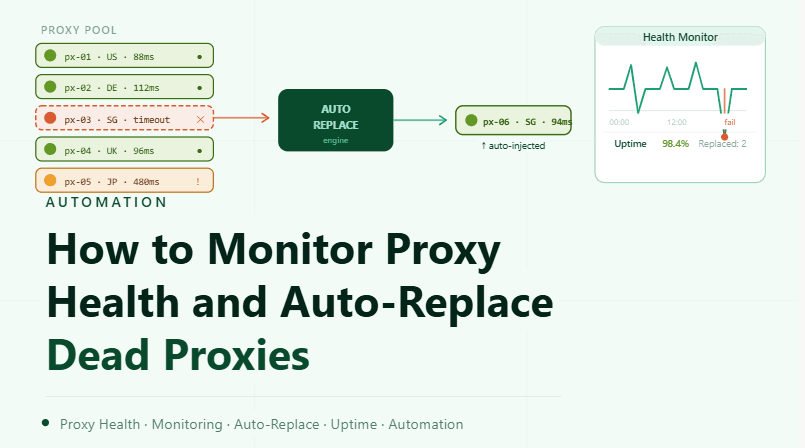
By the end of this tutorial, you will understand how to build a system that continuously checks whether your proxies are working and replaces them automatically when they fail. Without monitoring, dead or slow proxies can silently break workflows and cause inconsistent results.
To follow along, you only need a basic understanding of how proxies are used in your setup. The focus here is on designing a reliable monitoring and replacement process rather than writing code.
This setup typically takes about an hour to structure properly, but it significantly improves stability. If you manage multiple workflows, Appilot can help orchestrate execution while your monitoring system ensures only healthy proxies are used.
You will build a system that tracks proxy performance, detects failures, and swaps out bad proxies without manual intervention.
Why Proxy Health Monitoring Is Essential
Proxies are not always reliable. They can become slow, unresponsive, or completely unavailable without warning. If your system continues to use these proxies, it leads to failed tasks, delays, and inconsistent performance.
Monitoring ensures that problems are detected early so they can be addressed immediately.
What Defines a Healthy Proxy
A healthy proxy is one that consistently responds to requests, maintains stable performance, and does not introduce delays or errors. It should be reliable over time, not just in a single test.
Health is determined by factors such as response time, uptime, and success rate.
Tracking Key Health Indicators
To monitor proxies effectively, you need to track specific indicators. These include whether the proxy is reachable, how fast it responds, and how often requests succeed.
Tracking these metrics over time provides a clear picture of proxy performance.
Detecting Dead or Failing Proxies
A dead proxy is one that no longer responds to requests. Failing proxies may still respond but with high latency or frequent errors.
Detecting both types is important because even partially failing proxies can disrupt workflows.
Building an Automated Replacement System
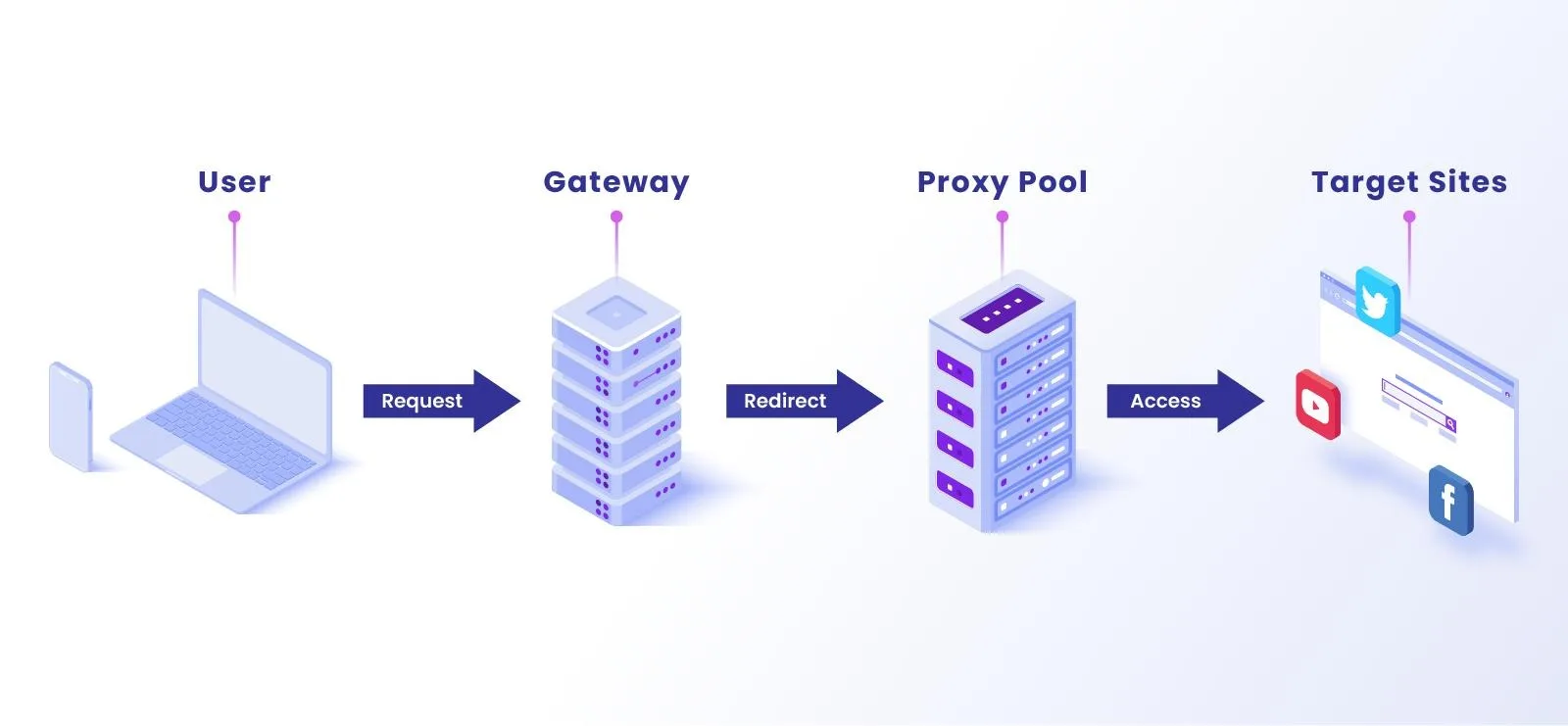
Once a proxy is identified as unhealthy, it should be replaced automatically. This involves selecting a new proxy from a pool and assigning it to the affected profile or task.
Automation ensures that replacements happen quickly without manual effort.
Organizing a Backup Proxy Pool
A replacement system requires a pool of available proxies. These proxies should be tested and ready to use when needed.
Maintaining a backup pool ensures that replacements can happen instantly.
Avoiding Immediate Reuse of Failed Proxies
When a proxy fails, it should not be reused immediately. Instead, it can be marked for retesting later to see if it recovers.
This prevents repeated failures from affecting workflows.
Monitoring Proxy Performance Continuously
Health monitoring should run continuously rather than at fixed intervals. This ensures that issues are detected as soon as they occur.
Continuous monitoring keeps the system responsive and reliable.
Logging Proxy Behavior and Failures
Keeping records of proxy performance helps identify patterns. Some proxies may fail frequently, while others remain stable.
Logging provides insights that can improve your proxy selection over time.
Integrating Monitoring with Workflow Systems
Monitoring should be integrated into your workflow system so that proxy health directly influences task execution. Tasks should automatically use healthy proxies and avoid unhealthy ones.
This integration ensures smooth operation across all workflows.
Scaling Proxy Management with Appilot
At this stage, your monitoring system works locally and keeps proxies reliable. As the number of proxies and workflows increases, managing everything manually becomes more complex.
This is where Appilot becomes useful because it helps orchestrate workflows while your system ensures that only healthy proxies are used.
FAQ
Q1: What is proxy health monitoring?
It is the process of checking whether proxies are working properly and performing well.
Q2: How do I detect a dead proxy?
By testing whether it responds to requests or consistently fails.
Q3: What should I do when a proxy fails?
Replace it with a healthy proxy from your pool.
Q4: Can failed proxies recover?
Sometimes, which is why they can be retested later.
Q5: Do I need Appilot for monitoring?
No, you can monitor locally. Appilot becomes useful when scaling workflows.
Conclusion
Monitoring proxy health and automatically replacing dead proxies is essential for maintaining stable and reliable workflows. By tracking performance, detecting failures early, and using a backup pool, you can ensure that your system continues to operate smoothly.
Start by defining health metrics, build a monitoring process, and integrate automatic replacement. Once this system is in place, your workflows become more resilient and efficient.