How to Parse JSON Responses and Use Data in Automation Workflows
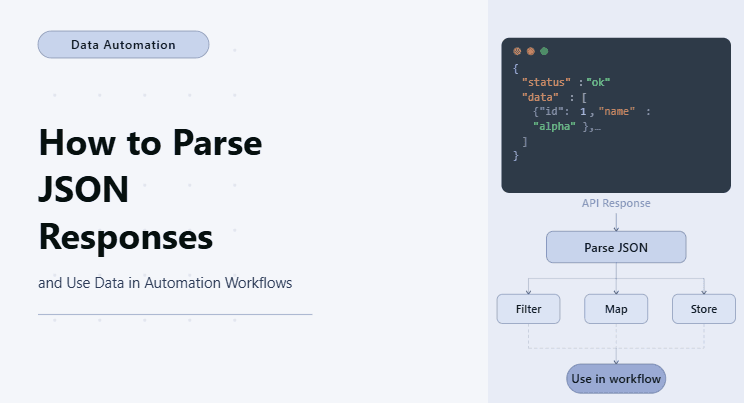
By the end of this tutorial, you will have a clear workflow that can take a JSON response from an API or a web request, extract the important values, and use that data to drive automation decisions instead of relying on hardcoded inputs. This is a major shift from basic automation because the system becomes dynamic and reacts to real data instead of following a fixed script.
To follow along, you need Python 3.9 or higher and a basic understanding of how APIs or web requests return data. You do not need deep backend knowledge, but you should understand what JSON looks like and how key-value pairs work. The goal here is not to build a complex API client, but to understand how to turn JSON into usable inputs for automation workflows.
This setup usually takes under an hour to build for simple use cases, and once you understand the structure, it becomes one of the most reusable patterns in automation. If you later need to run this across multiple workflows, schedules, or profiles, Appilot can help as the execution layer, while your JSON parsing logic stays exactly the same.
You will build a workflow that reads JSON data, extracts specific fields, and uses those values to decide what actions to perform next.

What This Tutorial Builds — And Why This Approach
This tutorial builds an automation workflow that uses JSON responses as its input layer, which is one of the most powerful ways to make automation flexible and scalable. Instead of hardcoding values such as URLs, IDs, prices, or actions, the workflow reads them from structured data and uses them at runtime.
This approach is important because most modern systems communicate using JSON, whether it is APIs, backend services, analytics dashboards, or internal tools. If your automation cannot read and understand JSON, then it cannot fully interact with those systems. Once you add JSON parsing, your workflow can respond to live data, adapt to changing inputs, and make decisions that reflect real conditions instead of assumptions.
At a small scale, this can run locally with Python. At a larger scale, where JSON-driven workflows run frequently across multiple systems, Appilot becomes useful because it helps manage execution, scheduling, and monitoring without changing how your data is parsed or used.
How the System Works — Architecture Overview
At a high level, the workflow fetches or receives a JSON response, extracts the required fields, and then feeds those values into decision logic or task execution. One part of the system is responsible for parsing the data, and another part is responsible for using that data to drive actions.
This separation is important because it keeps the workflow clean. Parsing logic handles structure, while automation logic handles behavior. When both are mixed together, the system becomes harder to maintain and debug.
Part 1 — Understanding JSON Structure
Step 1 — What JSON Looks Like
JSON is simply a structured format that stores data using key-value pairs. It often represents objects, lists, and nested structures. A typical response might include identifiers, statuses, timestamps, and nested fields.
sample_json = {

    "status": "success",

    "user": {

        "id": 123,

        "name": "John",

        "active": True

    },

    "tasks": [

        {"id": 1, "type": "email"},

        {"id": 2, "type": "report"}

    ]

}
The important thing is not the size of the JSON, but understanding how to access specific parts of it reliably.
Step 2 — Extract Key Values
Once you have JSON data, the next step is selecting only what matters. Most workflows do not need the entire response. They need a few fields that control decisions or actions.
status = sample_json["status"]

user_id = sample_json["user"]["id"]

tasks = sample_json["tasks"]
This is the core idea of parsing. You navigate the structure and extract only the values you care about.
Part 2 — Using JSON Data in Automation Logic
Step 3 — Drive Decisions with JSON
Once values are extracted, they can be used to control the workflow. This is where automation becomes dynamic because the behavior depends on the data instead of fixed rules.
if status == "success":

    action = "continue"

else:

    action = "stop"
This pattern can be expanded into more complex decision trees where different values trigger different branches.
Step 4 — Loop Through JSON Lists
Many JSON responses contain lists of items, such as tasks, orders, messages, or records. Automation workflows often need to process each item individually.
for task in tasks:

    task_type = task["type"]
This allows the workflow to handle multiple actions in a structured way without repeating code.
Part 3 — Connecting JSON to Real Automation
Step 5 — Use JSON to Control Browser Actions
In browser automation, JSON can determine which pages to visit, which elements to interact with, or which actions to perform. Instead of hardcoding behavior, the workflow reads instructions from data.
if task_type == "email":

    page.goto("https://example.com/email")

elif task_type == "report":

    page.goto("https://example.com/report")
This makes the automation flexible because changing the JSON changes the behavior without modifying the code.
Step 6 — Validate JSON Before Using It
One of the most common issues in JSON-driven workflows is assuming that fields always exist. In real systems, responses may change, fields may be missing, or values may be null. Validation ensures the workflow does not break unexpectedly.
if "user" in sample_json and "id" in sample_json["user"]:

    user_id = sample_json["user"]["id"]
This simple check prevents runtime errors and makes the workflow more reliable.
Part 4 — Building a Simple JSON-Driven Workflow
Step 7 — Combine Parsing and Execution
Now the workflow can be structured as a simple pipeline where JSON is read, values are extracted, and actions are executed based on those values.
def process_json(data):

    if data.get("status") != "success":

        return "stop"


    for item in data.get("tasks", []):

        print("Processing:", item["type"])
This is intentionally minimal because the real value is in the pattern, not the complexity of the code.
Step 8 — Keep Logic Clean and Separated
A good workflow keeps parsing logic separate from action logic. One function reads and extracts values, while another function uses those values to perform tasks. This makes it easier to update the system if the JSON structure changes or if the actions become more complex.
Part 5 — Real-World Considerations
Step 9 — Handle Nested and Changing Data
Real JSON responses are often deeply nested and may change over time. Instead of writing rigid extraction paths, it is better to write flexible logic that can handle missing fields or optional data. This reduces maintenance effort and prevents frequent breakage.
Step 10 — Use JSON as a Control Layer
One of the most powerful uses of JSON in automation is treating it as a control layer. Instead of embedding logic directly in code, you can define behavior in JSON and let the workflow interpret it. This allows non-developers to influence automation behavior without modifying the code itself.
Step 11 — Scaling with Appilot
At this stage, the workflow works locally and demonstrates how JSON drives automation decisions. As the number of workflows increases, managing execution manually becomes inefficient, especially when dealing with multiple APIs, schedules, or profiles.
This is where Appilot becomes useful because it can manage execution at scale while your JSON parsing logic remains unchanged. The data still drives the workflow, but the platform handles when and how often the workflow runs.
FAQ
Q1: What is JSON parsing in automation?
It is the process of reading structured JSON data and extracting values that can be used to control automation workflows.
Q2: Why use JSON instead of hardcoded values?
Because JSON allows the workflow to adapt to real-time data and changing inputs without modifying the code.
Q3: Can JSON control multiple tasks in one workflow?
Yes, lists inside JSON can define multiple actions that the workflow processes sequentially or conditionally.
Q4: Do I need Appilot for JSON-based workflows?
No, you can run them locally. Appilot becomes useful when scaling execution and managing multiple workflows.
Conclusion
JSON parsing is one of the most important building blocks in modern automation because it allows your workflows to react to real data instead of following static instructions. Once your automation can read structured data, it becomes far more flexible, reusable, and scalable.
Start with simple extraction, focus on understanding the structure, and then gradually connect that data to decision logic and actions. Once that pattern is stable, you can expand it into more complex workflows without changing the core idea.