How to Recover When You Delete the Wrong Accounts (And Prevent It From Ever Happening Again)

It Only Takes One Click… And Suddenly It’s Gone
You meant to clean things up. Maybe you were organizing accounts, removing inactive ones, or clearing out clutter, and in that moment everything felt routine. Then you realize something is wrong.
The wrong account is gone.
At first, you hope it is just hidden, maybe archived, maybe moved somewhere else, but after a few checks, the reality becomes clear. The account you needed, the one still in use, has been deleted or deactivated.
What follows is immediate stress. Work is interrupted, clients may be affected, and you are forced into recovery mode without knowing whether recovery is even possible. What should have been a simple maintenance task turns into a high-risk situation.
This is one of those mistakes that feels small in action but massive in consequence, and it almost always comes down to how the system is structured, not just human error.
Why This Happens More Often Than You Think
Deleting the wrong account is rarely about carelessness. It usually happens because the system makes it easy to confuse one account for another.
The first cause is poor labeling. When accounts are not clearly named or categorized, it becomes difficult to distinguish between active and inactive ones, especially when managing many accounts.
The second cause is lack of clear status. If you cannot instantly tell whether an account is active, paused, or archived, you are forced to rely on memory, which increases the chance of mistakes.
The third cause is cluttered environments. When multiple accounts exist in the same interface without clear separation, the risk of selecting the wrong one increases significantly.
The fourth cause is irreversible workflows. Many platforms do not provide strong safeguards or confirmations, which means a single action can lead to permanent deletion without enough friction to stop it.
The Hidden Cost of Deleting the Wrong Account
The immediate impact is obvious, but the deeper cost often goes unnoticed.
You lose time trying to recover access or rebuild what was lost, which delays your workflow and affects productivity.
There may be data loss, including content, history, or performance metrics that cannot be easily restored.
Client trust can be affected if the account is tied to active work, especially if recovery is not immediate.
There is also a psychological impact. Once this happens, it creates hesitation in future actions, slowing down workflows and reducing confidence.
The Immediate Recovery Plan (What to Do Right Now)
When the wrong account is deleted, speed matters, but so does clarity.
The first step is identifying whether the account is recoverable. Many platforms have a grace period where deleted accounts can be restored, so you check immediately through official recovery options.
The second step is contacting platform support. If recovery options are limited, reaching out quickly with account details can improve your chances of restoration.
The third step is checking backups. If you have stored data, credentials, or linked systems, you may be able to restore parts of the account or recreate it with minimal loss.
The fourth step is securing related accounts. If the deletion was caused by confusion or mismanagement, you ensure that other accounts are protected while you resolve the issue.
The Real Problem: Your System Makes Mistakes Easy
The core issue is not that someone clicked the wrong button, it is that the system allowed that mistake to happen without enough clarity or safeguards.
When accounts are not clearly organized, labeled, and separated by status, every action carries a higher risk.
What you need is not more caution, but a system that reduces the possibility of mistakes in the first place.
The Complete Solution: Structure Account Management to Eliminate Risk
The only way to prevent this permanently is to redesign how accounts are organized and managed.
The first step is defining clear states. Every account should have a visible and consistent status such as active, paused, or archived, so there is no ambiguity.
The second step is organizing accounts into structured groups. Instead of managing everything in one place, you separate accounts based on usage and importance.
The third step is controlling execution environments. Actions should be performed within a system that reduces the chance of selecting the wrong account.
This is where many teams struggle, because maintaining this level of structure across multiple accounts and platforms requires consistent environments and workflows.
This is also where tools like Appilot become relevant.
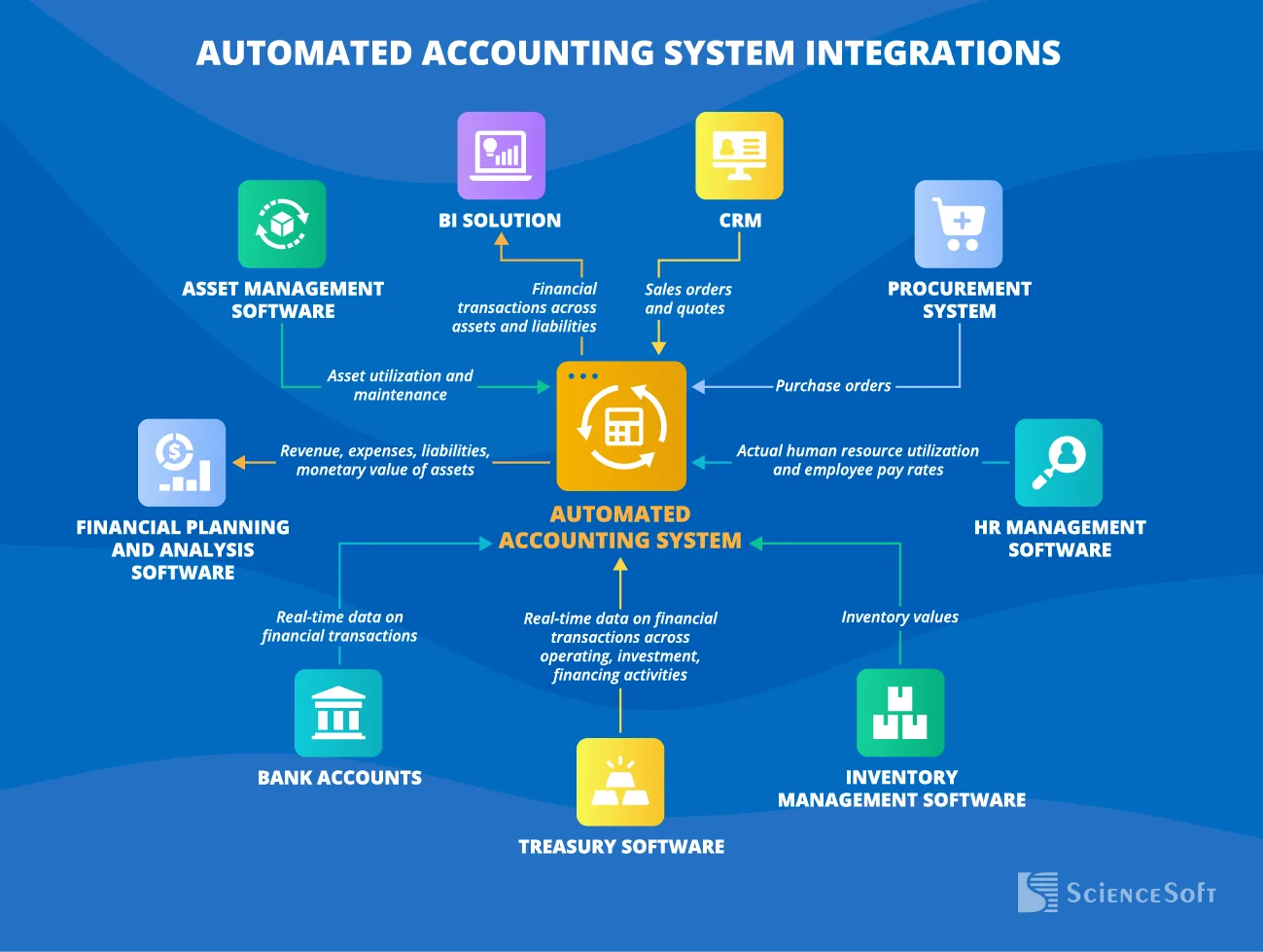
Instead of managing accounts across scattered interfaces, Appilot allows you to run workflows on real devices through a centralized system, where accounts are organized and actions are performed in a controlled environment. This reduces the risk of accidental actions and makes management more predictable.
You could attempt to build similar organization manually using spreadsheets and multiple tools, but maintaining accuracy becomes difficult as you scale. Appilot simplifies this by providing a structured environment where execution and organization are aligned.
The key shift is moving from cluttered management to controlled systems.
Why Structure Prevents Costly Mistakes
Once accounts are organized within a structured system, the risk of accidental deletion drops significantly.
You can clearly see which accounts are active and which are safe to remove, eliminating guesswork.
Actions become more intentional because the environment guides your decisions rather than leaving them open to interpretation.
Consistency improves because workflows follow defined patterns instead of ad hoc actions.
Most importantly, the system scales without increasing risk.
How to Prevent This From Happening Again
Prevention requires maintaining clarity as your account base grows.
You ensure that every account is labeled and categorized correctly from the beginning.
You regularly review account status to keep information accurate and up to date.
You standardize how actions are performed, reducing variability and confusion.
Common Mistakes That Make This Worse
One of the most common mistakes is managing accounts in a single cluttered environment without clear separation.
Another mistake is relying on memory instead of visible status indicators.
Some teams attempt to organize accounts but do not maintain the system consistently, which leads to outdated information.
The most critical mistake is assuming that these errors are unavoidable, when they are actually preventable with the right structure.
Conclusion: Mistakes Happen, But Systems Prevent Them
If you have deleted the wrong account, it is not just a one-time error, it is a signal that your system needs improvement.
Once you move from unstructured account management to a clear, organized system, the risk of these mistakes drops dramatically.
You can continue trying to be more careful, but as your number of accounts grows, the chances of error will grow with it.
At some point, you either build a system that prevents these mistakes or use one that already does.
That is where platforms like Appilot fit in, not as a safety net, but as a way to create a controlled, structured environment where costly mistakes become far less likely.