How to Reduce Facebook Security Checkpoints with Safe Practices
By the end of this tutorial, you will understand how to run Facebook accounts and workflows in a way that minimizes friction such as unexpected verifications or temporary limits. Checkpoints are often triggered by unusual patterns, inconsistent environments, or sudden changes. The goal is to keep behavior steady and aligned with normal usage. To follow along, you only need a basic understanding of account workflows. The focus here is on building a reliable operating model rather than shortcuts. This setup typically takes less than an hour to outline, but it has a large impact on stability. If you manage multiple workflows, Appilot can help orchestrate execution while your process ensures consistent and responsible usage. You will build a system that emphasizes stability, gradual activity, and continuous monitoring.
Why Checkpoints Happen
Facebook uses checkpoints to confirm that activity is legitimate and that accounts are secure. These are often triggered when behavior changes suddenly, when environments are inconsistent, or when activity patterns look unusual compared to normal usage.
Keep a Consistent Environment
Frequent changes in how and where you access an account can create instability. Maintaining a consistent setup, including device, browser, and general access pattern, helps reduce unexpected triggers and keeps behavior predictable.
Use Strong Security Settings
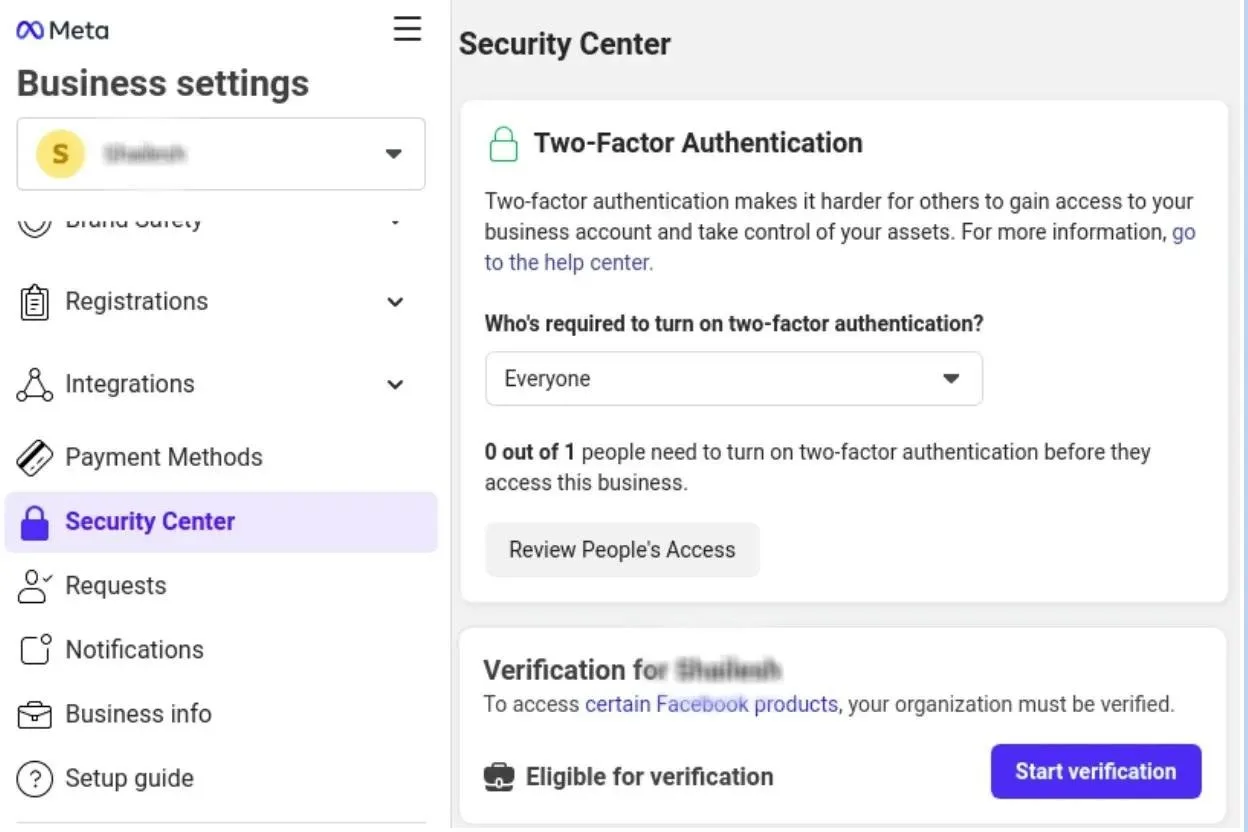
Enabling features like two-factor authentication and keeping account details updated improves trust and reduces the likelihood of additional verification steps. A well-secured account is less likely to be flagged for suspicious activity.
Avoid Sudden Spikes in Activity
Large increases in actions such as posting, messaging, or adding connections can appear unusual. Gradually increasing activity over time helps maintain a natural pattern and reduces the chance of triggering checkpoints.
Maintain a Steady Usage Pattern
Consistency is key. Logging in regularly, posting at reasonable intervals, and interacting in a predictable way helps establish a stable usage profile. Irregular bursts of activity followed by inactivity can create inconsistencies.
Keep Content and Interactions Meaningful
Low-quality or repetitive actions can degrade account health over time. Focusing on relevant content and genuine interactions helps maintain a positive activity profile.
Monitor Account Signals
Pay attention to warnings, reduced reach, or temporary limits. These signals often appear before checkpoints and provide an opportunity to adjust behavior before issues escalate.
Handle Verification Requests Carefully
If a checkpoint does occur, follow the official process calmly and accurately. Attempting to rush or repeat actions can prolong the issue. Completing verification properly helps restore normal operation.
Manage Team Access Securely
If multiple people use the same account, use official role-based access instead of sharing credentials. Clear roles and permissions reduce conflicting actions and improve consistency.
Align Workflows with Platform Expectations
Design your workflows around how real users behave. This includes reasonable pacing, natural interaction patterns, and avoiding excessive automation of sensitive actions.
Scaling Stable Workflows with Appilot
At this stage, your system works locally and maintains stable account behavior. As workflows grow, maintaining consistency manually becomes more complex. This is where Appilot becomes useful because it helps orchestrate workflows while your system ensures steady and reliable operation.
FAQ
Q1: Why does Facebook trigger checkpoints?
Usually due to unusual activity, inconsistent environments, or security concerns.
Q2: How can I reduce checkpoint frequency?
By maintaining consistent behavior, avoiding sudden changes, and using strong security settings.
Q3: Is it safe to share account access?
Use official role-based access instead of sharing credentials directly.
Q4: What should I do if I get a checkpoint?
Follow the official verification process and avoid repeated attempts.
Q5: Do I need Appilot for this setup?
No, you can manage it locally. Appilot becomes useful when scaling workflows.
Conclusion
Reducing Facebook security checkpoints is about consistency, security, and responsible usage. By maintaining a stable environment, avoiding sudden changes, and monitoring account health, you can create workflows that operate smoothly over time. Start by building a predictable usage pattern, apply strong security practices, and refine your process as needed. Once this system is in place, your accounts become more reliable and easier to manage.