How to Rotate Profiles to Prevent Overuse and Burnout
By the end of this tutorial, you will understand how to design a rotation system that distributes activity across multiple browser profiles instead of overloading a few. When profiles are used continuously without rest, they become more likely to face restrictions, degraded performance, or eventual bans.
To follow along, you only need a basic understanding of how browser profiles are used in automation workflows. The focus here is on structuring usage patterns, not writing code.
This setup usually takes about an hour to design properly, but it has a major impact on long-term stability. If you manage workflows across many profiles, Appilot can help manage execution while your rotation system ensures balanced usage.
You will build a system that distributes workload intelligently, tracks usage patterns, and keeps profiles in a healthy operating range.
Why Profile Rotation Is Necessary
When a small number of profiles handle most of the workload, they become highly active compared to others. This imbalance increases risk because platforms often detect unusual or excessive activity patterns. Over time, heavily used profiles show signs of degradation such as slower responses, increased errors, or restrictions.
Rotation spreads activity across profiles so that no single account appears overly active. This reduces risk and improves overall system stability.
What Profile Burnout Looks Like
Profile burnout does not happen instantly. It develops gradually through patterns such as increased failure rates, slower execution, or more frequent verification challenges. In some cases, the account may still work but with reduced reliability.
Recognizing these patterns early helps you understand when rotation is needed and whether your current system is balanced.
Distributing Workload Evenly
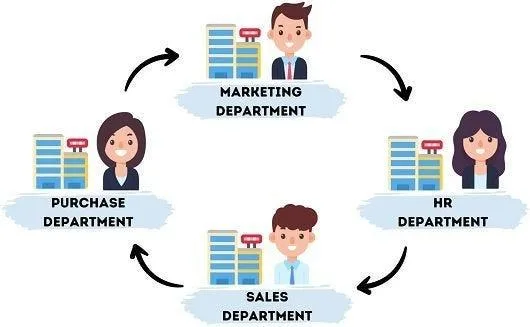
A good rotation system ensures that all profiles share the workload instead of relying on a few. This can be done by assigning tasks in a way that cycles through available profiles rather than repeatedly using the same ones.
Balanced distribution keeps activity levels consistent and prevents any single profile from standing out.
Introducing Rest Periods for Profiles
Continuous usage without breaks increases the likelihood of detection and restrictions. Introducing rest periods allows profiles to remain inactive for a while, which helps normalize their behavior.
A rotation system should include both active and rest phases so that profiles are not used continuously.
Tracking Profile Usage Over Time
To rotate profiles effectively, you need visibility into how often each profile is used. Tracking usage helps ensure that all profiles are being utilized evenly and that none are overused.
Usage tracking also helps identify patterns such as profiles that are nearing risk thresholds.
Categorizing Profiles for Rotation
Profiles can be grouped based on their purpose, performance, or risk level. For example, some profiles may be more stable and suitable for heavier tasks, while others may require lighter usage.
Categorization allows you to apply rotation strategies that match the characteristics of each group.
Avoiding Predictable Patterns
While rotation is important, it should not create predictable patterns. Using profiles in the same order repeatedly can still create detectable behavior.
A better approach is to vary the sequence and timing of profile usage so that activity appears more natural.
Adjusting Rotation Based on Health Signals
Not all profiles should be treated equally at all times. Profiles showing signs of stress or restrictions should be used less frequently, while healthy profiles can handle more activity.
This dynamic adjustment ensures that rotation adapts to real conditions instead of following a fixed pattern.
Combining Rotation with Monitoring
Rotation works best when combined with a monitoring system. Monitoring provides the data needed to decide how profiles should be rotated and when adjustments are required.
Together, rotation and monitoring create a feedback loop that keeps the system balanced and responsive.
Integrating Rotation into Automation Workflows
Rotation should be built into your workflows so that profile selection happens automatically. Instead of manually choosing profiles, the system should assign them based on availability and usage.
This integration ensures that rotation is applied consistently across all tasks.
Scaling Rotation with Appilot
At this stage, your rotation system can manage profiles locally and distribute workload effectively. As the number of profiles and workflows increases, managing rotation manually becomes more complex.
This is where Appilot becomes useful because it helps orchestrate workflows across many profiles while your rotation logic ensures balanced usage.
FAQ
Q1: What is profile rotation?
It is the process of distributing activity across multiple profiles to avoid overuse of any single account.
Q2: Why is rotation important?
Because overused profiles are more likely to face restrictions or bans.
Q3: How do I know if a profile is overused?
By tracking usage patterns, performance changes, and error rates.
Q4: Should all profiles be used equally?
Not always. Rotation should consider profile health and performance.
Q5: Do I need Appilot for rotation?
No, you can implement it locally. Appilot becomes useful when managing workflows at scale.
Conclusion
Rotating profiles to prevent overuse and burnout is essential for maintaining a stable and scalable automation system. By distributing workload, introducing rest periods, and adapting to profile health, you can reduce risk and extend the lifespan of your accounts.
Start by tracking usage, implement a basic rotation system, and refine it over time based on performance data. Once this system is in place, your automation becomes more balanced, reliable, and sustainable.