How to Safely Run Multiple Accounts on the Same Platform
By the end of this tutorial, you will understand how to manage multiple accounts on the same platform without triggering restrictions, detection, or bans. Running multiple accounts is common in automation workflows, but it also introduces risks if not handled carefully.
To follow along, you only need a basic understanding of browser profiles and account-based workflows. The focus here is on designing safe operational patterns rather than writing code.
This setup typically takes about an hour to structure properly, but it becomes critical as you scale. If you manage many accounts across workflows, Appilot can help handle execution while your system ensures safe and controlled usage.
You will build a system that keeps accounts isolated, distributes activity intelligently, and maintains long-term stability.
Why Running Multiple Accounts Requires Care
Most platforms are designed with the expectation that each user operates a single account. When multiple accounts are used from the same environment, patterns can emerge that increase the risk of detection.
Without proper isolation and management, accounts may appear linked, leading to restrictions or bans. A structured approach ensures that each account behaves independently.
Understanding the Risks Involved
Running multiple accounts introduces several risks, including shared signals, repeated patterns, and excessive activity. These risks increase when accounts are managed from the same system without proper separation.
Recognizing these risks helps you design strategies that minimize exposure.
Keeping Accounts Isolated
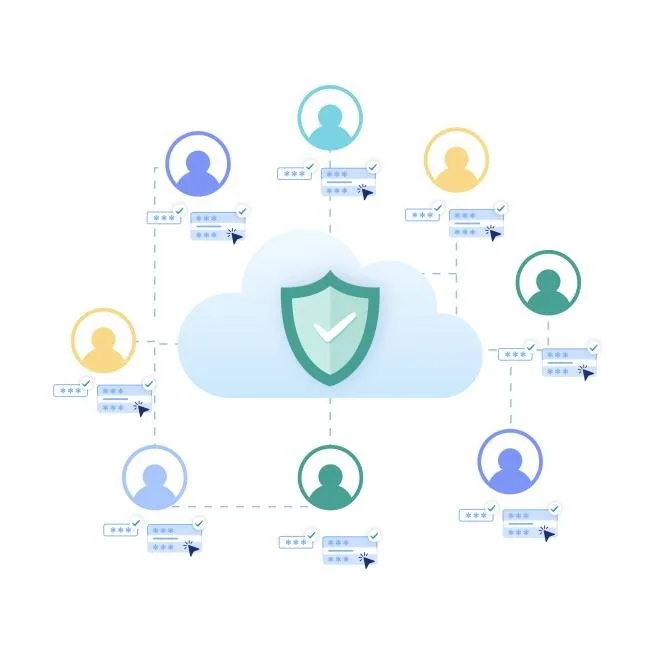
Isolation is one of the most important principles when managing multiple accounts. Each account should operate in its own environment with separate data, sessions, and configurations.
This prevents cross-contamination and ensures that activity from one account does not affect others.
Avoiding Repetitive Behavior Patterns
Repeated actions across multiple accounts can create detectable patterns. Performing the same tasks in the same order or at the same time increases the likelihood of detection.
Varying behavior and introducing natural differences helps reduce this risk.
Distributing Activity Across Accounts
Instead of using all accounts equally at all times, activity should be distributed in a balanced way. This prevents certain accounts from becoming overused while others remain idle.
Balanced usage helps maintain normal activity levels.
Managing Timing and Frequency
Timing plays a significant role in account safety. Running multiple accounts simultaneously or at fixed intervals can create unnatural patterns.
Introducing variation in timing and spacing out activities makes behavior appear more realistic.
Monitoring Account Health Continuously
Tracking the performance and status of each account helps detect issues early. Accounts that show signs of stress or restrictions can be adjusted before problems escalate.
Continuous monitoring ensures that the system remains stable over time.
Handling Restrictions Proactively
If an account shows signs of restriction, such as reduced functionality or increased verification, it should be handled carefully. Reducing activity or allowing the account to rest can prevent escalation.
Proactive handling helps preserve account health.
Maintaining Consistency Without Uniformity
While accounts should follow consistent operational standards, they should not behave identically. Consistency ensures reliability, while variation ensures uniqueness.
Balancing these two aspects is key to safe multi-account management.
Integrating Safe Practices into Workflows
Safe account management should be built into your workflows. Instead of relying on manual adjustments, the system should automatically apply safe patterns across all accounts.
This ensures consistency and reduces human error.
Scaling Multi-Account Management with Appilot
At this stage, your system can manage multiple accounts locally and maintain safe usage patterns. As the number of accounts and workflows increases, managing everything manually becomes more complex.
This is where Appilot becomes useful because it helps orchestrate workflows across multiple accounts while your system ensures safe operation.
FAQ
Q1: Is it safe to run multiple accounts on the same platform?
Yes, if proper isolation and management practices are followed.
Q2: What is the biggest risk?
Accounts appearing linked due to shared signals or repetitive behavior.
Q3: How do I reduce detection risk?
By isolating accounts, varying behavior, and distributing activity.
Q4: Should all accounts be used equally?
Not necessarily. Balanced and varied usage is more effective.
Q5: Do I need Appilot for this?
No, you can manage accounts locally. Appilot becomes useful when scaling workflows.
Conclusion
Running multiple accounts safely requires careful planning and disciplined execution. By isolating accounts, varying behavior, and monitoring performance, you can reduce risk and maintain stability.
Start by building a strong foundation of isolation and balanced usage, then refine your system over time. Once these practices are in place, managing multiple accounts becomes far more reliable and sustainable.