How to Schedule Tasks Based on Website Traffic Patterns
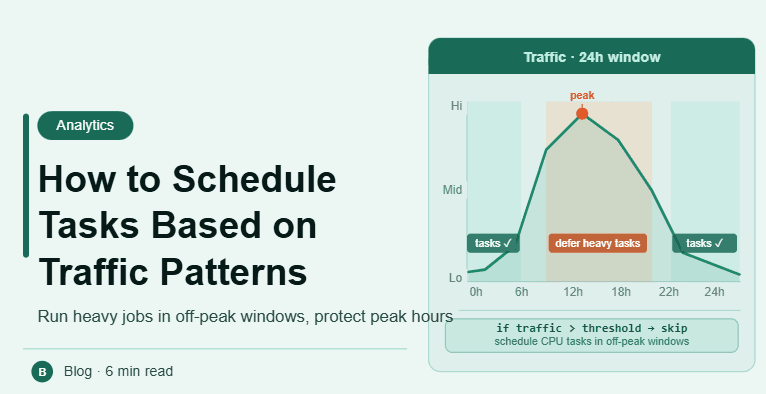
By the end of this tutorial, you will understand how to align task execution with real website traffic behavior instead of fixed or arbitrary schedules. Running tasks when users are actually active leads to better results, while poor timing can reduce effectiveness. To follow along, you only need a basic understanding of scheduling and analytics. The focus here is on designing data-driven timing rather than writing code. This setup typically takes less than an hour to structure, but it significantly improves workflow performance. If you manage multiple workflows, Appilot can help orchestrate execution while your system ensures optimal timing based on traffic patterns. You will build a system that uses real data, adapts to trends, and maintains consistent performance.
Why Traffic-Based Scheduling Matters
Not all times are equal in terms of user activity. Tasks executed during high-traffic periods can have more impact, while tasks during low-traffic periods may be wasted. Aligning execution with traffic ensures better efficiency.
Analyzing Traffic Patterns
The first step is understanding when users are most active. This can be done using analytics tools that show hourly, daily, and weekly trends. Identifying peaks and lows provides a clear scheduling foundation.
Identifying Peak and Off-Peak Hours
Peak hours are when user activity is highest, while off-peak hours have lower activity. Different types of tasks may benefit from different periods, depending on their purpose.
Mapping Tasks to the Right Time
Each task should be aligned with the most appropriate traffic period. For example, high-impact actions may be scheduled during peak times, while maintenance tasks can run during off-peak hours.
Using Dynamic Scheduling
Traffic patterns can change over time. A dynamic system adjusts schedules based on updated data instead of relying on fixed timing rules.
Avoiding Overcrowded Execution
Even during peak hours, running too many tasks at once can create conflicts. Proper spacing ensures that tasks are distributed evenly.
Considering Regional Traffic Differences
If your workflow targets multiple regions, traffic patterns may vary by location. Scheduling should account for these differences to maintain accuracy.
Monitoring Performance Impact
After implementing traffic-based scheduling, track how tasks perform. Monitoring helps confirm that timing adjustments are improving results.
Adjusting Schedules Over Time
As traffic trends evolve, schedules should be updated accordingly. Regular review ensures that the system remains effective.
Integrating Traffic Data into Workflow Systems
Traffic analysis should be part of your overall scheduling logic. Integrating it ensures that tasks automatically align with real-world usage patterns.
Scaling Data-Driven Scheduling with Appilot
At this stage, your scheduling system uses traffic data effectively. As workflows grow, managing analytics and timing manually becomes complex. This is where Appilot becomes useful because it helps orchestrate execution while your system ensures optimal timing.
FAQ
Q1: What is traffic-based scheduling?
It is scheduling tasks based on when users are most active.
Q2: Why is it important?
Because it improves efficiency and task effectiveness.
Q3: How do I find peak traffic times?
Using website analytics tools that show user activity trends.
Q4: Can traffic patterns change?
Yes, which is why schedules should be updated regularly.
Q5: Do I need Appilot for this setup?
No, you can manage it locally. Appilot becomes useful when scaling workflows.
Conclusion
Scheduling tasks based on website traffic patterns allows you to maximize efficiency and impact. By analyzing user behavior, aligning tasks with peak times, and adjusting schedules dynamically, you can create a system that performs better over time. Start by reviewing your traffic data, define timing rules, and refine your approach as patterns evolve. Once this system is in place, your workflows become more effective and reliable.