How to Stop Recreating the Same Workflows Over and Over
You Already Built This Before—So Why Are You Building It Again?
At some point, you realize you are solving the same problem over and over again.
You build a browser automation workflow for one client, then a few weeks later you create almost the same thing for another. You make a lead scraping setup, then rebuild a nearly identical version for a different niche. You create an Android automation flow, then duplicate the same logic with only minor changes for another account or project.
Every new workflow feels custom, but underneath, most of them are built from the same patterns.
You still have login steps, proxies, browser profiles, scheduling, retries, account handling, notifications, exports, and dashboards. The platform changes, but the structure stays almost the same.
The problem is that most people build workflows as isolated projects instead of reusable systems.
That is why you end up rebuilding the same thing again and again.
Why Most People Keep Rebuilding Instead of Reusing
The biggest reason this happens is because workflows are usually created as one-off solutions.
You build the fastest possible version that works for the current task, but you do not think about whether that same logic could be reused later.
At first, this feels efficient because you get results quickly.
The problem appears later when you realize you now have five nearly identical scripts, each with slightly different logic, naming, schedules, and dependencies.
Now every change takes five times longer because you have to update every version manually.
This is especially common with tools like Selenium, Playwright, and Puppeteer, where workflows are often built quickly for a single use case without thinking about future reuse.
Most workflows are just variations of the same pattern
If you break down most automation systems, they follow a very similar structure.
You have an input, a task, a condition, an output, and a schedule.
For example:
Open profile
Login
Perform action
Save result
Retry if failed
Move to next account
Send notification
That same structure applies whether you are scraping leads, warming up accounts, posting content, replying to messages, or extracting data.
The details change, but the core workflow usually stays the same.
One-off scripts create long-term maintenance problems
When every workflow is built separately, you create a lot of duplicate logic.
You may have ten different login functions, ten different retry systems, ten different scheduling methods, and ten different export formats.
That makes the entire system harder to maintain because every improvement has to be repeated everywhere.
Instead of having one reusable workflow block, you end up with many slightly different versions of the same thing.
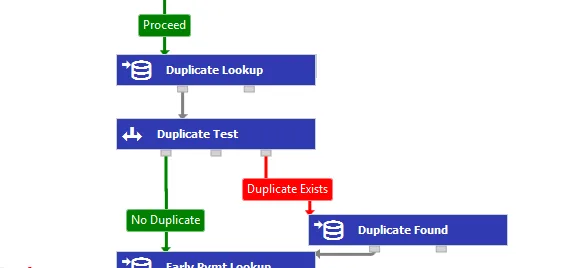
The Hidden Cost of Rebuilding Everything
At first, rebuilding workflows feels faster than creating reusable systems.
You tell yourself that it is easier to just copy an old script and make a few changes.
But over time, this becomes expensive.
You spend more time fixing the same bugs repeatedly. You forget which version is the latest. You make updates in one workflow but forget to apply them to the others.
This creates confusion, inconsistency, and technical debt.
Eventually, your system becomes so fragmented that even small changes take hours because you no longer know which workflow version is being used where.
The more clients, accounts, and automations you add, the worse this becomes.
The Complete Fix: Build Reusable Workflow Blocks
The solution is to stop thinking in terms of individual scripts and start thinking in terms of reusable building blocks.
Instead of creating a brand new workflow every time, you should create modules that can be reused across different projects.
For example, you can have reusable blocks for:
Login flow
Proxy rotation
Browser profile launch
Account warm-up
Error handling
Retry logic
Data export
Notifications
Scheduling
Task history logging
Once those blocks exist, building a new workflow becomes much faster because you are only combining pieces that already work.
You are no longer starting from zero every time.
Create templates for common workflow types
One of the best ways to stop rebuilding everything is to create templates.
For example, you might have a template for:
Lead scraping workflows
Social media posting workflows
Browser profile warm-up workflows
Android engagement workflows
Data extraction workflows
Outreach workflows
Each template already includes the common structure, so you only need to adjust the platform-specific parts.
This dramatically reduces build time and makes workflows much easier to maintain.
Why Centralized Workflow Management Matters
Reusable workflows only work if they are organized properly.
If your scripts, templates, schedules, and logs are spread across multiple folders, servers, spreadsheets, and tools, you will still end up wasting time.
You need a central place where workflows can be stored, duplicated, edited, and reused.
This is one of the reasons Appilot becomes useful once you start scaling automation.
Instead of rebuilding browser and Android workflows from scratch every time, you can duplicate existing tasks, reuse templates, apply the same scheduling rules, and keep everything organized from a central dashboard.
That means when you create a new workflow, you are usually starting from something that already exists instead of starting from zero.
This saves time, reduces errors, and makes your automation system much easier to scale.
How to Prevent Workflow Duplication in the Future
Once you build reusable systems, prevention becomes much easier.
Before creating any new workflow, ask yourself whether you have already built something similar.
If the answer is yes, duplicate the existing version and only change the parts that are different.
You should also standardize naming, folder structures, scheduling formats, and logging methods so that every workflow follows the same structure.
That makes it much easier to find, update, and reuse workflows later.
Most importantly, you should document the reusable parts of your system. If only one person knows how everything works, the system will eventually become difficult to maintain.
Common Mistakes That Make This Worse
One of the biggest mistakes is assuming that every workflow is unique.
In reality, most workflows are just small variations of the same core structure.
Another mistake is copying and pasting old scripts without cleaning them up. This creates multiple versions of the same logic, which becomes harder to maintain over time.
There is also a tendency to organize workflows poorly, which makes it difficult to know what already exists.
Without structure, you end up rebuilding because you cannot find or trust the workflows you already have.
Conclusion: Stop Building From Zero Every Time
If you are constantly recreating the same workflows, the problem is not that you have too much automation. The problem is that your system is not reusable.
The more you rely on templates, reusable blocks, and centralized workflow management, the easier it becomes to scale.
You save time, reduce maintenance, and avoid rebuilding the same logic repeatedly.
That is what separates messy automation systems from ones that actually grow efficiently.