How to Test Profile Fingerprints for Uniqueness
By the end of this tutorial, you will understand how to evaluate whether your browser profiles appear distinct enough to avoid overlap and detection risks. When managing multiple profiles, one of the biggest challenges is ensuring that each profile looks unique rather than duplicated or patterned.
To follow along, you only need a basic understanding of what browser fingerprints represent, such as device characteristics, environment settings, and behavioral signals. The focus here is on designing a testing approach rather than writing code.
This setup typically takes about an hour to define, but it becomes critical as your number of profiles grows. If you run automation across many profiles, Appilot can help manage execution while your testing system ensures that each profile remains distinct.
You will build a system that evaluates fingerprint uniqueness, identifies overlaps, and helps maintain diversity across profiles.
Why Fingerprint Uniqueness Matters
When multiple profiles share similar characteristics, they may appear connected or suspicious to external systems. Even if each profile uses a separate account, similarities in fingerprint data can create patterns that increase risk.
Ensuring uniqueness reduces the chance of profiles being grouped together and helps maintain independence across accounts.
What Makes Up a Browser Fingerprint
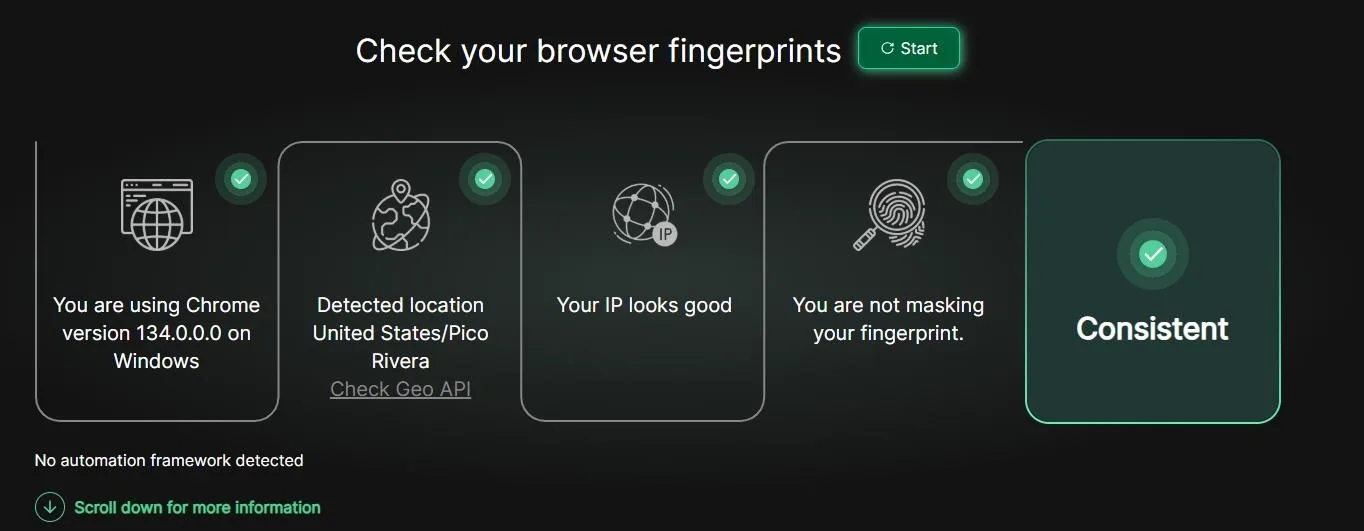
A browser fingerprint is made up of multiple attributes that describe the environment of the profile. These may include device information, operating system characteristics, browser configuration, and behavioral signals.
No single attribute defines uniqueness. Instead, it is the combination of these attributes that creates a distinct identity.
Understanding Fingerprint Overlap
Overlap occurs when multiple profiles share too many similar attributes. This can happen when profiles are cloned without variation or when templates are reused without modification.
Even small overlaps can become significant when repeated across many profiles. Detecting these overlaps early is essential for maintaining uniqueness.
Building a Comparison Framework
To test uniqueness, profiles need to be compared against each other. This involves analyzing key attributes and identifying similarities.
A structured comparison framework allows you to evaluate profiles systematically rather than relying on assumptions.
Identifying Patterns Across Profiles
Patterns are one of the biggest risks in large profile sets. If multiple profiles share the same configuration patterns, they may appear linked.
Testing should focus on identifying repeated patterns and ensuring that profiles vary in meaningful ways.
Measuring Diversity in Profile Attributes
Diversity is the key to uniqueness. Profiles should differ across multiple dimensions rather than relying on a single variation.
Evaluating diversity helps ensure that profiles are not only different but also realistically varied.
Detecting High-Risk Similarities
Some similarities are more risky than others. For example, identical configurations across many profiles can create strong signals of duplication.
A good testing system highlights these high-risk similarities so they can be addressed quickly.
Maintaining Consistency While Ensuring Uniqueness
While uniqueness is important, profiles should still follow consistent standards. Completely random configurations can create instability or unrealistic behavior.
The goal is to balance consistency with variation so that profiles remain both functional and distinct.
Testing Profiles Regularly
Fingerprint uniqueness is not a one-time check. As new profiles are added or existing ones are modified, testing should be repeated to ensure that uniqueness is maintained.
Regular testing prevents gradual drift toward similarity.
Integrating Testing into Profile Management
Fingerprint testing should be part of your overall profile management process. New profiles should be tested before use, and existing profiles should be reviewed periodically.
This integration ensures that uniqueness is maintained across the entire system.
Scaling Fingerprint Testing with Appilot
At this stage, your testing system works locally and helps maintain uniqueness. As the number of profiles increases, managing comparisons becomes more complex.
This is where Appilot becomes useful because it helps manage workflows across profiles while your testing system ensures that each profile remains distinct.
FAQ
Q1: What is a browser fingerprint?
It is a combination of attributes that uniquely identify a browser profile.
Q2: Why is uniqueness important?
Because similar profiles may be grouped together and increase detection risk.
Q3: How do I detect fingerprint overlap?
By comparing profile attributes and identifying similarities.
Q4: Can profiles be too different?
Yes, unrealistic variation can create instability. Balance is important.
Q5: Do I need Appilot for testing?
No, you can test locally. Appilot becomes useful when managing workflows at scale.
Conclusion
Testing profile fingerprints for uniqueness is essential for maintaining independent and reliable browser profiles. By identifying overlaps, measuring diversity, and maintaining balanced configurations, you can reduce risk and improve system stability.
Start by building a comparison framework, test profiles regularly, and integrate this process into your workflow. Once this system is in place, managing large numbers of profiles becomes more secure and effective.