How to Test Your Browser for IP and DNS Leaks
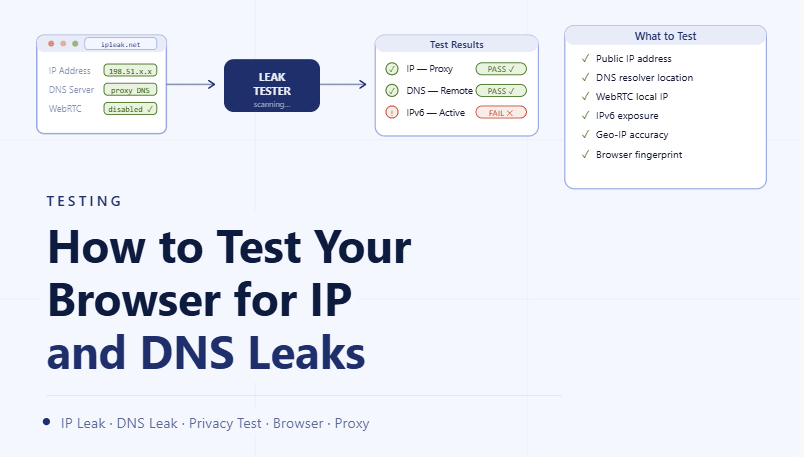
By the end of this tutorial, you will understand how to verify whether your browser is exposing unintended network information such as your real IP address or DNS requests outside your configured setup. Even when proxies and privacy settings are applied, hidden leaks can still occur and create inconsistencies in how your connection behaves. To follow along, you only need a basic understanding of how browsers connect to the internet. The focus here is on building a reliable testing process rather than writing code. This setup typically takes less than an hour to perform, but it is essential for confirming that your configuration is working as expected. If you manage multiple workflows, Appilot can help orchestrate execution while your testing process ensures that all profiles maintain consistent network behavior. You will build a system that checks for leaks, validates your setup, and helps maintain long-term reliability.
Why Leak Testing Is Important
Even a well-configured setup can have hidden gaps where certain requests bypass the intended routing path. IP and DNS leaks create mismatches between your visible traffic and underlying network behavior. Testing ensures that all components of your connection are aligned and behaving consistently.
Understanding What an IP Leak Looks Like
An IP leak occurs when your browser reveals your original network address instead of the one provided by your proxy or configured route. This can happen through certain browser features or incomplete configurations. Identifying this requires comparing expected and actual network results.
Understanding What a DNS Leak Looks Like
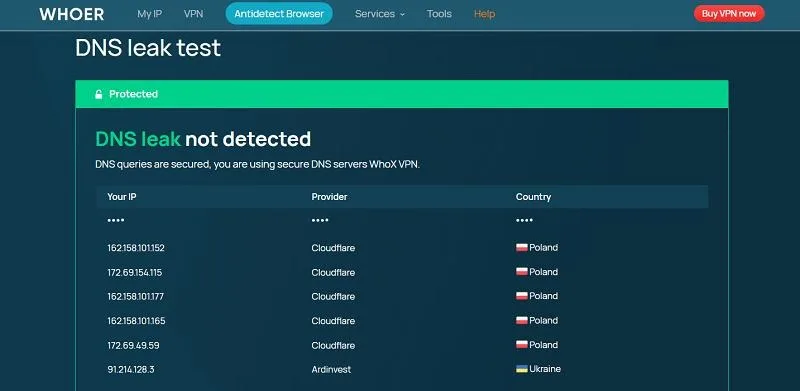
A DNS leak happens when domain lookup requests are sent outside your configured routing path. Even if your main traffic is routed correctly, DNS queries can expose inconsistencies. Detecting this requires checking where these requests are being resolved.
Running a Basic Browser Leak Test
The first step is to use a testing method that shows both your visible IP address and the DNS servers being used. This allows you to compare the expected proxy route with the actual network behavior. A correct setup will show consistent results across both.
Comparing Expected vs Actual Results
When testing, you should know what your setup is supposed to display. If your browser shows a different IP or unexpected DNS servers, it indicates a leak. Comparing expected and actual values helps quickly identify issues.
Testing Across Multiple Profiles
If you use multiple browser profiles, each one should be tested individually. Different profiles may have slightly different configurations, leading to inconsistent results. Testing each profile ensures that all environments are properly configured.
Checking for WebRTC-Related Leaks
Some browser features, such as real-time communication capabilities, can create alternative network paths. These paths may expose additional IP addresses even when the main connection is configured correctly. Testing should include checking for these alternate exposures.
Verifying Consistency Over Time
A single successful test does not guarantee long-term reliability. Network conditions, updates, or configuration changes can introduce leaks later. Regular testing ensures that your setup remains stable.
Identifying Partial Configuration Issues
Sometimes only part of the system is configured correctly, leading to partial leaks. For example, traffic may follow the intended route while DNS does not. Recognizing these partial issues helps refine your setup.
Integrating Leak Testing into Your Workflow
Leak testing should not be a one-time activity. Integrating it into your regular workflow ensures that all profiles and configurations are validated continuously. This reduces the chance of unnoticed issues.
Scaling Testing with Appilot
At this stage, your testing process works locally and helps verify your setup. As the number of profiles and workflows increases, manually testing each one becomes more complex. This is where Appilot becomes useful because it helps orchestrate workflows while your testing system ensures that all network behavior remains consistent.
FAQ
Q1: What is an IP leak?
It is when your real network address is exposed instead of your configured one.
Q2: What is a DNS leak?
It is when DNS requests bypass your intended routing path.
Q3: How often should I test for leaks?
Regularly, especially after configuration changes or updates.
Q4: Can leaks happen even with proxies enabled?
Yes, if some parts of the system are not configured correctly.
Q5: Do I need Appilot for testing?
No, you can test locally. Appilot becomes useful when scaling workflows.
Conclusion
Testing your browser for IP and DNS leaks is essential for ensuring that your network configuration behaves as expected. By comparing results, checking consistency, and repeating tests regularly, you can identify and fix issues early. Start by running simple tests, refine your setup based on results, and integrate testing into your routine. Once this process is in place, your system becomes more reliable and predictable.