How to Use Instagram Story Automation to Promote Flash Sales
You announce a 24-hour flash sale on Instagram. The offer is strong, the discount is clear, and the product has already performed well before.
For the first hour, things look promising. A few people reply to your story. Some tap the link. A couple of customers ask if the discount works on bundles or whether a certain size is still available.
Then the sale starts losing momentum.
You get busy, miss a few replies, forget to post the second reminder, and only realize later that half the people who showed interest never made it to checkout. That is the problem with flash sales. The offer window is short, so slow replies and inconsistent reminders cost real money.
Instagram Story automation helps keep the sale active while buyer intent is still fresh. It can support countdowns, replies, link sharing, reminders, and engagement prompts without forcing you to sit inside Instagram all day.
Why Flash Sales Are Hard to Run Manually
Flash sales sound simple from the outside. You post a discount, add a deadline, and wait for orders.
In reality, the best flash sales need timing. You need to warm up the audience before the offer goes live, post at the right moments, answer questions quickly, remind people before the deadline, and make the checkout path obvious.
Manual execution gets messy fast.
A small store owner might post the first story in the morning, answer messages during lunch, forget the afternoon reminder, and rush a final countdown post at night. That might still create a few sales, but it leaves too much to chance.
The biggest mistake brands make is treating a flash sale like one announcement. A flash sale is a sequence. People need to see the offer, understand it, trust it, remember it, and act before the deadline.
Stories are perfect for this because they are temporary, casual, and high-intent. But they only work when the campaign keeps moving.
What Instagram Story Automation Actually Does
Instagram Story automation helps manage repeated story-related actions during a campaign. It can support posting workflows, story views, replies, engagement prompts, DM responses, and reminder flows depending on your setup.
For flash sales, the most useful automation is usually around timing and response speed. Someone replies “link” to your story, and they get the sale page. Someone asks “is this still available?” and they get a quick answer or product link. Someone interacts with a poll or countdown, and you can follow up while the sale is still live.
Real-device automation is especially useful because it runs through the actual Instagram mobile app on Android devices or emulators. That is different from basic desktop scripts or risky API-only workflows because the behavior comes from a mobile environment.
A platform like Appilot is built for this type of real-device workflow. It lets you manage Instagram automation from a web dashboard while actions run on Android devices or emulators, without ADB setup, coding, or keeping your laptop connected all day. For flash sales, that means you can keep the campaign moving even when you are packing orders, checking inventory, or handling customer support.
Automation should not make the sale feel robotic. It should make the sale feel responsive.
Step 1: Plan the Flash Sale Story Sequence Before It Goes Live
Do not start with the automation tool. Start with the sale sequence.
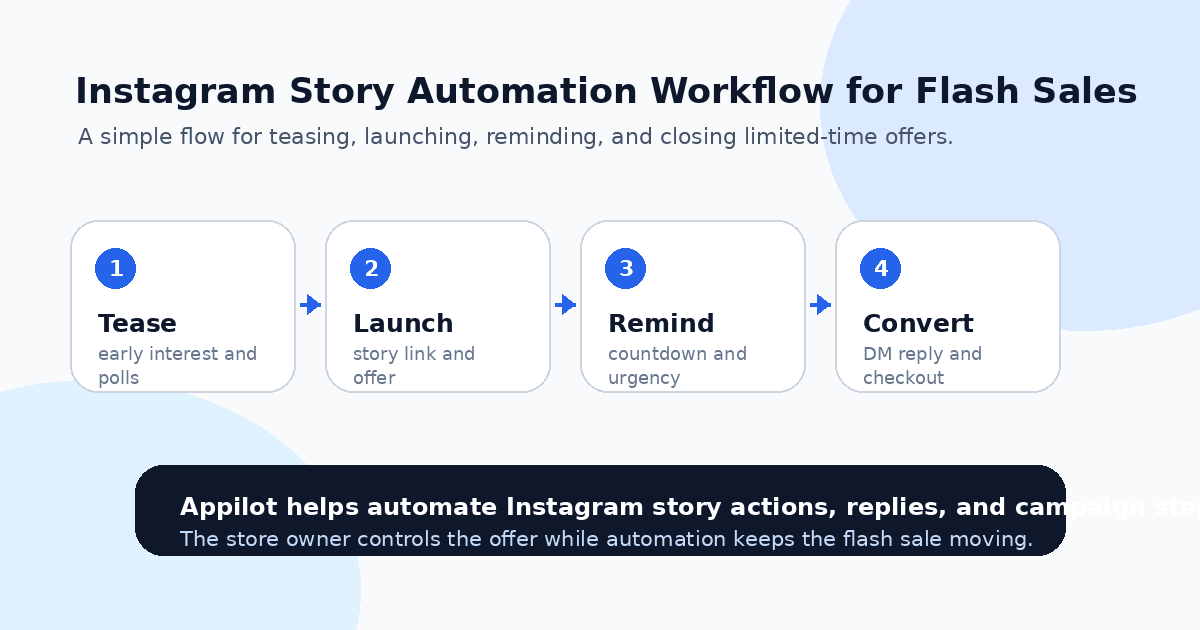
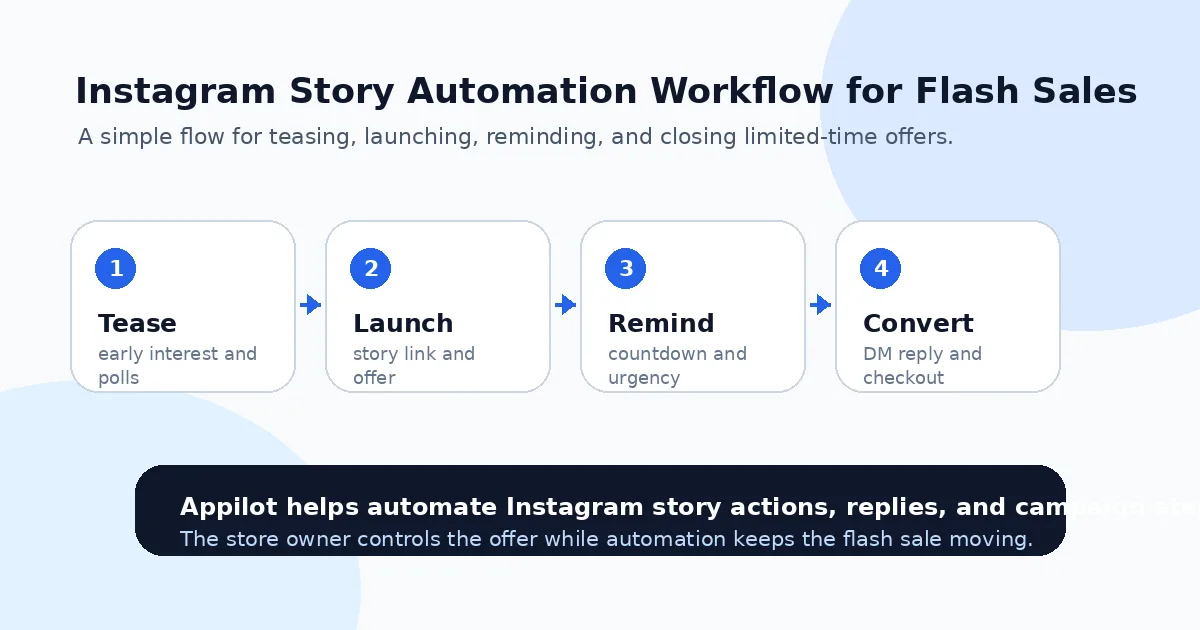
A strong Instagram Story flash sale usually has a warm-up, launch, reminder, objection-handling, and closing phase. The warm-up builds interest before the offer goes live. The launch story explains the deal clearly. The reminder stories bring people back. The objection-handling stories answer common questions. The closing stories create urgency before the sale ends.
This matters because automation works better when the message is already clear.
For example, a skincare brand might tease a limited bundle the night before, launch the sale at 10 a.m., post a customer review at noon, answer shipping questions in the afternoon, and share a final countdown two hours before the deadline.
That is much stronger than posting “20% off today only” once and hoping buyers remember.
The goal is to turn your flash sale into a guided buying path.
Step 2: Use Story Triggers for High-Intent Replies
Story replies are some of the best signals during a flash sale.
When someone replies “link,” “price,” “size,” “available,” “discount,” “shipping,” or “how much,” they are not casually browsing. They are close enough to ask a buying question.
Automation can help you respond to those signals faster.
Instead of manually checking every reply, you can create simple flows that send the right product link, discount details, size chart, shipping answer, or checkout page. The reply should be short and useful. Flash sale buyers do not need a long brand story. They need the next step.
This is where Appilot’s Instagram automation can fit naturally. You can run real-device Instagram workflows from Android devices or emulators and set up actions around story engagement, replies, and product interest without writing scripts. The store owner controls the sale strategy, while automation handles the repetitive response layer.
The key is to keep the triggers specific. Broad triggers create awkward replies. High-intent triggers create smoother sales conversations.
Step 3: Automate Link Delivery Without Spamming
The sale link should be easy to get.
If someone replies “link,” they should not wait three hours. If they tap a story poll saying they want the deal, they should receive the right page while the offer is still fresh. If they ask about a product shown in the story, they should land on that product page, not a confusing homepage.
But link delivery needs restraint.
Do not send the same checkout link to every person who watches a story. That feels spammy. Use buyer-led actions instead, such as replies, keywords, poll interactions, or clear interest signals.
A good automated reply might say, “Yes, the flash sale is live here: [link]. The discount ends tonight.” That is short, relevant, and easy to act on.
A bad reply would be a long promotional message sent to everyone who interacted with your profile. That creates noise and can damage trust.
Flash sale automation works best when it feels like fast customer service, not mass messaging.
Step 4: Use Countdown Reminders Carefully
Urgency is the reason flash sales work, but too much urgency feels fake.
Instagram Stories already support short-lived attention, so countdown reminders can be powerful when used properly. You can remind people when the sale starts, when stock is moving, when the best sellers are low, and when the offer is about to end.
Automation can help keep these reminders consistent.
For example, you might schedule a launch story, a midday reminder, a “most asked question” story, a customer proof story, and a final two-hour countdown. If customers reply during any of these moments, automation can help route them to the right answer or link.
One reason brands use Appilot-style workflows is that the dashboard keeps campaign execution easier to manage. Instead of manually juggling devices, repeated actions, and replies, you can run Instagram automation through Android environments and keep the flash sale organized from one place.
The best reminder is not just “buy now.” It gives the buyer a reason to act, such as limited time, limited stock, bundle savings, or a clear product benefit.
Step 5: Answer Objections During the Sale Window
Flash sales fail when buyers have unanswered questions.
Someone may want to buy but needs to know if the item is in stock. Another person may wonder whether the discount applies automatically. Someone else may ask about delivery time, returns, sizing, color options, or bundle rules.
If those questions sit unanswered, the buyer may leave.
Use automation for the common objections you already know. If customers always ask about shipping, prepare a short shipping answer. If they always ask about size, send the size guide. If they always ask whether the sale includes bundles, make that clear.
For anything complex, hand it off manually.
Automation should handle repeatable questions. Real customer service should handle edge cases, complaints, VIP buyers, bulk orders, and anything that needs judgment.
That balance keeps the sale efficient without making the brand feel careless.
Step 6: Track Which Story Actions Drive Sales
A flash sale should teach you something.
Which story got the most replies? Which product link received the most clicks? Which question appeared most often? Which reminder created the strongest checkout activity? Which offer caused confusion?
If you do not track this, every flash sale starts from zero.
Use UTM links where possible, compare story timing, review DMs, and note which triggers produced real buyer intent. A story with fewer views but more “link” replies may be more valuable than a story with high views and low action.
This is where the campaign becomes smarter over time. Your first flash sale might be rough. Your third one should be much cleaner because you know which messages, products, and reminders work.
Automation helps you collect more signals, but you still need to read them.
Common Mistakes to Avoid
Posting Only Once
A single announcement is not enough for most flash sales. People miss stories, get distracted, or need reminders. Build a sequence instead of relying on one post.
Sending Links to Everyone
Mass link blasts can feel intrusive. Send links when people show intent through replies, keywords, polls, or story interactions.
Making the Offer Confusing
If customers have to ask whether the discount applies, when it ends, or which products are included, the story is not clear enough. Fix the message before automating it.
Ignoring Inventory Reality
Do not promote products that are low in stock unless that scarcity is intentional and clearly communicated. Nothing hurts trust faster than sending buyers to sold-out pages.
Forgetting Manual Support
Automation can answer repeated questions, but some buyers need a human reply. Keep an eye on the inbox during the sale window.
Is Instagram Story Automation Right for Your Flash Sales?
Instagram Story automation is a good fit if your brand already gets story replies, product questions, link requests, or strong launch-day engagement. It works especially well for Shopify stores, dropshipping brands, boutiques, beauty brands, fitness products, digital products, and limited-time product drops.
It may not be right if your account has no audience yet or your offer is not clear. Automation can speed up replies and reminders, but it cannot create demand from nothing.
The best time to use it is when your story traffic is high enough that manual replies are slowing down sales.
Final Thoughts
Flash sales depend on timing. The buyer has to see the offer, understand it, get their question answered, and reach checkout before the deadline passes.
Instagram Story automation helps keep that path moving. It can support reminders, link delivery, reply handling, and repeated engagement while your team focuses on inventory, fulfillment, and customer experience.
If you want to run Instagram Story automation without coding, ADB setup, or manual device management, Appilot gives brands a browser-based way to control real-device Instagram workflows on Android devices and emulators. You can check it out at appilot.app.
FAQs
Q1: Can Instagram Story automation help promote flash sales?
Yes, it can help send reminders, reply to story messages, deliver product links, and keep the campaign active during the short sale window.
Q2: What should I automate first for a flash sale?
Start with high-intent replies like “link,” “price,” “size,” “shipping,” and “discount” because these usually come from buyers close to checkout.
Q3: Is Instagram Story automation safe?
It is safer when actions are customer-triggered, limits are conservative, and automation runs through realistic mobile behavior instead of spam-style activity.
Q4: Can Appilot run Instagram Story automation?
Yes, Appilot can help run Instagram workflows on Android devices or emulators through a browser dashboard without coding or ADB setup.
Q5: Do flash sales still need manual support?
Yes. Automation handles repeated questions and links, but complex issues, complaints, VIP buyers, and urgent order questions should still get human replies.