How to Work Within LinkedIn Rate Limits Safely and Effectively
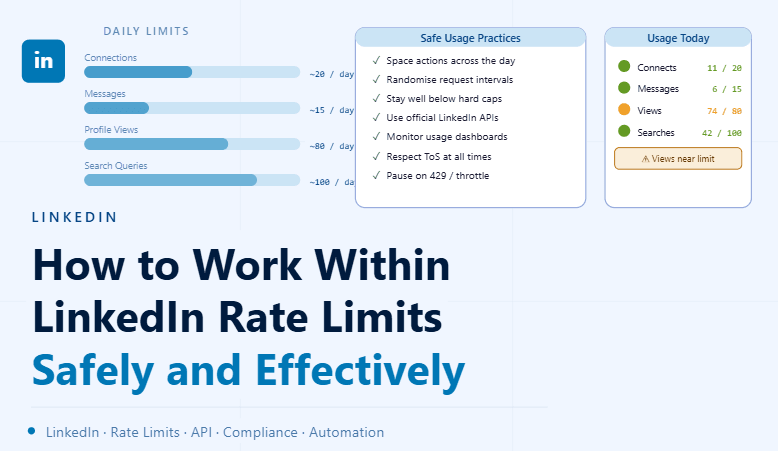
By the end of this tutorial, you will understand how to design LinkedIn workflows that operate smoothly without hitting limits or causing interruptions. Rate limits exist to maintain platform stability and protect user experience, and systems that respect these boundaries tend to perform better long term. To follow along, you only need a basic understanding of your workflow and what actions it performs. The focus here is on building a sustainable system rather than shortcuts. This setup typically takes less than an hour to outline, but it greatly improves reliability. If you manage multiple workflows, Appilot can help orchestrate execution while your system ensures consistent and responsible usage. You will build a system that controls activity pacing, prioritizes meaningful actions, and adapts to limits intelligently.
Why Rate Limits Exist
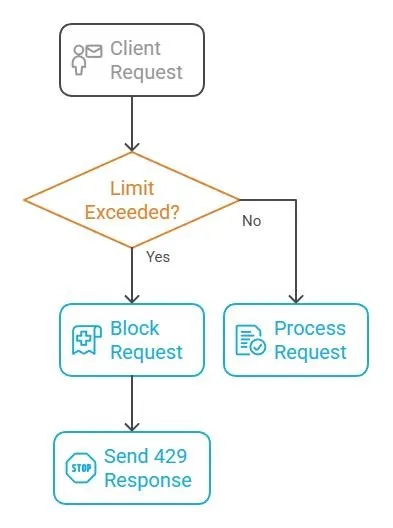
LinkedIn uses rate limits to prevent excessive or automated activity that could degrade platform performance. These limits ensure fair usage and maintain a consistent experience for all users. Understanding this helps you design workflows that align with normal usage patterns.
Design Workflows with Controlled Pacing
Instead of executing actions in bursts, distribute them evenly over time. A steady and predictable pace reduces the likelihood of hitting limits and keeps your workflow stable.
Prioritize High-Value Actions
Focus on actions that provide meaningful results rather than maximizing volume. Quality interactions are more effective and require fewer requests, which helps stay within limits.
Use Official APIs and Tools
Whenever possible, use LinkedIn’s official APIs or approved integrations. These are designed to operate within platform constraints and provide more reliable access compared to unsupported methods.
Implement Adaptive Scheduling
Your system should adjust its activity based on current usage. If limits are approached, reduce activity automatically and resume later. This keeps the workflow running without interruptions.
Monitor Usage and Feedback Signals
Track how many actions are performed and watch for warnings or reduced functionality. These signals often indicate that limits are being approached and adjustments are needed.
Avoid Sudden Spikes in Activity
Large bursts of actions can trigger limits quickly. Gradual and consistent execution helps maintain stability and prevents unnecessary interruptions.
Build Retry and Cooldown Logic
If a limit is reached, your system should pause and retry later instead of continuing immediately. Cooldown periods help reset usage and keep workflows functioning.
Maintain Consistent Behavior Patterns
Predictable and steady usage patterns are less likely to trigger issues. Avoid irregular bursts followed by inactivity, as this can create instability.
Integrate Rate Awareness into Workflow Design
Rate limits should be considered from the beginning when designing workflows. Building awareness into your system ensures that limits are respected automatically.
Scaling Workflow Management with Appilot
At this stage, your workflow operates within limits and remains stable. As the number of workflows increases, managing pacing manually becomes complex. This is where Appilot becomes useful because it helps orchestrate execution while your system maintains controlled and consistent activity.
FAQ
Q1: What are LinkedIn rate limits?
They are restrictions on how many actions can be performed within a certain time.
Q2: Why should I not bypass them?
Because it can lead to instability, restrictions, or account issues.
Q3: How do I stay within limits?
By pacing actions, monitoring usage, and adapting activity levels.
Q4: What happens if I hit a limit?
Your workflow may be paused or restricted temporarily.
Q5: Do I need Appilot for this setup?
No, you can manage it locally. Appilot becomes useful when scaling workflows.
Conclusion
Working within LinkedIn rate limits is the key to building stable and scalable workflows. By controlling pacing, prioritizing meaningful actions, and adapting to usage signals, you can maintain consistent performance without interruptions. Start by designing a controlled execution pattern, monitor activity, and refine your system over time. Once this approach is in place, your workflows become more reliable and easier to manage.