What Is Incognito/Private Mode? (Does It Really Hide You?)

Most modern browsers offer a feature called Incognito or Private Mode, which is often misunderstood as a tool for complete anonymity. While it does improve privacy in certain situations, it does not make you invisible online. Understanding what it actually does—and what it doesn’t—is essential for managing your privacy effectively.
This guide explains how private browsing works and clears up common misconceptions.
What Is Incognito/Private Mode?
Incognito or Private Mode is a browser feature that prevents your browsing activity from being stored locally on your device, where it ensures that history, cookies, form data, and temporary files are deleted once the session ends. This means that other users of the same device cannot see what you browsed during that session.
Different browsers use different names for this feature, such as “Incognito Mode” in Google Chrome, “Private Browsing” in Mozilla Firefox, and “Private Window” in Safari.
The Core Idea Behind Private Browsing
The core idea behind private browsing is local privacy, where it protects your activity from being stored on your device rather than hiding it from websites or networks. It is designed for situations where you want to keep your browsing session separate from your normal profile, not for complete anonymity.
How Incognito Mode Works
Incognito mode works by creating a temporary browsing session that does not save data after it is closed, where cookies and site data are stored only for the duration of the session and are deleted afterward.
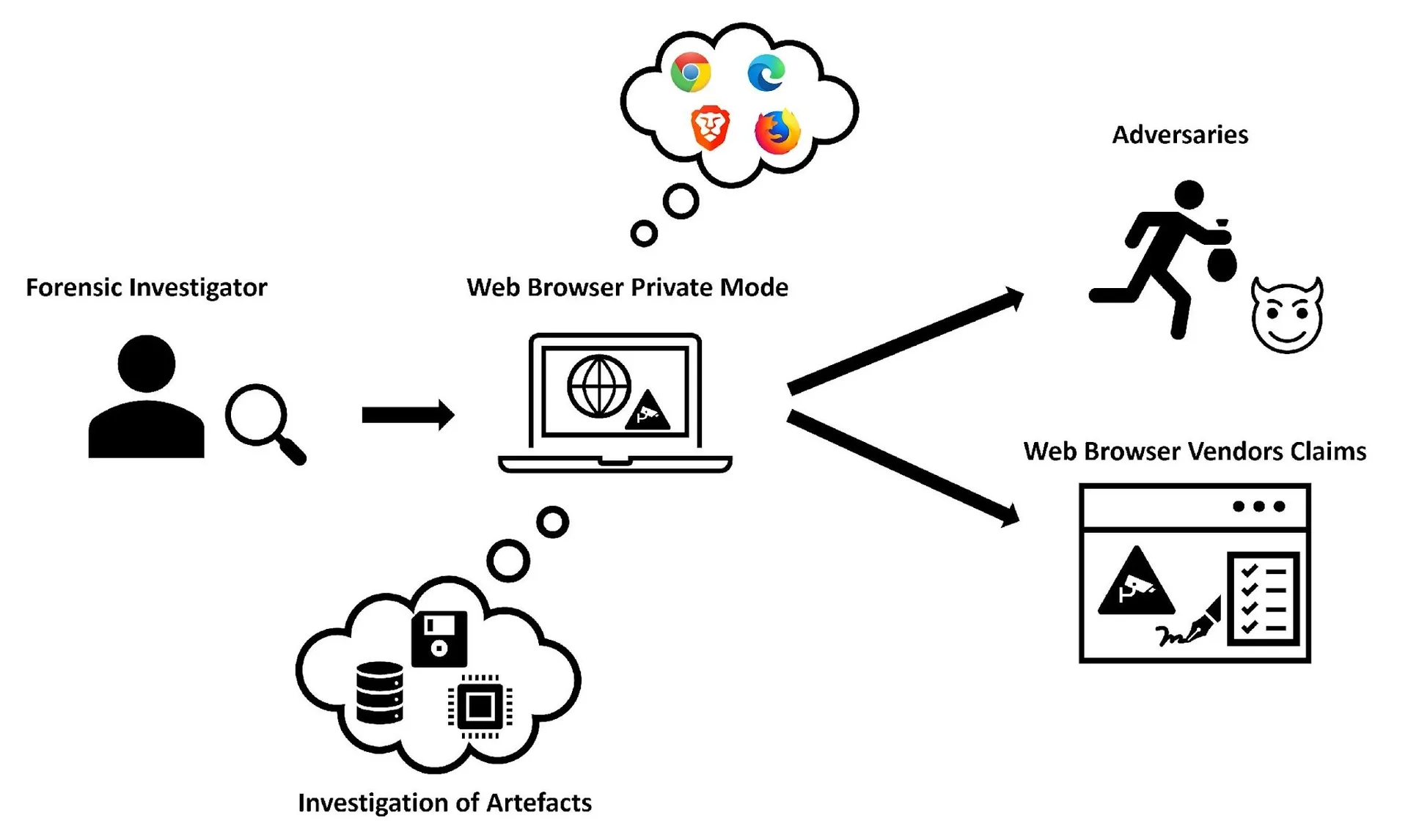
This prevents websites from recognizing you in future sessions based on stored data, but it does not stop tracking during the session itself.
What Incognito Mode Hides
Incognito mode hides your browsing activity from other users on the same device, where it prevents saving of browsing history, cookies, search entries, and form data. It also ensures that downloaded files and bookmarks are not automatically recorded in the browser’s history. This makes it useful for shared devices or temporary sessions.
What Incognito Mode Does NOT Hide
Incognito mode does not hide your activity from websites, internet service providers, or network administrators, where your IP address and connection details are still visible. It also does not prevent websites from tracking you using fingerprinting or session-based methods. Additionally, if you log into an account, your activity can still be linked to you.
Incognito Mode vs Regular Browsing
The main difference between incognito mode and regular browsing is data persistence, where regular browsing stores history, cookies, and other data for future use, while incognito mode deletes this data after the session ends. However, both modes interact with websites in the same way during the session.
Incognito Mode vs VPNs and Privacy Tools
Incognito mode is often confused with tools like virtual private networks (VPNs), but they serve different purposes, where VPNs hide your IP address and encrypt your traffic, while incognito mode only prevents local data storage. For stronger privacy, incognito mode must be combined with other tools.
Why Incognito Mode Is Often Misunderstood
Many users believe incognito mode provides complete anonymity, where in reality it only offers limited privacy. This misunderstanding comes from its name and presentation, which can suggest more protection than it actually provides. In practice, it is a basic privacy feature rather than a comprehensive solution.
Limitations of Private Browsing
Private browsing has several limitations because it does not prevent tracking during active sessions, where websites can still collect data and build profiles. It also does not protect against advanced tracking techniques such as fingerprinting. Additionally, network-level monitoring remains unaffected.
Incognito Mode vs Fingerprinting and Tracking
While incognito mode clears cookies and local storage, fingerprinting techniques can still identify users based on browser and device characteristics, where this allows tracking even without stored data. This highlights the limitations of relying solely on private browsing for privacy.
Incognito Mode vs Real-Device Environments
A key distinction in modern privacy and detection is the difference between local data control and overall environment behavior, where incognito mode changes how data is stored but does not alter how the browser behaves. Real-device environments operate with consistent hardware and system signals, and tools like Appilot follow this approach by running automation on real Android devices, ensuring that behavior and device signals remain aligned with real-world usage. This reduces anomalies while maintaining functionality.
When to Use Incognito Mode
Incognito mode is most useful in scenarios where local privacy is important, such as using shared devices, testing websites, or logging into multiple accounts temporarily, where it helps keep sessions separate without affecting long-term data.
Frequently Asked Questions
Q: Does incognito mode make you anonymous?
No, it only hides activity from your device, not from websites.
Q: Does it hide your IP address?
No, your IP address is still visible.
Q: Are cookies stored in incognito mode?
Only temporarily, and they are deleted after the session.
Q: Can websites track you in incognito mode?
Yes, during the session.
Q: Is incognito mode the same as a VPN?
No, they serve different purposes.
Q: How do real-device solutions compare?
Real-device solutions like Appilot maintain consistent browser behavior, reducing anomalies while preserving functionality.
Key Takeaways
Incognito or private mode is a useful feature for preventing local data storage and keeping browsing sessions private on a device, but it does not provide full anonymity. It does not hide your activity from websites, networks, or tracking systems, and it should be used alongside other privacy tools for better protection. Understanding its limitations is essential for managing online privacy effectively.