Instagram Bio Link Rotation Automation for Affiliate Marketers
Affiliate marketers often run multiple campaigns at the same time. One week you may be promoting a fitness offer, the next week a finance lead generation page, and after that a seasonal ecommerce product. The challenge is that Instagram only gives you one bio link per account, which means you constantly need to log in, update links manually, track performance, and make sure the correct offer is showing at the right time.
That process becomes even harder when you manage multiple Instagram accounts. Switching bio links manually across 10 accounts is annoying. Doing it across 50 or 100 accounts becomes a daily operational task that consumes hours every week.
This is where Instagram bio link rotation automation becomes valuable. Instead of manually logging into accounts every day, you can build structured workflows that rotate links automatically based on schedules, campaigns, account groups, or performance conditions.
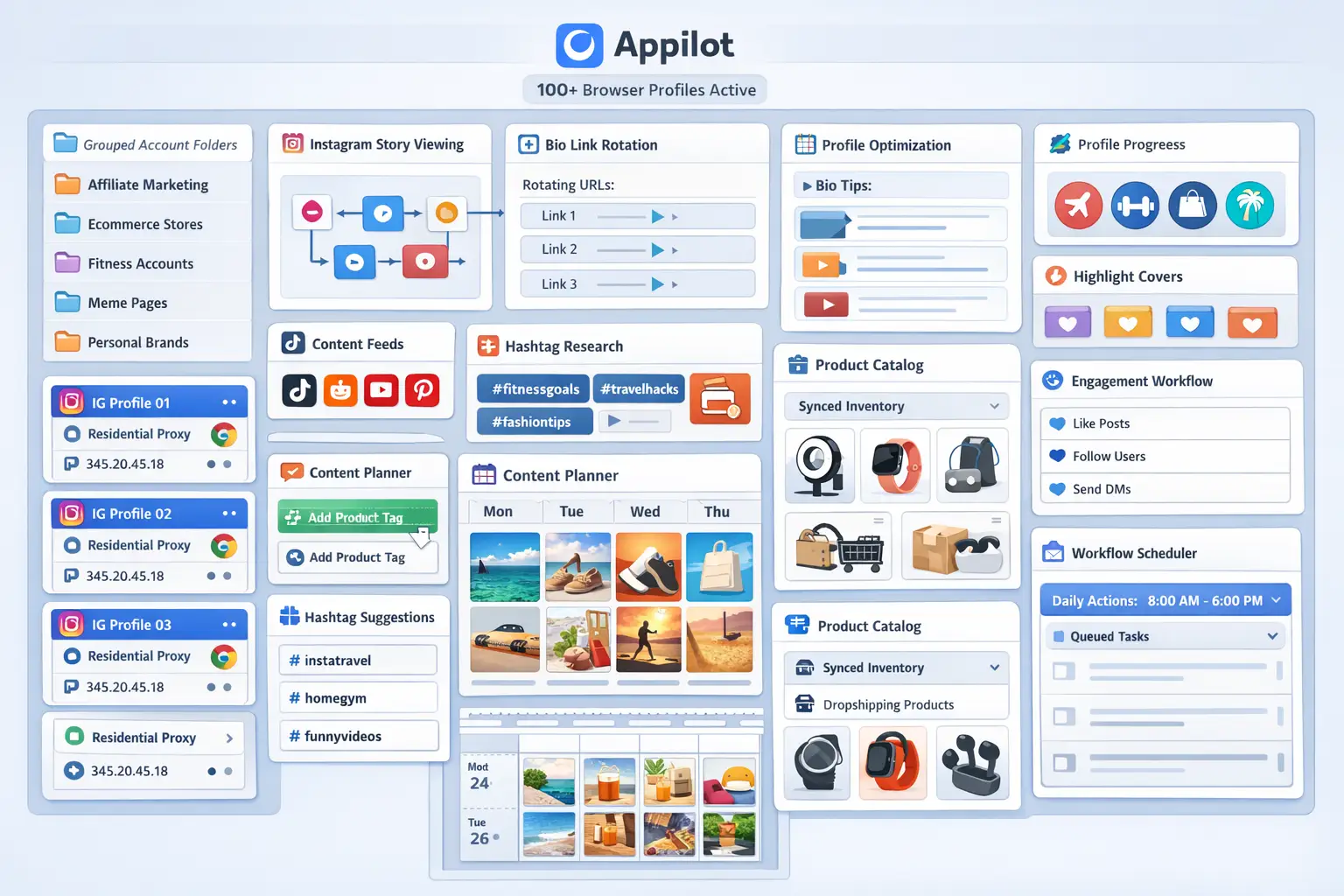
For this guide, I will use Appilot as the main workflow platform. Appilot combines browser automation and Android automation from one dashboard, making it easier to manage Instagram account workflows across multiple browser profiles and mobile devices without constant manual work.
In this guide, you will learn why bio link rotation matters, how to structure campaigns across multiple accounts, how to connect browser profiles with Appilot, and how to automate bio link updates safely at scale.
Setup Time: Around 45 minutes
Difficulty: Intermediate
Estimated Time Saved: 10 to 15 hours weekly
Why Bio Link Rotation Matters for Affiliate Marketers
Instagram bio links are often the highest-converting traffic source for affiliate marketers. Many users view Stories, watch Reels, visit the profile, and click the link in bio to learn more.
The problem is that many affiliate campaigns have changing priorities. Some offers only run for a few days. Others depend on seasonality, stock levels, promotions, or daily budgets. If you are manually updating links every day, there is a high chance you will forget to change something, leave the wrong campaign active, or lose traffic to an outdated landing page.
The challenge becomes even larger when you operate multiple accounts. One account may focus on fitness products, another on crypto offers, and another on ecommerce deals. Each account may need different bio links at different times of the week.
Manual link changes eventually create operational chaos. You spend time checking spreadsheets, opening browser tabs, logging into accounts, and trying to remember which offer should be active.
Automation removes that friction by turning bio link updates into scheduled workflows.
The manual approach usually works when you are managing one or two accounts. Beyond that, it becomes difficult to maintain accuracy. Links stay outdated, campaigns overlap incorrectly, and performance tracking becomes messy.
With automation, you can build rules that rotate bio links automatically based on campaign schedules, traffic priorities, or time of day. You can also separate accounts into groups so that one set of accounts promotes fitness products while another promotes ecommerce offers.
The biggest advantage is not just time savings. It is consistency.
What You Need to Get Started
The first requirement is an antidetect browser such as GoLogin, AdsPower, Multilogin, or Dolphin Anty. These browsers create isolated profiles for every Instagram account so that each one has its own cookies, browser fingerprint, timezone, and proxy.
The second requirement is high-quality residential or mobile proxies. Instagram accounts are much safer when they use separate IP addresses instead of sharing the same connection across dozens of profiles.
The third requirement is Appilot. This is where you create workflows, schedule link rotations, group browser profiles, and monitor account activity from one place.
Most affiliate marketers can get started with a setup costing between $150 and $400 per month depending on the number of accounts, browser profiles, and proxies required.
For many teams, the time savings alone are enough to justify the cost within the first week.
Step-by-Step: Setting Up Instagram Bio Link Rotation
Step 1: Organize Your Affiliate Campaigns
Before building any automation, you need to know which campaigns should rotate and when.
For example, you might have:
Morning campaign for a finance offer
Afternoon campaign for an ecommerce discount page
Evening campaign for a dating offer
Weekend campaign for a seasonal promotion
You should also decide which accounts belong to which campaign groups. One account group may focus on fitness traffic, another on finance, and another on lifestyle products.
This structure becomes important later because Appilot can apply different workflows to different profile groups.
Step 2: Create Separate Browser Profiles
Each Instagram account should have its own browser profile. This profile should include a separate proxy, timezone, fingerprint, and session history.
For example:
Account 1 = US proxy + New York timezone
Account 2 = UK proxy + London timezone
Account 3 = Canada proxy + Toronto timezone
This makes the accounts look like separate users instead of one operator controlling everything from the same browser.
Start with a few test profiles first and make sure the accounts work normally before scaling further.
Step 3: Connect Your Profiles to Appilot
Once your browser profiles are ready, you can connect them to Appilot using your browser API key.
Inside Appilot, you can organize profiles into categories such as:
fitness-affiliate-pages
crypto-pages
ecommerce-pages
dating-offers
test-accounts
This makes it easier to apply workflows across specific groups instead of manually selecting accounts every time.
Step 4: Create a Link Rotation Workflow
The workflow itself is fairly simple. You choose which accounts should receive a specific link, decide when the update should happen, and configure delays between profile switches.
For example, you might want all fitness pages to switch from a supplement offer in the morning to a workout app offer in the evening.
const workflow = {
  name: "Fitness Offer Rotation",
  accounts: "fitness-affiliate-pages",
  morningLink: "https://offer1.com",
  eveningLink: "https://offer2.com",
  schedule: {
    morning: "9:00 AM",
    evening: "6:00 PM"
  },
  delayBetweenProfiles: "30-90 seconds"
};
This type of workflow allows you to rotate links automatically without opening every account manually.
You can also build more advanced setups where certain links only appear on weekends, certain campaigns only run for a few days, or specific offers only rotate when another campaign ends.
Step 5: Add Randomization and Safety Rules
One of the most important parts of bio link automation is avoiding repetitive behavior.
You should not update all accounts at exactly the same time. Instead, stagger updates across batches of accounts throughout the day.
For example:
Batch 1 updates at 9:00 AM
Batch 2 updates at 10:30 AM
Batch 3 updates at 1:00 PM
Batch 4 updates at 4:00 PM
You should also add delays between profile switches so that the activity looks more natural.
The safest workflows are the ones that behave more like real people.
Best Practices for Affiliate Link Rotation
The best affiliate marketers do not rotate links randomly. They build structured systems around performance.
For example, some marketers rotate links based on time of day because certain offers convert better in the morning while others perform better in the evening.
Others rotate links based on geography. A US audience may see one landing page while a UK audience sees another.
Another useful strategy is seasonal rotation. During holidays, Black Friday, or special campaigns, you can temporarily update all accounts to promote a single high-priority offer and then switch back afterward.
You should also keep a record of which links were active on which dates. This makes it easier to compare click-through rates, landing page performance, and conversion trends over time.
Real Example: Scaling from 15 to 80 Affiliate Accounts
One affiliate marketer started with 15 Instagram theme pages focused on ecommerce and fitness offers. At first, all bio links were updated manually every morning and evening.
Once the number of accounts grew beyond 30, the process became difficult to manage. Some links stayed outdated, some pages showed the wrong campaign, and too much time was spent logging into accounts.
The marketer switched to a workflow using GoLogin, residential proxies, and Appilot. The accounts were separated into campaign groups, and bio links rotated automatically based on the time of day.
After 45 days, the marketer was managing 80 Instagram accounts with significantly less manual work. The biggest improvement was not just time savings. It was the ability to keep campaigns organized without constantly checking spreadsheets and browser tabs.
Common Mistakes to Avoid
One common mistake is updating all accounts at the exact same time. This creates repetitive activity patterns and increases risk.
Another mistake is rotating links too often. If the bio link changes every hour, it may become difficult to track performance and could also look unusual from an account behavior perspective.
Some affiliate marketers also forget to match campaigns with the right audience. A crypto offer on a fitness page is unlikely to convert well. The strongest systems are usually the ones where accounts are grouped carefully and each audience sees relevant offers.
It is also important to keep backup records of all links and campaign schedules. If a landing page goes down or an affiliate program pauses, you want to be able to update everything quickly.
FAQ
Q1: How many Instagram accounts can I rotate links across at once?
Most users can comfortably manage between 20 and 50 accounts at the same time. Larger setups can support 100+ accounts if workflows are staggered throughout the day.
Q2: Can I rotate different links for different account groups?
Yes. You can organize accounts into categories such as fitness, finance, ecommerce, or crypto and assign different link workflows to each group.
Q3: Will Instagram detect automated bio link changes?
The risk stays low when you use separate browser profiles, good proxies, randomized timing, and gradual account activity. The biggest problems usually come from repetitive behavior.
Q4: How often should I rotate bio links?
Most affiliate marketers rotate links once or twice daily, although some campaigns may only require weekly updates.
Q5: Which browser is best for Instagram affiliate account management?
GoLogin is often best for smaller operations, AdsPower is good for larger profile groups, and Multilogin works well for enterprise setups.
Conclusion
Instagram bio link rotation automation helps affiliate marketers save time, reduce mistakes, and manage more campaigns without increasing workload.
Instead of logging into dozens of accounts every day, you can build structured workflows that update links automatically, separate accounts by campaign type, and keep everything organized from one dashboard.
The key is to start with a small number of accounts, test your workflows carefully, and expand gradually as you become more confident in the system.
For affiliate marketers running multiple campaigns at once, this type of automation can become one of the most valuable workflow improvements in the entire operation.