Instagram DM Automation for Shopify Stores: A Step-by-Step Guide
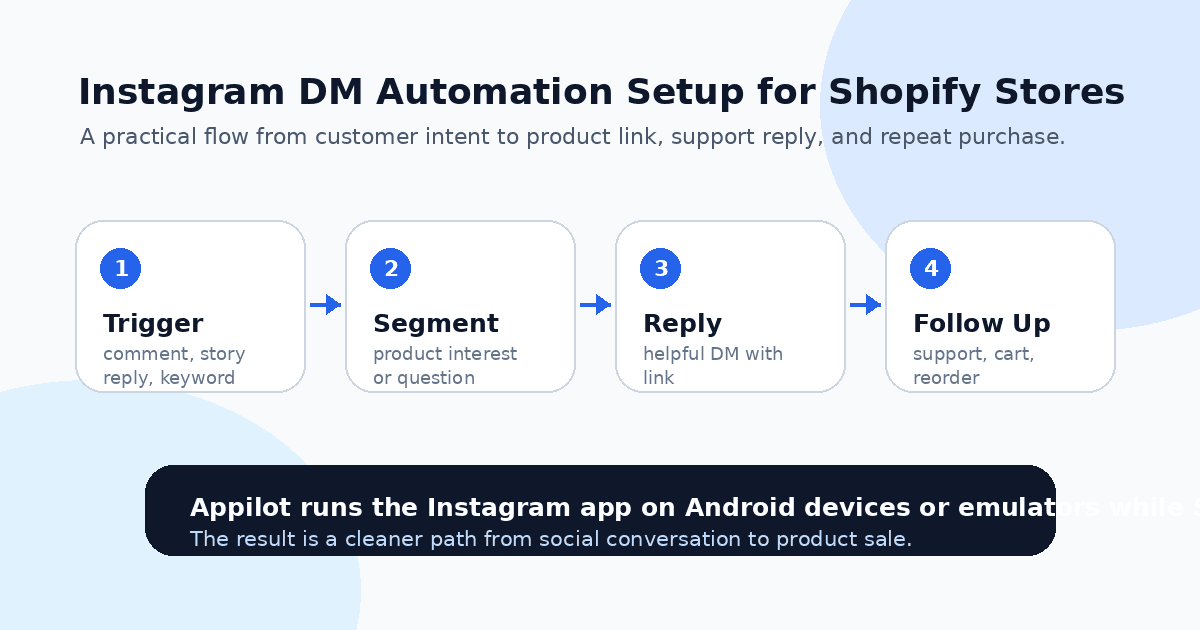
A customer sees your product on Instagram at 11:30 p.m. They reply to your story with “Is this available in black?” or comment “Price?” under a reel that is already getting traction.
You are asleep, packing orders, fixing a supplier issue, or answering another customer. By the time you reply the next morning, the buyer has moved on, found a similar product, or forgotten why they asked in the first place.
That gap is expensive.
For Shopify stores, Instagram DMs are not just a support channel. They are a sales channel. People ask about sizes, colors, delivery times, bundles, discounts, returns, and product links before they buy. When replies are slow, revenue leaks quietly.
Instagram DM automation helps close that gap by turning common customer questions into faster, more consistent conversations. Done properly, it does not feel robotic. It feels like your store is finally responding at the speed buyers expect.
Why Shopify Stores Struggle With Instagram DMs
Most Shopify stores start simple. You post product photos, run a few reels, maybe test influencer content, and wait for people to ask questions. At first, replying manually is manageable.
Then a post performs well.
Suddenly, comments and DMs come in at the same time. Some people ask for the product link. Some ask if you ship to their country. Some want a size chart. Some ask the same question ten other customers already asked yesterday.
The problem is not that these messages are difficult. The problem is that they repeat constantly.
A small store owner might spend 30 to 60 minutes a day answering basic Instagram messages. During launches or sales, that number can jump quickly. And because many buyers message casually, slow replies can kill intent before checkout even starts.
What most Shopify stores get wrong is treating DMs like customer support only. They are also conversion moments. A good DM reply can send the buyer to the right product page, answer the objection, reduce confusion, and move them toward checkout.
That is why automation works best when it supports the buying conversation instead of blasting generic promotions.
What Instagram DM Automation Means for Shopify Stores
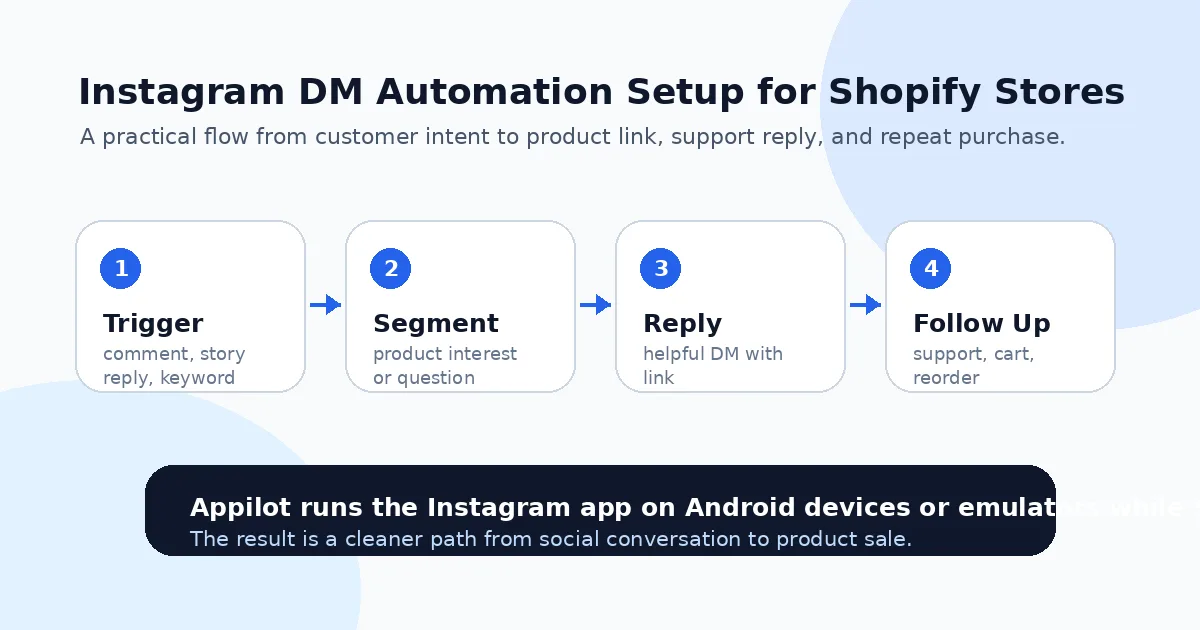
Instagram DM automation means using a bot or workflow to respond to specific triggers inside Instagram. These triggers can include comments, story replies, keywords, profile interactions, or repeated customer questions.
For Shopify stores, the most useful automations are usually simple. Someone comments “link” and receives the product URL. Someone asks “price” and gets a short reply with the product page. Someone replies to a story about a new drop and receives size, color, or checkout information.
Real-device automation is especially useful here because it runs actions through the actual Instagram mobile app on an Android device or emulator. Instead of relying only on fragile API-based methods or desktop scripts, it interacts with Instagram more like a real mobile user.
A platform like Appilot is built for this kind of workflow. It lets Shopify store owners run Instagram automation on real Android devices or emulators from a browser dashboard, without ADB setup, coding, or keeping a laptop connected all day. You configure the workflow once, then let it handle repetitive DM actions while you focus on products, fulfillment, and customer experience.
The key is not to automate everything. The key is to automate the repeatable parts that slow down sales.
Step 1: Identify the DMs That Actually Affect Sales
Before setting up any automation, look at your Instagram inbox and identify the questions that appear again and again.
For a fashion Shopify store, the common questions might be about sizes, restocks, colors, shipping time, and returns. For a skincare brand, they might be about ingredients, skin type, usage instructions, bundles, and discounts. For an electronics accessory store, they might be about compatibility, delivery, warranty, or product variations.
This step matters because automation should remove friction, not create awkward conversations.
A bad automation sends the same message to everyone. A useful automation answers the question the customer actually asked. If someone comments “link,” they should get a product link. If someone asks “does this fit iPhone 15 Pro Max,” they should not receive a generic welcome message.
Start with the top three to five questions that directly influence purchase decisions. These are the easiest wins because they already happen often and they usually block the buyer from checking out.
Step 2: Create Simple Keyword Triggers
Keyword triggers are the foundation of most Instagram DM automation for Shopify stores.
You can create triggers around words like “link,” “price,” “size,” “shipping,” “discount,” “restock,” “available,” “color,” “bundle,” or product names. When a customer uses one of those words in a comment or DM, the automation can send a relevant response.
For example, if someone comments “link please” under a product reel, the automation can send a short DM with the exact Shopify product page. If someone replies “size?” to a story, the automation can send the size chart or ask which item they mean.
This is where Appilot’s Instagram bot can fit naturally into the Shopify workflow. You can use it to run Instagram actions from real Android environments and build practical flows around comments, DMs, and product interest without needing to write scripts. The Shopify store still handles checkout, inventory, and payment, while Instagram automation handles the repetitive conversation layer.
Keep the first version simple. One trigger, one helpful reply, one clear next step.
Step 3: Write DM Replies That Sound Human
The message matters more than most people think.
A good automated DM should feel short, useful, and natural. It should not read like a broadcast campaign. People know when they are being pushed too hard, especially inside DMs.
Instead of saying, “Thank you for your interest in our premium product collection, click here to shop now,” write something closer to how a real store owner would reply. For example, “Yes, it’s available here: [link]. Black is still in stock, but sizes are moving fast today.”
That feels more personal and more useful.
For product questions, include only what the buyer needs. If they ask about shipping, answer shipping. If they ask about size, answer size. If they ask for the link, send the link. Do not turn every reply into a long sales pitch.
The goal is to reduce the number of steps between interest and checkout.
Step 4: Connect Instagram Conversations to Shopify Product Pages
Once your triggers and replies are ready, map them to the right Shopify pages.
This sounds obvious, but many stores send buyers to the homepage or collection page when they should send them directly to the product. Every extra click creates drop-off.
If a customer comments on a reel showing a specific hoodie, send them to that hoodie page. If they reply to a story about a bundle, send them to the bundle page. If they ask about a restock, send them to a waitlist, email capture page, or product page with back-in-stock alerts.
You can also use UTM parameters to track which Instagram DM flows generate clicks and sales. That way, you are not guessing whether automation is helping. You can see which replies, products, and campaigns are creating movement.
This is especially useful during product launches, seasonal sales, influencer campaigns, and viral reels where message volume can spike quickly.
Step 5: Set Safe Limits and Avoid Spam Behavior
Instagram DM automation can go wrong when stores get too aggressive.
Do not send long promotional messages to everyone who interacts with your account. Do not spam cold DMs to random users. Do not trigger too many repetitive messages from a new account in the first week.
Start with conservative limits and buyer-led triggers. That means the customer does something first, like commenting, replying, asking a question, or engaging with your product content. Automation then helps you respond faster.
One reason Shopify operators gravitate toward Appilot for this is the setup control. Because the automation runs through a dashboard and uses Android devices or emulators, you can manage workflows without dealing with developer tools, while still keeping activity more realistic than basic desktop scripts.
A good rule is simple: automate replies that customers expect, not messages they never asked for.
Step 6: Monitor Replies and Improve the Flow
Automation is not a one-time setup. You need to watch how people respond.
Check whether customers click the links. See which questions still require manual help. Look for messages where the automation gives an incomplete answer. Review whether certain triggers are too broad or too narrow.
For example, the keyword “size” might work well for clothing but may trigger too often if people are asking vague questions. The keyword “price” might need different replies for different products. A product link flow might need a follow-up message if people ask about shipping after clicking.
The best Shopify DM automations improve over time. You start with simple replies, then add more context based on real customer behavior.
This is where automation becomes more than a time-saver. It becomes a feedback loop for your store.
Common Mistakes Shopify Stores Should Avoid
Sending Generic Discounts Too Quickly
A discount should not be the first answer to every question. If a buyer asks for size, answer the size question first. Discounts work better when they support a buying decision, not when they replace good service.
Automating Before the Product Page Is Ready
If the Shopify product page has weak photos, unclear sizing, no reviews, or confusing shipping details, faster DMs will not fix the conversion problem. Make the landing page clear before sending more traffic.
Using Too Many Triggers at Once
A messy automation flow can create wrong replies. Start with a few high-intent keywords, test them, and expand only when the first flows work properly.
Ignoring Manual Takeover
Some customers need a real answer. Returns, complaints, bulk orders, influencer requests, and detailed product questions should be handed over manually. Automation should support customer service, not replace it completely.
Treating Instagram DMs Like Email Blasts
DMs are more personal than email. Keep the tone conversational, brief, and relevant. Overly promotional messages can make your brand feel cheap.
Is Instagram DM Automation Right for Your Shopify Store?
Instagram DM automation is a good fit if your store already receives product questions, comments, story replies, or launch-related messages. It works especially well when customers often ask for links, sizes, prices, shipping times, or restock updates.
It may not be right if your Instagram account has no engagement yet or your Shopify store is not ready to convert visitors. Automation can speed up conversations, but it cannot repair weak product positioning, poor photos, or unclear offers.
The best time to set it up is when manual replies are starting to slow down sales.
Final Thoughts
Instagram DMs can be one of the highest-intent channels for Shopify stores because the customer is already close enough to ask a question.
When you automate carefully, you reply faster, reduce repeated work, and send buyers to the right product page while their interest is still fresh. That can make a real difference during product launches, sales, influencer campaigns, and viral content spikes.
If you want to run Instagram DM automation without coding or managing Android automation manually, Appilot gives Shopify stores a browser-based way to control real-device workflows for Instagram and other platforms. You can check it out at appilot.app.
FAQs
Q1: Can Shopify stores automate Instagram DMs?
Yes, Shopify stores can automate common Instagram DM replies like product links, size details, shipping answers, and restock updates when customers trigger them.
Q2: Is Instagram DM automation safe for Shopify brands?
It is safer when replies are customer-triggered, limits are conservative, and automation runs through realistic mobile behavior instead of spam-style messaging.
Q3: What should Shopify stores automate first?
Start with high-intent questions like “link,” “price,” “size,” “shipping,” “restock,” and product-name requests because they directly affect buying decisions.
Q4: Can Appilot help with Instagram DM automation?
Yes, Appilot can run Instagram automation on Android devices or emulators from a web dashboard, without coding or ADB setup.
Q5: Does DM automation increase Shopify sales?
It can increase sales by replying faster and sending buyers to the right product pages, but your product offer and Shopify page still need to convert.