Instagram Hashtag Research Automation: Finding Trending Tags Daily
Hashtags still play an important role in Instagram visibility. Even though Instagram has evolved far beyond simple hashtag searches, the right tags can still help posts appear in Explore feeds, niche searches, trending conversations, and category-based discovery.
The challenge is that hashtags change constantly. A tag that performed well last month may become oversaturated today. A hashtag that worked for one niche may perform poorly in another. Many marketers spend hours every week manually searching for trending tags, reviewing competitor posts, checking post counts, and testing different combinations.
This becomes even harder when you manage multiple Instagram accounts. One account may focus on fitness, another on ecommerce, another on memes, and another on affiliate marketing. Each account needs a different hashtag strategy.
This is where automation becomes valuable. Instead of manually researching hashtags every day, you can build workflows that collect hashtag data, monitor competitors, identify trends, and organize tag groups automatically.
For this guide, I will use Appilot as the main workflow platform. Appilot helps automate browser workflows and Android actions from one dashboard, making it easier to manage hashtag research across multiple Instagram accounts and content categories.
In this guide, you will learn why hashtag research matters, how to organize hashtags into groups, how to automate trend discovery, and how to build workflows that find new hashtags daily.
Setup Time: Around 45 minutes
Difficulty: Intermediate
Estimated Time Saved: 8 to 15 hours weekly
Why Hashtag Research Still Matters
Hashtags help Instagram understand what a post is about.
For example, a fitness post using workout-related tags is more likely to appear in front of people interested in fitness. A meme page using trending humor tags is more likely to appear in niche feeds and search results.
The problem is that many people use the same large hashtags repeatedly. Tags with millions of posts are often too competitive, while smaller niche tags may offer better reach.
A good hashtag strategy usually includes a mix of:
Broad hashtags
Medium-competition hashtags
Niche hashtags
Trending hashtags
Location-based hashtags
Brand-specific hashtags
Without a proper system, it becomes easy to keep using the same tags repeatedly even when they stop performing well.
Automation helps solve this problem by finding new hashtags regularly and organizing them into usable groups.
The manual approach usually involves searching Instagram manually, checking competitor posts, reviewing post counts, and copying hashtags into spreadsheets.
With automation, you can build workflows that collect hashtags from competitors, trending pages, Explore feeds, and niche accounts automatically.
The biggest advantage is not just saving time. It is constantly finding fresh hashtags instead of relying on the same list every day.
What You Need to Get Started
To automate Instagram hashtag research, you need a few tools working together.
The first requirement is an antidetect browser such as GoLogin, AdsPower, Multilogin, or Dolphin Anty. These browsers help manage multiple Instagram accounts separately while keeping cookies, browser fingerprints, and proxies isolated.
The second requirement is residential or mobile proxies. Proxies help make browsing activity look more natural and reduce the risk of multiple accounts appearing from the same IP address.
The third requirement is Appilot. Appilot helps connect browser profiles, automate Instagram searches, monitor hashtags, organize tag groups, and build repeatable workflows from one dashboard.
You should also have a place to store collected hashtag data. This can include Google Sheets, Airtable, Notion, CSV files, or any other organized storage system.
A typical setup for hashtag automation usually costs between $150 and $400 per month depending on the number of accounts, browser profiles, and workflows involved.
Step-by-Step: Setting Up Hashtag Research Automation
Step 1: Organize Accounts by Niche
Before collecting hashtags, you should organize your Instagram accounts into profile groups.
For example, you may have:
Fitness pages
Ecommerce brands
Meme pages
Affiliate pages
Personal brands
Local business pages
Each account group requires a different hashtag strategy.
A fitness page may use workout, gym, health, and nutrition hashtags. A meme page may focus on humor, viral content, and trending topics. A local business may rely more on city-specific tags.
The more organized your account groups become, the easier it becomes to build relevant hashtag workflows.
Step 2: Identify Competitor Accounts and Source Pages
Once your account groups are ready, you should identify which accounts to monitor.
For example, you may want to track:
Competitor Instagram pages
Large niche influencers
Viral accounts
Trending Reels creators
Explore page content
Industry hashtags
Local competitors
This gives the automation workflow strong sources for finding new hashtags.
The best systems usually combine multiple sources rather than relying on one account or one hashtag page.
Step 3: Connect Browser Profiles to Appilot
Once your browser profiles are ready, connect them to Appilot using your browser API key.
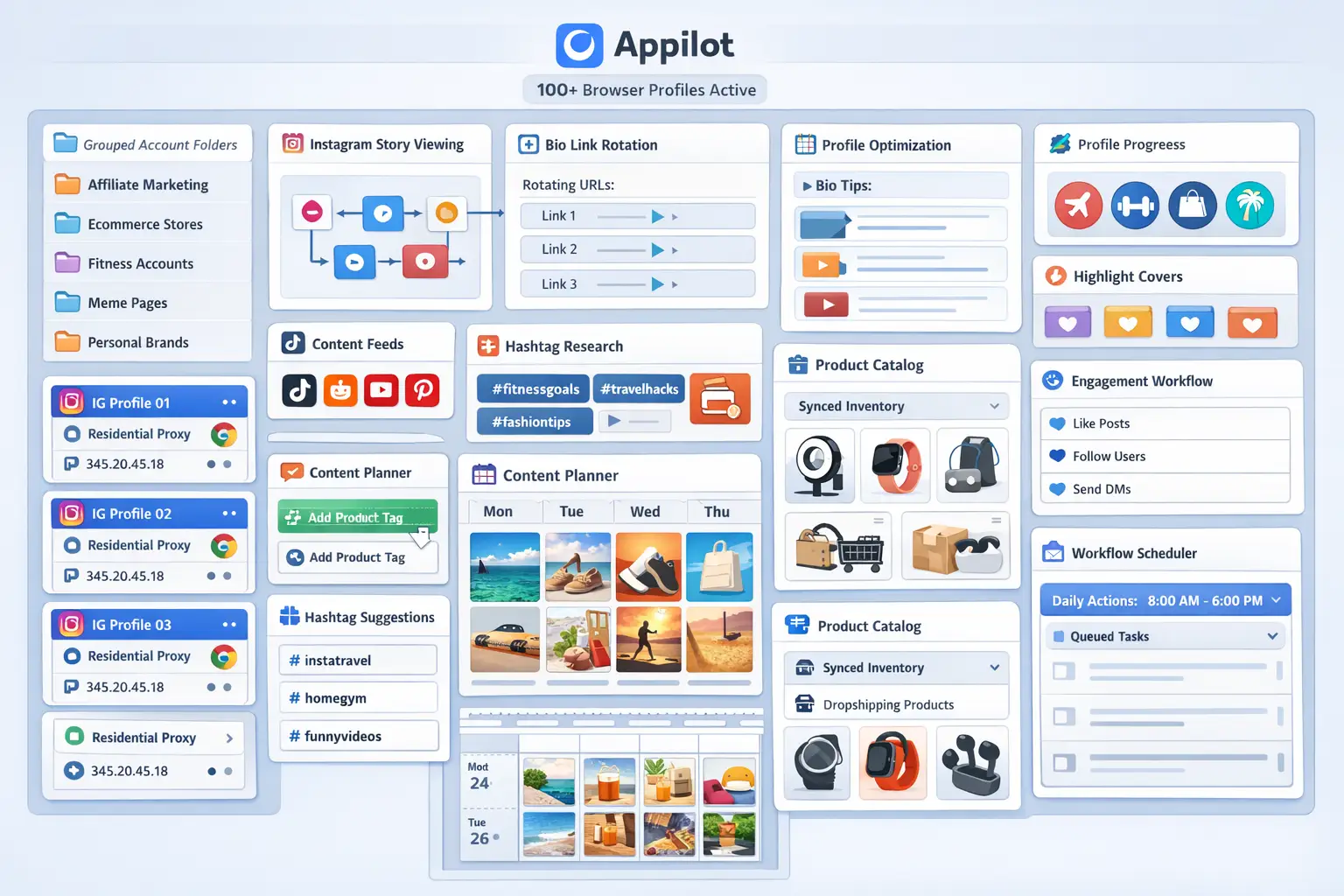
Inside Appilot, you can organize profile groups such as:
fitness-pages
ecommerce-brands
meme-pages
affiliate-pages
local-businesses
This makes it easier to assign hashtag workflows to the correct account group.
Step 4: Create a Hashtag Collection Workflow
Once everything is connected, you can create a workflow that searches Instagram, collects hashtags, and saves them automatically.
For example, you may want the workflow to:
Search trending hashtags daily
Collect hashtags from competitor posts
Track hashtag growth
Save hashtags into categories
Remove hashtags that become oversaturated
Group hashtags by niche
const workflow = {
name: "Instagram Hashtag Research",
accounts: "fitness-pages",
actions: [
"Search trending hashtags",
"Collect competitor hashtags",
"Track hashtag volume",
"Save hashtags by category",
"Update hashtag lists"
],
schedule: "Daily"
};
The strongest workflows are usually simple and consistent. The goal is to collect useful hashtags regularly rather than searching for everything at once.
Step 5: Organize Hashtags Into Categories
Once hashtags are collected, they should be organized properly.
For example, you may create groups such as:
Broad hashtags
Medium-competition hashtags
Low-competition hashtags
Local hashtags
Trending hashtags
Brand-specific hashtags
This makes it easier to choose the right mix of hashtags for each post.
Most successful accounts use a combination of large, medium, and small hashtags rather than relying on only one category.
Best Practices for Hashtag Research Automation
The best hashtag systems focus on relevance rather than volume.
It is usually better to use smaller hashtags that match the content properly than large hashtags that are too competitive.
You should also review hashtag performance regularly. Some hashtags may drive more impressions, while others may produce better engagement or follower growth.
Another important practice is rotating hashtag groups. Using the exact same hashtags on every post can make the content feel repetitive and may reduce performance over time.
It is also useful to remove hashtags that become too competitive or stop performing well.
Real Example: Scaling Hashtag Research Across 30 Accounts
One agency managed 30 Instagram accounts across fitness, ecommerce, meme, and affiliate niches.
At first, hashtag research was done manually. Team members spent hours every week checking competitor posts, searching Instagram, and updating spreadsheets.
As the number of accounts grew, it became harder to keep track of which hashtags were working and which ones had become too competitive.
The agency eventually switched to a workflow using GoLogin, residential proxies, and Appilot. Hashtags were collected automatically from competitors, trending pages, and niche accounts every day.
After 60 days, the agency reduced manual hashtag research time by more than 70 percent while building much stronger hashtag libraries for every niche.
The biggest improvement was not just saving time. It was finding fresh hashtags more consistently.
Common Mistakes to Avoid
One common mistake is using only large hashtags with millions of posts. These tags are usually too competitive and can make it difficult for content to rank.
Another mistake is using the exact same hashtag group on every post. Repetition often reduces variety and may hurt long-term performance.
Some teams also forget to remove outdated hashtags. A hashtag that performed well six months ago may not be relevant today.
It is also important not to collect hashtags without organizing them. Large lists of random hashtags become difficult to use later.
FAQ
Q1: How many hashtags should I use on each Instagram post?
Most users test between 5 and 20 hashtags depending on the account type, niche, and content format.
Q2: Should I use the same hashtag group on every post?
No. Rotating hashtag groups usually works better because it creates more variety and reduces repetition.
Q3: Can I automate hashtag collection every day?
Yes. Most workflows are designed to collect new hashtags daily or multiple times per week.
Q4: What types of hashtags work best?
Most accounts perform best with a mix of broad hashtags, medium-competition hashtags, niche hashtags, local hashtags, and trending tags.
Q5: Which browser is best for Instagram hashtag research automation?
GoLogin is usually best for smaller operations, AdsPower works well for larger profile groups, and Multilogin is useful for enterprise teams.
Conclusion
Instagram hashtag research automation helps save time, improve content visibility, and make large account networks easier to manage.
Instead of manually searching for hashtags every day, you can build workflows that collect tags automatically, organize them into categories, and update them regularly.
The key is to organize account groups carefully, monitor competitors, review hashtag performance, and focus on relevance rather than volume.
For agencies, ecommerce brands, affiliate marketers, and social media teams, hashtag research automation can become one of the most useful systems for improving Instagram reach and discovery.