Integrating 2Captcha with Browser Automation Through Appilot
CAPTCHAs are one of the most common reasons browser automation workflows fail. A browser session may look stable for hours, and then suddenly a login page, checkout flow, scraping session, or social media task stops because a CAPTCHA challenge appears.
Most users immediately focus on solving the CAPTCHA itself. They look for image solvers, browser extensions, token replay methods, or third-party solving services. While those tools can help in some cases, they usually do not solve the larger problem. CAPTCHA systems are not only checking the answer. They are measuring trust, behavior, timing, session continuity, and environment consistency.
This is where a tool like 2Captcha can become useful. Instead of relying on manual solving every time a CAPTCHA appears, you can connect 2Captcha into your browser automation workflow and allow challenges to be solved automatically when needed.
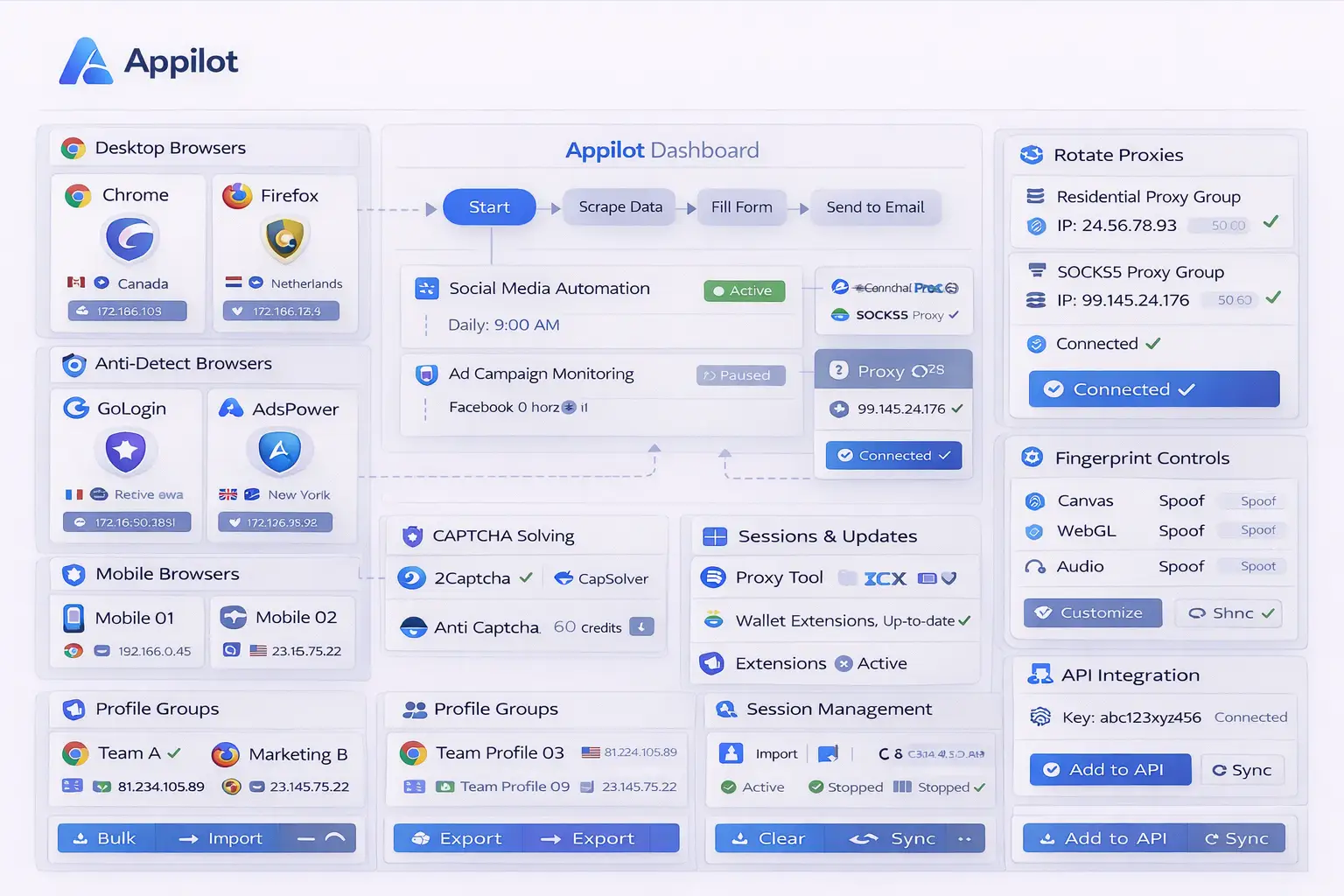
Appilot helps organize this process by acting as the main control layer between browser profiles, sessions, proxies, scheduling, and CAPTCHA-handling workflows. Instead of treating CAPTCHA as an isolated problem, Appilot allows you to manage the surrounding conditions that reduce challenge frequency in the first place.
Why CAPTCHA Solving Alone Is Not Enough
Many users assume that if a CAPTCHA is solved successfully, the browser session is safe again. In reality, most CAPTCHA systems continue tracking the session even after the challenge is completed.
A browser profile that repeatedly triggers CAPTCHAs may still remain under increased scrutiny. Solving the challenge may allow the session to continue temporarily, but it does not reset the risk score that caused the challenge in the first place.
This is why many users experience a cycle where the browser solves one CAPTCHA and then triggers another challenge shortly afterward. The underlying issue is usually related to unstable sessions, repeated activity patterns, poor proxy quality, broken cookies, mismatched browser fingerprints, or unrealistic browser behavior.
2Captcha can help solve visible CAPTCHA challenges, but Appilot helps reduce the number of situations where those challenges appear in the first place. This combination creates a stronger browser automation setup because you are handling both prevention and recovery at the same time. CAPTCHAs are often a symptom of detection rather than the main problem itself.
What 2Captcha Is Used For
2Captcha is a CAPTCHA-solving service that allows browser automation workflows to submit CAPTCHA challenges and receive solved responses automatically.
It can be used for image CAPTCHAs, text challenges, reCAPTCHA, hCaptcha, invisible CAPTCHA systems, and several other challenge types. Instead of stopping the browser workflow every time a challenge appears, the CAPTCHA can be sent to 2Captcha through an API request and solved in the background.
This becomes useful for workflows that involve login pages, scraping flows, checkout processes, account creation, email verification, or repeated browser interactions where CAPTCHA challenges may appear from time to time.
However, CAPTCHA solving should usually be treated as a fallback layer rather than the first line of defense. The best browser automation systems try to reduce CAPTCHA frequency first through better session handling, more realistic browser behavior, better proxies, stronger browser fingerprints, and improved timing variation. CAPTCHA-solving APIs are most effective when they are combined with these preventive measures. Modern CAPTCHA systems rely heavily on behavior, session quality, and environmental signals rather than only visible puzzle-solving.
Why Browser Automation Often Triggers CAPTCHAs
CAPTCHA systems usually appear when a platform decides that a browser session no longer looks natural.
This can happen when browser activity is too repetitive, when sessions reset unexpectedly, when cookies disappear, when browser storage is inconsistent, or when browser fingerprints change too often. Poor proxies, stateless automation, broken JavaScript execution, and unrealistic interaction timing can also contribute to CAPTCHA challenges.
Another major issue is retry behavior. Many automation systems immediately retry the same action several times after a CAPTCHA appears. This often makes the problem worse because repeated retries create even stronger negative signals.
Some users also rely too heavily on headless browsers without enough session continuity. If browser sessions constantly start from scratch, clear cookies, lose tokens, or switch environments too often, CAPTCHA systems become more aggressive.
Appilot helps reduce this problem by supporting stronger session continuity, persistent browser profiles, real-device execution, stable browser storage, and more realistic interaction patterns. These factors can lower the overall chance of CAPTCHA challenges appearing in the first place. CAPTCHA systems are heavily influenced by timing, browser consistency, event authenticity, cookies, storage continuity, and JavaScript execution quality.
How 2Captcha Can Be Integrated with Appilot
The most common integration method is connecting your 2Captcha API key into the browser workflow.
When a CAPTCHA appears, the browser can capture the challenge token, image, or site key and send it to 2Captcha automatically. Once 2Captcha returns the solved response, the browser session can continue without manual intervention.
This process works best when combined with stable browser sessions. If the browser profile resets immediately after the CAPTCHA appears, the solved token may become invalid because many CAPTCHA systems expect the same session state to remain active throughout the solving process.
Appilot helps with this because it keeps browser sessions more stable. Cookies, storage, browser profiles, proxies, and session continuity remain intact while the CAPTCHA is being solved. This improves the chances that the solved challenge will actually work.
Another advantage is workflow control. You can create rules inside Appilot for how CAPTCHA situations should be handled. For example, some workflows may retry after one solved CAPTCHA, while others may stop the session completely if repeated challenges continue appearing.
This allows you to create more realistic recovery behavior instead of blindly retrying the same action over and over again.
Best Practices for CAPTCHA Handling with Appilot
One of the best things you can do is treat CAPTCHA as a warning signal rather than a simple obstacle. When a CAPTCHA appears, it often means the browser session is already under increased scrutiny.
Instead of immediately retrying the same action repeatedly, it is usually better to pause the session, slow down activity, introduce more variation, and allow the browser profile to cool down.
You should also preserve session continuity whenever possible. Cookies should remain intact, browser storage should stay consistent, and the browser profile should avoid unnecessary resets. CAPTCHA systems often react badly to broken sessions and inconsistent browser behavior.
Another important practice is using high-quality proxies. Low-quality proxies, reused IP addresses, and mismatched locations can make CAPTCHA challenges appear much more frequently.
You should also monitor which workflows trigger the most CAPTCHA activity. Some browser actions are naturally riskier than others, such as repeated logins, aggressive scraping, account creation, or checkout automation.
Finally, if a session keeps hitting repeated CAPTCHA challenges, it is often better to stop and rotate context instead of forcing the same session to continue. Repeated challenge loops can increase risk and make recovery more difficult. CAPTCHA handling works best when combined with session continuity, reduced retries, and more realistic browser behavior.
Common Mistakes When Using 2Captcha
One common mistake is solving CAPTCHAs too quickly. Very fast solve timing can look unnatural because many platforms measure how quickly the challenge was completed.
Another mistake is using CAPTCHA solving without changing the surrounding browser behavior. If the browser continues using the same repeated actions, the same bad proxy, the same unstable session, and the same repetitive timing, CAPTCHA challenges will continue returning.
Some users also reset the browser session immediately after the CAPTCHA appears. This can break cookies, invalidate tokens, and make the solved response unusable.
Another issue is relying too heavily on CAPTCHA solving services for every workflow. CAPTCHA-solving APIs should be used as a fallback layer, not as the entire strategy.
Finally, many users forget to monitor which browser profiles are triggering repeated challenges. Over time, some browser sessions become too heavily flagged and should be retired or refreshed instead of reused indefinitely.
Frequently Asked Questions
Q1: Can 2Captcha solve all CAPTCHA types?
2Captcha supports many challenge types including image CAPTCHAs, reCAPTCHA, hCaptcha, invisible CAPTCHA systems, and other common formats.
Q2: Does solving a CAPTCHA reset session trust?
Usually not. Solving the challenge may allow the session to continue, but the underlying risk score often remains elevated.
Q3: Can Appilot reduce CAPTCHA frequency without solving services?
Yes. Appilot can reduce CAPTCHA frequency through better session continuity, stronger browser profiles, real-device execution, better timing variation, and more realistic browser behavior.
Q4: Why do CAPTCHAs keep returning even after they are solved?
This usually happens because the browser session still appears suspicious due to repeated activity, poor proxies, unstable cookies, broken sessions, or unrealistic behavior.
Q5: Should CAPTCHA-solving services be used for every workflow?
Not always. CAPTCHA-solving services are most useful as a fallback option when browser sessions occasionally encounter challenges.
Conclusion
2Captcha can be useful for browser automation because it allows CAPTCHA challenges to be solved automatically without manual intervention. However, CAPTCHA solving works best when combined with stronger browser sessions, better proxies, realistic timing, and stable browser behavior.
Appilot makes this process easier by helping you manage browser profiles, proxies, scheduling, session continuity, and CAPTCHA recovery workflows from one place. Instead of only reacting to CAPTCHA challenges, you can build a browser automation system that reduces how often those challenges appear in the first place. CAPTCHA is usually a signal that trust has been lost, not simply a puzzle that needs to be solved.