LinkedIn Newsletter Publishing Automation

LinkedIn newsletters can be one of the best ways for founders, agencies, consultants, recruiters, and B2B sales teams to build recurring visibility with their audience. Unlike standard LinkedIn posts, newsletters give businesses a way to publish content on a consistent schedule while also creating repeat engagement through subscriber notifications.
The challenge is that publishing newsletters manually becomes difficult when you are managing multiple LinkedIn accounts, multiple brands, or multiple content campaigns at the same time. One newsletter may focus on SaaS growth, another may focus on ecommerce trends, another may cover recruitment updates, and another may be designed for agencies, consultants, or enterprise sales teams.
This is where automation becomes valuable. Instead of manually preparing newsletter drafts, formatting content, logging into LinkedIn accounts, adding cover images, and scheduling publication, you can build workflows that organize newsletter calendars, assign topics to different accounts, and publish newsletters automatically.
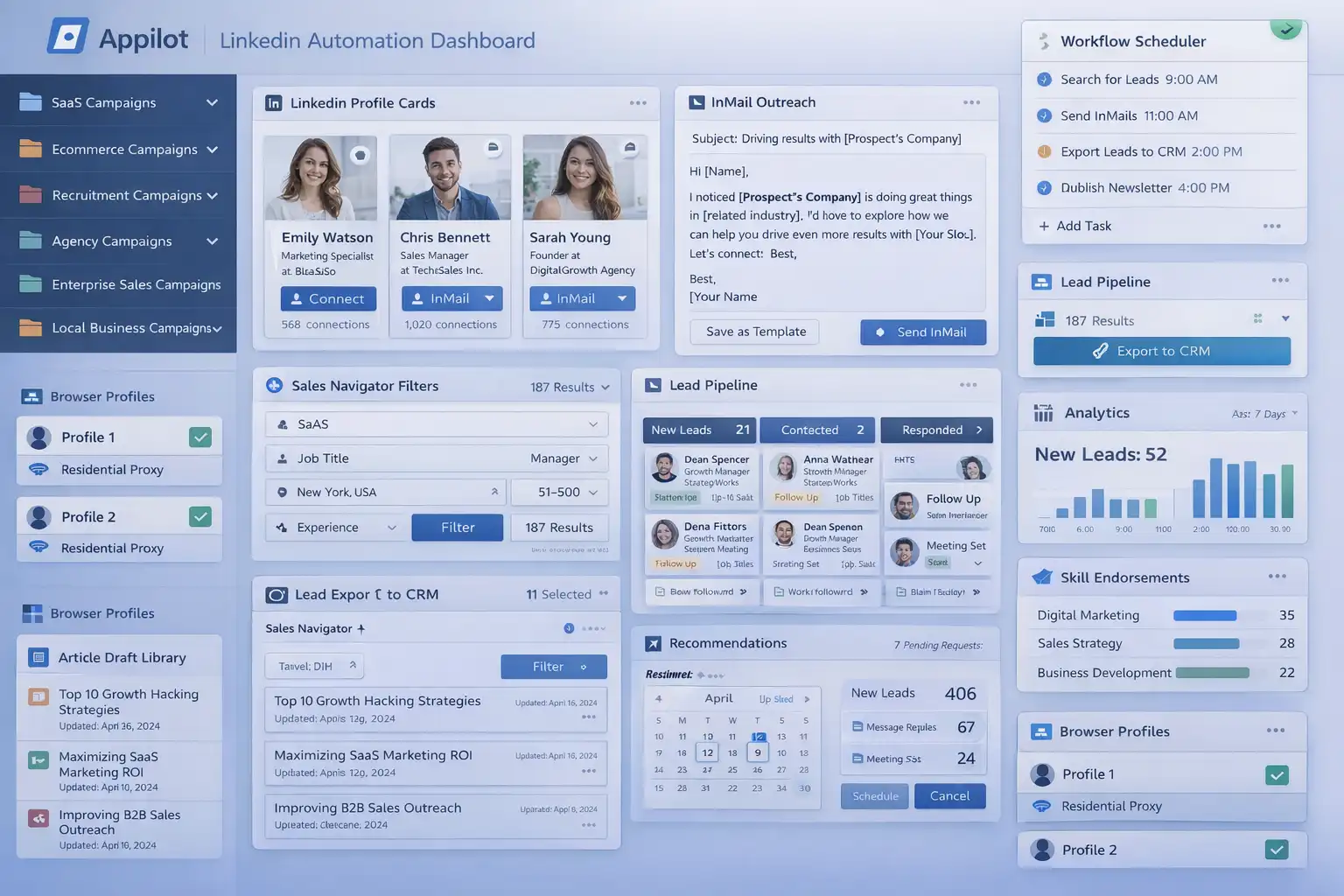
For this guide, I will use Appilot as the main workflow platform. Appilot helps automate browser workflows and Android actions from one dashboard, making it easier to manage LinkedIn publishing across multiple browser profiles and content campaigns.
In this guide, you will learn why LinkedIn newsletter automation matters, how to organize newsletter campaigns, how to connect LinkedIn accounts with Appilot, and how to automate publishing safely at scale.
Setup Time: Around 30 to 45 minutes
Difficulty: Beginner to Intermediate
Estimated Time Saved: 5 to 10 hours weekly
Why LinkedIn Newsletter Automation Matters
LinkedIn newsletters work best when they are published consistently.
For example, a SaaS founder may want to publish weekly newsletters about product growth, customer retention, and startup operations. A recruiter may want to publish monthly newsletters about hiring trends, remote work, and talent acquisition. A marketing agency may want to publish newsletters about lead generation, paid ads, ecommerce growth, and campaign performance.
If you are managing multiple newsletter campaigns manually, it becomes difficult to keep track of publishing dates, content themes, images, and account assignments.
Without a system, it becomes easy to:
Miss publishing deadlines
Publish inconsistently
Forget which newsletter belongs to which account
Reuse the same topics too often
Waste time on repetitive publishing work
Delay content campaigns
Automation helps solve these problems by turning LinkedIn newsletter publishing into a repeatable workflow.
The manual approach may work for smaller content operations, but it becomes difficult once you are managing multiple LinkedIn accounts and regular publishing schedules.
With automation, you can create workflows that assign newsletters to accounts, schedule publishing times, rotate content categories, and track publication status automatically.
The biggest advantage is not only saving time. It is making sure every account has a reliable and consistent newsletter process.
What You Need to Get Started
To automate LinkedIn newsletter publishing, you need a few tools working together.
The first requirement is an antidetect browser such as GoLogin, AdsPower, Multilogin, or Dolphin Anty. These browsers help manage multiple LinkedIn accounts separately while keeping cookies, browser fingerprints, and proxies isolated.
The second requirement is residential or mobile proxies. Proxies help make account activity look more natural and reduce the risk of multiple accounts appearing from the same IP address.
The third requirement is Appilot. Appilot helps connect browser profiles, organize LinkedIn content campaigns, automate publishing workflows, and manage repetitive content tasks from one dashboard.
You should also prepare a newsletter library before building workflows. This can include newsletter drafts, content themes, publishing schedules, author names, image assets, and audience segments.
A typical setup for LinkedIn automation usually costs between $150 and $400 per month depending on the number of accounts, browser profiles, and workflows involved.
Step-by-Step: Setting Up LinkedIn Newsletter Publishing Automation
Step 1: Organize Your Newsletter Campaigns
Before creating workflows, organize your campaigns into categories.
For example, you may have SaaS campaigns, ecommerce campaigns, recruitment campaigns, agency campaigns, local business campaigns, and enterprise campaigns.
Different campaign types usually require different newsletter topics.
A SaaS campaign may focus on product growth and startup operations, while an agency campaign may focus on lead generation and client acquisition.
The more organized your content groups become, the easier it becomes to create useful newsletter workflows.
Step 2: Build a Newsletter Calendar
Once your campaign groups are ready, prepare a publishing schedule.
For example, you may want to organize newsletters based on:
Topic category
Publishing date
Author account
Campaign type
Target audience
Publishing priority
You may also want to separate newsletters into categories such as evergreen content, trend-based content, industry news, educational newsletters, and lead generation content.
The goal is to keep newsletter information organized so the automation can quickly assign the right newsletter to the right account.
Step 3: Connect Browser Profiles to Appilot
Once your browser profiles are ready, connect them to Appilot using your browser API key.
Inside Appilot, you can organize profile groups such as:
saas-campaigns
ecommerce-campaigns
agency-campaigns
recruitment-campaigns
enterprise-campaigns
This makes it easier to assign different publishing workflows to different campaign types.
Step 4: Create a Newsletter Workflow
Once everything is connected, you can create a workflow that handles newsletter publishing automatically.
For example, you may want the workflow to:
Select newsletter draft
Match newsletter to campaign
Upload cover image
Publish newsletter
Save publication status
Update content calendar
const workflow = {
  name: "LinkedIn Newsletter Publishing Automation",
  campaigns: "saas-campaigns",
  actions: [
    "Select newsletter draft",
    "Match newsletter to campaign",
    "Upload cover image",
    "Publish newsletter",
    "Update content calendar"
  ],
  schedule: "Weekly"
};
The strongest workflows are usually simple and focused. Instead of publishing too much content at once, it is usually better to build a steady and consistent schedule.
Step 5: Test Before Scaling
Before applying automation to every campaign, test the workflow on a small group first.
Choose one campaign and monitor how the publishing process performs.
Check whether the correct newsletters are being assigned, publication timing is working properly, images are uploading correctly, and content calendars are updating accurately.
Once everything works correctly, you can gradually expand to more campaigns and more newsletter categories.
This helps reduce mistakes and gives you time to improve the workflow before scaling further.
Best Practices for LinkedIn Newsletter Automation
The best newsletter workflows focus on consistency and quality.
It is important to publish on a regular schedule because LinkedIn newsletter subscribers often respond better to predictable publishing patterns.
You should also keep newsletter topics aligned with the audience. A SaaS audience usually responds differently than an ecommerce or recruitment audience.
Another important practice is rotating content categories regularly. Repeating the same topic too often can reduce engagement.
It is also useful to review subscriber performance regularly. Even automated workflows should be checked to make sure newsletters are still relevant and useful.
Real Example: Publishing Newsletters Across 12 LinkedIn Accounts
One agency managed LinkedIn newsletter campaigns across SaaS, ecommerce, recruitment, and enterprise niches.
At first, newsletter publishing was handled manually. Team members had to log into different accounts, copy newsletter drafts, upload images, and schedule publishing.
As the number of campaigns grew, the process became slower and more repetitive.
The agency eventually switched to a workflow using GoLogin, residential proxies, and Appilot. Campaigns were grouped by niche, content calendars were standardized, and automated newsletter workflows were created for each campaign type.
After 60 days, the agency reduced manual publishing work by more than 70 percent while improving consistency and newsletter organization.
The biggest improvement was not just saving time. It was making sure every account had a reliable publishing schedule.
Common Mistakes to Avoid
One common mistake is publishing too much content too quickly. Large spikes in publishing activity can feel unnatural.
Another mistake is using the same newsletter topics across every account. Different audiences usually need different content.
Some teams also forget to update newsletter calendars regularly. Old content plans can quickly become outdated.
It is also important not to rely entirely on automation. Newsletters should still be reviewed before publication.
FAQ
Q1: How many LinkedIn accounts can I manage with automated newsletter publishing?
Most users can comfortably manage 10 to 50 LinkedIn accounts with structured workflows. Larger teams can support even more by organizing campaigns into groups.
Q2: What types of newsletters perform best on LinkedIn?
Industry insights, case studies, trend analysis, educational content, startup stories, and lead generation newsletters usually perform well.
Q3: Should every LinkedIn account use the same newsletter topics?
No. Different audiences and campaign types usually require different content categories.
Q4: How often should LinkedIn newsletter calendars be updated?
Most users benefit from reviewing and updating content calendars every few weeks because trends and business priorities change.
Q5: Which browser is best for LinkedIn automation?
GoLogin is usually best for smaller operations, AdsPower works well for larger profile groups, and Multilogin is useful for enterprise teams.
Conclusion
LinkedIn newsletter publishing automation helps businesses, agencies, and B2B teams save time while improving content consistency and campaign organization.
Instead of manually publishing newsletters every week, you can create workflows that assign content, manage schedules, upload assets, and track publishing automatically.
The key is to organize campaigns carefully, prepare strong newsletter calendars, test workflows gradually, and review subscriber performance regularly.
For SaaS companies, agencies, recruiters, ecommerce businesses, and enterprise sales teams, LinkedIn newsletter automation can become one of the most useful systems for improving LinkedIn content operations at scale.