LinkedIn Profile Views Dropped to Zero? Here's What Happened
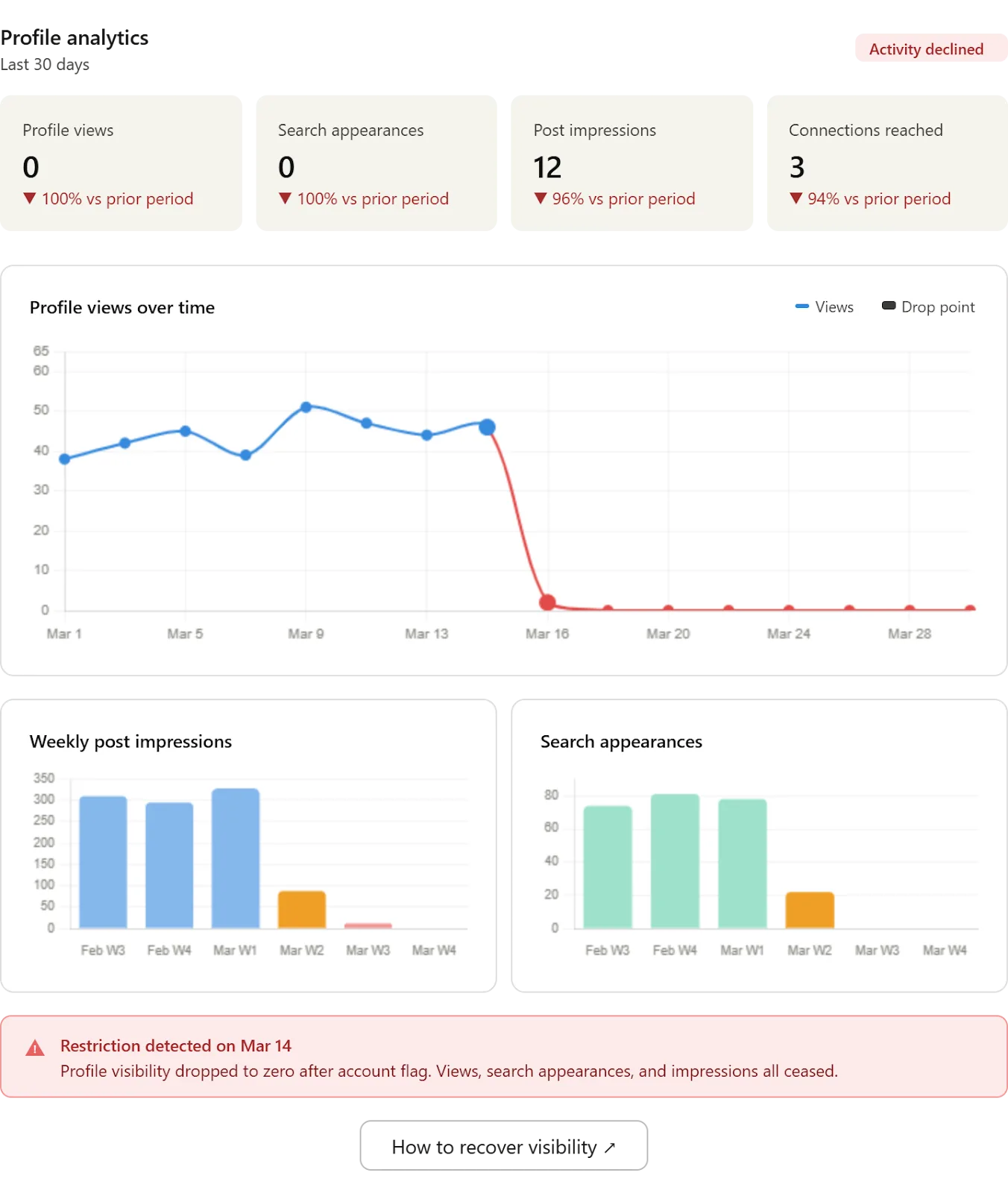
You open LinkedIn expecting to see steady profile activity, but instead, your profile views have suddenly dropped to zero or near zero, and it feels like your presence on the platform has completely disappeared overnight. You were getting consistent views before, maybe even daily profile visits from prospects, recruiters, or connections, and now there is nothing, no visibility, no engagement, and no clear explanation for what changed.
This situation is more common than most people realize, and it becomes even more frustrating when you are actively trying to grow your network, generate leads, or build authority through LinkedIn. The effort you put into optimizing your profile, sending connection requests, and engaging with content suddenly feels wasted because no one seems to be seeing your profile anymore.
As your reliance on LinkedIn increases, the impact of this drop becomes more serious because visibility is directly tied to opportunity. A small dip in profile views might go unnoticed, but a complete drop to zero signals a deeper issue, whether it is algorithm-related, behavior-based, or caused by inactivity or platform restrictions. You are left trying to figure out whether you are being penalized, shadow-limited, or simply overlooked.
There is a clear explanation behind this behavior, and more importantly, there is a structured way to fix it. Instead of guessing or making random changes, you can identify the root cause and rebuild your visibility using a combination of consistent activity, optimized workflows, and automation tools like Appilot that help maintain engagement without requiring constant manual effort.
In this guide, you will learn why LinkedIn profile views drop to zero, what signals the platform uses to determine visibility, and how to restore and scale your profile views using proven strategies. You will also learn how to build a system that keeps your profile consistently visible without relying on daily manual effort.
Setup time is around 45 minutes, difficulty is intermediate, and the return is significant because restoring even a small amount of visibility can quickly compound into more connections, conversations, and opportunities.
Why LinkedIn Profile Visibility Matters in 2026
LinkedIn is no longer just a digital resume platform; it has evolved into a highly dynamic ecosystem where visibility is driven by activity, engagement, and algorithmic prioritization. The platform rewards users who consistently contribute, interact, and maintain authentic behavior, while those who remain inactive or inconsistent gradually lose visibility over time.
In recent years, LinkedIn has shifted toward prioritizing meaningful engagement over passive presence. This means that simply having a well-optimized profile is no longer enough to maintain visibility. Instead, the platform evaluates how often you interact with others, how your content performs, and how your network responds to your activity.
For professionals using LinkedIn for business, this shift has major implications. A drop in profile views often indicates that your activity signals have weakened, causing the algorithm to deprioritize your profile in search results, recommendations, and feed visibility. When this happens, fewer people discover your profile, leading to a sharp decline in views.
If you break down the numbers, the impact becomes clear. A profile receiving 50 views per week might generate several new connections or opportunities, but if that number drops to zero, the pipeline effectively stops. Over time, this can result in lost leads, missed opportunities, and reduced growth.
This is why maintaining consistent visibility is not optional but essential for anyone relying on LinkedIn for professional growth.
What You Need to Get Started
To fix the issue of profile views dropping to zero, you need a combination of strategy and tools that ensure consistent activity and engagement.
At a minimum, you need an optimized LinkedIn profile, an antidetect browser such as GoLogin if managing multiple accounts, and an automation platform like Appilot to manage workflows efficiently. You will also need around 45 minutes for initial setup.
Using residential proxies is recommended for multi-account setups, as they reduce detection risk and improve account stability. Additional tools like content scheduling platforms or analytics tools can further enhance your strategy but are not mandatory.
The cost of this setup typically ranges between $100 and $300 per month depending on scale. When compared to the potential value of increased visibility and opportunities, the investment becomes worthwhile.
Step-by-Step: Restoring Your LinkedIn Profile Views
Step 1: Identify the Root Cause
The first step is understanding why your profile views dropped. Common causes include inactivity, reduced engagement, changes in LinkedIn’s algorithm, or behavior that triggered reduced visibility.
If you recently stopped posting, engaging, or sending connection requests, your activity signals likely weakened, causing the drop.
Step 2: Reactivate Your Profile
To regain visibility, you need to reintroduce activity gradually. Start by engaging with posts, commenting meaningfully, and interacting with your network.
This signals to LinkedIn that your account is active again, helping restore your visibility over time.
Step 3: Optimize Your Profile
Your profile must clearly communicate value to anyone who visits it. If your headline, summary, or content does not resonate with your target audience, visitors are less likely to engage or connect.
Updating your profile ensures that when visibility returns, it converts into meaningful interactions.
Step 4: Build a Consistent Activity Workflow
Consistency is the key to maintaining visibility. Instead of relying on manual effort, create a workflow that ensures regular activity.
This is where Appilot becomes useful. It allows you to automate actions such as profile visits, connection requests, and engagement, ensuring your account remains active even when you are not manually using LinkedIn.
You can achieve similar results with tools like Appium, but Appilot simplifies the process by providing a centralized dashboard for managing workflows.
Step 5: Test and Adjust
Monitor your profile views over several days and adjust your activity levels accordingly. If views start increasing, continue with your workflow. If not, refine your approach by increasing engagement or adjusting your targeting.
Safety and Best Practices
Maintaining visibility requires balancing activity with safety. Excessive or repetitive actions can trigger LinkedIn’s detection systems, reducing visibility instead of improving it.
Randomizing activity, maintaining natural behavior patterns, and gradually increasing activity levels help avoid issues. Account warm-up is also important, especially after periods of inactivity.
Real Results: What to Expect
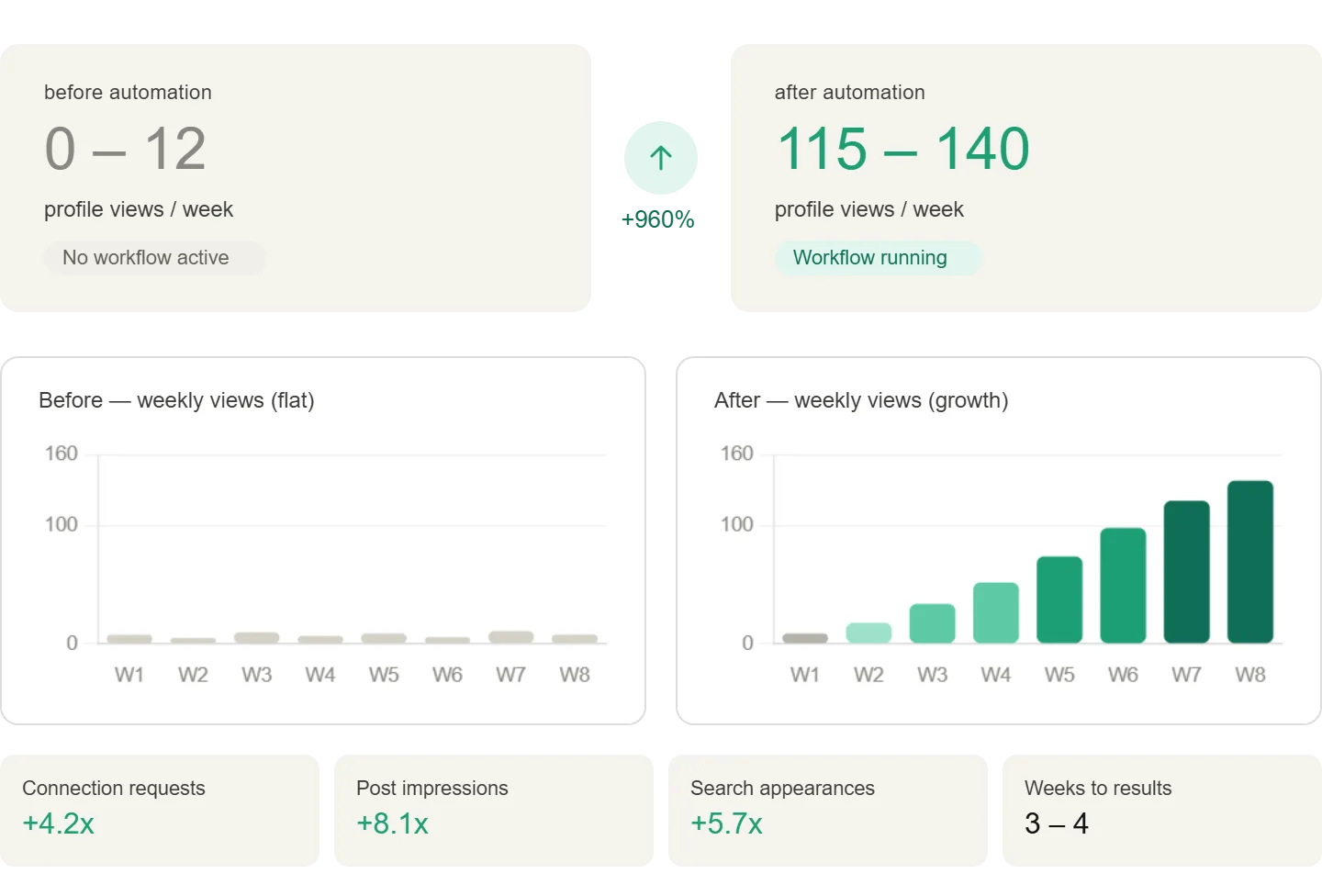
In the first week, you may not see immediate changes as LinkedIn recalibrates your activity signals. By the second to fourth week, profile views should begin to recover as your activity becomes consistent.
After one to two months, your profile should maintain stable visibility, with steady growth in views and engagement.
A typical case shows users recovering from near-zero views to consistent weekly visibility, leading to increased connections and opportunities.
Common Problems and Solutions
One common issue is no improvement in views despite increased activity. This may indicate poor engagement quality, which can be fixed by interacting more meaningfully.
Another issue is sudden drops after initial recovery, often caused by inconsistent activity. Maintaining a steady workflow resolves this.
Users may also experience warnings or reduced reach due to excessive automation, which can be addressed by reducing activity levels and increasing randomization.
Choosing the Right Tools
GoLogin is ideal for managing multiple profiles safely, while Appilot provides an efficient way to automate workflows without technical complexity.
For advanced users, tools like Appium offer more control but require more setup. For most users, a managed solution provides the best balance between ease of use and scalability.
Scaling Your Visibility
As your profile views increase, you can scale your activity to maintain growth. This includes expanding your network, increasing engagement, and refining your workflows.
At larger scales, monitoring and optimization become more important to ensure consistent performance.
Frequently Asked Questions
Users often ask whether a drop to zero means they are shadowbanned. In most cases, it is simply due to reduced activity or engagement rather than a formal penalty.
Another common question is how long it takes to recover visibility. Typically, it takes one to four weeks depending on activity levels and consistency.
Users also want to know whether automation is safe. When used responsibly, it can enhance productivity without violating platform rules.
Conclusion
A sudden drop in LinkedIn profile views is not random but a result of changes in activity, engagement, or platform behavior. Understanding these factors allows you to fix the issue systematically rather than relying on guesswork.
By reactivating your profile, maintaining consistent activity, and using structured workflows, you can restore and scale your visibility effectively.
The key is to focus on consistency, test your approach, and adjust based on results.