Linken Sphere Traffic Arbitrage Automation Using Appilot
Traffic arbitrage often involves buying traffic from one source and directing it toward offers, landing pages, affiliate campaigns, or monetized websites in a way that creates a profit margin between traffic costs and revenue. Because traffic arbitrage usually requires large numbers of browser sessions, separate accounts, multiple campaigns, different traffic sources, and continuous monitoring, it can quickly become difficult to manage manually. This is especially true when working across different ad accounts, affiliate networks, social media platforms, and tracking systems. Linken Sphere is useful in these situations because it helps isolate browser profiles, manage separate identities, and keep account sessions independent from each other. However, once traffic arbitrage operations begin to scale, profile management alone is not enough because workflows, schedules, campaigns, and browser activity also need to be controlled efficiently. This is where Appilot becomes useful because it helps organize Linken Sphere traffic arbitrage workflows from one dashboard so you can manage browser profiles, schedules, campaign tasks, and automation rules more effectively.
Why Traffic Arbitrage Requires Automation
Traffic arbitrage campaigns often involve repetitive actions that need to be performed across multiple browser profiles and accounts. Different profiles may need to open advertising platforms, monitor campaign performance, review landing pages, update budgets, rotate proxies, check affiliate dashboards, and monitor conversion data. When these actions are performed manually across large numbers of browser profiles, the process becomes slow, repetitive, and difficult to manage. Automation helps reduce this workload because it allows tasks to run according to predefined schedules and workflow rules, which makes it easier to manage campaigns at scale without manually opening and controlling every browser session.
How Appilot Works with Linken Sphere for Traffic Arbitrage
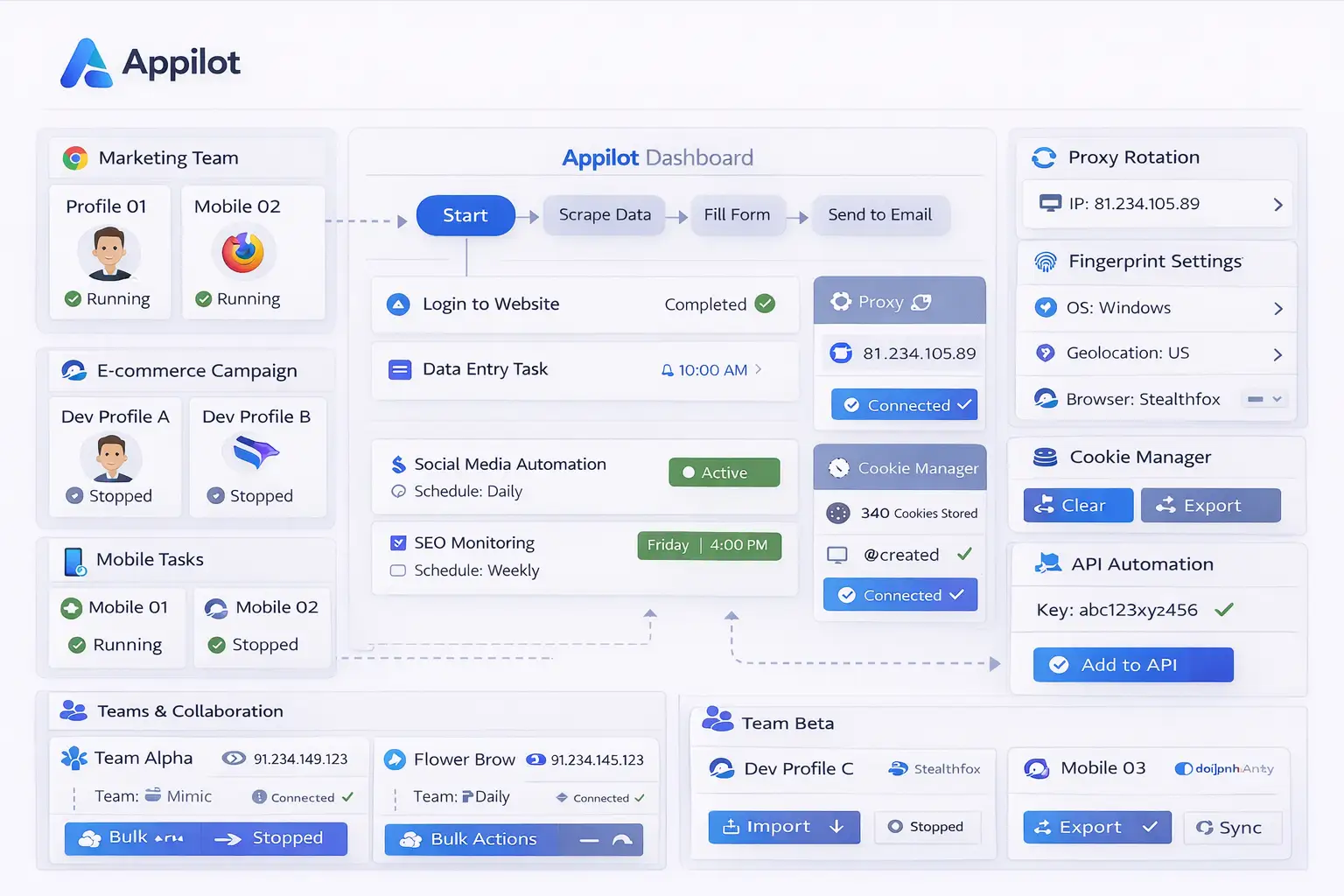
Appilot acts as the workflow and scheduling layer above Linken Sphere. First, browser profiles are created inside Linken Sphere with their own cookies, fingerprint settings, session data, account information, and proxy assignments. Once profiles are ready, Appilot can organize them into groups based on campaign type, traffic source, affiliate network, region, platform, or account category. Inside Appilot, you can assign workflows, create schedules, define timing windows, and monitor browser activity. For example, one group of profiles may be used for Facebook traffic campaigns, another may support Google Ads monitoring, another may manage affiliate dashboards, and another may be used for landing page reviews or traffic source testing. Each group can have its own timing rules, delays, schedules, and workflow settings. This makes it easier to manage large traffic arbitrage operations without manually controlling every profile.
Benefits of Traffic Arbitrage Automation
One of the biggest benefits of automation is better organization because Appilot allows profiles to be grouped based on traffic sources, campaigns, or affiliate platforms. This makes it easier to understand which profiles belong to which workflows and which campaigns need attention. Another important benefit is time savings because workflows can run automatically according to assigned schedules instead of requiring manual work every day. Automation also improves visibility because you can monitor which campaign workflows are active, which browser profiles failed, which profile groups require attention, and which schedules are running correctly. Another major benefit is scalability because once workflows are built, they can be reused across multiple campaigns and profile groups without rebuilding everything from scratch.
Common Traffic Arbitrage Workflows
Different traffic arbitrage setups often require different workflows depending on the campaign structure. Some profile groups may be used for managing advertising accounts, while others may focus on affiliate dashboards, landing page testing, tracking systems, or campaign monitoring. Social traffic campaigns may require different workflows compared to search traffic campaigns, and regional campaigns may require different timing windows, proxy locations, or browser identities. Appilot helps organize these workflows into separate profile groups so they can run automatically and remain easy to manage.
Best Practices for Traffic Arbitrage Automation
Keeping browser profiles organized is one of the most important parts of managing traffic arbitrage workflows because clear naming conventions make it easier to understand which profiles belong to which campaigns. It is also important to avoid running every profile at the exact same time because repetitive timing patterns can create unnatural behavior, so spreading activity across different schedules is a better approach. Stable proxy assignments and consistent fingerprint settings help maintain profile separation, while regular workflow reviews help identify issues such as expired sessions, failed proxies, or broken campaign processes. Starting with smaller groups of profiles and scaling gradually also makes it easier to test workflows before applying them across larger traffic arbitrage setups.
Common Mistakes to Avoid
One of the most common mistakes is poor organization because unclear profile names and campaign groups make it difficult to understand which browser profiles belong to which traffic workflows. Another common issue is assigning identical schedules across every profile group, which creates repetitive behavior patterns. Some users also scale too quickly without properly testing workflows, which increases the risk of campaign errors across the entire setup. Using the same proxy across too many profiles is another issue because it increases overlap between browser identities and reduces profile separation. The best approach is to stay organized, test workflows carefully, and scale gradually.
Frequently Asked Questions
Q1: Why should I automate traffic arbitrage workflows with Appilot?
Automating traffic arbitrage workflows saves time, improves organization, and makes campaign management easier at scale.
Q2: Can Appilot manage multiple Linken Sphere profiles at once?
Yes. Appilot can organize and manage large numbers of Linken Sphere profiles from one dashboard.
Q3: What types of traffic arbitrage workflows can be automated?
Advertising account management, affiliate monitoring, landing page testing, traffic source reviews, and campaign workflows can all be automated.
Q4: Why should campaign profiles have different schedules?
Different schedules help make browser activity appear more natural and reduce repetitive timing patterns.
Q5: What is the biggest mistake in traffic arbitrage automation?
The biggest mistake is poor organization. Without clear naming rules, schedules, and workflow groups, campaign management becomes much harder.
Conclusion
Traffic arbitrage workflows often become difficult to manage when large numbers of browser profiles, campaigns, and advertising accounts are involved. Linken Sphere helps keep browser identities separated, while Appilot adds the scheduling, workflow control, and profile organization needed to manage everything from one place. The best approach is to stay organized, avoid repetitive behavior patterns, and scale gradually as your traffic arbitrage setup becomes more advanced.