Managing Custom Chrome Extensions in Antidetect Browsers via Appilot
Custom Chrome extensions are widely used in browser automation because they allow users to create specialized browser environments for different tasks. Many users rely on custom extensions for proxy management, automation scripts, data scraping, browser notifications, account monitoring, research tools, security settings, and workflow shortcuts.
This becomes even more important when working with antidetect browsers. Antidetect browsers are often used to separate accounts, manage browser fingerprints, isolate browser profiles, and reduce overlap between sessions. Custom Chrome extensions can make these browser environments even more useful because they allow each profile to support specific tasks.
The challenge is that once you start managing dozens or hundreds of antidetect browser profiles, keeping custom extensions organized becomes difficult. Some profiles may need one extension setup, while others may require completely different tools. Updating extensions manually across multiple browser platforms also becomes time-consuming.
Appilot helps make this easier by giving you one place to organize custom extension groups, browser profiles, schedules, and profile categories. Instead of manually installing and updating extensions profile by profile, you can build a more organized browser environment.
Why Custom Extensions Matter in Antidetect Browsers
Custom Chrome extensions matter because they help browser profiles perform more specialized tasks.
For example, one antidetect browser profile may use a proxy extension, a password manager, and a security tool. Another may use scraping tools, translation utilities, and automation scripts. Another may use wallet extensions, marketplace monitoring tools, and research add-ons.
This means that browser profiles are not only defined by their browser fingerprints and proxies. The extensions installed inside the profile also contribute to the overall browser environment.
Custom extensions are especially useful because they can be designed for specific workflows. Some users build internal extensions for team notifications, account status monitoring, auto-fill forms, session tracking, or browser-based workflow shortcuts.
As browser operations grow larger, custom extension management becomes more important because it helps keep browser profiles consistent and easier to scale.
Why Managing Custom Extensions Becomes Difficult
Managing custom extensions becomes difficult because not every browser profile should use the same extension setup.
Some antidetect browser profiles may be used for social media tasks, while others may handle e-commerce accounts, affiliate campaigns, crypto wallets, or scraping workflows. Each type of browser profile may require different extension groups.
Another challenge is extension updates. Custom extensions often change over time as new features are added or bugs are fixed. If some browser profiles use older extension versions and others use newer ones, browser environments can become inconsistent.
There is also the issue of browser identity. Extensions can affect browser fingerprints because some websites can detect which extensions are installed. If every browser profile uses exactly the same custom extensions in the same order, the browser environments may become easier to connect together.
Some antidetect browsers also handle Chrome extensions differently. Certain browsers support Chrome extensions directly, while others may require manual imports or custom extension packaging.
Managing all of these details manually becomes difficult once you have a large number of browser profiles.
How Appilot Helps with Custom Extension Management
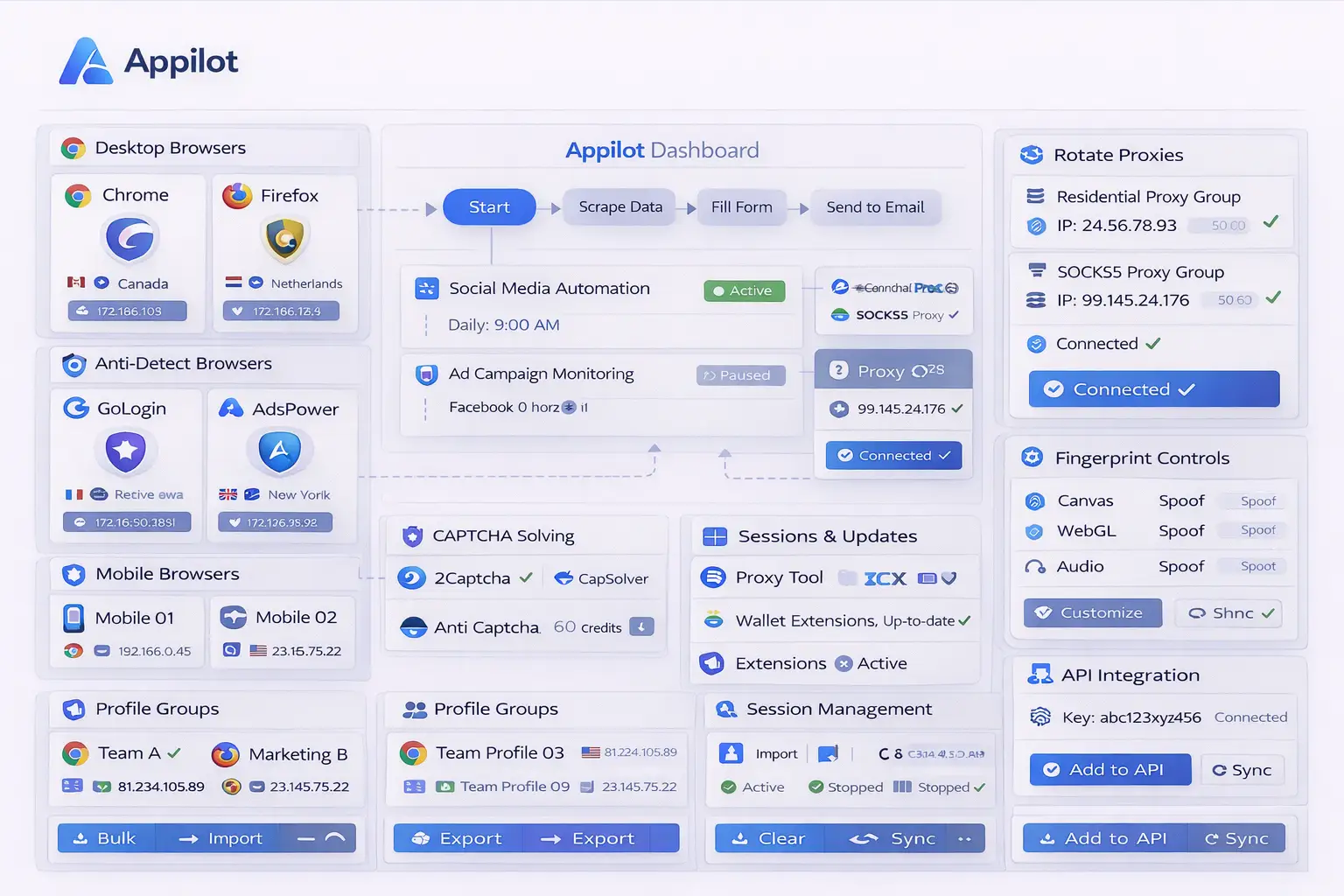
Appilot makes custom extension management easier because it provides one place to organize browser profiles, extension groups, schedules, and profile categories.
Instead of manually importing the same custom extensions into every browser profile, you can create browser groups that automatically use specific extension combinations.
For example, one browser group may use proxy extensions, automation tools, and browser notifications. Another may use wallet extensions, security tools, and account management utilities. Another may use scraping extensions, translation tools, and research add-ons.
Appilot can also help keep extension versions more consistent across browser groups. Instead of updating custom extensions profile by profile, browser environments can stay synchronized more easily.
Another advantage is profile organization. Browser profiles can be grouped by client, campaign, region, workflow type, or account category, and each group can receive a different extension setup.
This makes it easier to scale browser operations because new profiles can inherit the same extension structure automatically.
Appilot can also help reduce unnecessary extension overlap. Not every browser profile needs the same custom tools, and different extension combinations can create more realistic browser environments.
Best Practices for Managing Custom Extensions
One of the best practices is grouping custom extensions by workflow type. Social media browser profiles, crypto browser profiles, affiliate accounts, scraping environments, and e-commerce stores should not all use identical extension setups.
Another important practice is keeping extension versions consistent across related browser profiles. This reduces workflow issues and makes browser environments easier to manage.
You should also avoid installing too many custom extensions in the same browser profile. Large numbers of extensions can slow down browser performance and create more browser fingerprint signals.
It is also important to test custom extensions before deploying them across many browser profiles. An extension that causes browser crashes or compatibility issues can affect a large number of sessions.
You should also review extension permissions regularly. Some custom extensions request more permissions than they actually need, which can create unnecessary security risks.
Finally, custom extensions should remain aligned with the overall browser identity. A lightweight social media browser profile may not need the same tools as a research-heavy desktop profile.
Common Mistakes with Custom Extensions
One common mistake is installing exactly the same custom extensions across every browser profile. This creates repeated browser environments that become easier to connect together.
Another mistake is forgetting to update custom extensions. Outdated extensions can create compatibility issues, workflow errors, and security risks.
Some users also overload browser profiles with too many extensions. Large numbers of custom tools can slow down the browser and create more detectable browser signals.
Another issue is ignoring browser fingerprint impact. Installed extensions, extension order, and browser behavior can all affect browser identity.
Finally, many users forget to separate extension groups by purpose. Different workflows often need different tools, and forcing every browser profile to use the same setup can make browser environments less realistic.
Frequently Asked Questions
Q1: Why are custom Chrome extensions useful in antidetect browsers?
Custom Chrome extensions help browser profiles support specialized tasks such as proxy management, automation scripts, scraping, research, and security.
Q2: Should every browser profile use the same custom extensions?
Usually not. Different browser profiles should use different extension groups depending on their purpose.
Q3: Can Appilot help manage extension updates across many browser profiles?
Yes. Appilot can help organize extension groups, keep versions more consistent, and simplify browser profile management.
Q4: Can custom extensions affect browser fingerprints?
Yes. Some websites can detect installed extensions, which means extensions can contribute to browser identity.
Q5: How many custom extensions should a browser profile use?
Browser profiles should only use the extensions they actually need because too many extensions can slow down the browser and create more fingerprint signals.
Conclusion
Custom Chrome extensions are important because they help browser profiles support more advanced workflows. Without a structured system, managing custom extensions across large numbers of antidetect browser profiles becomes difficult very quickly.
Appilot makes custom extension management easier by helping you organize browser profiles, extension groups, schedules, and profile categories from one place. This creates more consistent browser environments and makes it easier to scale browser operations over time.