The Architecture Behind Mobile-First Automation Platforms
Many people assume mobile automation platforms are simply scripts running on phones.
In reality, that is only the visible surface of a much deeper system.
Behind every reliable mobile-first automation platform is a carefully layered architecture designed to handle real devices, scale, timing, failures, and unpredictable mobile behaviour.
If automation ever feels unstable, slow, or inconsistent, the issue is usually not the automation logic itself.
It is usually the architecture underneath it.
This guide explains how mobile-first automation platforms are structured and why this architecture is fundamentally different from desktop or browser-based automation systems.
Understanding Mobile-First Automation Architecture
Mobile-first automation platforms are built around one core assumption.
The mobile device is the source of truth.
Instead of simulating phones through emulators or browser sessions, these platforms treat real Android devices as independent infrastructure nodes.
At a high level, the architecture connects real devices, a control and scheduling layer, automation logic, and monitoring and recovery systems.
The goal is not raw speed.
The goal is long-term operational stability under real-world conditions.
This is also where Appilot naturally fits into the discussion because Appilot is built around the same mobile-first philosophy. It uses real Android devices, central orchestration, and stable device-level execution rather than depending entirely on browser sessions or emulator-based setups.
The Core Principle: Separation of Concerns
Mobile-first architecture is built around separating different layers of responsibility.
When one layer fails because of network issues, user-interface rendering delays, or device lag, the rest of the system continues operating or adapts gracefully.
Instead of collapsing when something unexpected happens, the system absorbs the problem.
If a device disconnects, orchestration pauses its tasks.
If an app freezes, automation logic waits for state confirmation.
If a device lags, scheduling redistributes workload.
Failure is expected.
Resilience is designed into the architecture from the beginning.
How Mobile-First Differs from Browser Automation
Browser automation is centralised because one machine usually controls many sessions.
Mobile-first automation is distributed because many devices execute independently while being coordinated centrally.
A useful way to think about it is that browser automation is like a single factory line, while mobile-first automation is a fleet of semi-autonomous workers, each with its own operating-system state, performance profile, and environmental conditions.
Why Architecture Matters More on Mobile
Mobile environments are naturally unstable.
Devices go to sleep, background services interfere, apps crash, networks fluctuate, and user-interface states change dynamically.
Weak architecture amplifies this instability.
Strong architecture absorbs it.
Impact Area 1 – Device Variability
No two phones behave in exactly the same way.
Hardware differences, operating-system versions, background services, and performance variations all affect execution.
Mobile-first platforms isolate devices so that one unstable phone never affects the others.
Impact Area 2 – Long-Running Stability
Mobile automation is persistent.
It often needs to run for days or weeks without human supervision.
Architectural design determines whether small glitches grow into system-wide failures or get resolved quietly in isolation.
Impact Area 3 – Scaling Without Correlation
At scale, synchronised behaviour becomes risky and unnatural.
Strong architecture ensures that each device runs independently, timing is distributed, and no shared runtime state creates patterns.
Independence prevents correlated actions that could trigger detection or instability.
Core Layers of a Mobile-First Automation Platform
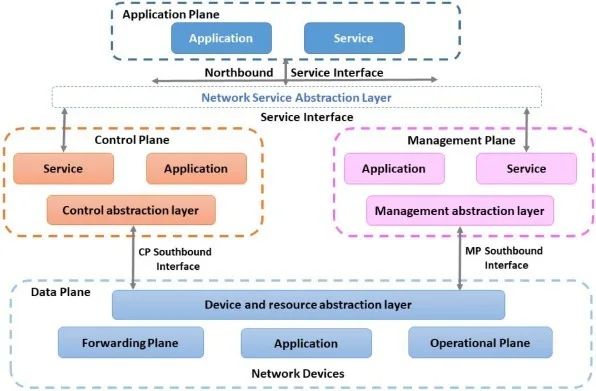
Robust mobile-first platforms usually follow a layered system design.
Layer 1 – Device Layer (Execution Layer)
The foundation is the real mobile device itself.
Each device runs the target applications, automation agents, and accessibility or user-interface interaction services.
Devices are isolated workers.
They do not share runtime state.
This prevents cascading failures.
Layer 2 – Device Control & Communication Layer
This layer manages command delivery, state reporting, health checks, and connectivity monitoring.
If a device becomes unstable or unreachable, this layer detects the problem early and triggers recovery logic.
Layer 3 – Automation Logic Layer
This is where workflows live.
Automation logic defines what actions occur, in what order, and under what conditions.
Importantly, it does not define where those actions run.
Logic is device-agnostic.
This keeps the system scalable and easier to maintain.
Layer 4 – Scheduling & Orchestration Layer
Timing matters heavily on mobile.
This layer determines which device runs which task, when execution begins, how load is distributed, and how conflicts are avoided.
Orchestration prevents synchronised patterns and distributes behaviour naturally.
This orchestration layer is one of the strongest reasons why platforms like Appilot scale well. Appilot combines central scheduling with device independence so that tasks can run across many Android devices without creating obvious synchronisation patterns.
How Data and State Flow Through the System
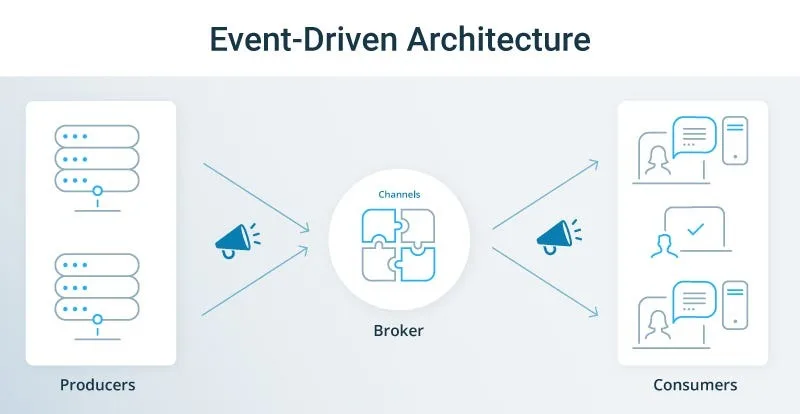
Mobile-first automation is event-driven rather than delay-driven.
Event-Driven Feedback
Devices continuously report app state, user-interface changes, errors, and interruptions.
Instead of relying on fixed sleep timers, the system reacts to real device signals.
This makes automation more adaptive.
State Isolation
Each device maintains its own independent state history.
If one device experiences an error, it does not contaminate the others.
This isolation is essential for scalable automation.
Common Architectural Mistakes
Understanding common failure patterns helps explain good design.
Mistake 1 – Centralized Execution
Running automation centrally while devices behave like simple terminals creates bottlenecks and fragile dependencies.
Mobile-first platforms push execution down to the device level.
Mistake 2 – Tight Coupling Between Logic and Devices
Hard-coding workflows for specific phones makes scaling difficult.
Loose coupling allows devices to be swapped without rewriting logic.
Mistake 3 – Treating Failure as Exceptional
Mobile systems fail constantly in small ways.
Architectures that assume everything always works collapse quickly.
Failure must be treated as normal rather than surprising.
Mobile-First Architecture in Practice
Real-world implementation makes the difference much clearer.
Example 1 – Distributed Device Farms
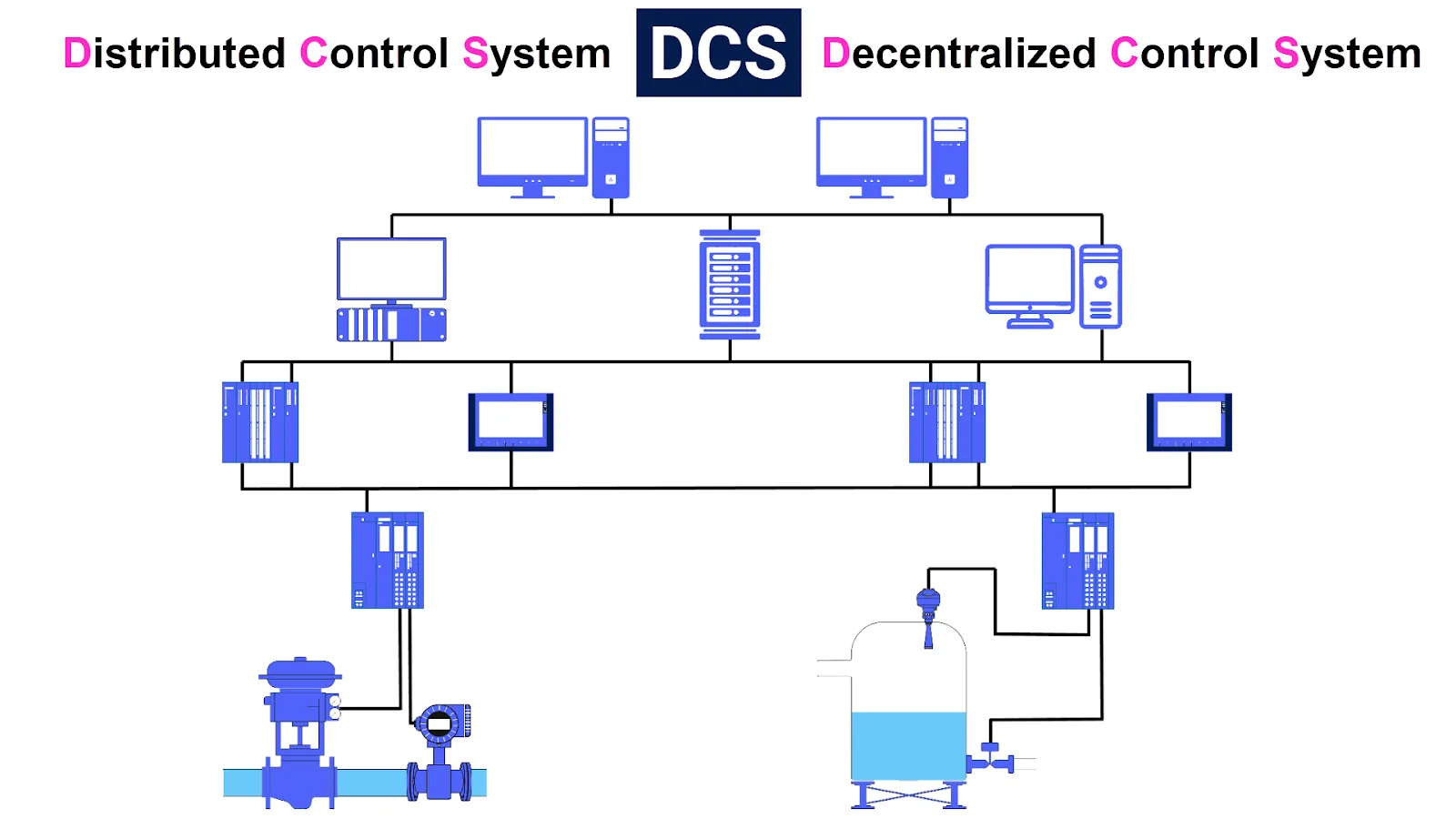
Each device executes independently while reporting status centrally.
If one device drops offline, the others continue uninterrupted.
Example 2 – Long-Running Workflows
Systems pause, resume, and adapt based on the real app state rather than relying on blind retries.
This is exactly the kind of architecture that Appilot follows.
It combines real-device execution with central orchestration while still preserving device independence.
Example 3 – Client & Account Isolation
Architectural boundaries ensure that one client’s workflow never interferes with another’s.
Isolation directly improves reliability.
When Mobile-First Architecture Is Necessary
Not every automation problem requires this type of structure.
However, it becomes essential in several scenarios.
1. Real Mobile Behaviour Matters
If automation needs to mirror real user interaction, mobile-first architecture becomes necessary.
2. You Operate at Scale
As device counts increase, complexity increases exponentially.
Architecture prevents chaos.
3. You Need Long-Term Reliability
Persistent systems require structured layering and orchestration.
This directly answers the question of how mobile automation platforms are built for scale.
They rely on isolation, orchestration, and distributed execution.
Key Takeaways
Mobile-first automation platforms succeed or fail based on architecture rather than scripts.
Real devices act as independent execution nodes, layers separate concerns and absorb failure, orchestration distributes load naturally, state isolation prevents cascading issues, and event-driven feedback improves resilience.
Some platforms remain stable for months while others collapse under their own complexity.
The difference is architectural discipline.
If you need long-term Android automation at scale, Appilot is a good example of this architecture in practice because it combines real-device execution, distributed task handling, event-driven logic, and stable orchestration.
Frequently Asked Questions
Q: What makes mobile-first automation different from browser automation?
Mobile-first automation runs directly on real devices and must account for operating-system instability and hardware variability.
Q: Why is orchestration critical?
Because timing, load balancing, and device independence prevent synchronisation patterns and system-wide failures.
Q: Can mobile-first automation scale reliably?
Yes, as long as devices, logic, and scheduling layers are kept separate architecturally.
Q: Do mobile-first platforms require real devices?
For realistic and long-term stable automation, yes. Emulators lack hardware signals and behavioural variability.
Q: When should I invest in this architecture?
When automation must be stable, scalable, and aligned with real mobile user behaviour.