Multilogin Profile Templates and Bulk Creation with Appilot

Creating browser profiles one by one becomes slow very quickly.
At the beginning, manually building a few browser profiles is manageable. You choose the browser type, assign a proxy, adjust the screen resolution, add cookies, and save the profile.
But once you need 20, 50, or 100 browser profiles, repeating that process manually takes too much time.
This is where Multilogin profile templates become useful.
Instead of creating every profile from scratch, you can build a template with the settings you want and then use that template to generate multiple browser profiles automatically.
When you combine Multilogin profile templates with Appilot, you can automate profile creation, organize browser groups, assign proxies, and scale browser operations much more efficiently.
What Are Multilogin Profile Templates?
A profile template is a saved browser configuration that can be reused across multiple profiles.
Instead of setting everything up from the beginning each time, you create one browser profile with the settings you want and use that profile as the foundation for future profiles.
For example, a template may include the browser type, operating system, language, timezone, screen resolution, proxy settings, cookie preferences, and browser fingerprint details.
Once the template is ready, you can generate multiple browser profiles with similar settings while still making small adjustments where needed.
This helps save time and keeps browser environments more consistent.
Templates are especially useful for teams managing large numbers of ad accounts, e-commerce stores, social media profiles, scraping operations, or affiliate campaigns.
Why Bulk Profile Creation Matters
Bulk profile creation is important because browser operations often grow much faster than expected.
A team may start with ten browser profiles and then suddenly need fifty more for new clients, new campaigns, new stores, or new account groups.
If every profile has to be created manually, the setup process becomes a bottleneck.
Bulk creation allows you to generate large numbers of browser profiles in a much shorter amount of time.
Instead of manually building each profile, you can create multiple profiles from the same template and make only the necessary changes.
For example, you may want the same browser type, language, timezone, and screen resolution across all profiles while changing the proxy, cookie set, and profile name.
That makes the process much faster.
How Appilot Helps with Profile Templates
Appilot helps organize and automate the profile creation process.
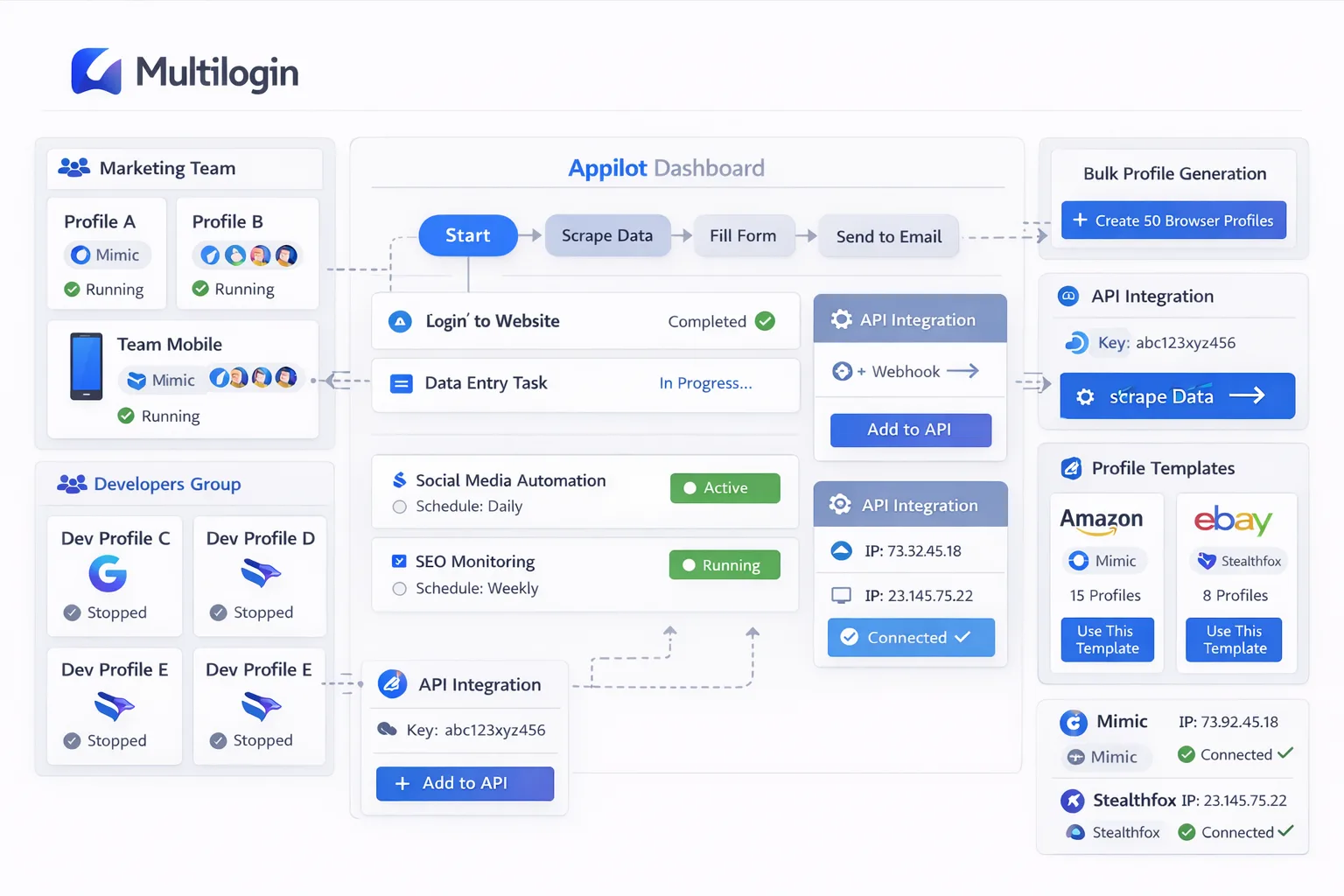
Instead of manually creating templates and importing them one by one, Appilot can work alongside Multilogin to help generate profile groups, assign automation workflows, and organize profiles into categories.
For example, you could create one template for Facebook ad accounts, another for Shopify stores, and another for scraping profiles.
Once those templates exist, Appilot can automatically assign profiles to the correct groups, schedules, and workflows.
This makes it easier to keep browser environments organized.
Instead of having one large list of random profiles, you can separate them by client, account type, department, or campaign.
Common Template Types
One of the most common template types is for social media management.
A social media template may include a Chromium-based browser, English language settings, a residential proxy, common screen resolutions, and a standard timezone.
Another common template type is for e-commerce accounts.
These templates may be designed for Shopify stores, Amazon seller accounts, supplier portals, and payment platforms.
Scraping templates are also common.
These browser profiles may use different browser engines, proxy types, cookie settings, and browser fingerprints to make scraping operations look more diverse.
Agencies often create separate templates for different clients.
For example, one client may require mobile proxies and US-based fingerprints while another client may need residential proxies and European browser settings.
Using templates makes it easier to keep those environments consistent.
Building a Bulk Creation Workflow
A typical workflow starts with creating the master template.
This includes choosing the browser type, screen resolution, language, timezone, fingerprint settings, extensions, and browser behavior.
After that, you can decide which settings stay the same across every profile and which settings change.
For example, profile names, proxies, cookies, and browser group assignments may all be different.
Once those rules are defined, Appilot can help automate the creation process.
Profiles can be added into the correct browser groups automatically. They can also be scheduled for future tasks or connected to specific workflows.
This is especially useful when onboarding new clients or expanding into new account categories.
Instead of spending hours building browser profiles manually, the setup process can happen much faster.
Best Practices for Profile Templates
The most important rule is to avoid making every browser profile look exactly the same.
If every profile has the same proxy type, screen resolution, browser version, timezone, language, and fingerprint settings, the environments may start to look suspicious.
It is better to keep the core template consistent while still introducing small differences.
For example, you can rotate screen sizes, browser versions, proxy locations, and browser languages.
You should also keep templates organized by purpose.
Do not use the same browser template for every type of account.
A social media profile should not necessarily use the same setup as an e-commerce profile or a scraping profile.
You should also use clear naming conventions.
Instead of generic profile names like “Template 1” or “Profile A,” use names that explain the purpose of the template.
That makes it easier for teams to know which templates they should use.
Common Problems with Bulk Profile Creation
One common problem is creating too many identical browser profiles.
If dozens of profiles share the exact same settings, they may appear too similar.
Another issue is assigning the wrong proxy type.
For example, using datacenter proxies for accounts that normally use residential proxies can trigger security checks.
Cookie problems can also happen.
If the wrong cookie sets are imported into the wrong profiles, accounts may require new logins.
Teams also sometimes create too many templates without a clear structure.
That can make it difficult to know which templates should be used for different workflows.
The best approach is to keep templates simple, organized, and clearly labeled.
Frequently Asked Questions
Q1: What is a Multilogin profile template?
A Multilogin profile template is a saved browser configuration that can be reused to create multiple browser profiles with similar settings.
Q2: Why is bulk profile creation useful?
Bulk creation saves time because you do not have to manually build every browser profile one by one.
Q3: Can Appilot help organize browser templates?
Yes. Appilot can help organize templates into profile groups, workflows, and schedules.
Q4: Should every browser profile use the exact same template?
No. It is better to introduce small differences between profiles so that they do not all look identical.
Q5: What is the biggest mistake with bulk profile creation?
One of the biggest mistakes is generating too many profiles with identical fingerprints, proxies, and browser settings.
Conclusion
Multilogin profile templates make browser setup much faster because you do not need to build every profile from scratch.
Once you combine templates with bulk creation, it becomes much easier to scale browser operations across different clients, campaigns, and workflows.
Appilot adds another layer of organization by helping you group profiles, assign workflows, and automate profile management.
If you are creating large numbers of browser profiles regularly, using templates and bulk creation can save time, reduce manual work, and make your browser environments much easier to manage.