No Idea What Automation Is Running Right Now? Here’s How to Track It
Your Automation Is Running—But You Have No Idea What It’s Doing
At first, automation feels simple. You build a few scripts, schedule a few browser tasks, maybe run some Android workflows, and everything feels manageable. Then the number of automations grows.
Now you have browser profiles opening at random times, scheduled tasks running across different accounts, proxies changing, Android devices performing actions, and scripts triggering from multiple servers or dashboards. Something fails, but you do not know which workflow caused it. Something succeeds, but you do not know exactly what ran.
You are constantly asking the same questions. Which automation is active right now? Which account is using which browser profile? Which device is currently busy? Which task failed overnight? Did that workflow finish, or is it still running in the background?
The more automation you add, the more difficult these questions become to answer.
You are not alone in this. One of the biggest problems in scaling automation is not building workflows—it is keeping visibility over them. Once you lose visibility, automation stops saving time and starts creating confusion.
The good news is that this problem is completely fixable if you build the right tracking system around your workflows.
Why It Becomes So Hard to Track Automation
Most people think automation gets messy because they have too many scripts. That is only part of the problem.
The real issue is that most automation systems are built to execute tasks, not to explain themselves.
A script runs, finishes, and disappears. A browser launches, performs actions, and closes. A mobile workflow triggers in the background, but there is no central place to see what happened.
When you only have a few workflows, this is manageable. Once you scale to dozens or hundreds of automations, it becomes impossible to track manually.
Workflows Are Spread Across Too Many Places
You might have some automation running inside Selenium, others inside Puppeteer, and some tasks running on Android devices or antidetect browsers.
Each tool has its own logs, its own status system, and its own way of reporting errors. Instead of one source of truth, you end up with ten different places to check.
Logs Are Too Technical or Incomplete
Most logs are written for debugging, not for operations.
You do not want to read stack traces every time you need to know whether a task succeeded. You want simple answers like which task is running right now, which account is being used, how long it has been running, whether it succeeded or failed, and what the last completed action was.
Without that level of visibility, every problem takes longer to diagnose.
Scheduled Tasks Create Hidden Activity
Scheduling makes the problem worse because workflows are no longer tied to a specific moment when you manually launch them.
Tasks trigger automatically at different times, which means actions can happen while you are asleep, away from your computer, or focused on something else.
By the time you notice an issue, the original task may have already stopped, leaving you with incomplete logs and no clear timeline.
The Hidden Cost of Not Knowing What Is Running
At first, poor visibility feels like a minor inconvenience. But as your automation grows, the cost becomes much bigger.
You waste time trying to figure out what happened instead of solving the actual issue. You rerun tasks that already completed. You miss failed workflows because there was no clear alert. You accidentally run duplicate automations because you forgot something was already active.
This becomes even more dangerous when you are managing multiple accounts, browser profiles, or client workflows. A small mistake can affect the wrong account, trigger duplicate actions, or create activity patterns that look suspicious to the platform.
The bigger your system becomes, the more important visibility becomes.
Without tracking, you are not managing automation. You are guessing.
The Complete Fix: Build a Visibility Layer Around Your Automation
The solution is not to reduce the number of automations you run. The solution is to make them visible.
Every workflow should have a status, a timeline, and a history.
You should always be able to answer what is running right now, what completed recently, what failed, which account, browser profile, or device was used, how long the task took, and what the final outcome was.
This means building a system where automation is not just executed—it is monitored.
Use Centralized Dashboards Instead of Scattered Logs
The easiest way to regain control is to stop relying on separate logs across multiple tools.
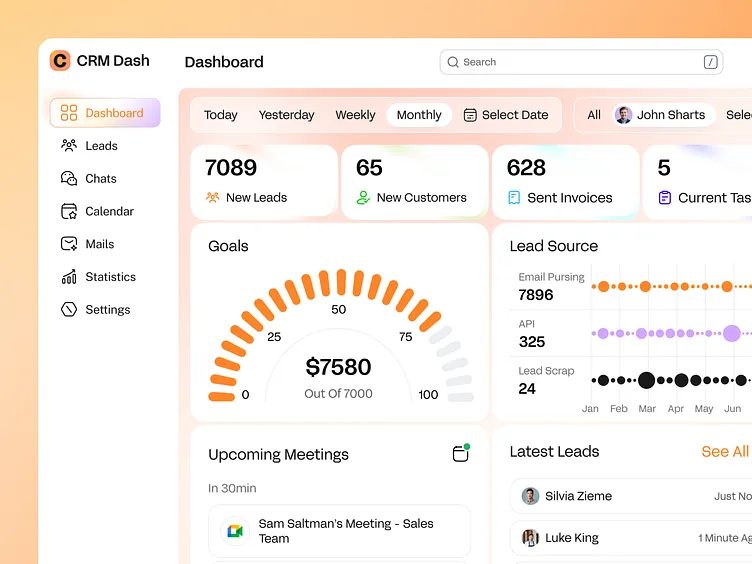
Instead of checking one server for browser logs, another system for proxies, and another device for mobile workflows, you need a central dashboard that shows everything in one place.
This dashboard should show task status, execution history, runtime, and failure reasons in a format that is easy to understand.
Add Clear Task Names and Labels
One of the simplest fixes is naming workflows properly.
Instead of generic names like “Task 1” or “Daily Script,” use labels that clearly describe what the automation does.
For example, you might use names like “Amazon account warm-up – Browser Profile 12,” “LinkedIn outreach – US proxy batch,” “Android Instagram replies – Device 4,” or “Daily Quora upvote run – Group B accounts.”
This makes it much easier to understand what is happening at a glance.
Track Start Times, End Times, and Outcomes
Every automation should log when it started, when it ended, and whether it succeeded or failed.
You should also know the last completed step before a failure happened.
This alone can save hours of debugging because you no longer need to guess where the issue occurred.
The Better Alternative: Use Systems Designed for Visibility
One of the biggest problems with custom scripts is that they are usually built only to run tasks, not to manage them.
That is why visibility often gets added later as an afterthought.
A better approach is to use systems that are designed from the start around centralized monitoring.
This is where Appilot becomes useful. Instead of having browser tasks, Android workflows, schedules, and logs spread across multiple places, everything is visible from a single dashboard.
You can see which tasks are active, which profiles are being used, what failed, and what completed recently. You can also organize workflows by account, browser profile, schedule, or device, which makes large-scale automation far easier to manage.
The goal is not just to automate more. It is to stay in control as automation grows.
How to Prevent Automation Chaos in the Future
Once you regain visibility, prevention becomes much easier.
You should standardize how tasks are named, grouped, and scheduled. Similar workflows should follow the same structure so that you can understand them quickly.
You should also set up alerts for failures, long-running tasks, or duplicate activity. This allows you to catch issues before they become major problems.
Most importantly, every new automation should be added to a system that already supports tracking. Visibility should not be something you add later—it should be part of the workflow from the beginning.
Common Mistakes That Make This Worse
One of the biggest mistakes is relying entirely on raw logs. Logs are useful, but they are not enough on their own.
Another mistake is naming tasks too vaguely, which makes it impossible to know what is actually running.
There is also a tendency to spread automation across too many disconnected tools without a central dashboard. This creates a situation where everything technically works, but nothing is easy to track.
Conclusion: If You Cannot See It, You Cannot Manage It
Automation saves time only when you can understand what it is doing.
Once you lose visibility, even simple workflows become difficult to manage. Tasks overlap, failures go unnoticed, and debugging takes longer than it should.
The fix is not to reduce automation. It is to build a system where every workflow is visible, trackable, and easy to understand.
That is what allows you to scale without losing control.