Opera Browser VPN Automation with Appilot
Opera Browser is often used by people who want built-in privacy features, browser customization, and access to tools such as an integrated VPN, sidebar apps, workspaces, and profile management. Unlike many browsers that require separate extensions for privacy features, Opera includes many of these tools directly inside the browser.
One of the most widely used features is the built-in VPN. Users often rely on Opera Browser VPN when they want more browsing privacy, location flexibility, or an additional layer of protection while visiting websites and managing browser-based tasks.
This makes Opera Browser useful for researchers, marketers, agencies, e-commerce sellers, social media managers, affiliate marketers, and anyone who works across multiple websites and browser sessions every day.
The challenge is that even with built-in VPN support, users still need to repeat the same browser tasks every day. They may need to open browser sessions, activate VPN settings, review dashboards, monitor websites, check account activity, export reports, and close sessions afterward.
This is where Appilot becomes useful. Opera Browser provides the browsing environment and built-in VPN functionality, while Appilot helps automate browser launches, repetitive workflows, VPN-based browser sessions, and scheduling.
Why Opera Browser VPN Is Useful for Browser Workflows
Opera Browser VPN is useful because it gives users a simple way to browse with additional privacy and location flexibility without installing separate VPN software.
For many browser workflows, users may want different browser sessions to operate under different privacy conditions or browsing locations.
For example, a marketer may want to check how websites appear in different regions. A researcher may want to review search results or websites from different browsing locations. An affiliate marketer may want to test landing pages, campaign behavior, or content visibility from different regions.
E-commerce sellers may also want to check store behavior, product visibility, or pricing across different markets.
Opera Browser VPN can make these types of workflows easier because the VPN settings are already part of the browser.
Why Combine Opera Browser VPN with Appilot?
Opera Browser provides built-in VPN features, but it does not automate repetitive browser work on its own.
Users still need to launch the browser, activate VPN settings, open websites, review dashboards, check reports, and close sessions afterward.
When these tasks happen every day, they quickly become repetitive.
Appilot helps solve this problem by allowing VPN-based browser workflows to happen automatically.
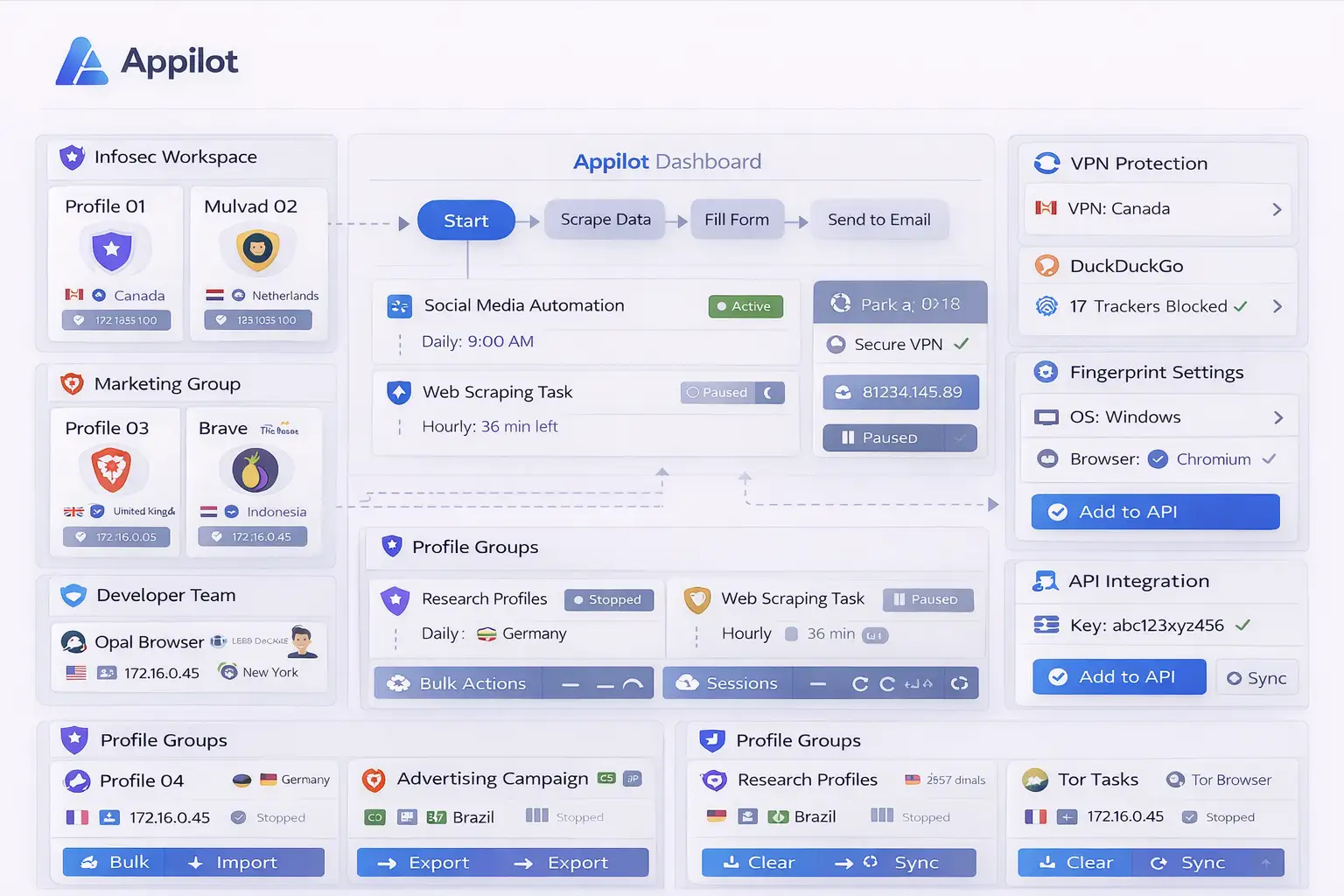
For example, Appilot can launch Opera Browser at a scheduled time, activate a selected VPN region, open specific websites, review account dashboards, monitor activity, export reports, and close the session afterward.
This creates a more organized workflow where browser tasks happen automatically instead of relying on manual effort every day.
Common Opera VPN Browser Workflows
One common use case is market research. Researchers often want to see how websites, search results, or online stores behave in different locations. Opera Browser VPN can make it easier to view location-based differences while Appilot automates the browser workflow.
Affiliate marketers may use Opera Browser VPN to check campaign visibility, landing page behavior, or ad performance from different regions.
E-commerce sellers often want to review product pages, pricing, competitor websites, and store availability in different markets.
Social media managers may use Opera Browser VPN to review how content appears in different regions or to monitor region-specific campaigns.
Agencies may also use Opera Browser VPN for browser-based research, campaign monitoring, client reporting, and testing workflows.
Setting Up Opera Browser VPN Workflows
The easiest way to begin is by creating one simple workflow.
For example, you may want Appilot to launch Opera Browser every morning, activate a selected VPN region, open a few websites, review dashboards, and close the session afterward.
You can begin with only a few browser actions so that the workflow is easier to test.
Once the workflow becomes stable, you can gradually add more VPN regions, more browser sessions, more websites, and more advanced actions.
It is usually better to keep the first workflow simple because this makes troubleshooting easier.
After the setup becomes reliable, it can be expanded into larger workflows for market research, e-commerce monitoring, affiliate campaigns, social media reviews, or location-based browser testing.
Benefits of Using Opera Browser VPN with Appilot
One of the biggest benefits is location flexibility. Opera Browser VPN allows users to view websites and browser sessions from different regions without relying on separate VPN software.
Another major benefit is automation. Appilot helps reduce the amount of repetitive work involved in opening browser sessions, activating VPN settings, reviewing websites, and checking reports.
The combination is also useful for consistency because browser tasks happen the same way every time.
This reduces the chance of forgetting to change VPN regions, skipping important browser steps, or missing reports.
The setup is also useful for scaling because multiple VPN-based browser workflows can be managed from one dashboard.
Best Practices for Opera Browser VPN Automation
The best approach is to keep browser workflows organized from the beginning.
Use separate browser sessions for different VPN regions, projects, or account groups so that workflows are easier to manage.
It is also important to use clear naming systems for browser sessions and VPN locations.
Reviewing browser activity, workflow logs, and VPN settings regularly can help identify issues early.
You should also avoid creating too many overlapping schedules because this can make browser management harder.
Starting with smaller workflows before building larger VPN-based browser systems is usually the safest approach.
Common Problems and Troubleshooting
One common issue is that websites may behave differently depending on the VPN region selected.
Another issue is that workflows may stop working because websites change layout or because login sessions expire.
Users may also accidentally use the wrong VPN location if browser sessions are not clearly separated.
Too many browser extensions or overlapping workflows can also reduce browser stability.
Keeping browser sessions organized and reviewing logs regularly usually helps prevent these problems.
Frequently Asked Questions
Q1: Why use Opera Browser VPN for browser workflows?
Opera Browser VPN provides built-in privacy and location flexibility without requiring separate VPN software.
Q2: Can Appilot automate Opera Browser VPN sessions?
Yes. Appilot can automate browser launches, VPN selection, website monitoring, and repetitive browser tasks.
Q3: Is this setup useful for research and e-commerce?
Yes. Researchers and e-commerce sellers often use Opera Browser VPN for location-based checks and browser workflows.
Q4: Should I create separate browser sessions for different VPN regions?
Yes. Using separate sessions for different regions helps keep browser workflows organized.
Q5: What happens if an Opera Browser VPN workflow stops working?
You can review logs, check VPN settings, refresh login sessions, and update the workflow if needed.
Conclusion
Opera Browser provides built-in VPN functionality, privacy features, and browser flexibility, while Appilot helps automate repetitive browser workflows and browser session management.
Together, they create a more practical system for managing VPN-based browser tasks without repeating the same manual work every day.
This makes it easier to save time, stay organized, and manage location-based browser workflows more efficiently.